


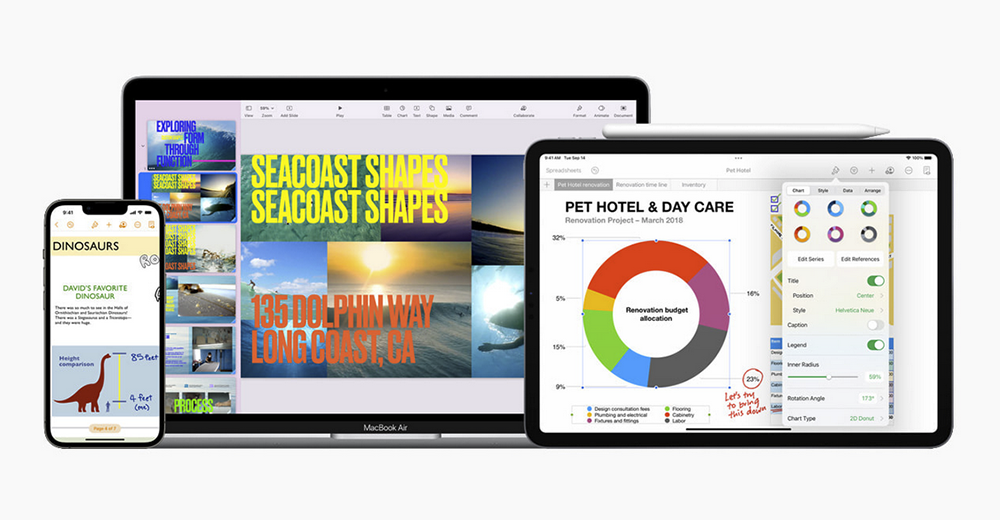
Faced with the transformation of modern people who gather online more often, Apple has not only focused on the “Share with” function for sharing entertainment content across the system. Today, it also launched a new generation of collaboration function updates for the iWork three brother packages, as well as a document viewing function experience that adapts to the mobile era. The most anticipated ones should be the convenient function of adding live video for presentations directly in Keynote and the collaboration tools (to allow you to elegantly conduct multi-person presentations). And these powerful updates are still available immediately at no extra charge! Continue reading the article on Apple’s comprehensive update of Keynote, Pages and Numbers, which uses the power of action to fully enhance the experience.
▲Picture source for this article: Apple
Apple Keynote, Pages and Numbers are fully updated to fully enhance the experience with the power of mobile
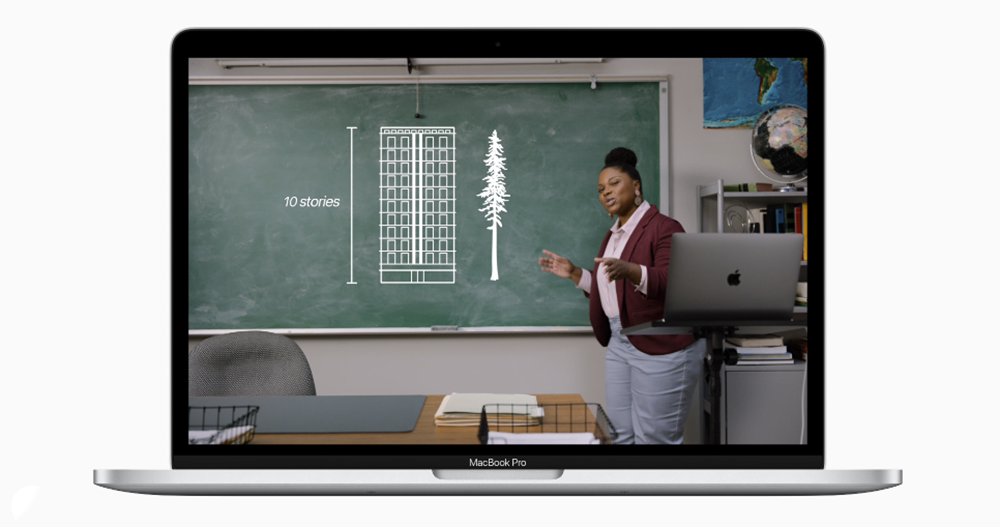
The Keynote app allows everyone to start a high-quality presentation like an Apple conference at any time. Through this comprehensive iWork version 11.2 update, in addition to the collaboration function that allows multiple presenters to control shared presentations, new support has been introduced to add live video to presentations using the front-facing camera on an iPhone, iPad, or Mac device to enhance the sense of participation.

To put it simply, you will be able to share the real-time image in your video screen to the field placed in the presentation, which is the concept of PiP picture-in-picture. You can specify the size and appearance of the PiP window, and you can even present it full-screen with elements such as on-screen text. On macOS devices with more powerful multitasking capabilities, you can connect multiple cameras and Webcam for simultaneous demonstrations, and even join the shared screen of a connected iPhone or iPad – which should be very useful if you need the use of the Live Demo application.
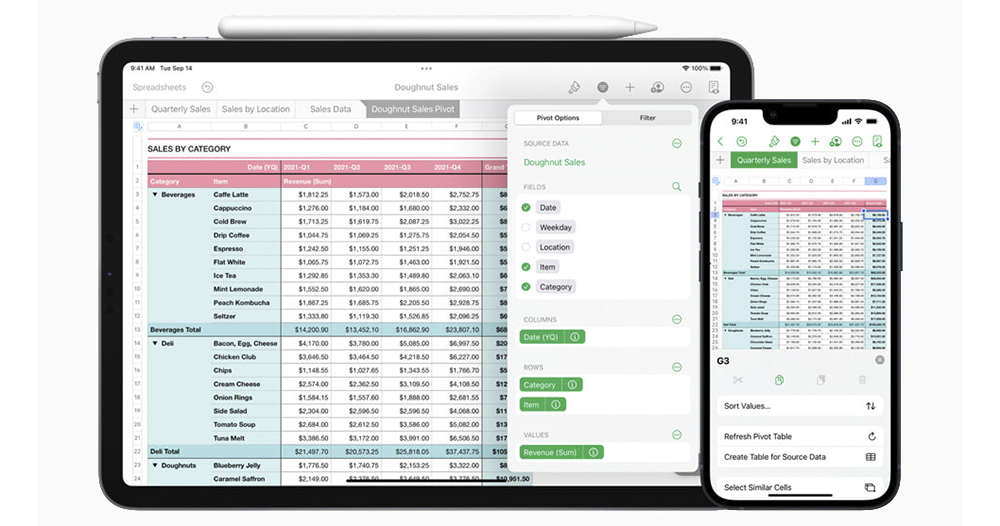
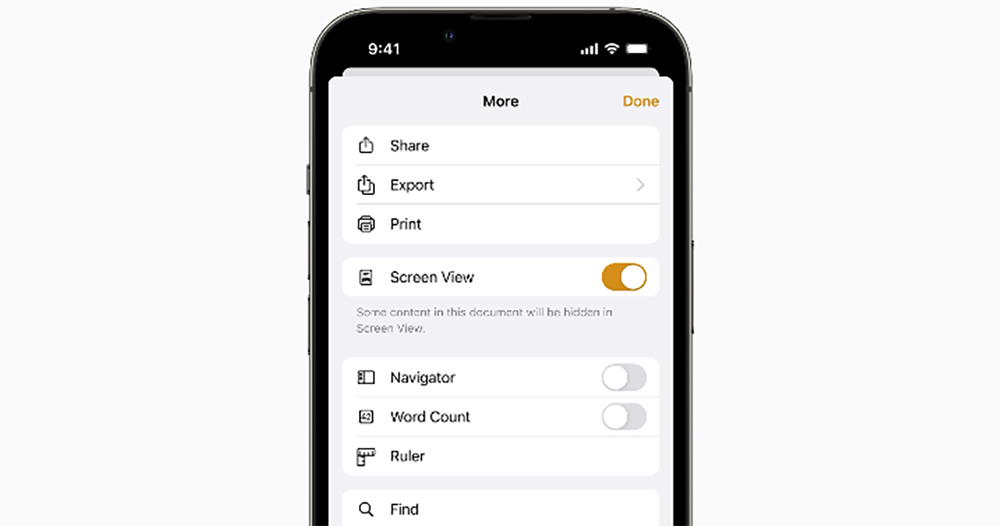
Come to Numbers, which has powerful analysis functions and can generate super cool charts and put them in Keynote to shock the audience. Apple has added Pivot Table support this time, which can easily carry out large-scale data analysis, as well as radar charts for better analysis of information. In response to the needs of more iPhone users to use it to view documents, Pages has added a “Screen View” mode similar to the mobile layout function of web pages.
Simply put, when activated, the screen view mode, which can be found in settings, will rearrange various elements in the document. For example, charts can be clicked to display in full screen, and wider tables can be viewed by sliding left or right to see more images.
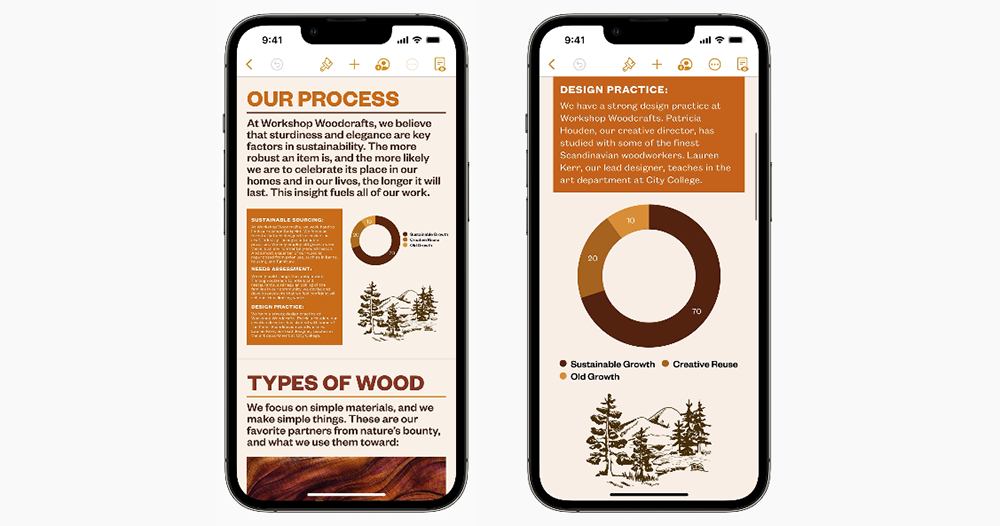
▲Picture: The difference before (left picture) and after (right picture) activating “Screen Display”.
Of course, the most important thing is that the originally dense text will be adjusted to a screen size that is more suitable for reading on mobile devices. And since this is “display mode”, the original layout of the file will not be changed due to startup, so there is no need to worry about changing the original file content.
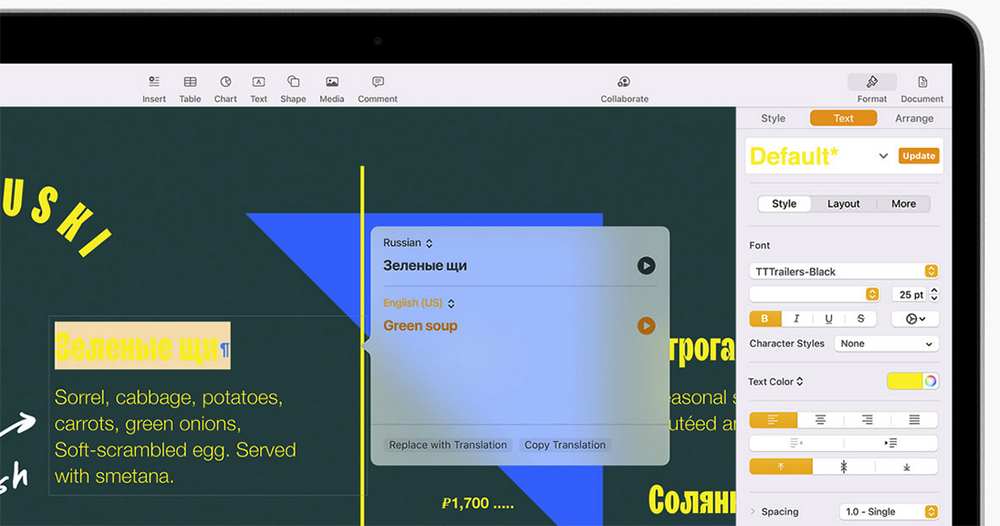
This time across the three iWork applications, there is also a selected translation function that can replace text. It should be noted that some functions will require iOS 15 / iPadOS 15 / macOS Monterey to be used (translation is). Therefore, if you want to get the most complete Apple productivity experience, it is recommended not only to install this iWork update for free, but also to get it with the cooperation of a new operating system.
Pictures/sources cited in this article
Further reading:


Source: KOCPC Chinese