


After a mobile phone has been used for a long time, there will be insufficient storage space, and the iPhone is no exception. In this case, the mobile phone is prone to various situations, such as iPhone crash, iPhone freeze, application crash, mobile phone response is slow, etc. In addition, Apple will launch iOS 15 in the near future. According to past experience, early devices may experience the above symptoms after updating the iOS system. What should you do if you are unfortunately infected? This article provides you with 7 ways to quickly rescue your iPhone, including the simplest, fastest and most effective third-party applications tested so far. Tenorshare ReiBoot Repair your iPhone. There is no technical difficulty in using this software. Follow the instructions of the software and you will be able to repair it.Solve several common iPhone freezing problems。

-
Common reasons why your iPhone crashes
-
3 most effective ways to solve iPhone crashes (recommended first)
- Restart phone
- Use Tenorshare ReiBoot to repair frozen iPhone in 3 simple steps
- Use DFU mode to unblock iPhone from freezing
-
4 common methods to fix iPhone crash
- Close all applications
- Reinstall problematic software
- Update iOS system
- Reset iPhone to factory settings
Common iPhone Reason for death
System software failure
When upgrading the iOS system every year, this kind of glitch will happen from time to time. Sometimes the phone will freeze for a minute or two and then automatically return to normal. But if it encounters a more serious situation, you need to run a troubleshooting program to repair it.

Application error occurred
iPhone application crashes are also a common problem, especially after upgrading the iOS system, because some applications need to be updated before they can better adapt to the new system.
Hardware failure or damage
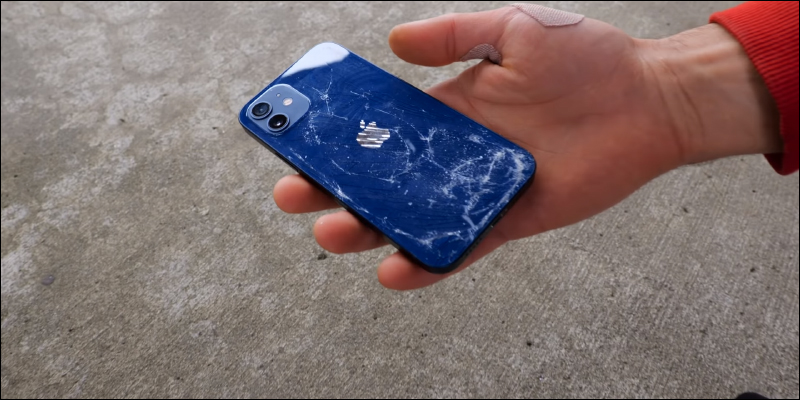
If your phone has been dropped on the ground or in water, the internal components may be damaged, causing the iPhone to crash. This tutorial provides methods for repairing software problems. If your phone cannot be repaired after use, it is most likely a hardware failure. You need to contact the official after-sales service to check your iPhone and replace damaged components.
Important reminder: If your iPhone freezes too frequently,It is recommended that you back up the data on your phone to your computer or iCloud as soon as possible(recommended) to avoid losing important data in the event of an accident. Some solutions include clearing the data on the phone; or resetting the iPhone.
3 most effective ways to solve iPhone crash (Recommended first)
1. Restart your phone
Restarting the phone will end all software on the phone and close all applications, including the applications that cause the iPhone to get stuck. Restarting can solve 70% to 80% of system instability problems, so this is the first operation you can try. It is simple and cost-effective.
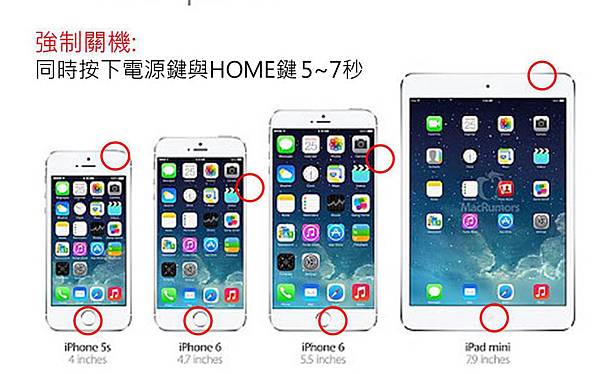
The specific operations are as follows:
• iPhone 6S or older models: Press and hold the “Home” button and the “Power” button at the same time until you see the Apple logo.
• iPhone 7, 7 Plus: Press and hold the “Volume Down” key and the “Power” key at the same time until you see the Apple logo.
• iPhone 8 or later: Click the Volume Up key, then click the Volume Down key. Then, press and hold the “Power” button until you see the Apple logo.
2、Use Tenorshare ReiBoot to fix frozen iPhone in 3 simple steps (Effectoptimal)
If the problem is not solved after restarting the phone, there is currently a professional iOS system repair tool Tenorshare Reiboot It can quickly fix iPhone freezing and iPhone freeze problems. This software is very simple to operate but very powerful. It can repair more than 150 iOS system problems. Follow the interface prompts and you will have the opportunity to repair your phone at home, and it only takes a few minutes.
Tenorshare Reiboot Function introduction:
• Easily fix iPhone crash problem in 3 simple steps, you can solve it at home.
• Effectively solve 150+ iOS system problems, including iPhone stuck connecting to iTunes,iPhone recovery mode stuck , restore backup stuck, etc.
• Provides one-click entry or exit into recovery mode.
• Fix iPhone/iPad unable to restore and update, unknown error 9/4013/4000/4005/4014
• Currently supports all iOS devices and systems, including the latest iPhone 12 and iOS 14.7
However, this software requires a fee, and the manufacturer also provides a 30% off coupon code: “A3KER6“It is for everyone to use. If all the above self-rescue methods fail, you can buy it and try it. The probability of success is very high.
Tenorshare Reiboot Operation steps:
Step 1: Download and install Tenorshare Reiboot on your computer, enable the software and click “Start”.

Step 2: After connecting the phone to the computer, it is recommended to select the “Standard Repair” mode first, which will not cause data loss.

The software will display the latest version of firmware, click “Download” to continue.

Step 3: Once the download is complete, you can start the repair action. Click “Start Standard Repair” to continue.

Wait patiently for the software to operate. After success, you will see the following interface. Click “Finish” to use your phone again.

If the phone is not successfully repaired after the standard repair is completed, you can choose the “Deep Repair” mode to repair the iPhone. However, the data will disappear after repair in this mode, but this mode is more powerful and has a higher chance of successful repair!
3、Use DFU Mode release iPhone Deadly
In addition to the above 2 methods, you can also try to use DFU mode to troubleshoot. The full text of DFU is Device Firmware Upgrade, which means “device firmware upgrade”. This method requires manual entry into DFU mode, which is more complex and difficult to operate.

Note: Using DFU mode for troubleshooting will erase all data on your iPhone.
Operation steps
STEP1: Connect your iPhone to the computer. If your computer system is Windows or macOS Mojave 10.14, open iTunes; if your computer system is macOS Catalina 10.15 or above, open Finder.
STEP2: Next, different models have different operations.
iPhone 6S or older – Press and hold the “Power” button and the “Home” button simultaneously for 8 seconds.
iPhone 7, 7S – Press and hold the “Power” button and the “Volume Down” button simultaneously for 8 seconds.
iPhone 8 or later – Click the Volume Up key, then click the Volume Down key. Then, press and hold the “Power” button. When the screen goes black, continue to press the “Power” button and hold the “Volume Down” button for 5 seconds.
STEP3: Release the “Power” button, but do not release the “Home” button or the “Volume Down” button until you see your phone in iTunes or Finder.
STEP4: At this time, release the “Home” button or the “Volume Down” button. If your iPhone successfully enters DFU mode, its screen will appear black. Otherwise, you will have to repeat steps 1 to 4.
STEP5: Use iTunes or Finder to restore your iPhone (all data in the phone will be lost).

4 routinesMethods to fix iPhone crash(You need to be able to operate an iPhone to use)
1、Close all applications
App crashing is one of the causes of iPhone freezing, so you can also try closing all running apps to fix a stuck iPhone. Tap the Home button twice (iPhone 8 or older), or swipe up (iPhone X or later), and you’ll see the app switcher. Swipe up on all programs to close them.
2、Reinstall problematic software
Sometimes the iPhone crashes due to app failure, so you can also try to update all apps.
Step 1: Press and hold one of the app’s icons until they both shake.

Step 2: There will be a “-” button on the upper right side of the applications you want to uninstall, click to delete them.
Step 3: After completion, click anywhere on the interface to stop the icon from shaking, and you can re-download the desired software.
3. Update iOS system
If your mobile phone system version is too old, it will also cause the iPhone crash problem. You can check to see if there is a software update, and if so, we recommend that you complete the steps to try to resolve the issue.
Step 1: Go to “Settings” > “General” > “Software Update”.
Step 2: If there is a system that can be updated, click “Download and Install” to continue.

4. Reset iPhone to original factory settings
If none of the above methods successfully repair your phone, you can also try to reset your phone directly. This action will delete all your data and applications.
Step 1: Go to “Settings” > “Reset” > “Reset All Settings”.
Step 2: Enter the phone screen password to complete the action.

Summarize
This article provides 3 effective solutions, as well as 4 operations you can try, a total of seven tips to help you solve the problem of iPhone crashing. If you can’t get it done with normal means, I recommend you use Tenorshare Reiboot Take a look (30% off coupon code: “A3KER6”), because it is not only simple to operate, but also fast and effective. It can solve problems including iPhone crash,iPhone stuck at connecting to iTunes screen There are more than 150 kinds of iOS system problems, and I hope everyone can use their phones safely and smoothly. Backing up regularly can control the damage to a minimum!
Source: KOCPC Chinese