


Although there are many free AI tools online now, some people may not want their data to be used as AI training data. In that case, Apt Full is a good alternative option. It runs completely locally, requires no internet, and comes with tons of built-in AI features, including a ChatGPT-like chatbot, lossless upscaling for images and videos, 3D conversion, cartoon/comic styles, and face restoration. It not only supports CPU or GPU processing, but can also process multiple files at once.
More importantly, Apt Full is a portable file—once downloaded, it can be used directly without any installation or configuration. Here’s a quick introduction.
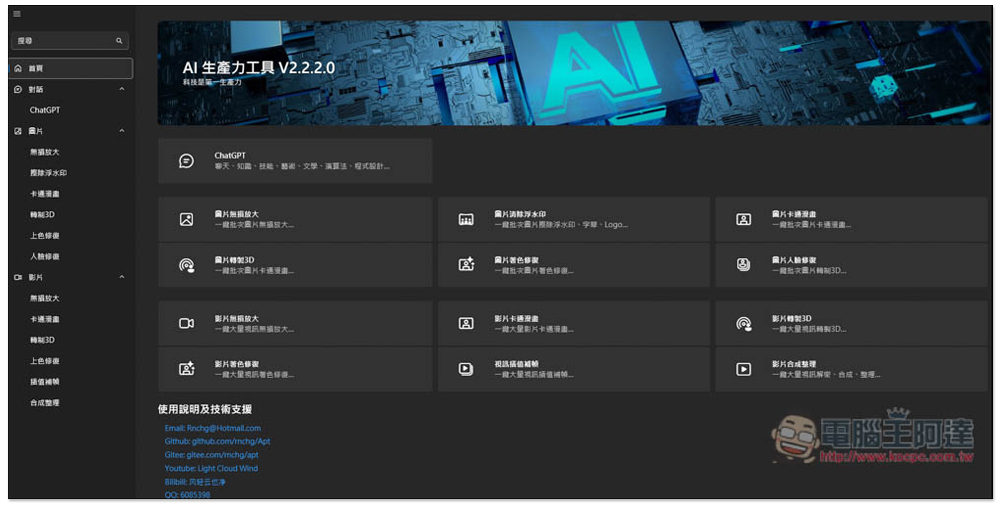
Apt Full is a free, open-source AI software that runs locally, featuring a built-in chatbot and multi-functional image and video AI.
Before starting the introduction, let me remind you that Apt Full is a free open-source AI software developed by Chinese netizens. I am from “Little Dream Dream YaYa
This interface supports multiple languages, including Traditional Chinese. Once you open the software, the interface will be in Traditional Chinese. If you’re interested in the original source code, you can visit GitHub Browse projects.
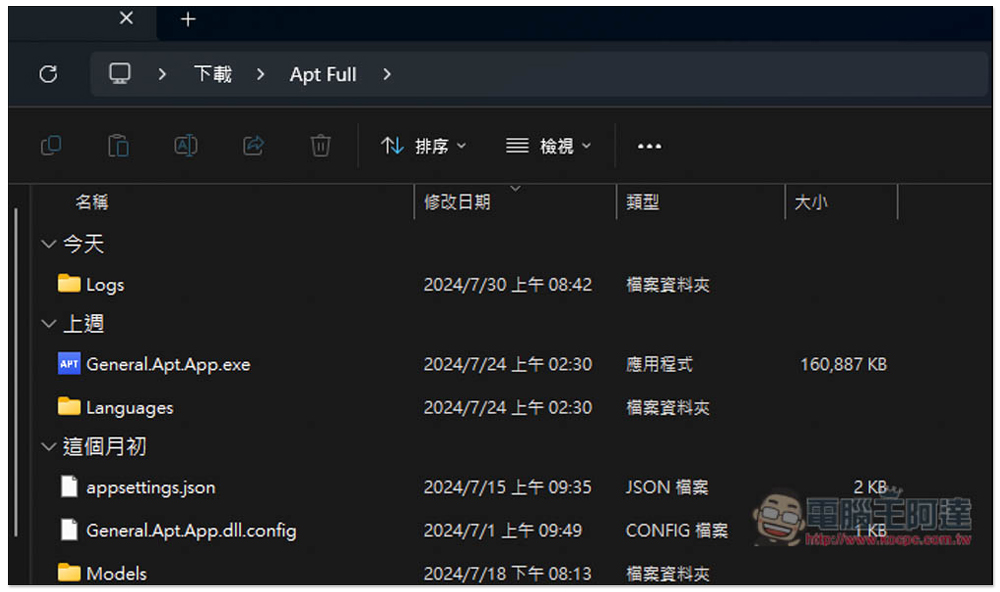
After extracting, open the folder and run this one: General.Apt.App.exe.
The main page shows several commonly used AI features, while the left side is the full feature menu, which can be divided into three categories: conversation, images, and videos. For conversation, there is only ChatGPT, but for images and videos, there are quite a few AI features:

Of course, although it is called ChatGPT here, it is actually not using the GPT model but other models, which will be introduced below. And the AI function options for images and videos are respectively:
Image
- Lossless upscaling
- Remove watermark
- Cartoons and comics
- Convert to 3D
- Color restoration
- Face restoration
Film
- Lossless upscaling
- Cartoons and comics
- 3D conversion
- Color restoration
- frame interpolation
- Synthesize and organize
The way AI features work for images and videos is pretty much the same: you pick the file source, storage destination, computing hardware, and effect, then hit start and it processes. There’s nothing too complicated about the settings, so even beginners can get the hang of it quickly.
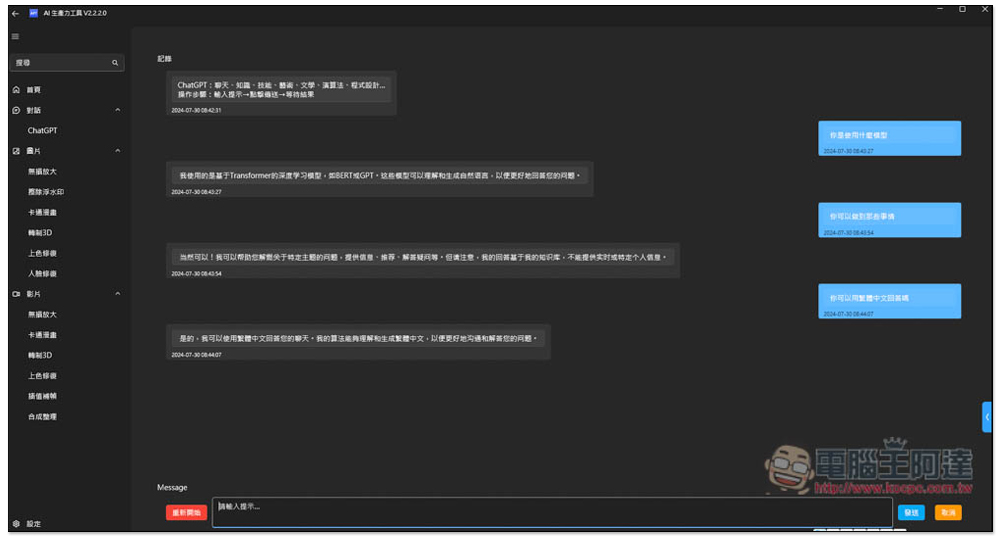
I asked ChatGPT what model it uses, and it said it’s a deep learning model based on Transformer, similar to BERT or GPT. Although it’s not as powerful as OpenAI’s models, it can still handle some basic tasks, like answering questions, translating text, and so on. By default, it replies in Simplified Chinese, and you can ask it to switch to Traditional Chinese. Unfortunately, it currently doesn’t have the ability to read files, so it can only be used for chatting.
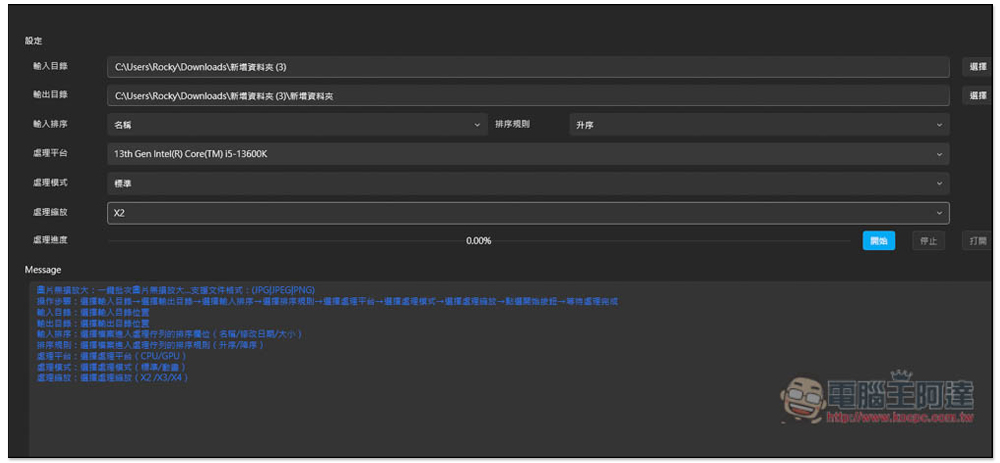
The AI feature interface for images and videos generally looks like this: first you set the input directory and output directory, meaning it will process all files in the input directory you set, and after processing, everything will be saved to the output directory. No need to change the input sorting unless you have specific requirements. The processing platform is about what hardware you want to use for computation. If you have a GPU graphics card, using the GPU is recommended, as it will be much faster than the CPU.
The figure below shows the lossless zoom interface, which can magnify by 2x, 3x, or 4x:
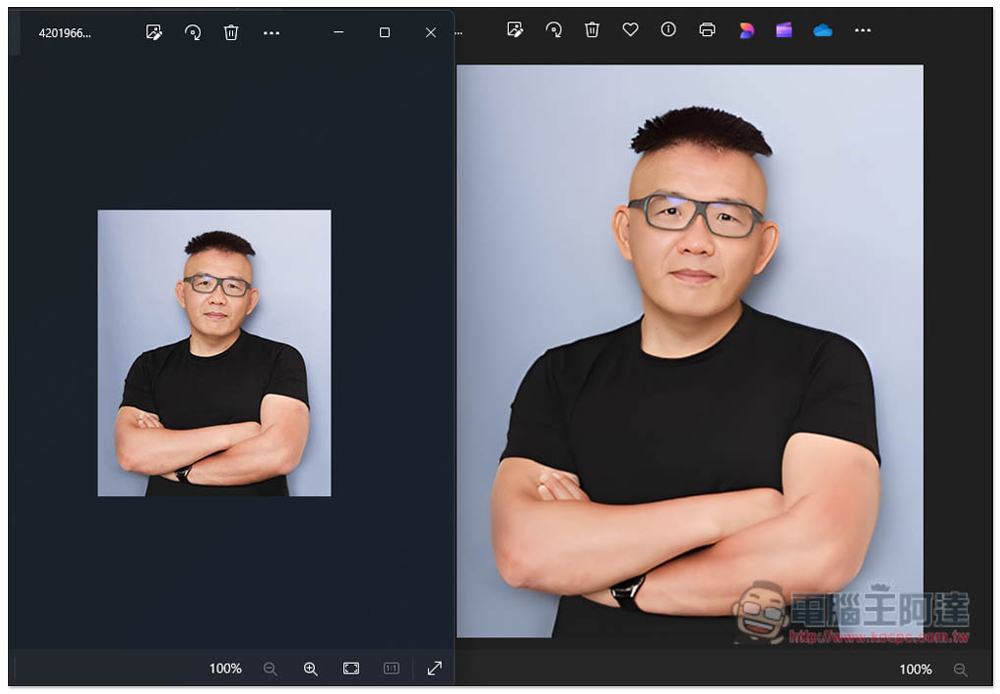
I tested the 2x magnification effect and it looks quite good. On the left is the original image, and on the right is the result after 2x magnification:
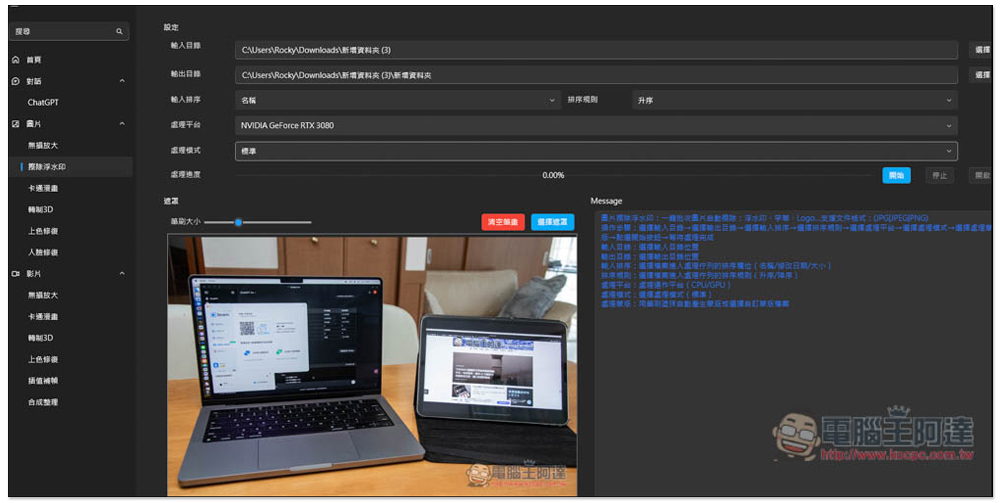
To remove the image watermark, you need to manually draw the watermark area:
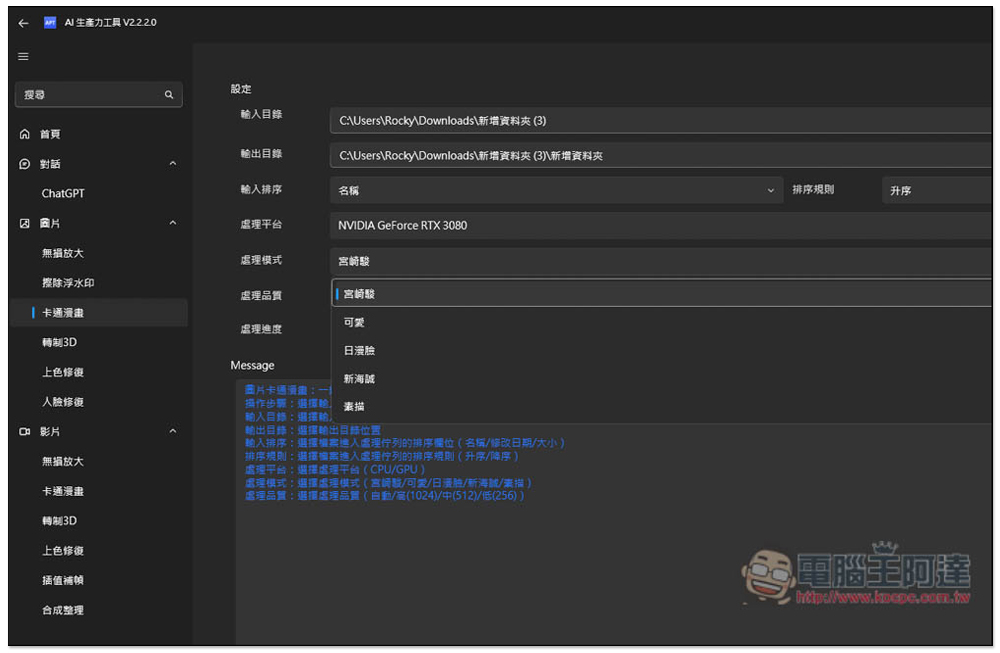
The cartoon/comic conversion effect offers multiple modes (styles), including Miyazaki, Cute, Japanese-Style Face, New Pirate, and Sketch.
Ada profile picture turned into a Studio Ghibli effect:
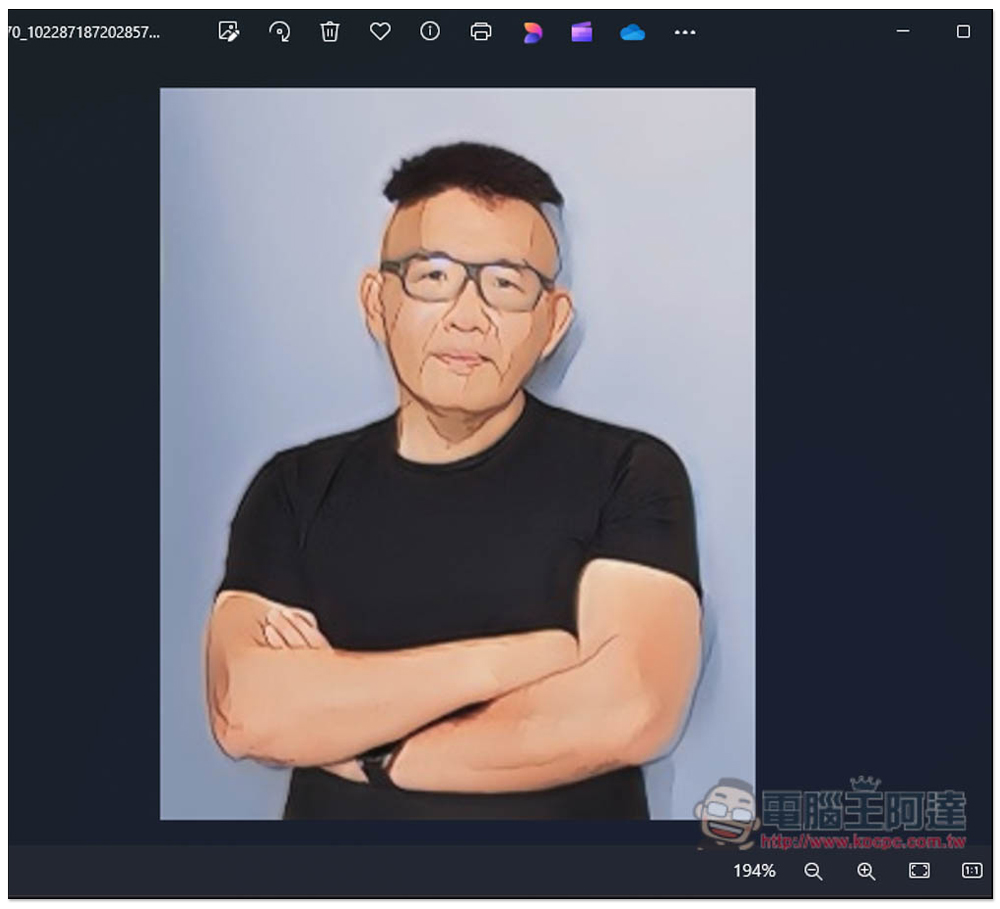
Image-to-3D conversion also has multiple modes, including side-by-side, full-frame side-by-side, red-blue, and depth:
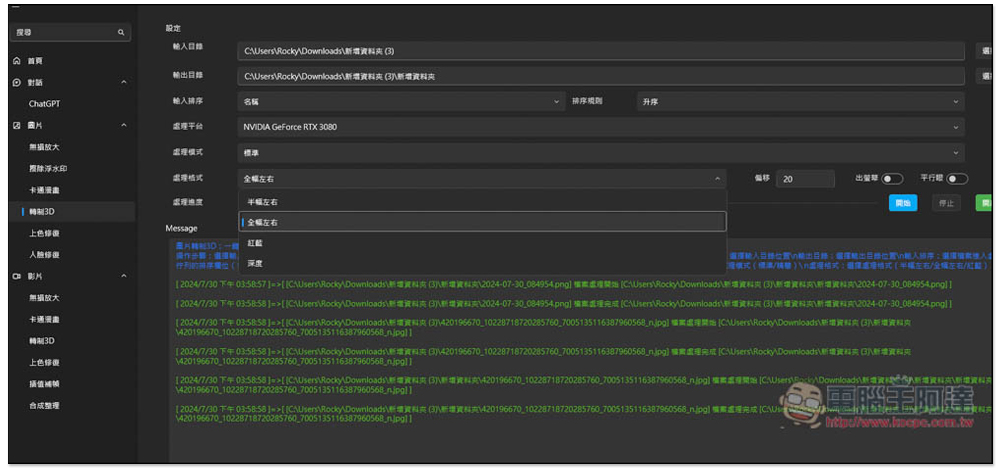
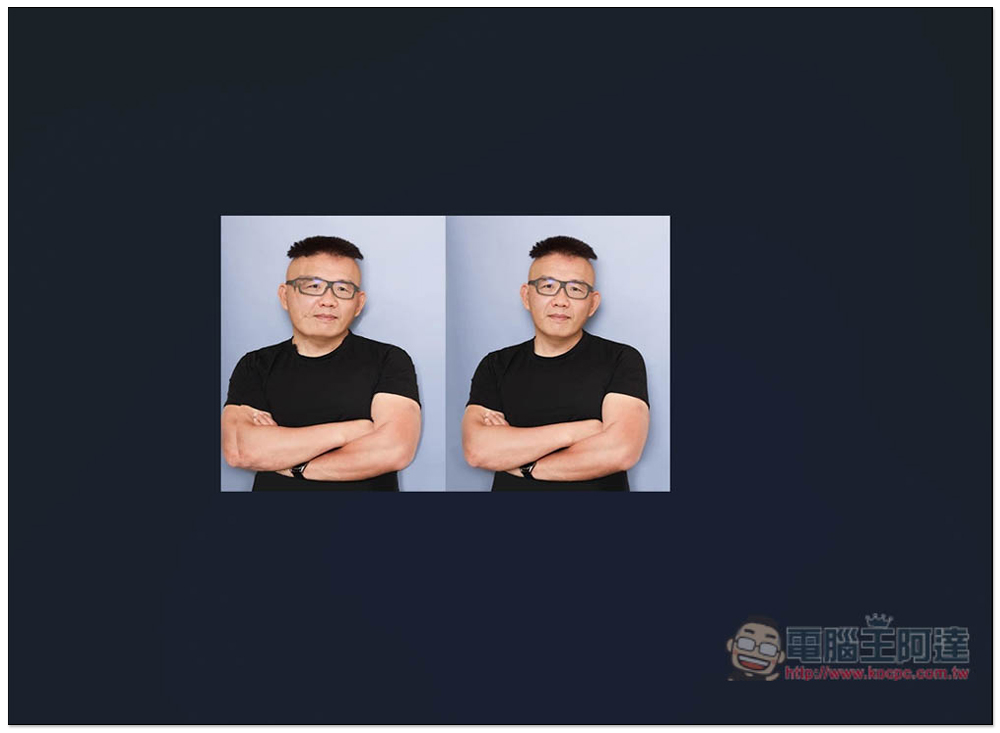
Below is the effect after setting full-width left and right alignment. As for the other AI features, we’ll let the readers have fun exploring them on their own:
Source: KOCPC Chinese