


Do you all know how to use the clay figure filter effect that’s been so popular online lately? Today I’m going to show you how to use the viral clay filter. The clay figure effect comes from the AI photo enhancer “Remini.” Remini has all kinds of filters, including clay figures, porcelain, retro anime, hell bride style, and more. Today I’ll introduce the clay figure filter that’s trending right now — you can use it on people, animals, and food. Let’s take a look at how to use it.
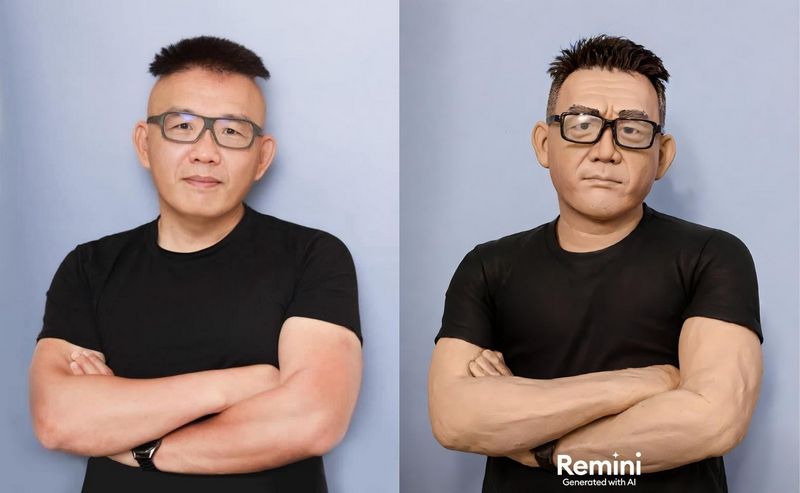
Trending AI Photo Effect in 2024: Remini Clay Figure Filter
Do you ever find yourself scrolling through Stories and constantly seeing people share photos of themselves turned into clay figures? If you want to ask how but are too shy to speak up, don’t worry—after reading this, I guarantee you’ll learn how to create clay-style photos in no time. The AI photo enhancer “Remini” can produce the clay-style photos that are trending online. To make them, first download the “Remini” app—you can tap the link below to get it.
- iPhone users, please click here to go to the App Store to download.

- Android users, please click here to go to Google Play to download.

After downloading, open the Remini app. The first time you use it, it will ask you to select your gender to provide you with the best default settings, and then it will ask which Remini feature attracted you.

After selecting everything, Remini will pop up asking if you want to subscribe for 320/week. At that point, just tap the “X” in the top left corner.

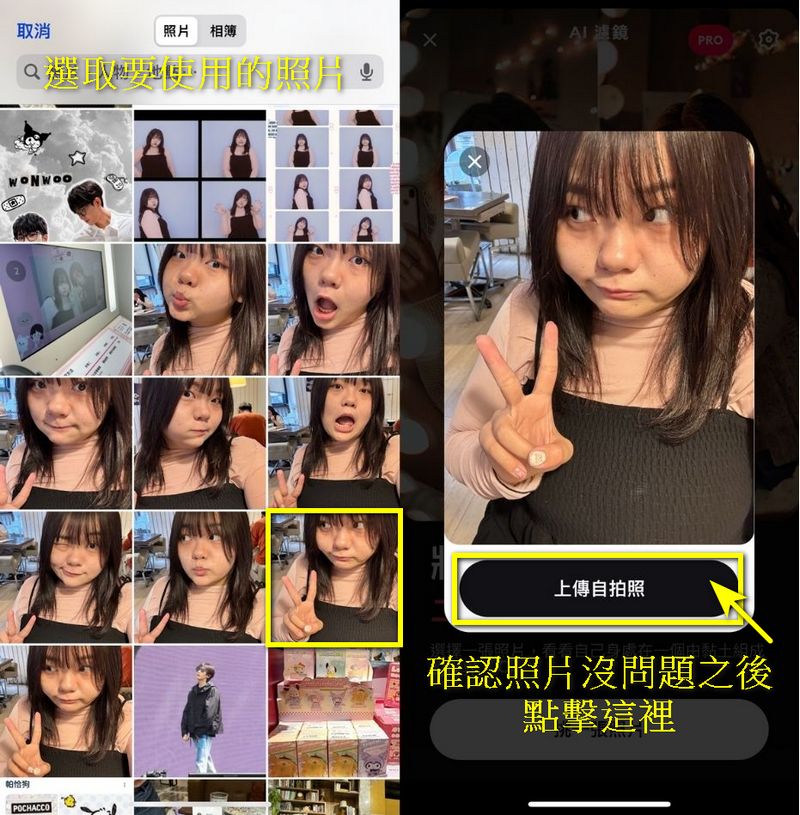
Finally, I can start making my own clay figure. Tap “Choose a Photo,” and a prompt will pop up asking if you’ll allow Remini to access your photo album.

After confirming permission to access your photo album, you can select photos from it. Once selected, you’ll be asked to confirm the photo you want to use. After confirming, click “Upload Selfie,” and Remini will use the clay figure filter to generate the image for you.

After the image is generated, you’ll see a side-by-side comparison of the before and after enhancement. You can slide < > to view the original and enhanced versions. If you like the result, click the “Download” button in the top right corner to save the image to your photo album. If you’re not satisfied with the generated result, you can also click the refresh icon and let Remini generate a new one for you.
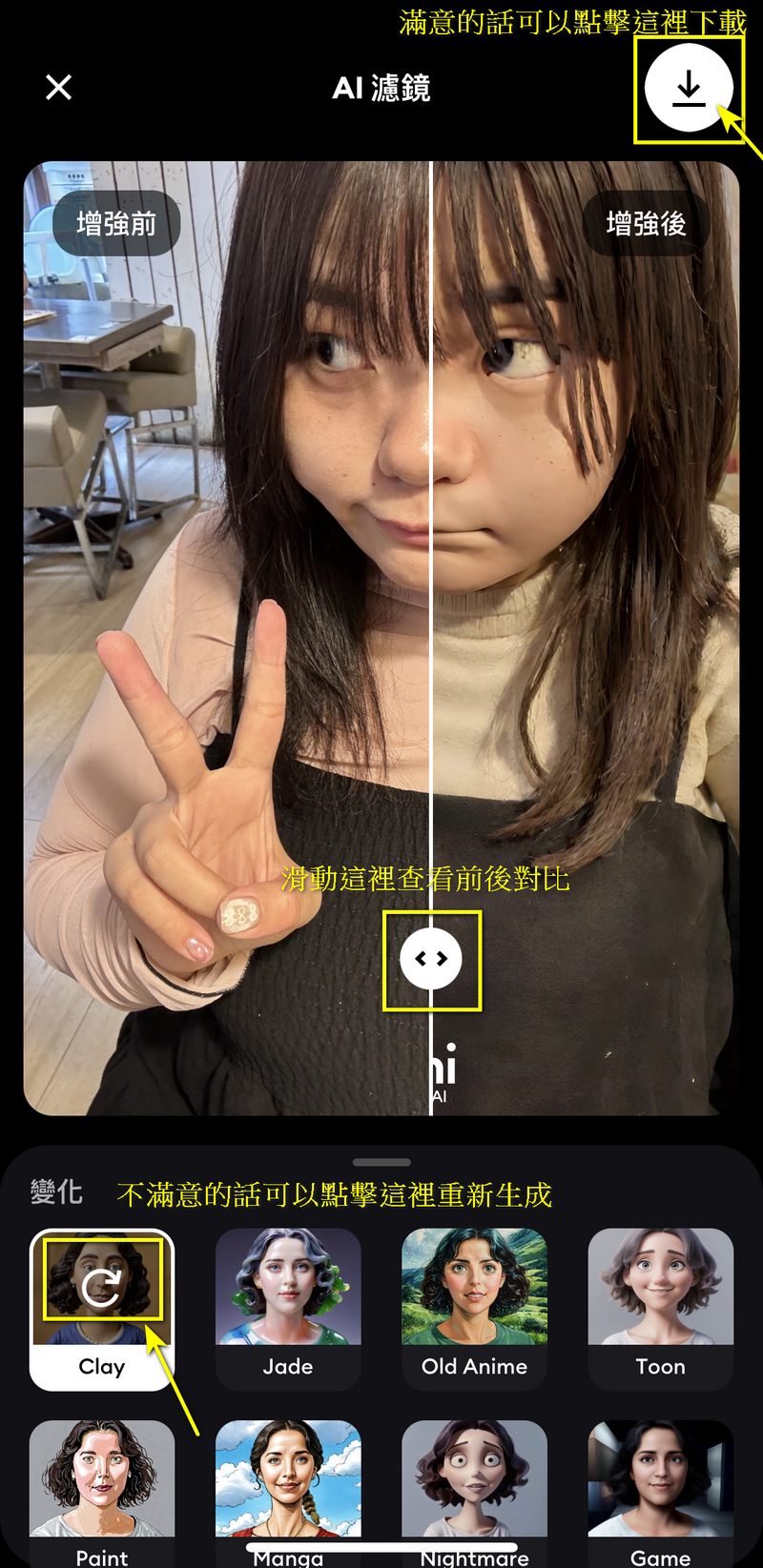
If you want to see yourself under different filters, you can also click on the other filters in the filter bar below. Filters like ‘Jade Ceramic’ and ‘Nightmare Horror Bride’ are also quite good, and I recommend everyone give them a try.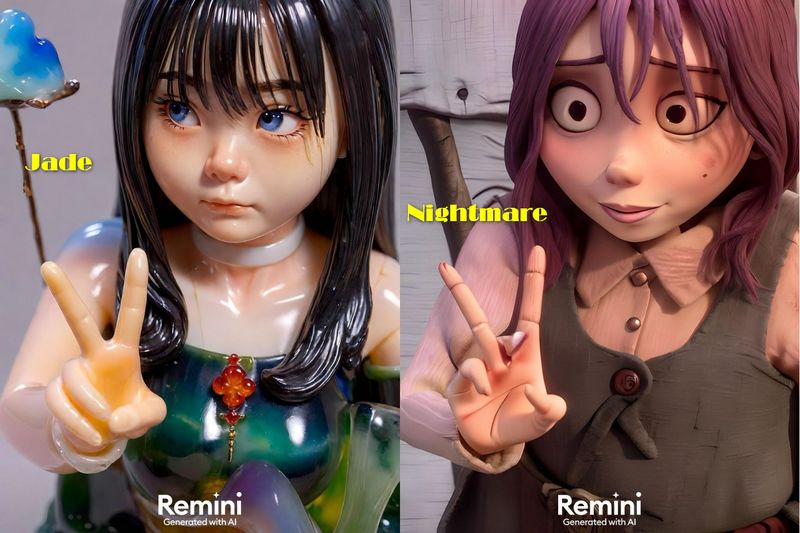
Attention! Remini only allows five free photo generations per day, so please think carefully when selecting photos to avoid ending up with images you don’t like.

Here are a few test photos from our editor. We recommend that when choosing photos, the background shouldn’t be too complicated. For a two-person photo, try to keep both faces at the same level, not one in front of the other, so the result will be better.



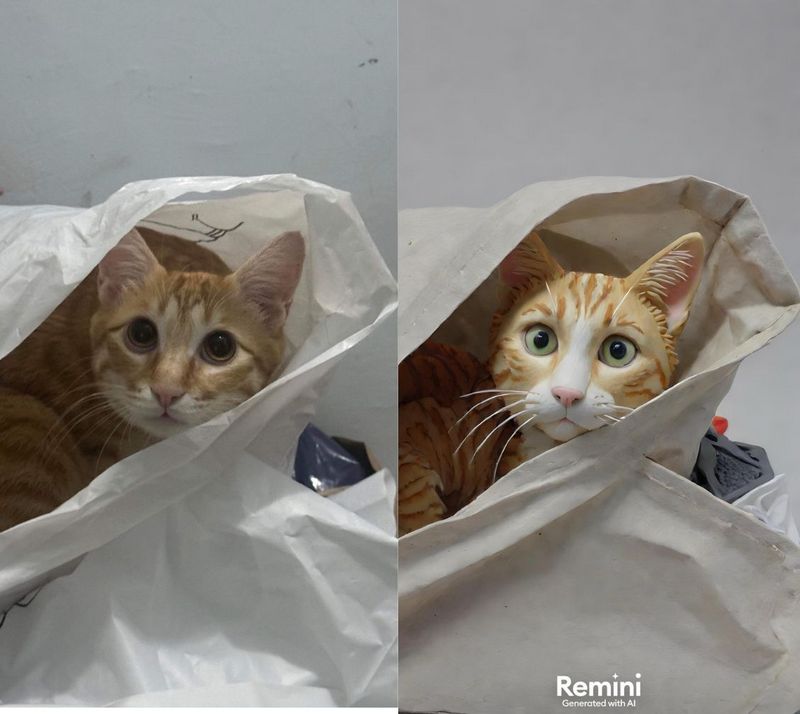

That concludes this tutorial on the clay figure filter. If you’re interested, you can download the Remini app yourself and give it a try. However, please note that the free daily quota is only five photos—once you’ve used them up, you’ll have to wait until the next day. So be sure to download any generated photos right away, just in case you run out of quota before saving them.
- iPhone users, please click here to go to the App Store to download.
- Android users, please click here to go to Google Play to download.
Source: KOCPC Chinese