


For iOS users, in addition to using the various shortcut scripts of the Shortcut App to save a lot of time in operating the iPhone, they can also use the various automated operation settings in the Shortcut to make using the iPhone easier. For example, we have introduced many functions that use shortcuts to automate operations before, such asAutomatically turns on the flip clock when connected to charge、Automatic push notification when fully charged,exist CarPlay connection automatically opens the Aegis speed camera app and other applications.
Today I will share a trick to make CarPlay connection more advanced, so that it can also automatically broadcast the weather! At the same time, you can also open various commonly used apps as introduced in the past.

Automated operation on iPhone: CarPlay connects to automatically broadcast the weather, and can also simultaneously turn on the Aegis speed camera, play music or podcasts
Many drivers are accustomed to using the Aegis Speed Camera App to make themselves more aware of the current speed limit and avoid accidentally receiving a speeding ticket. We have also shared in the past how to allow iOS users to automatically turn on the Aegis speed camera when connected to CarPlay (click here for review). Today, let’s share a more advanced way to play. Make good use of the automatic operation function to let CarPlay automatically broadcast the current weather conditions when connected!
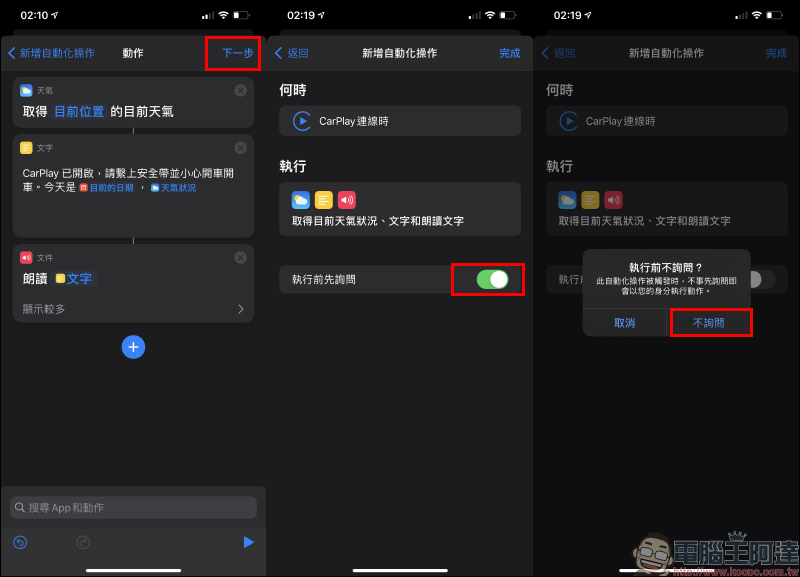
After opening the shortcut app, switch to the “Automation” page, then add an automated operation and select “Create Personal Automation Operation”. Because the automated operation set this time is based on CarPlay connection, this automated operation command is activated when “CarPlay connection” is selected.
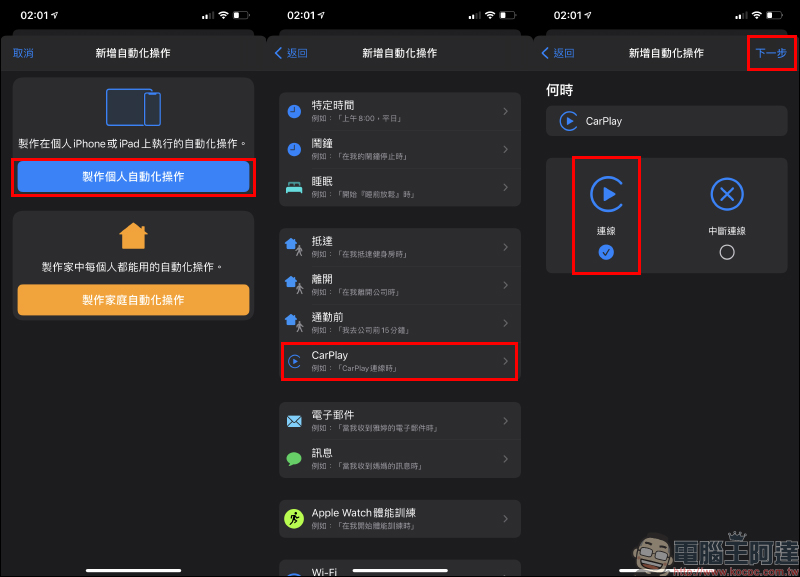
The next step is to add an “action” when CarPlay is connected. Here, select “App” and “Weather” in the menu: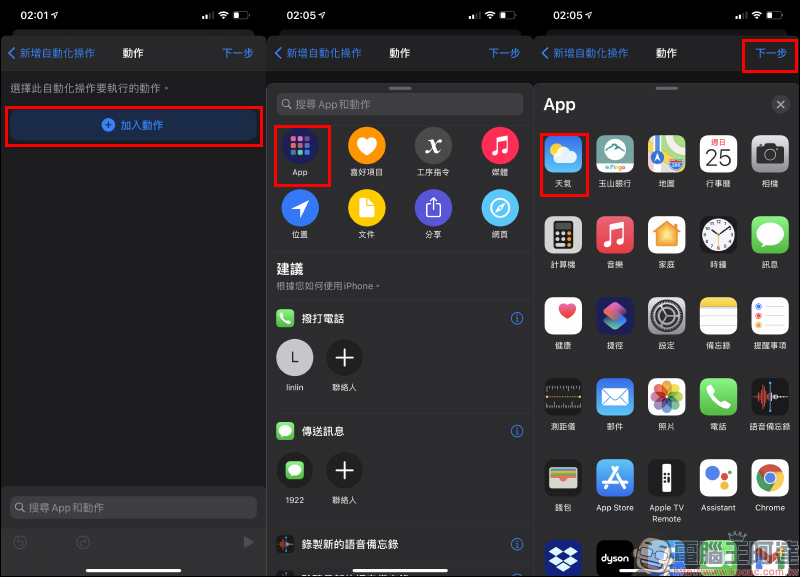
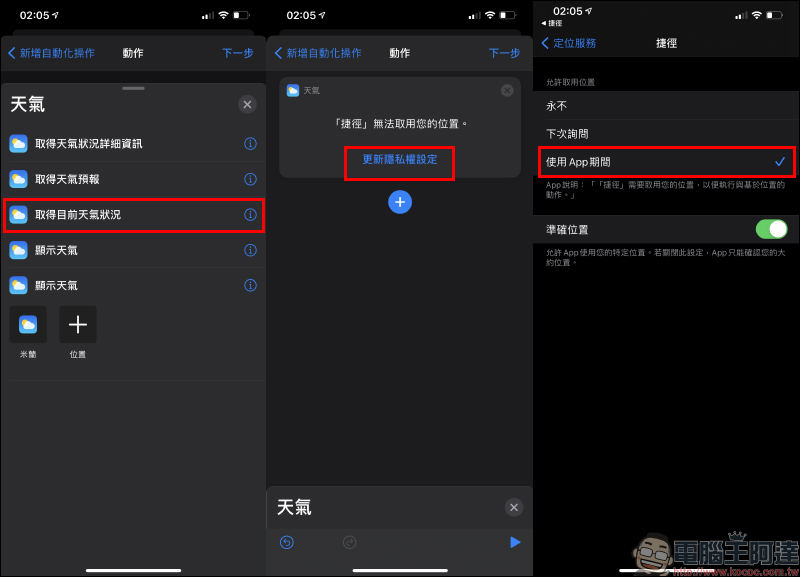
Then select “Get current weather conditions”. If you need to update the privacy settings for the first time so that “Shortcut” can allow access to location information, select “While using the App” here.
Next, you need to bring in the “Text” information. Select “Text” and enter a string of text that you want the voice to read (you can adjust the content according to your own preferences and needs), such as “CarPlay is turned on, please wear your seat belt and drive carefully.” Then add “current date” and “weather conditions” at the back (as shown below). You can also adjust the content according to your needs.
After the text setting is completed, another action “read text” is added.
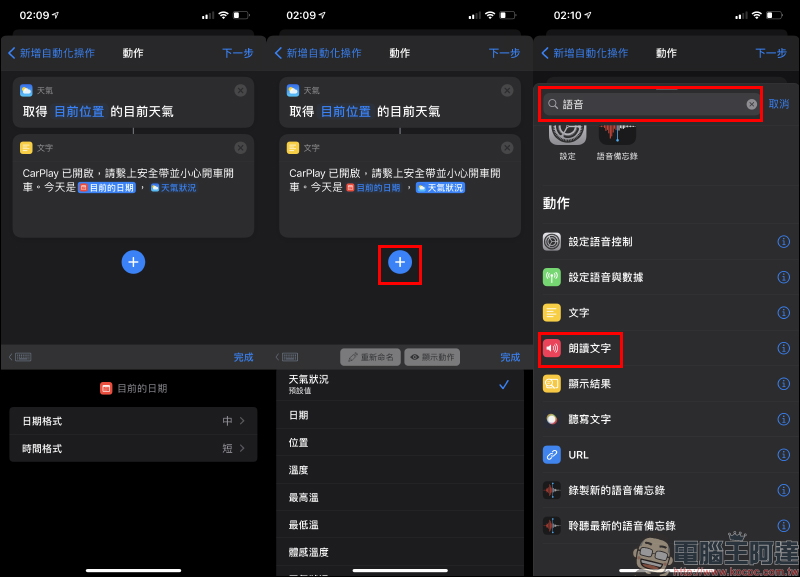
Read text aloud. The content to be read aloud is mainly the text mentioned above. Then go to the next step. Before setting up this automated operation, be sure to turn off the “Ask before executing” function. In this way, when the CarPlay connection is completed, the action of reading text aloud and reporting the weather will not ask the user in advance, and the entire process will start automatically.
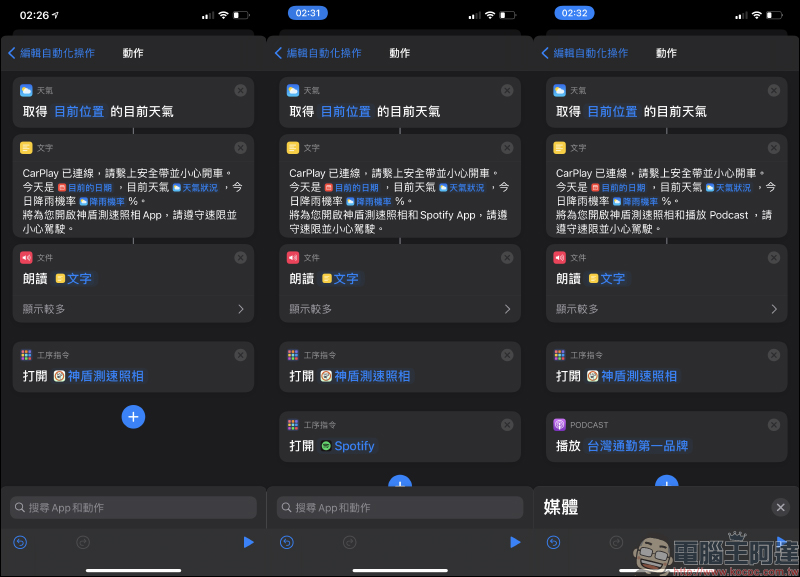
If you want to broadcast the weather with more content, you can also set it yourself, such as “rainfall probability”. Of course, if you want to automatically open “Aegis Speed Camera”, “Podcast”, “Spotify” and other apps, you can also set the “Open App” command behind the most read text. In this way, the automated operation will open the specified app after reading the text according to the settings.
Further reading:
Google Maps launches iOS desktop gadget: map navigation and planning trips faster!

Source: KOCPC Chinese