


When using a computer to play mobile games, the overall experience, operation and flexibility are much better than on a mobile phone. You can even record and create scripts to realize the automatic practice function. Therefore, many people want to use emulators to play mobile games. There are many choices on the Internet. Which Android phone emulators are recommended? You must have this question, and this article will help you sort out the lazy bags for 2021/22. These are very good and safe choices today.
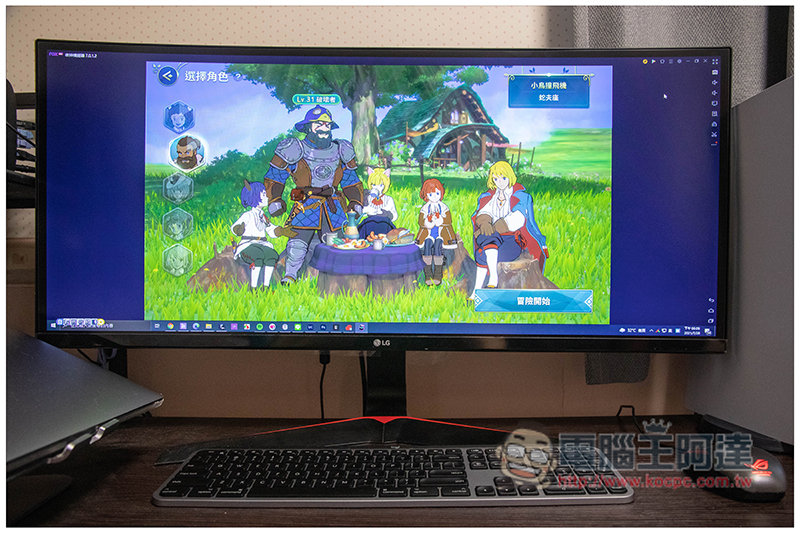
What can an emulator do?
For those who are not familiar with simulators, here is a brief introduction to what you can use simulators for. The following are some of the more common ways to use them:
- play games
- Test Android Apps
- Quickly switch work between mobile phone and computer
1. Play games
Playing games can be said to be the purpose of most people using emulators at present. Although the touch operation of mobile phones is intuitive, after switching to mouse and keyboard, it is easier to quickly operate multiple functions, such as: taking supplements -> using magic. You may have to look at the screen every time when operating on mobile phones, but you don’t need to use a computer. You can press the set shortcut keys very intuitively. The operation feels like typing. Mobile typing vs keyboard typing, of course, keyboard typing is much faster.
In addition, the screen is much larger when playing on a computer. You can see the details of every game screen more clearly, and you can enjoy the design details brought by the game company more. It is also better for your eyes when playing for a long time. Basically, the advantages outweigh the disadvantages.
2. Test Android Apps
Most Android emulators can also manually install APK files, so when you find some good apps on the Internet but they are not listed on Google Play, you can test them with the emulator first. On the one hand, you can try it to see if it works, and on the other hand, it can also protect your phone.
3. Quickly switch work between mobile phones and computers
Workers who often need to run outside must be very accustomed to using mobile phones for work. Although there are some Android apps that are convenient for synchronizing or transferring file data to computers, everyone who has used them knows that it is still a bit troublesome.
With an emulator, when you return to your computer to work, you can use the emulator to quickly copy and transfer unfinished content on your phone to your computer for continued execution.
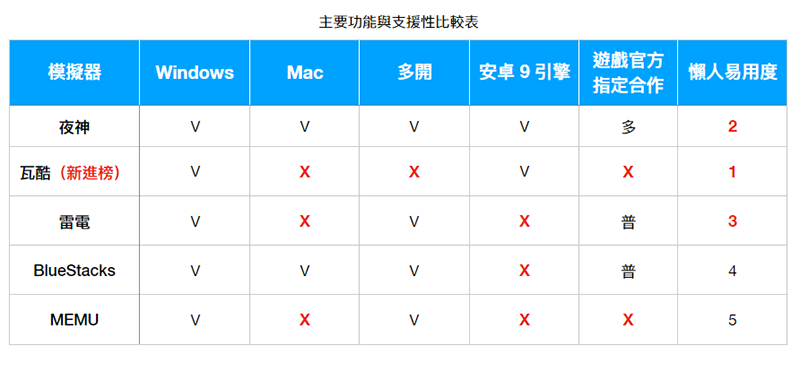
Android phone emulator recommended lazy package summary
1. Night God Simulator
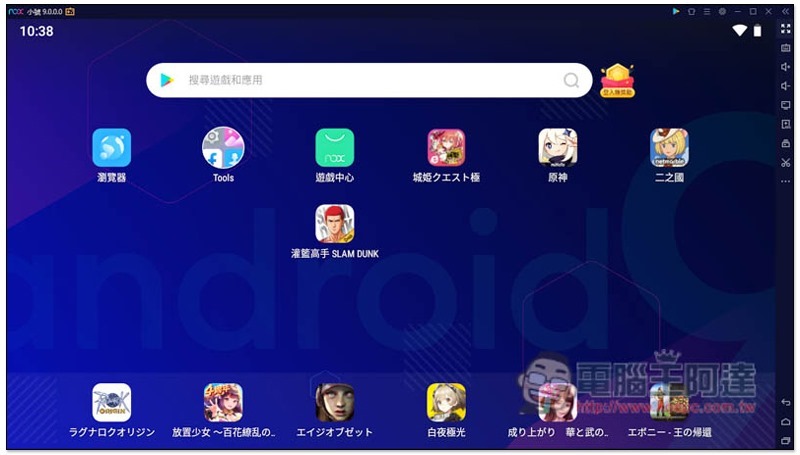
Yashen is an emulator developed by a Hong Kong company. It is also the only Android mobile emulator that currently provides the Android 9 version. Compared with Android 7, all aspects have been greatly improved. Take “RO Ragnarok: The Birth of a New Generation” as an example:
- CPU saves up to 11%
- GPU up to 4%
- Memory RAM dropped 4%
Below is Yashen’s official Android 7 and Android 9 performance comparison data:
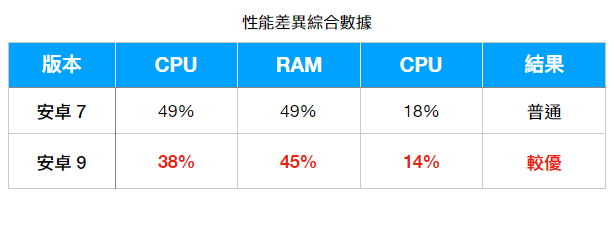
In addition, Android 9’s engine is 64-bit, has better game support, better network stability, reduced crashes, etc. The functions are also very powerful. In addition to the common screenshots, recordings, manual installation of APKs, customized keyboards or handle buttons, it also provides multi-opener, multi-open synchronization, script operation recording, and even simulated positioning functions. Basically, it has everything you need.
In addition, many people may worry that opening the emulator takes up too much computer resources. For this reason, Yeshen has a built-in one-click function to close applications and release memory to reduce resource usage and thereby increase speed. I have tried this “quad open” emulator to practice with multiple accounts at the same time, and the computer still runs smoothly. Of course, when running so many times, I have to lower the CPU and resolution of the performance settings to prevent the computer hardware from overheating.
It supports dual platforms, both Windows and Mac versions are available, which is quite good. This is also the official emulator for many mobile games, such as: RO New Generation, Azur Lane, Misty River, etc. Therefore, friends who want to play the recently launched mobile games “Book of Fantasy” and “Heaven and Earth Tribulation” highly recommend giving this a try. If you encounter any problems during use, Yeshen also provides local customer service in Taiwan, so communication is easy and you don’t have to worry about language barriers.
This model is not without its shortcomings. I think the startup speed can be optimized a bit, it is slightly slower than other models.
2. Wakuoo Waku
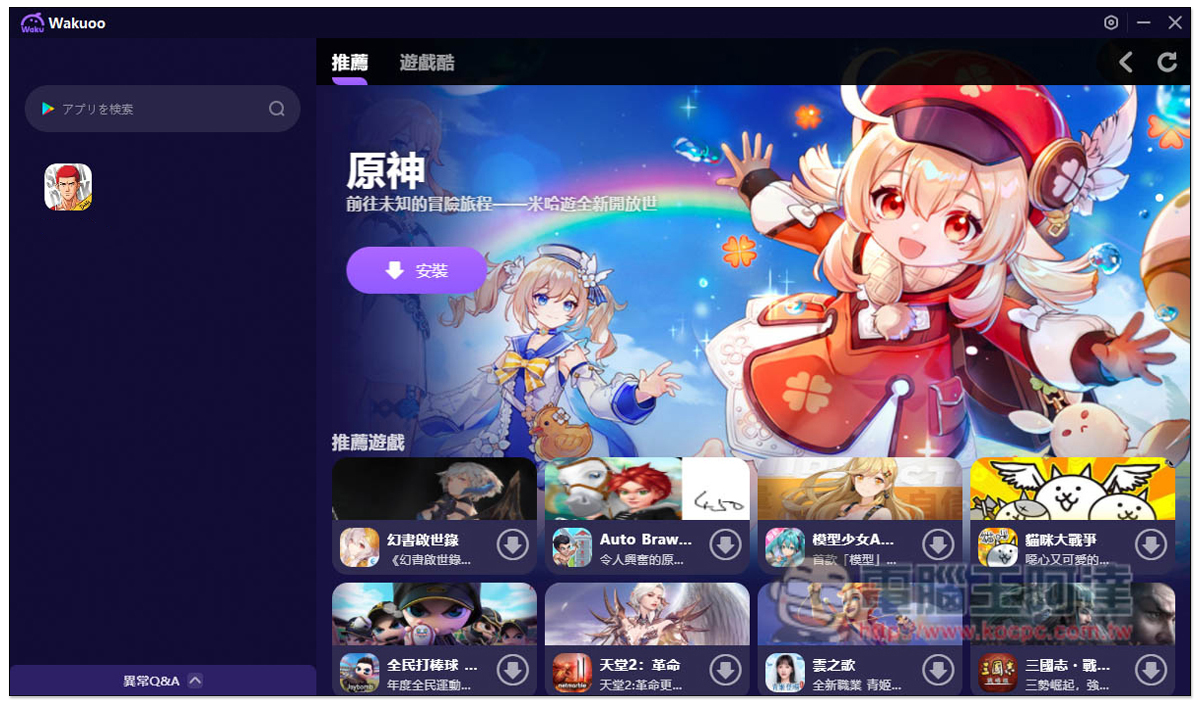
Wakuoo is a fairly new emulator. It is designed to create a “PC mobile game” experience for lazy players who don’t need too many additional features and just want to play mobile games. The interface design is simple and easy to operate, making it suitable for novices who don’t understand computers! The homepage of Waku will recommend the most popular mobile games today. There is also a Google Play search shortcut bar on the left to facilitate players to search for the games they want to play. All installation sources are Google Play. iOS players don’t have to worry. As long as they are bound with a third-party account such as Facebook, they can also log in to the account on a Windows computer to play.
Many people don’t know much about 32-bit, 64-bit, Android 7 or Android 9 support. This product will also automatically determine. For example: when the game you want to play requires Android 9, this set will automatically use the Android 9 environment to meet the requirements. This is very good for people who are not very computer literate, so it is most recommended for novices. In addition, friends who are tired of traditional emulator interfaces will have a completely new feeling when using it. Of course, there are small disadvantages. Because it is still very new, the number of official teachings is relatively small.
3. Lightning Simulator
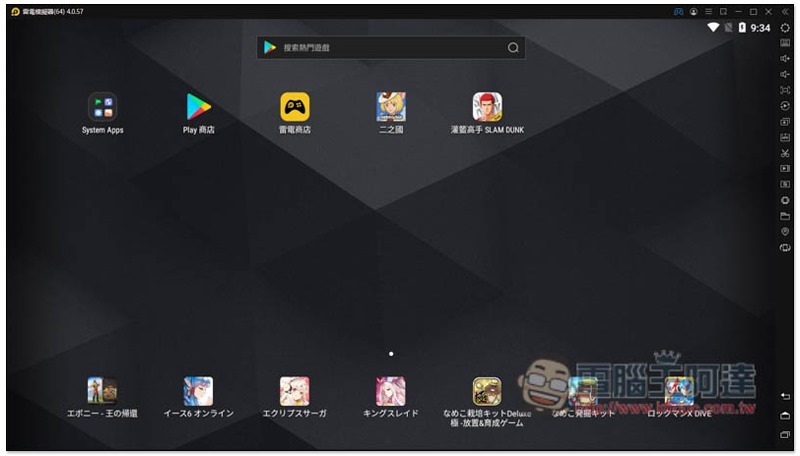
Thunder Simulator was developed by a company in Shanghai, China. It only supports the Windows version. It performs well in all aspects and is also optimized for some mobile games. It has its own Thunderbolt store built in, and the installation source is also Google Play. However, it lacks the function of releasing resources, which is a pity. Occasionally, pop-up advertising windows will appear in the lower right corner, which disturbs the game experience. There is no Mac version.
4. BlueStacks
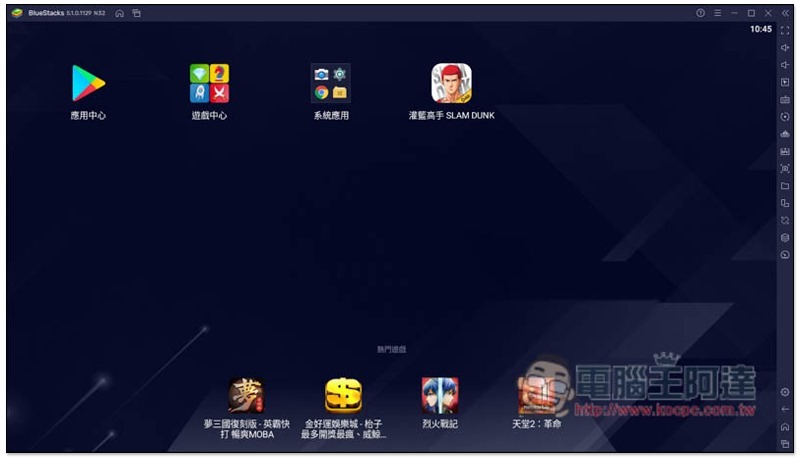
BlueStacks is an emulator developed by an American company. It also has dual-platform versions for Windows and Mac. It starts up very quickly and has very complete functions. However, the current version does not seem to have an operation recording function (I couldn’t find it when I tested it). I am not sure whether it will be added in the future. In addition, this model also has a function that can reduce the use of computer resources. The small disadvantages are that it takes up a lot of memory and does not provide flexible and free keyboard settings.
5. MEMU MEMU emulator
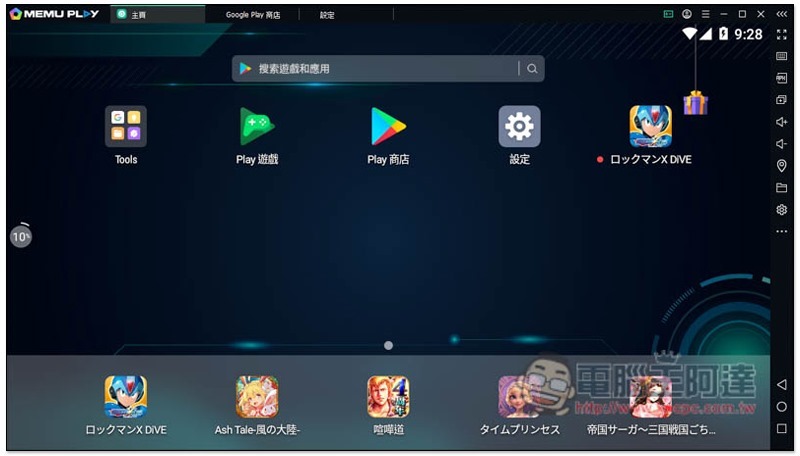
MEMU MEMU is an emulator developed by a company in Shanghai, China. It only supports Windows. The interface is quite technological. Whether it looks good or not depends on your preference. It has rich functions and good speed. However, I personally don’t like this design. Every time I open an app, there will be an extra page at the top of the interface.
In addition, I don’t know if it is a tradition of Chinese software. When installing this software, it will also ask if you want to install other software, such as Avast, McAfee, and RAV anti-virus. So those who want to use it remember to pay more attention and don’t keep clicking next step without reading the content. The FB fan club in Taiwan has also been deserted for a while. I am not sure if FB has customer service to help solve problems.
4 useful features of Yagami Simulator
1. Android 9 support and high stability
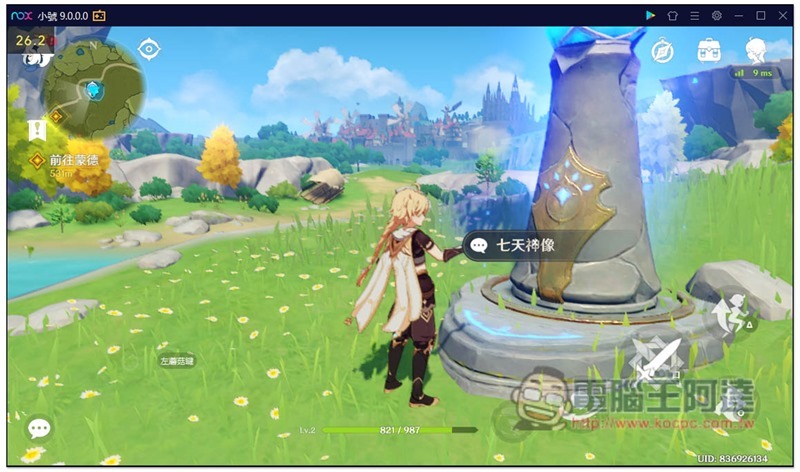
99% of the emulators currently on the market are unable to play the game masterpiece “Genshin Impact”, but the Yasami Android 9 emulator has no problem. From this point alone, you should be able to feel how good the support of the Yasami Android 9 emulator is. However, please note that Android 9 is still in the testing phase, so some games may experience some instability. If this happens, you can switch to the Android 7 version:
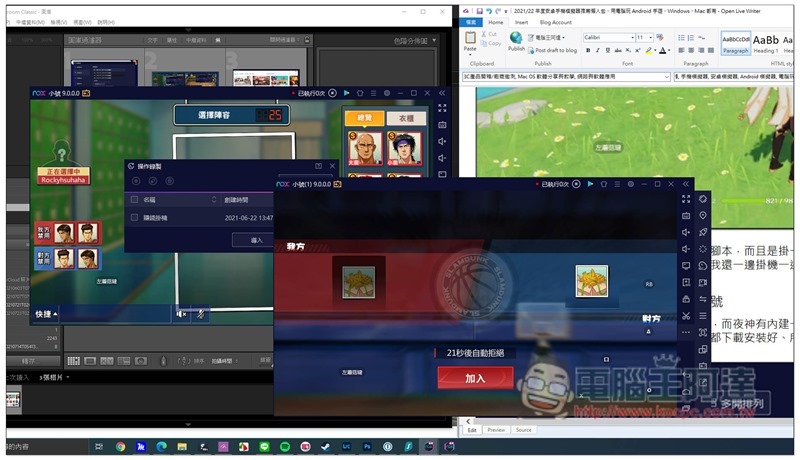
In addition, I often use Night God to open more “Slam Dunk” scripts and hang them all day long. I have been using it for more than a month and have almost never experienced a crash. It is very stable and smooth. Sometimes I even hang up and work at the same time:
2. Create multiple simulators with one click and easily practice multiple accounts at the same time
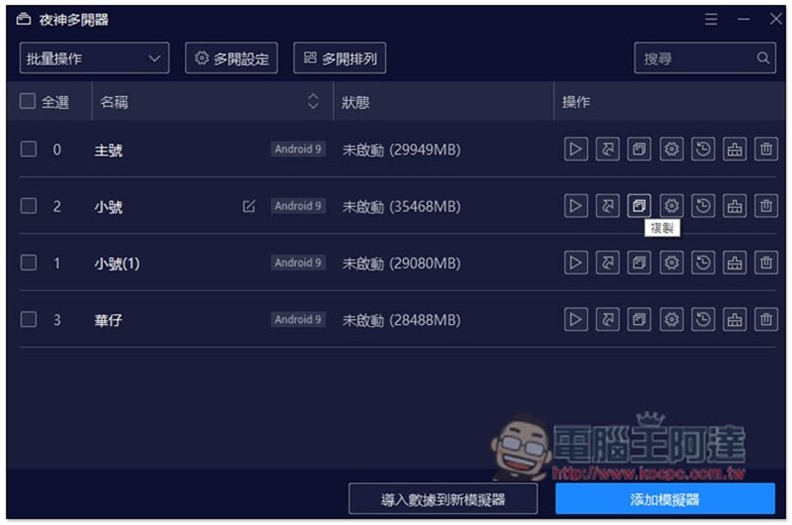
As mentioned before, I often open multiple emulators to hang up at the same time. Yashen has a built-in one-click copy function. With just one click, you can immediately copy another emulator. The advantage is that all the games you often play are downloaded and installed, and all the settings are the same. There is no need to re-download or adjust, which is very convenient:
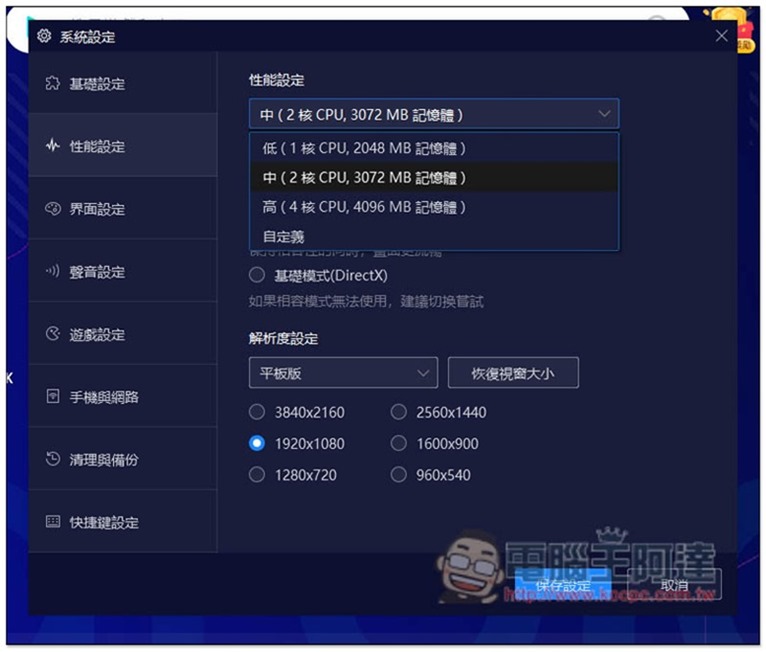
I would also like to remind you that those who want to open more computers, remember to consider the equipment level of your computer. If it is not high enough, it is recommended not to open too much. Also remember to adjust the CPU usage and resolution in a timely manner, so as to protect the hardware and avoid overheating:
3. Realize automatic practice and make money through script operation recording
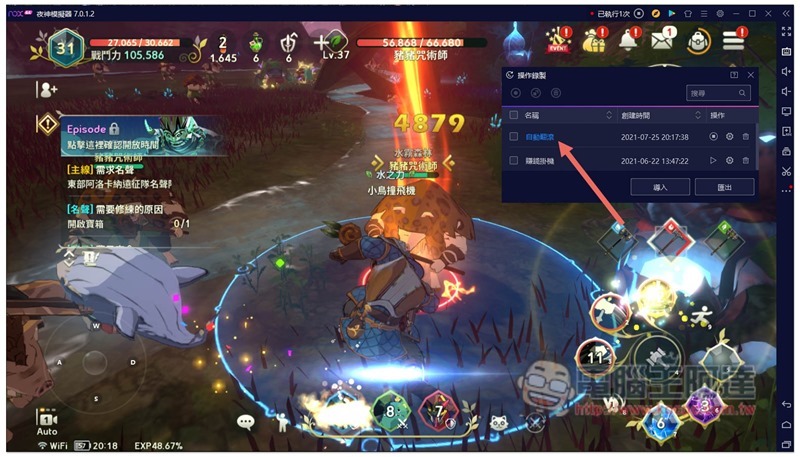
Nowadays, many games have automatic training functions, but this automation may not be smart enough. For example, Ni No Kuni’s automatic training does not allow dodge. Therefore, if you are besieged and cannot replenish yourself by drinking water, you may die. At this time, you can use Yagami’s foot operation recording to create a dodge script:
4. Super rich game center, easy to explore new games
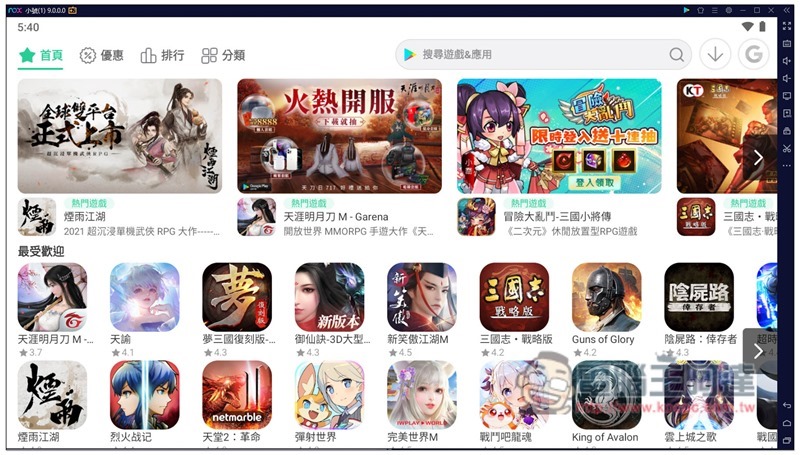
After playing the same game for a long time, you will still feel a little bored. At this time, you will want to find new games to play. Although Google Play also has game categories, people who have searched for them must have this feeling. It seems that they are always the same ones. This is because Google Play will recommend games based on their current popularity. This also leads to the feeling that if there is not too long a period of time, there will be no new games to play.
Yeshen Simulator provides a “Game Center” specially designed for exploring new games. The classification is more detailed than Google Play, and the page layout is also easy to browse. In addition, there are also popular lists, topic lists, new game lists, download rankings, etc. that are updated at any time. It is easier to find new games to play. The installation sources are all Google Play, so you can be completely assured of the security part:
Readers who want to know more about Yagami Simulator can read our previous Android 9 Yeshen emulator review experience。
Summarize
The above is the current recommended list of the latest Android mobile emulators. Basically, each has its own advantages and disadvantages. If you don’t know how to choose, you can try each one to see which one you are more comfortable using. Mac users only have two options: Yeshen and BlueStacks.
Source: KOCPC Chinese