


In recent years, both iOS and Android systems have introduced dark system mode options. At the same time, Google-owned services such as Google Maps and Gmail have also supported dark themes. In addition, the dark theme that originally required using the Google search engine on the iOS system can only be executed in the Chrome browser. Recently, it has finally been officially launched in the Safari browser. If you still use Safari browser and also frequently search on Google, continue reading this article to learn how to set it up!
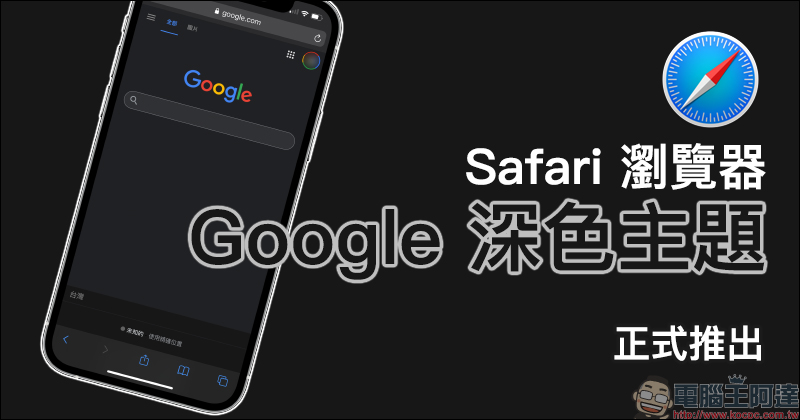
Google officially launches Safari browser using Google dark theme (tutorial)
Since the system and various applications have launched dark themes with a dark black color scheme, many users like to switch to dark themes. For iOS users, if you change the system appearance to the “Dark” option in the “Screen Display and Brightness” settings, the function menu after opening the Safari browser will also turn to dark. But in the past, even if iOS selected dark mode, the Google search engine homepage would still be a light theme with a white background when opening it.
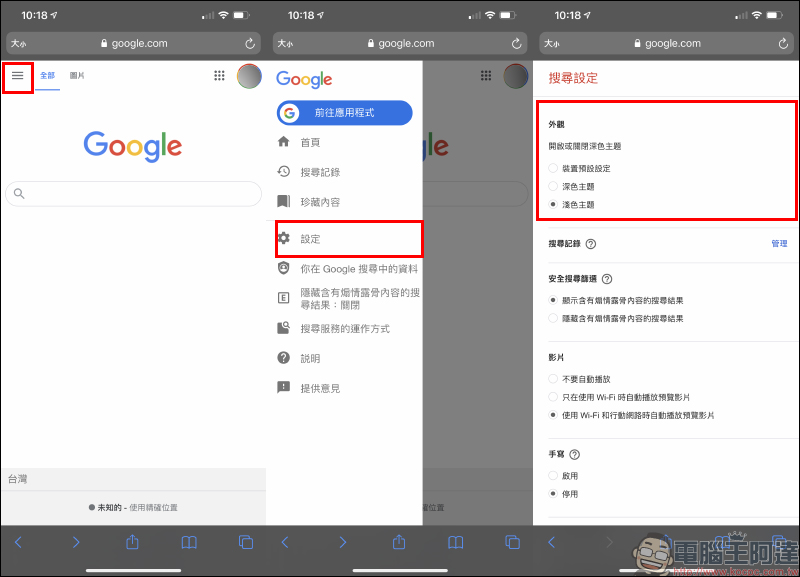
Recently, Google has also officially launched a dark theme option in the Safari browser. Before setting it, you must first confirm your login account with Google, and then click “≡」button to expand the function menu and select “Settings”. After entering the search settings page, you can see the options of light theme and dark theme in the appearance category. If it has not been changed in the past, the system will default to the light theme.
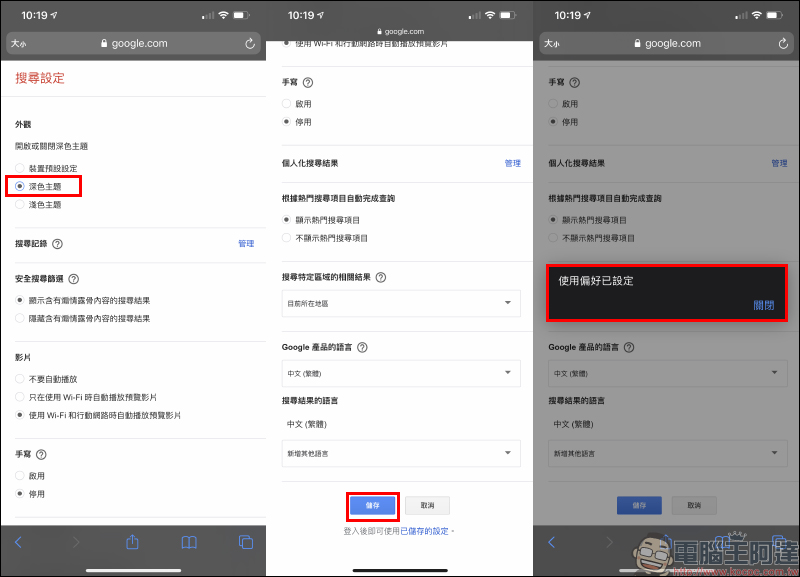
Select “Dark Theme” and then slide to the bottom of the page and select “Save”. A “Preferences Set” window will pop up, indicating that the settings have been completed.
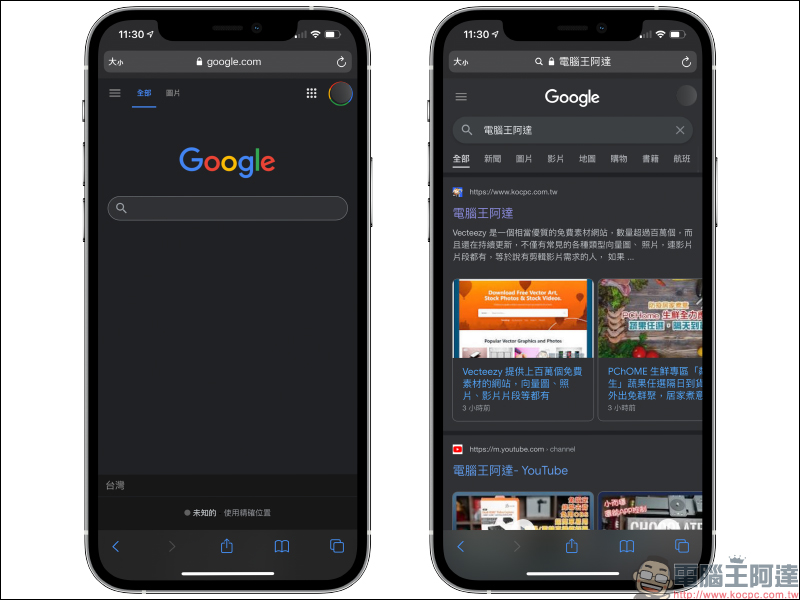
When you return to the Google search homepage, you will see that the background, menus and settings have all been changed to a dark theme! The changed appearance of dark mode also looks more consistent with the original iOS. If you log out of your Google account at this time, the dark theme will directly return to the original light theme. However, if you log in to the Google account in the future, the previously set dark theme will be directly displayed (if it does not switch automatically, click “≡“Function menu can directly complete the switch).
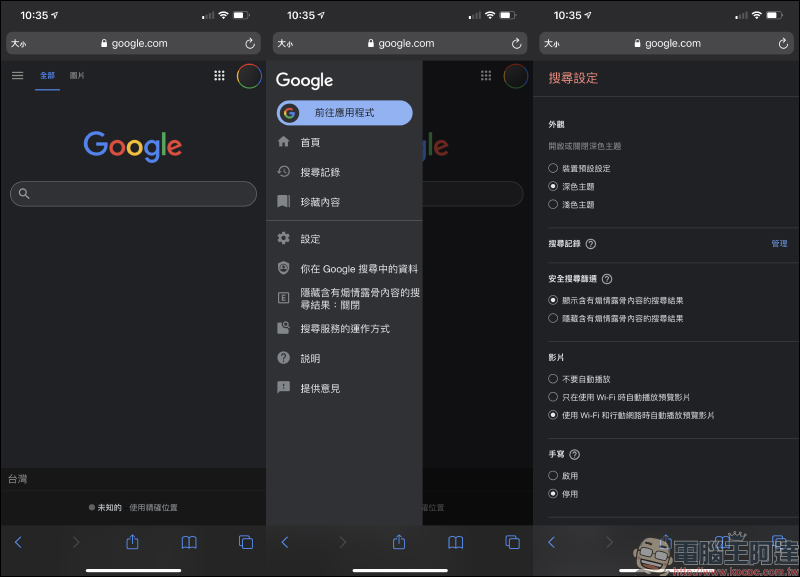
The search results also have a dark theme appearance:
Further reading:
LINE 11.11.0 update released: Optimized location information interface, added LINE community data deletion interface and other 6 updates!

Source: KOCPC Chinese