


Last month we reported Spotify announced that it will launch the “offline playback” feature that Apple Watch users have been waiting for. This feature will be officially launched in Taiwan on the evening of the 6th, Taiwan time! Different from the previous ability to play Spotify music and podcasts directly through Apple Watch when connected to the Internet, this time the “offline playback” function allows users to download music or Spotify to Apple Watch, and even if they go out without their mobile phone, as long as Apple Watch can play it offline in a non-network environment!

How to use Spotify’s “offline playback” function on Apple Watch? For operation instruction, read this article
If you want to go out and exercise while listening to music on Spotify, in the past, you were limited to having your Apple Watch connected to your iPhone or directly connected to a Wi-Fi network. However, now Spotify finally supports offline playback on Apple Watch! As long as you download music or podcasts to Apple Watch, you can play music directly through Apple Watch without having to carry your phone with you.

Before downloading music and Spotify to Apple Watch, remember to select “Wi-Fi” in the Apple Watch settings and connect.
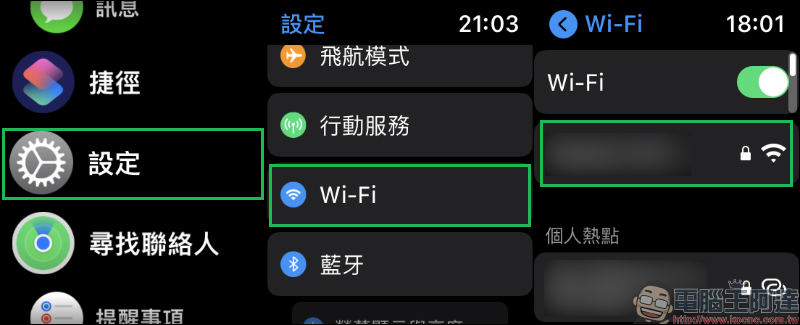
Next, open Spotify. In the lower right corner of the playback interface, it is usually played by iPhone by default. At this time, click the playback device icon to switch to playing through “Apple Watch”. Then you will also need to connect Bluetooth headphones via Bluetooth.

After completing the network and Bluetooth connection, you can actually play Spotify music or podcasts through Apple Watch without using your phone (network required).

However, if you want to truly achieve “offline” playback, you need to first open the Spotify App on your iPhone, select the music playlist or podcast you want to download, click “…” to expand the function list, and you will see “Download to this device” to download the content to iPhone for offline playback, or click “Download to Apple Watch” to download the content to Apple Watch for offline playback.
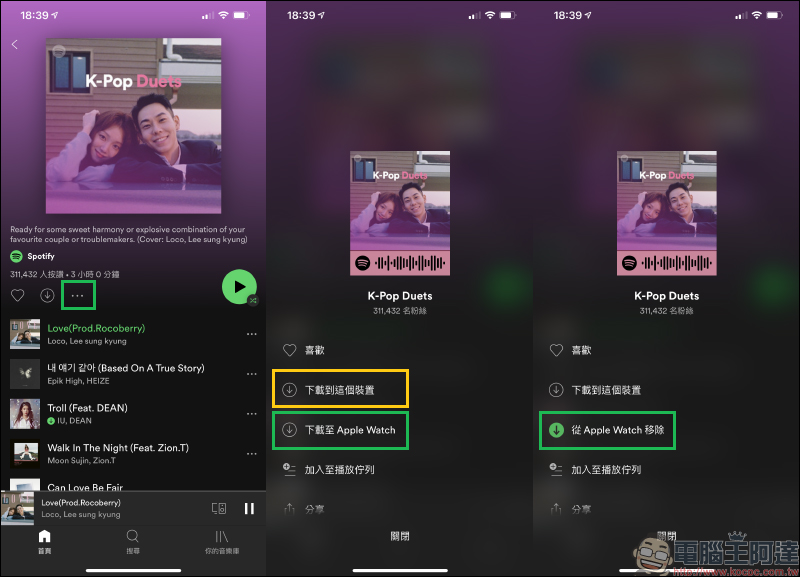
Then open the Spotify App on Apple Watch and confirm the current download progress in “Download Items”. Remember that Apple Watch must still be connected to the Internet before the download is completed.

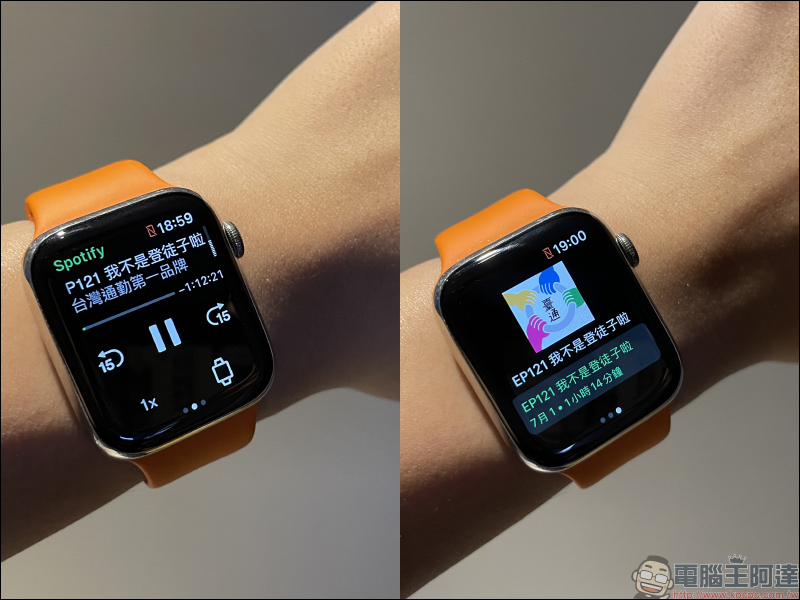
After the download is completed, you can disconnect your phone and the Internet and play Spotify music or podcasts directly with your Apple Watch offline! If the Apple Watch is connected to a mobile phone, a red unconnected icon will also be displayed above the Apple Watch.


Although during the current epidemic, there seems to be no opportunity to play Spotify music and podcasts directly offline on Apple Watch without Internet or mobile phone. However, this feature that Apple Watch and Spotify users have been waiting for for a long time is finally officially open now, and it will be more convenient to use in the future!
Further reading:
LINE free sticker collection: 16 practical LINE stickers for free download!


Source: KOCPC Chinese