


In 2019, Huawei released its own “HUAWEI HarmonyOS” operating system at the Developer Conference, and recently officially launched the new HarmonyOS 2.0 version. Recently, Huawei officially released the HarmonyOS system font “HarmonyOS Sans” for free download by all people. Just like before OPPO launched OPPO Sans free Chinese fonts are the same, HarmonyOS Sans is also available in Traditional/Simplified Chinese and is available for commercial use.
HarmonyOS Sans Huawei Hongmeng free Chinese font download (can be used for commercial purposes)
At the beginning of this month, Huawei held an online conference to launch the new HarmonyOS 2 operating system and a variety of products equipped with HarmonyOS 2. It also announced that many past products will also be able to upgrade the HarmonyOS 2 system. It is expected that smartphones equipped with HarmonyOS will also become the next focus.
In addition, for ordinary people who want to use more fonts, Huawei has recently released HarmonyOS Sans, Huawei’s new Hongmeng system font. Huawei has also opened the font file to users for free download, and it can also be used for free for commercial purposes.
According to Huawei’s official explanation, HarmonyOS Sans is the default system font used by Huawei in “Hongmeng 2.0”. This font was developed and produced by the Chinese professional font company “Hanyi Font”. And redesigned the glyph styles of Chinese, Latin, Cyrillic, Greek and Arabic to support more than 100 language families.
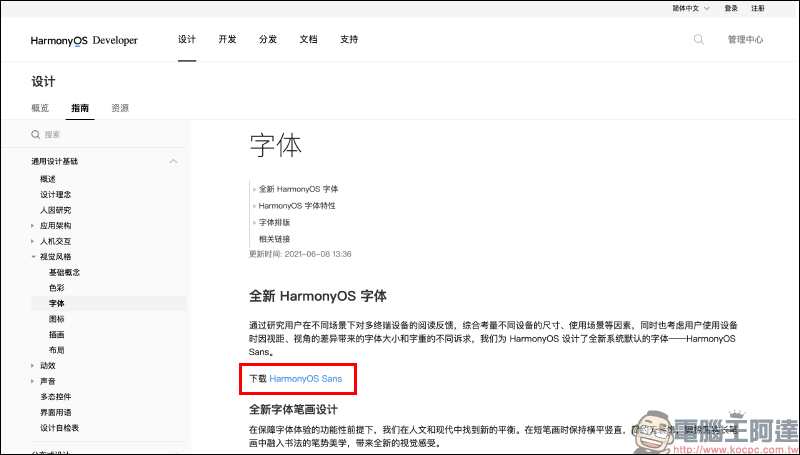
From now on, just go to HarmonyOS Developer development application pageYou can download the “HarmonyOS Sans” font for free (orClick me to download directly)。
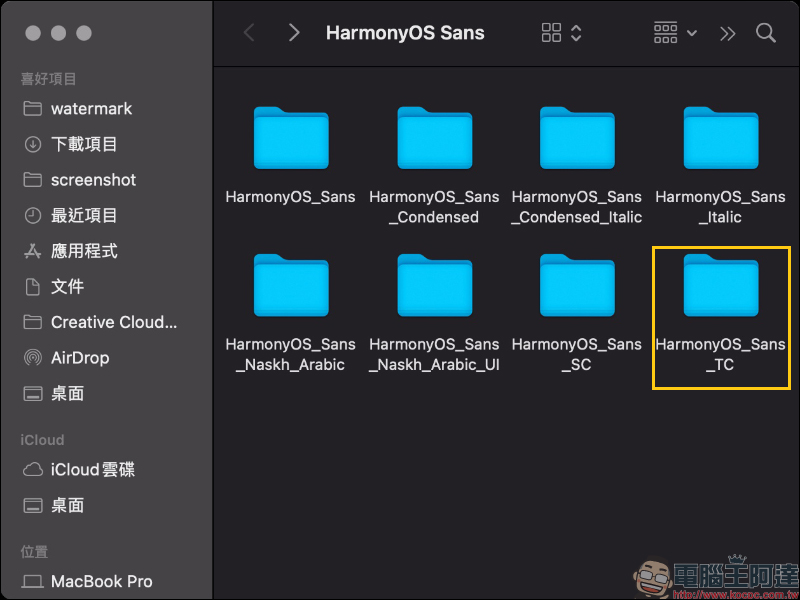
After downloading, unzip the font file and you will see all the folders of the HarmonyOS Sans font, including HarmonyOS Sans, Italic (italic), Condensed (compressed character width) and Condensed Italic styles. If you only want to download the Traditional Chinese version fonts, you can click the “HarmonyOS_Sans_TC” folder, and the Simplified Chinese version is the “HarmonyOS_Sans_SC” folder.
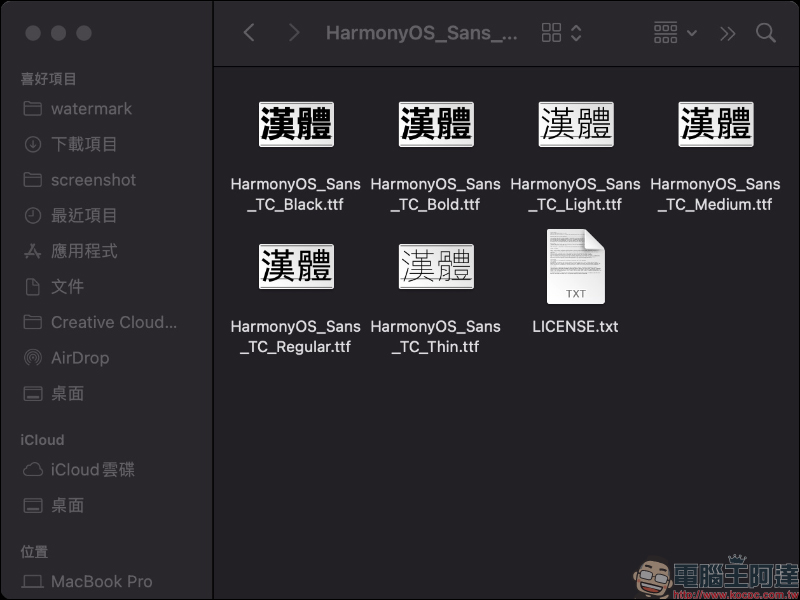
HarmonyOS Sans provides six font weights: Thin, Light, Regular, Medium, Bold, and Black. It also provides Italic and Condensed styles. Users can install and use them according to their needs.
Then the method of installing fonts is the same as installing other fonts in the past. Taking macOS as an example, just open it and click “Install Fonts”.
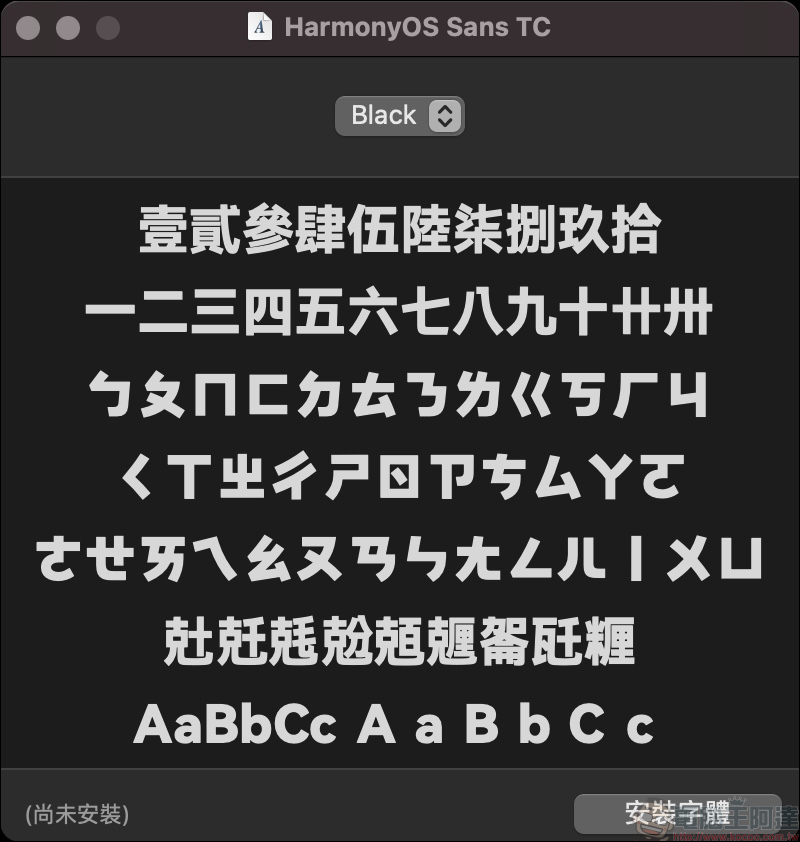
The following is also a summary of the display effects of several font weights for reference:
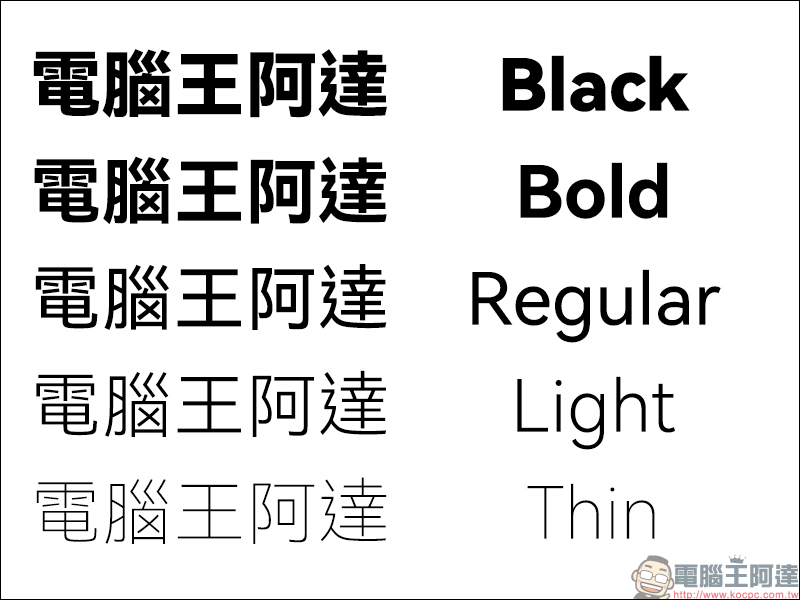
▲HarmonyOS Sans TC
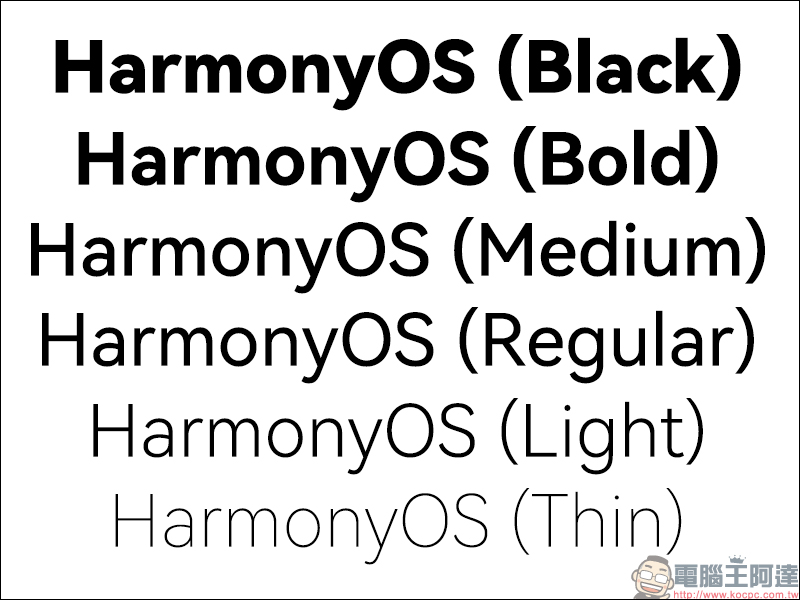
▲HarmonyOS Sans
Source:HarmonyOS Developer
Further reading:
The new video calling function of “LINE Meeting Room” is officially launched in Taiwan! You can join the online gathering through a link. It’s free, no need to join a group, cross-device, super convenient!

Source: KOCPC Chinese