


The current epidemic situation in Taiwan continues to be severe, and the third level of the national epidemic alert has been extended to June 28. The government is also actively setting up rapid screening and testing stations in various places. In addition to the recent launch of LINE “LINE Meeting Room” Free Video CallThe super convenient new function allows people to hold online gatherings through just a link, and it can be used across devices without joining a group.
Earlier today (15th), LINE Pay also announced the addition of the “Quick Screening and Testing Map” service. Users can quickly search for nearby quick screening and testing stations in 3 steps simply by using LINE Pay’s Quick Screening and Testing Map.
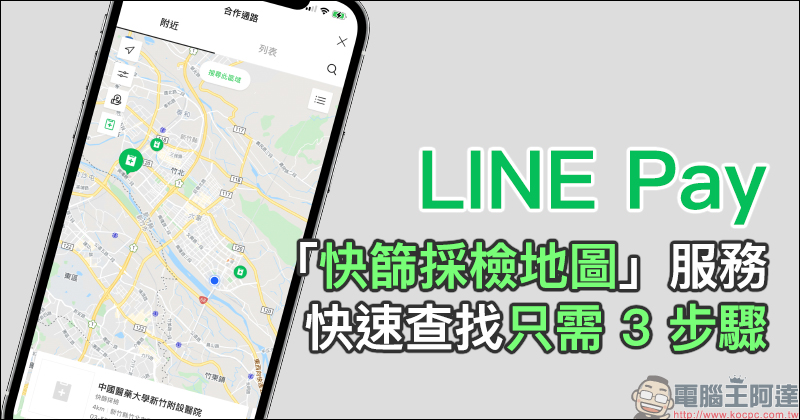
LINE Pay adds the “Quick Screening and Inspection Map” service, which allows quick search in just 3 steps
Now that the epidemic continues to be severe, people should not only minimize the risk of gatherings when going out, but also wear masks when going out when necessary, and strictly implement text messaging restrictions when entering indoor places. If there is still a possibility of suspected infection or there is a need for rapid screening and testing, LINE Pay launched the “Quick Screening and Testing Map” service earlier today (15th), allowing the public to easily and quickly search for nearby rapid testing stations. Two methods of operating the “Quick Screening and Testing Map” are provided below for your reference.
LINE App
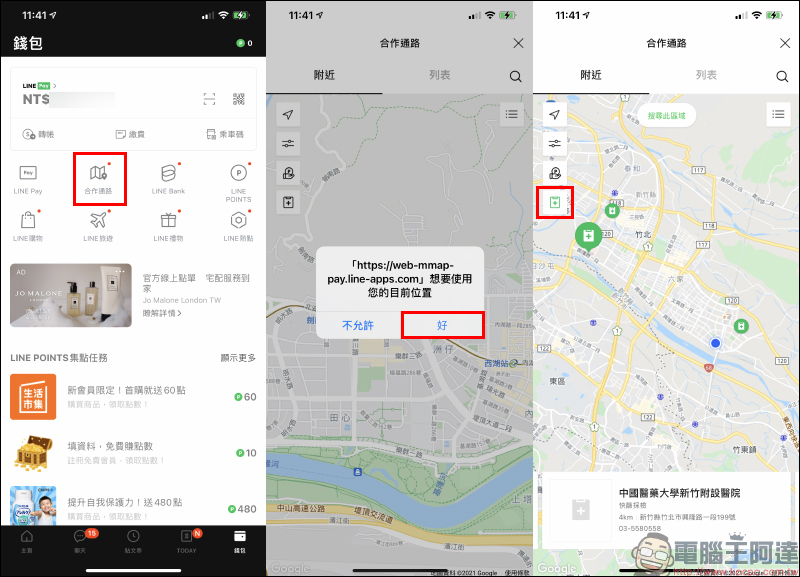
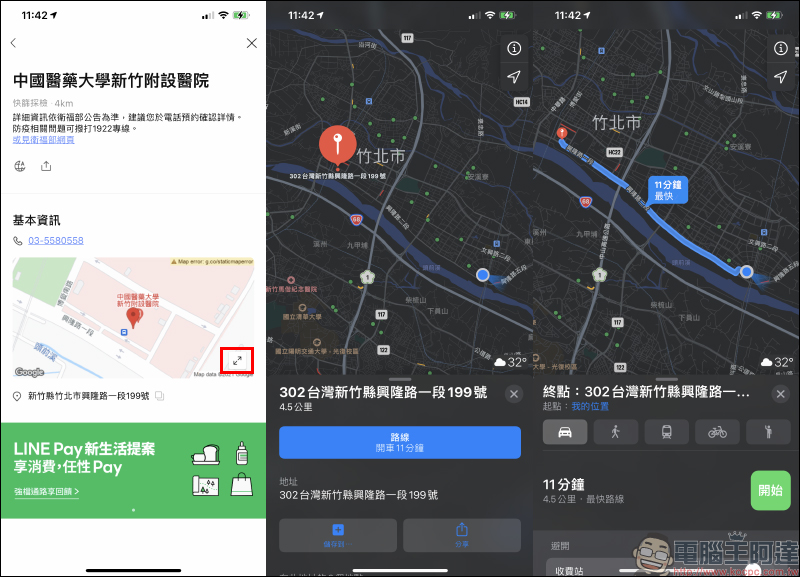
LINE users only need to open the LINE App and click “Cooperation Channel” on the “Wallet” homepage, and then enable the “Quick Screening and Inspection Stations” filtering function located on the left side of the map screen to locate the current location. At this time, the map will mark the locations and related information of all quick screening and inspection stations within the range.
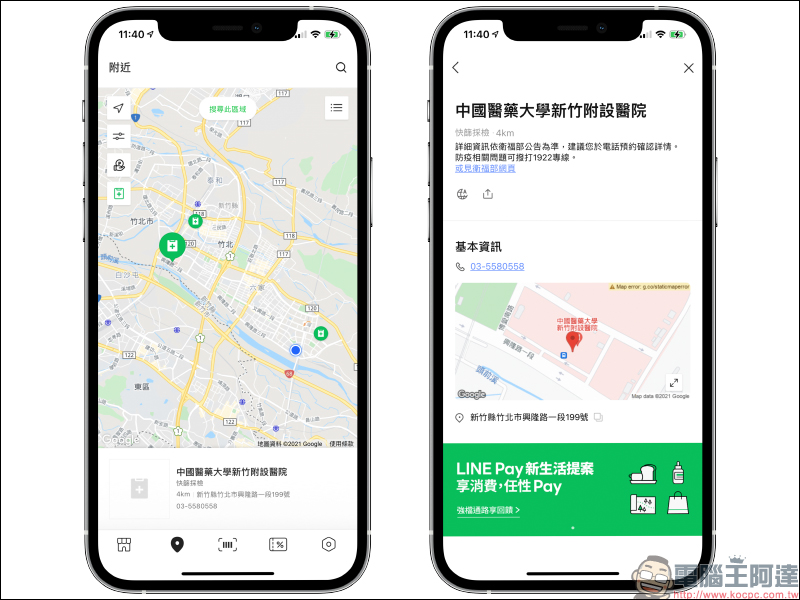
Then just select the quick screening location closest to you or where you want to go by traffic, and you can view detailed information such as contact number and address.
LINE Pay
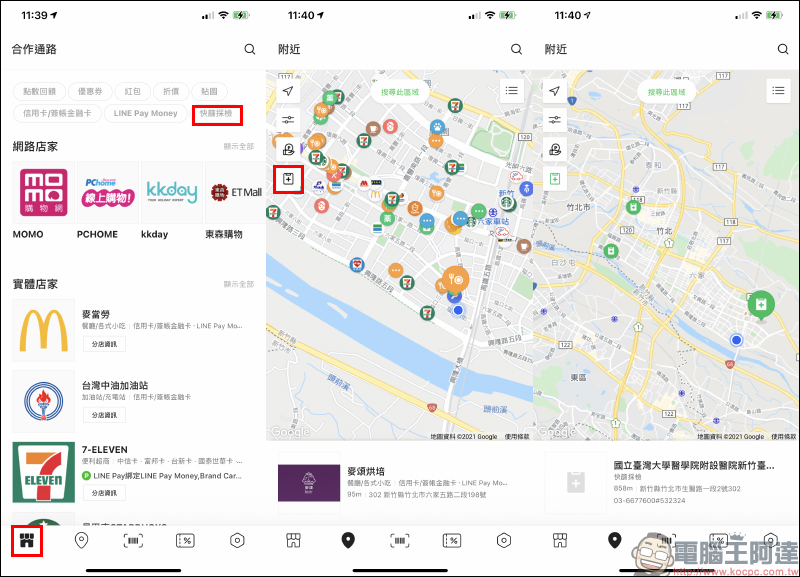
Another method is to use the LINE Pay App. Just open the LINE Pay App and go to the “Cooperation Channel” homepage, then click on the “Quick Screening and Inspection” filtering function to view nearby “Quick Screening and Inspection Station” information.
If you are not familiar with transportation, you can also copy the map on the information page of the place, or click the map zoom button to jump to the map app for navigation.
(Small reminder: Detailed information is subject to the announcement of the Ministry of Health and Welfare. It is recommended that you make an appointment by phone to confirm the details. If you have any questions related to epidemic prevention, you can call the 1922 hotline.)
During the current epidemic, it is recommended that you choose contactless mobile payments such as LINE Pay when making purchases to reduce the risk of infection. The LINE Pay cooperative channel can not only check the rapid screening and inspection stations, but also find nearby merchant information. It is also very convenient.
Further reading:
Watch YouTube video tutorials on your Android Auto car for free! Root-free phone!


Source: KOCPC Chinese