


Everyone should be familiar with the “Dangerous Website Warning” message on web pages. Although you can’t bypass this warning if you insist on browsing, I believe that many people are saved by such a mechanism (your computer displays: wiping sweat). Recently, Google seems to want to bring similar mechanisms to more corners of the Chrome browser so that users are less afraid of being harmed by malicious files or even extensions. Continue reading Chrome will thoughtfully warn and even block unsafe extensions and file downloads.
▲Image source: Google
Chrome will provide thoughtful reminders and even block unsafe extensions and file downloads
The latest version of Google Chrome 91 once again adds new mechanisms for user information security. One is the Chrome Extension extension function that the editor has been a little worried about in the past. In theory, extended functions should enhance the user experience and provide more convenient functions. However, I believe everyone has encountered it. Even if the downloaded Extension cannot achieve the expected use, once I think about the permissions given during installation, I still can’t help but worry about whether it has used data or performed any actions (sweat).
▲Image source: Google
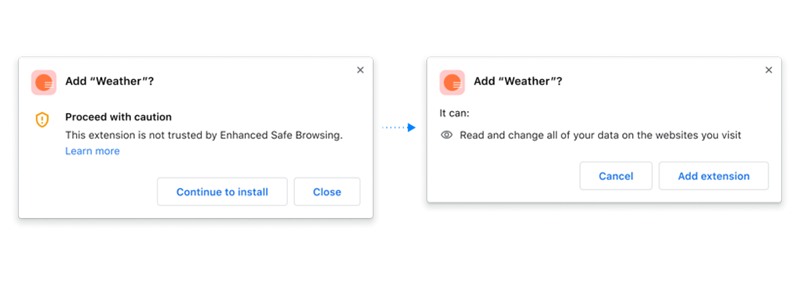
In order to resolve such concerns, Chrome will now ask whether Enhanced Safe Browsing is passed when installing extensions.trust listconfirmation mechanism. This allows you to calmly take a look at the permissions it will ask for and consider whether to risk the installation. It is said that 75% of the extensions in the Chrome Web Store online application store are currently in the list – this number is a bit unclear whether you should feel reassured or not, but at least now Chrome will remind you of this check information.
▲Image source: Google
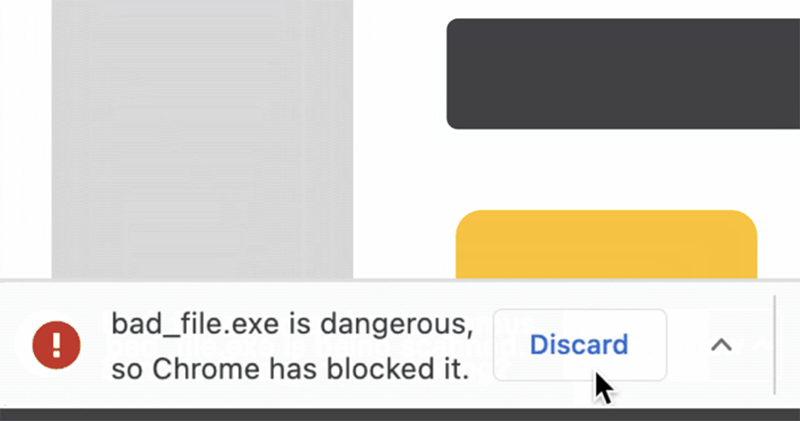
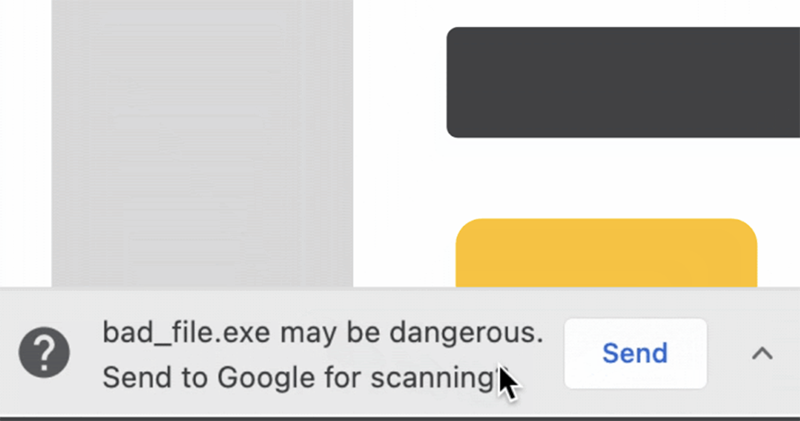
For download functions that are more likely to endanger system security, Chrome has introduced a security mechanism that scans files more deeply. If the initial analysis of Metadata and other features indicates that it may be risky, it will then ask whether to send more data to Google to scan the file. If the file is still identified as a dangerous file after this process, Chrome will prevent you from opening the file.
▲Image source: Google
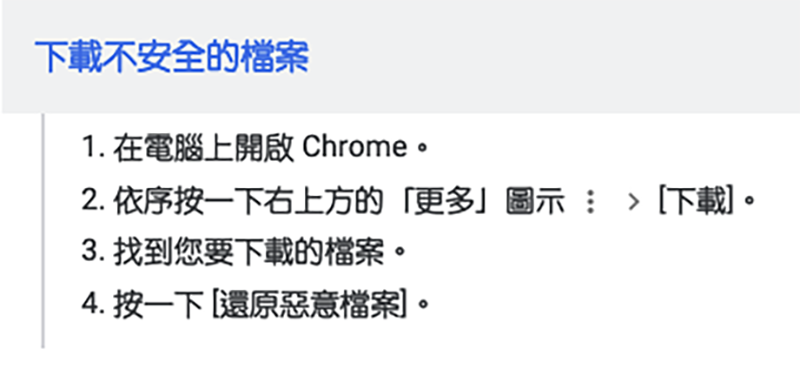
Basically, these new safeguards are the same as most security features. If users still insist on opening unsafe files, they can do so, but they must do so at their own risk. This function can be found in the enhanced protection function in privacy settings.
Further reading:


Source: KOCPC Chinese