


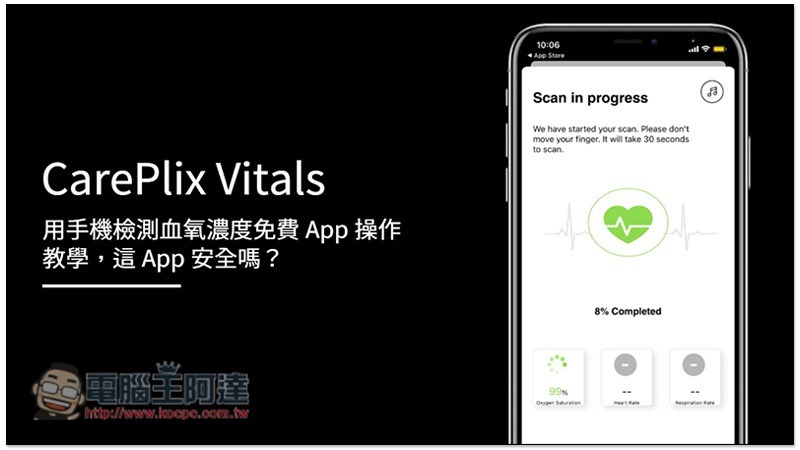
With the recent outbreak of COVID-19 in Taiwan, many people are buying blood oximeters to monitor their blood oxygen levels, resulting in a huge shortage in the market. Although it is definitely best to buy a machine, if you can’t find it, you can temporarily use the CarePlix Vitals free mobile app while you wait. It can detect your blood oxygen level, heart rate and respiratory rate through the camera lens and flash. Of course, this is for reference only, and the accuracy may not be as high as that of a machine, but at least there is a basis for observation.
Are CarePlix Vitals safe?
Many people must have doubts about this, especially because there have been some recent news reports that Indian officials have issued an official letter asking everyone to be careful about this app. But in fact, the content of this official letter does not mean that CarePlix Vitals is a malicious app, but reminds everyone to be careful that some apps that can measure blood oxygen concentration may have problems.
Below is the content issued by the Indian official. It does not mention CarePlix Vitals at all. Even the mobile phone interface is different. It only reminds the public to be careful that some fake blood oxygen apps will ask for all access rights to the phone (provided you allow it), and then steal user information:
Beware of Fake Oximeter App #covid #coronavirus #corona #stayhome #staysafe #socialdistancing #wearmask #IndiaFightsCorona #cybersecurity #informationsecurity #security #cybercrime #cybersecurityawareness pic.twitter.com/l097k9ew17
— Maharashtra Cyber (@MahaCyber1) May 18, 2021
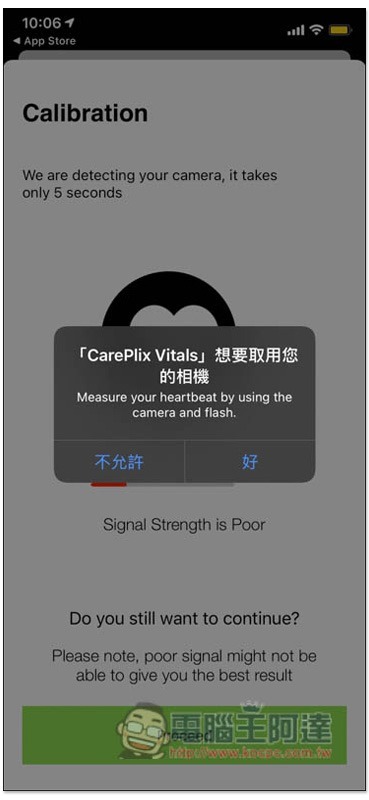
When I tested CarePlix Vitals, it only asked for two permissions, “location” and “camera.” There is no Indian official saying that it will ask for all access rights on the phone. The camera part is necessary because it can detect your blood oxygen concentration through the lens and flash. As for the location, I browsed the app and it seems that it is mainly used for “recording”. After you test the blood oxygen concentration, heartbeat and respiratory rate, it will also record where you were tested:
Some people may be thinking about the registration information? Is there any danger? When registering for CarePlix Vitals, you need to fill in your name, birthday, email and password. Basically, you can fill in a fake one, even the email is the same (no verification required). You can use it directly after registration:

So, if you look at it this way, the safety part of CarePlix Vitals is not as dangerous as others say, it is just a normal app.
However, one thing to note is that CarePlix Vitals is currently only available on the App Store. The Android version must download the APK file and install it yourself, which may be risky.
CarePlix Vitals usage tutorial
- App Store installation page
- Android APK file download link(Although the source is a well-known foreign APK website, installation is still not encouraged)
Registration is required before use, click Register below:

After registration, you will automatically log in. Press Scan Vitals to scan and detect. Remember to allow camera permissions:

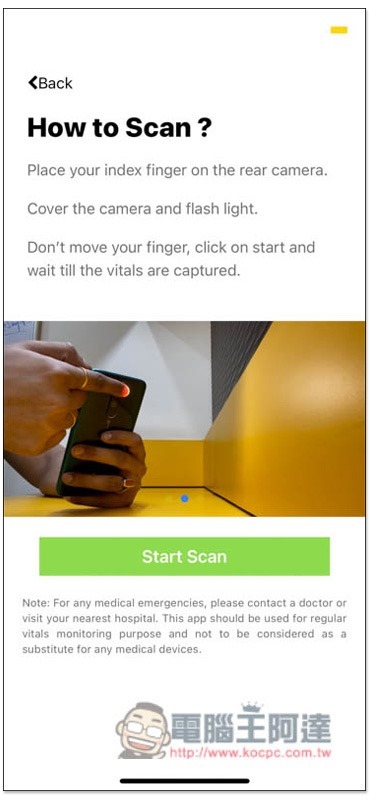
There will be instructions on how to use it before scanning. To put it simply, put your finger on the rear lens and flash. Remember to cover the entire area and do not move during the detection process:
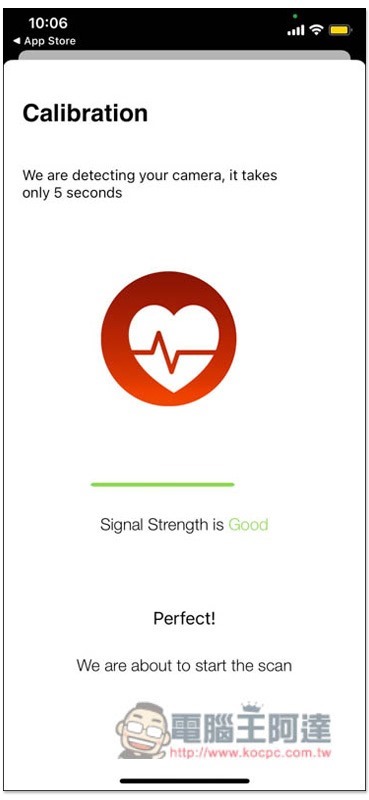
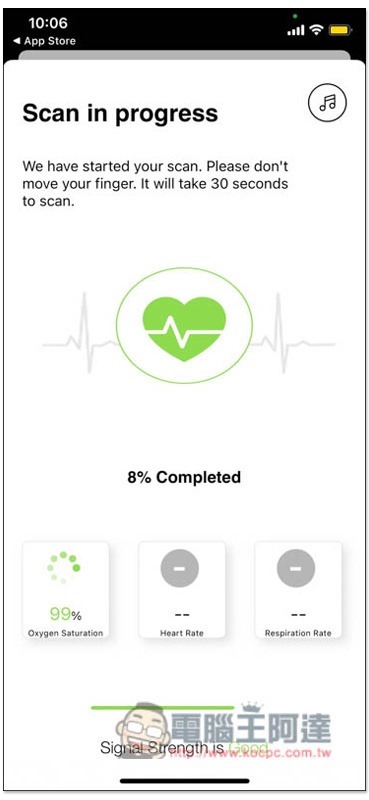
After starting the detection, the flash will light up automatically, and the Signal Strength below will also prompt you whether the position of your finger is good or not. BAD means you need to move it, GOOD means very good, just keep it still:
Scan time is about 30 seconds:
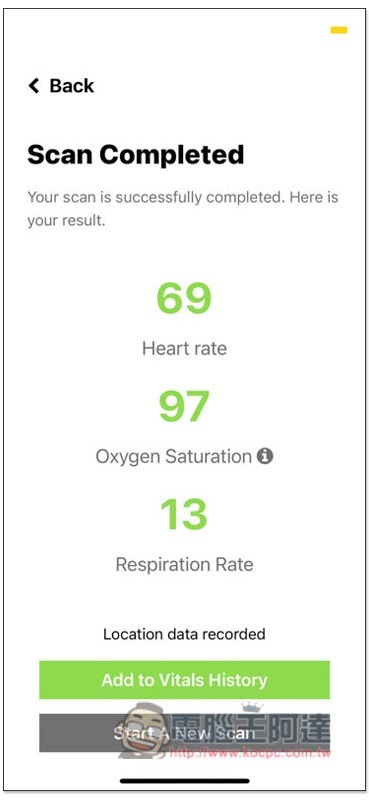
Then you will get your current heart rate, blood oxygen concentration and respiration rate. Again, I remind you that these are only reference values. If you want to save it, remember to click “Add to Vitals History”:
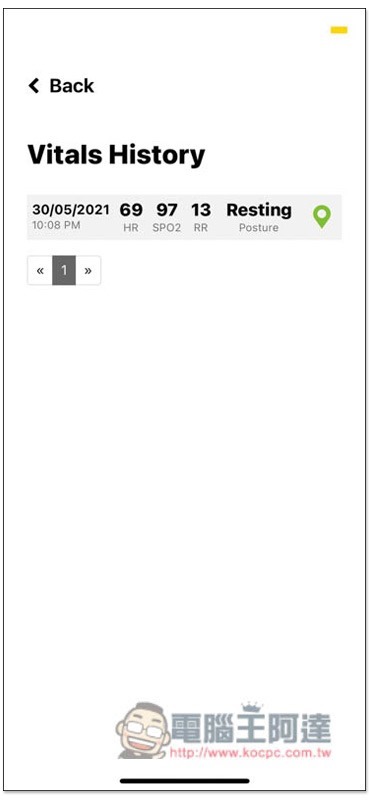
You can see your past detection data in the Vitals History option. If you are allowed to access the location, you can click the icon on the right to view your current detection location:
Summarize
Compared with a real blood oximeter, a mobile phone can only rely on the lens and LED flash to detect. The detected data is definitely not that accurate, and there is no official or medical certification. You can try it just for fun. Friends who want to know their true blood oxygen concentration should just buy a blood oximeter.
Source: KOCPC Chinese