

• About Us
King of Computer Media
  • Home
  • Tech News
  • AI News
  • Apps & Tutorials
  • Mobile & Telecom
  • Lifestyle
  • About Us
No Result
View All Result
  • Home
  • Tech News
  • AI News
  • Apps & Tutorials
  • Mobile & Telecom
  • Lifestyle
  • About Us
No Result
View All Result
King of Computer Media
No Result
View All Result

Home - Computer Applications and Other Tutorials - Super easy to use, automatically generate subtitles and super versatile editing software: a complete guide to using it when editing movies

Super easy to use, automatically generate subtitles and super versatile editing software: a complete guide to using it when editing movies

kocpc by kocpc
May 15, 2021 - Updated on August 4, 2026
in Computer Applications and Other Tutorials, Internet and software applications, Multimedia conversion/application

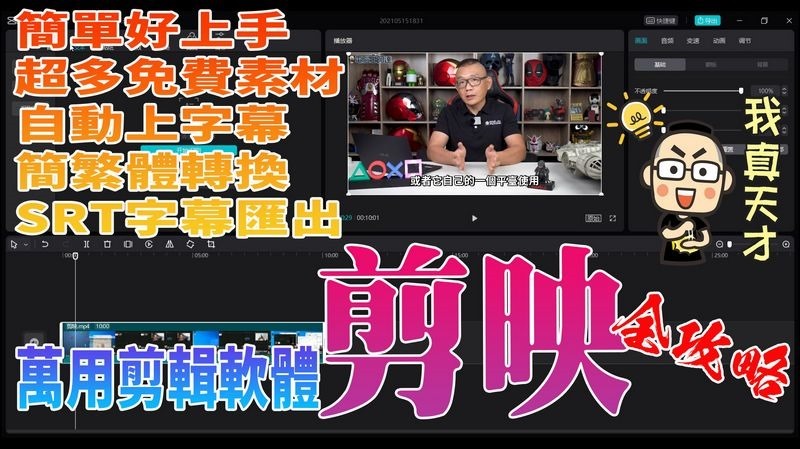
Let me introduce to you a very magical and easy-to-use editing software: “Jianying”. This software was originally a mobile video editing app in China. It launched a computer version at the end of last year. It is super simple and easy to use, has a lot of free materials/filters/special effects resources, and can also help you automatically add subtitles! ! However, the subtitles generated are in Simplified Chinese. This time Ada will introduce to you the basic operations, how to convert the subtitles from Simplified to Traditional Chinese, and even export SRT files for use by other editing software, which is very powerful.
剪映教學

Brainlessly automatically generate subtitles and use the complete guide to editing

Because there is a lot of content, Ada directly makes videos to teach. Please directwatch videos, you are also welcome to subscribe to the Computer King Ada channel (please click me), to put it simply, it is simpler than Adobe Premiere, easier to use than Power Director, and a free editing software with a variety of free multimedia materials:


Editing related resources

Cutting official website:https://lv.ulikecam.com/

Download version 1.2.1 of the clip:https://lf3-faceucdn-tos.pstatp.com/obj/faceu-packages/Jianying_Pro_1_2_1_822_0.exe

Convert Simplified to Traditional Fonts:https://drive.google.com/file/d/1armU0xVmo2d3VgKRKzkCkhnZwNRr2-UR/edit

SRT subtitle transfer tool:https://guihet.com/jianyingsrt.html

※For the latest version of the actual measured clip, you can directly choose the simplified to traditional font, so you can update and use it with confidence.

This piece of subtitles was identified and corrected using clipping, and it was done in less than ten minutes:

Source: KOCPC Chinese

Tags: Cutting

Recent Posts

  • Windows 11 October update officially released! File Explorer previews get an upgrade, the Copilot key can be customized, and there are many practical improvements.
  • Should You Upgrade to the New Apple TV 4K? A Complete Comparison with Older Models
  • Google Play launches a private app feature! You can install Android apps made with AI Studio directly on your phone, no developer account required.
  • NVIDIA introduces an all-new DLSS Performance mode, boosting Frame Generation performance by up to 35%! Works on both RTX 40 and 50 series.
  • Google Gemini 4 Argon has officially arrived! It racked up 13 wins across 18 tests—is it really not the cute dragon this time?

Recent Comments

No comments to show.
  • About Us

We welcome partnership inquiries and product review opportunities from smartphone manufacturers, iPhone accessory brands, and app developers.koc kocpc.com.tw|Privacy Policy |Hosting & Maintenance: Fast Line Taiwan, A-Chang Digital Technology

No Result
View All Result
  • Home
  • Tech News
  • AI News
  • Apps & Tutorials
  • Mobile & Telecom
  • Lifestyle
  • About Us

We welcome partnership inquiries and product review opportunities from smartphone manufacturers, iPhone accessory brands, and app developers.koc kocpc.com.tw|Privacy Policy |Hosting & Maintenance: Fast Line Taiwan, A-Chang Digital Technology