• About Us
King of Computer Media
  • Home
  • Tech News
  • AI News
  • Apps & Tutorials
  • Mobile & Telecom
  • Lifestyle
  • About Us
No Result
View All Result
  • Home
  • Tech News
  • AI News
  • Apps & Tutorials
  • Mobile & Telecom
  • Lifestyle
  • About Us
No Result
View All Result
King of Computer Media
No Result
View All Result

Home - Internet and software applications - Shutdown Timer Classic is a free gadget that automatically shuts down, restarts, hibernates, sleeps, logs out, and locks schedules.

Shutdown Timer Classic is a free gadget that automatically shuts down, restarts, hibernates, sleeps, logs out, and locks schedules.

Rocky by Rocky
April 19, 2021 - Updated on August 4, 2026
in Internet and software applications

Although the built-in tools of Windows 10 can also perform operations such as scheduled shutdown, the setting method is very troublesome, and this Shutdown Timer Classic is super simple and easy to use. It not only shuts down the computer, but also can set the restart, hibernation, sleep, logout, and lock timings. You can change the mode at any time according to your needs, completely free of charge.
2021-04-19_165441

Shutdown Timer Classic Free Tool Introduction

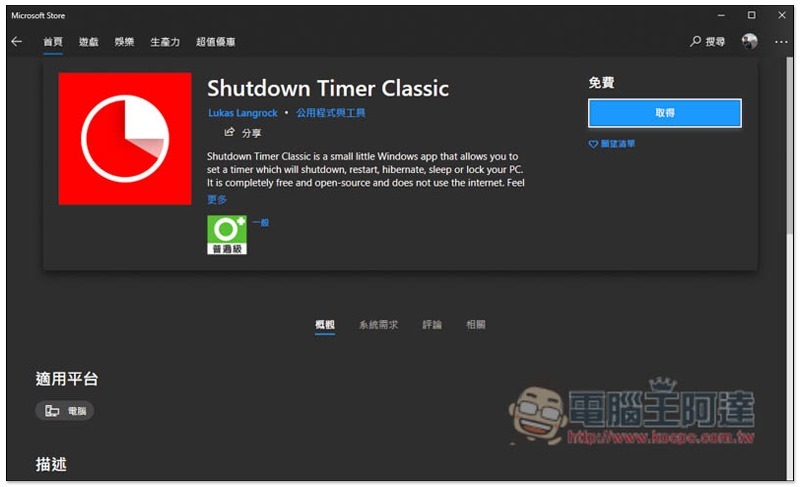
Shutdown Timer Classic is open source on GitHub and is also available on the Microsoft Store. It is recommended that you go to the Microsoft Store to install it first, and then download the GitHub version if an error occurs.

  • Microsoft Store installation page
  • GitHub

After clicking the Microsoft Store link above, you will jump to the Shutdown Timer Classic page. Click Get in the upper right corner to install:
2021-04-19_162018

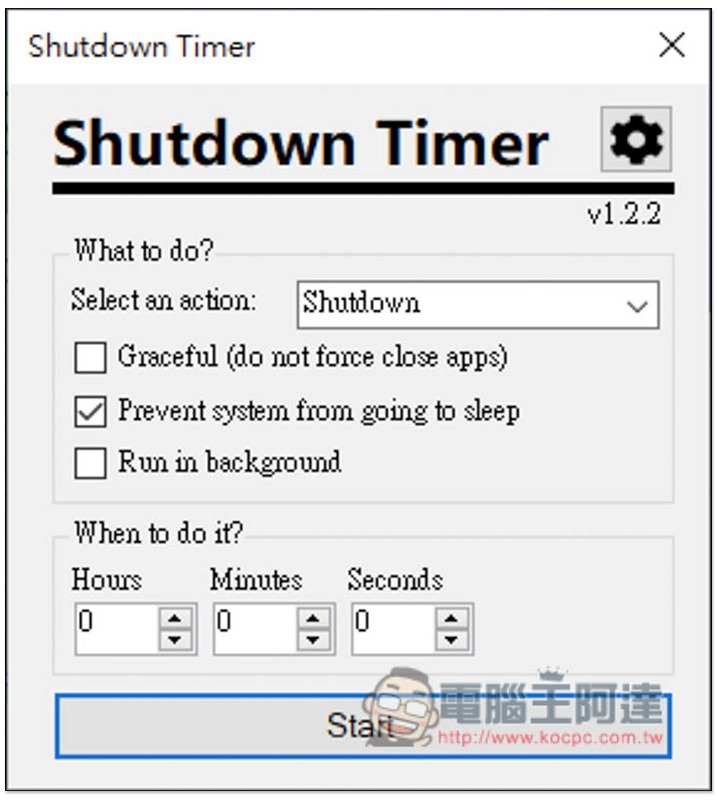
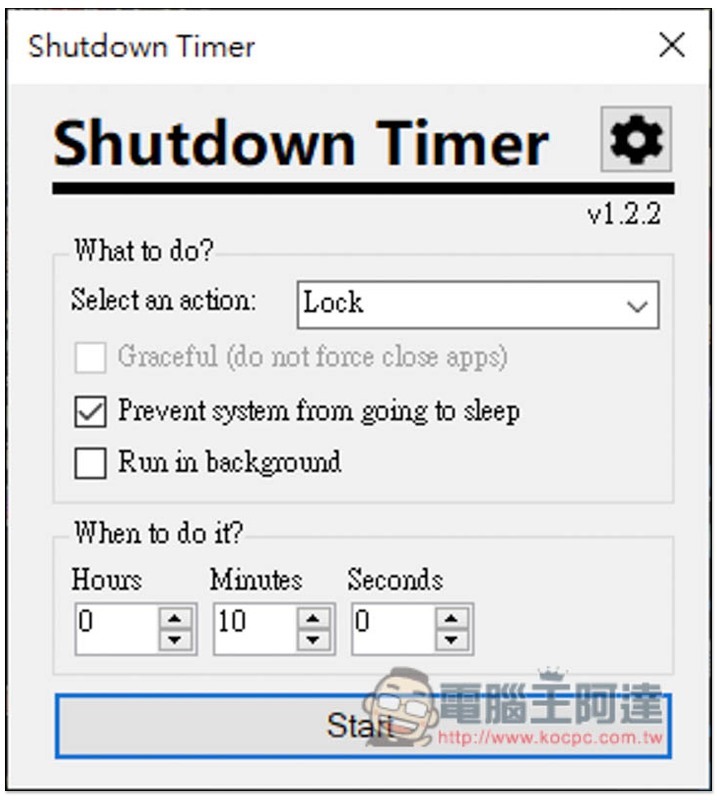
The usage is very simple. After opening this tool, select the mode you want in Select an action. There are three options below to see if you need it. The second default is to open. Prevent system from going to sleep is to prevent the computer from going to sleep. It means that if you don’t want the computer to suddenly enter sleep mode and affect your work and download progress, just open this tool:
2021-04-19_162136

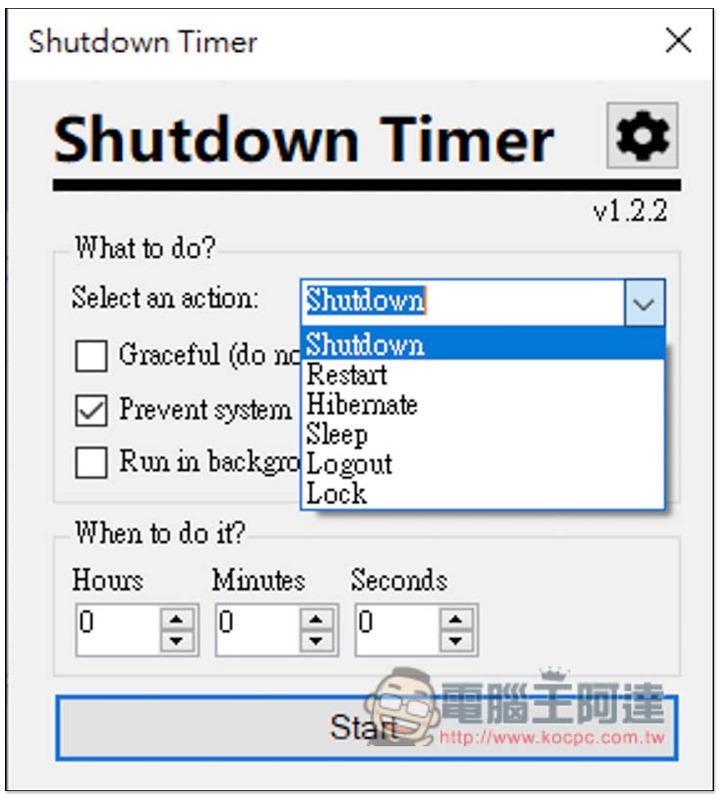
There are six modes:

  • Shutdown Shutdown
  • Restart Restart the computer
  • Hibernate goes to sleep
  • Sleep Go to sleep
  • Logout
  • Lock Lock

2021-04-19_162150

After selecting the mode, set the time you want in When to do it? below, for example: after 10 minutes, enter 10 below Minutes, and then press Start:
2021-04-19_165200

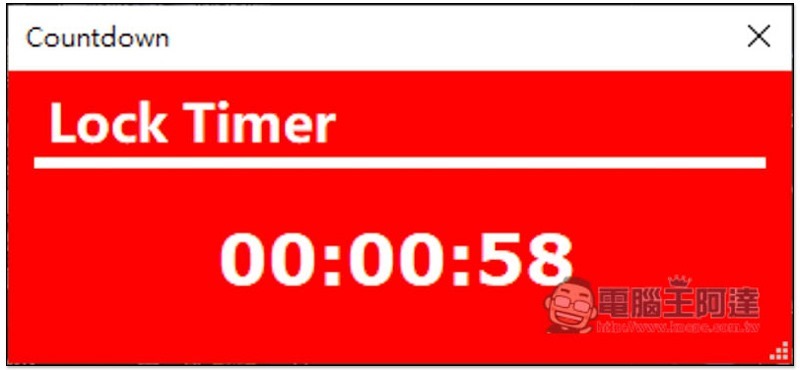
Then a countdown window will pop up, and it will be executed after the time is up. If you want to stop, press the X in the upper right corner:
2021-04-19_165209

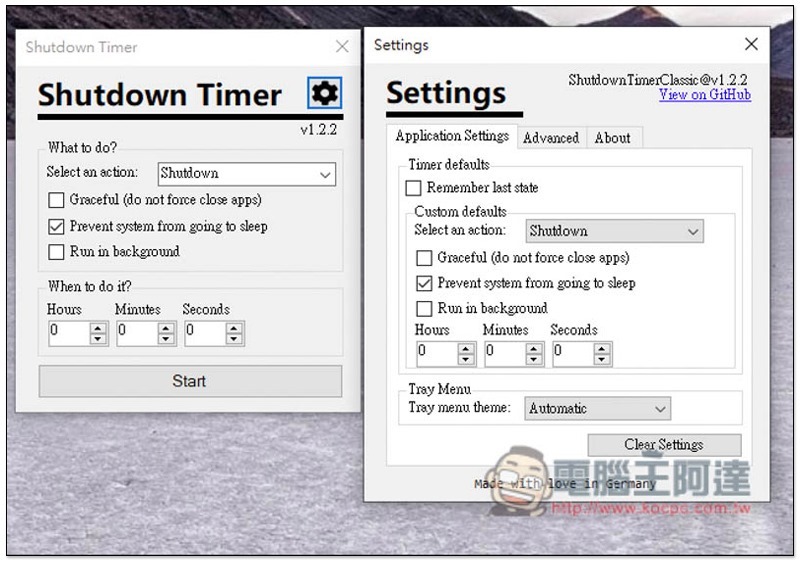
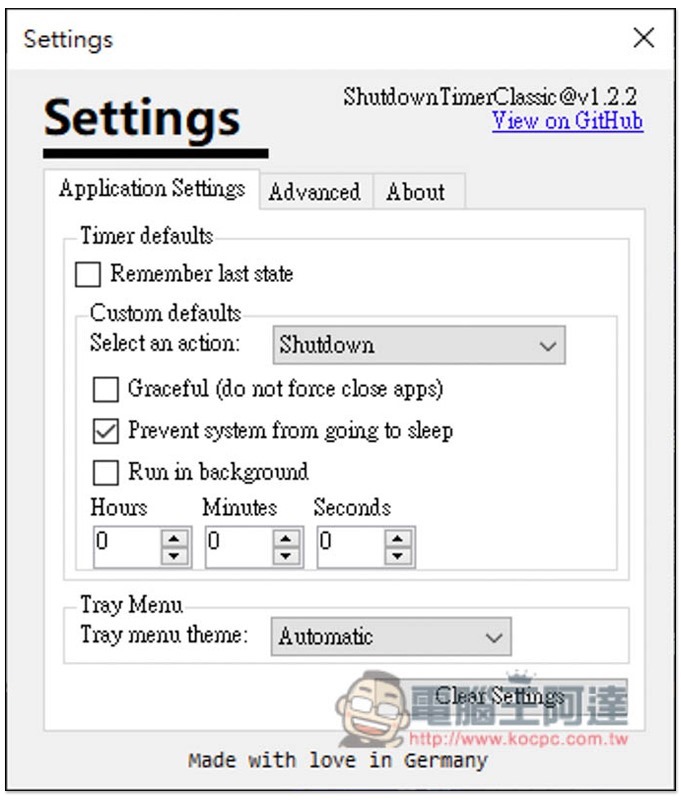
There are also some settings that can be adjusted in the settings. Custom defaults can set the default value when you open this tool. Simply put, if you often need to shut down after 1 hour, then set and save it here. When you open Shutdown Timer Classic in the future, you can directly press start without having to set it manually:
2021-04-19_165255

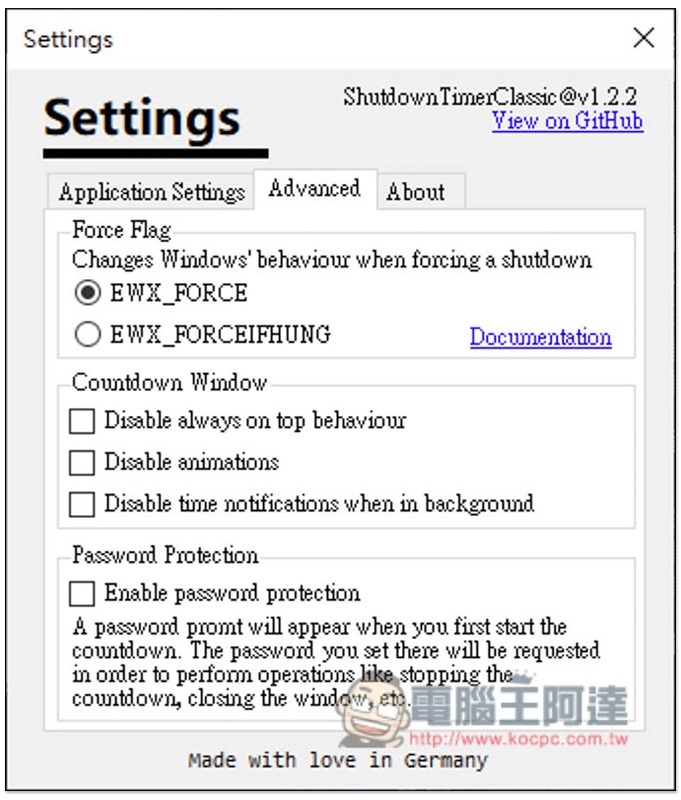
Advanced also has some advanced setting options:
2021-04-19_165305

Abelssoft Recordify 2021 限免,一鍵下載 Spotify、Google Play Music、Amazon Music 等 320Kbps 音樂,終生免費使用

Source: KOCPC Chinese

Tags: Windows

Recent Posts

  • The Xiaomi Pad 8S Pro has passed network access certification and will debut with the self-developed XRING O3 chip.
  • The entire Google Pixel 11 lineup has been leaked! Official promotional renders of the Pixel 11 Pro XL have also surfaced
  • Are Chinese phone battery capacities falsely labeled? A brief look at the “capacity locking” phenomenon in Chinese silicon-carbon batteries.
  • NCC is leaderless, recklessly sending out national-level alert messages!?
  • What does “QR” in QR Code mean?

Recent Comments

No comments to show.
  • About Us

We welcome partnership inquiries and product review opportunities from smartphone manufacturers, iPhone accessory brands, and app developers.koc kocpc.com.tw|Privacy Policy |Hosting & Maintenance: Fast Line Taiwan, A-Chang Digital Technology

No Result
View All Result
  • Home
  • Tech News
  • AI News
  • Apps & Tutorials
  • Mobile & Telecom
  • Lifestyle
  • About Us

We welcome partnership inquiries and product review opportunities from smartphone manufacturers, iPhone accessory brands, and app developers.koc kocpc.com.tw|Privacy Policy |Hosting & Maintenance: Fast Line Taiwan, A-Chang Digital Technology