


Nowadays, most Macs cannot expand the internal storage space by themselves, so almost every Mac user must have system cleaning software to help you quickly clear out space when the capacity is almost full. BuhoCleaner is a very easy-to-use system cleaning software. With one click, you can quickly find junk files and large files in the Mac hard drive, such as those that have not been used for a long time, cache, etc., allowing you to easily delete them. It also has built-in practical functions such as scanning duplicate files and deleting installed software.
What I like most is that the operating interface is designed to be very simple. Even people who are not familiar with Mac operations can quickly get started. It also perfectly supports the M1 Mac series. I will introduce it to you in detail below.
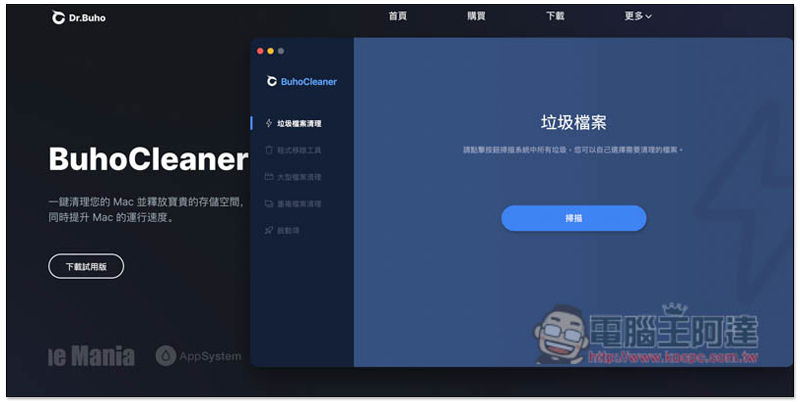
Review of BuhoCleaner, a super easy-to-use system cleaning software
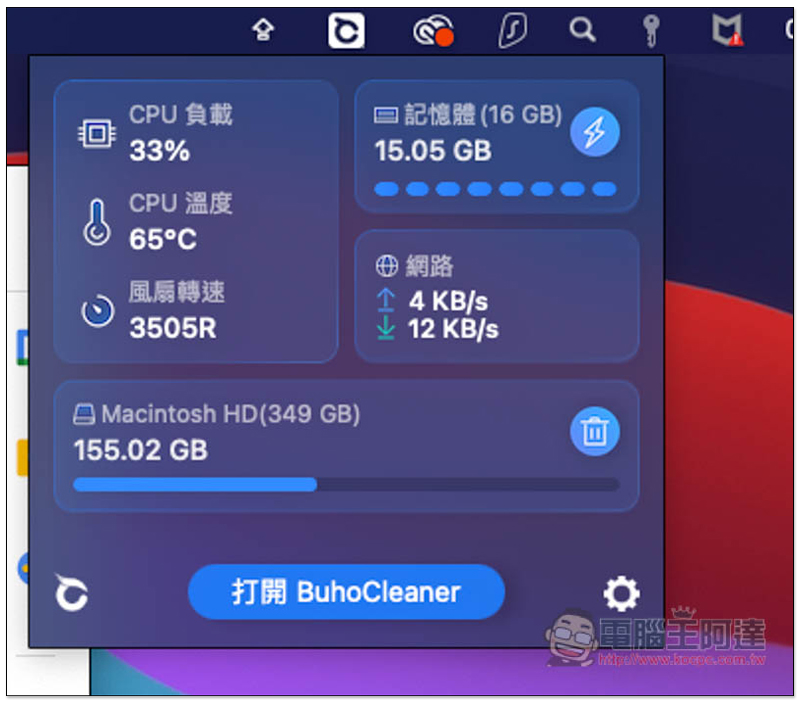
Replenish:The latest BuhoCleaner version 1.5.10 adds the BuhoCleaner Menu function, which can monitor system information in real time, including: CPU usage and temperature, memory usage, storage space usage, fan speed, and network upload and download speeds. There is a lightning symbol next to the memory information. Click it to clear it with one click. This free version can be used:
Set permissions before using
Like other system cleaning software, BuhoCleaner also needs to be authorized to allow hard drive access before use so that it can scan and delete. The setting method is very simple, just follow the steps on the screen.
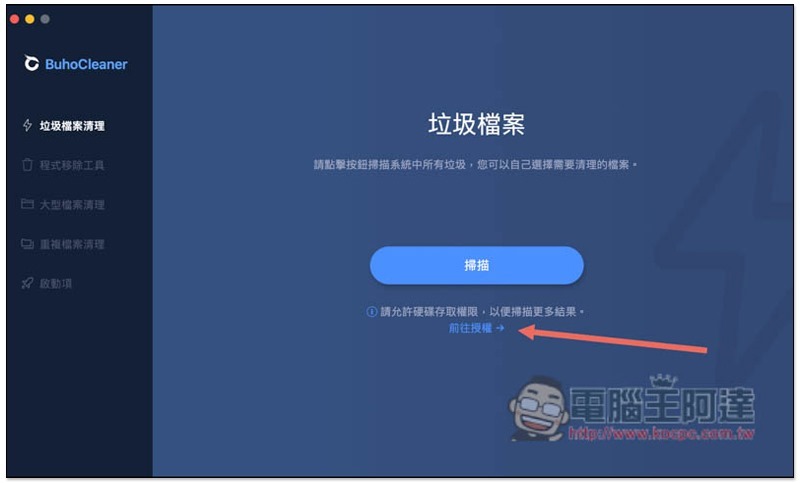
After opening the BuhoCleaner software, you will see the message “Please allow hard drive access to scan more results.” Click “Go to Authorization”:
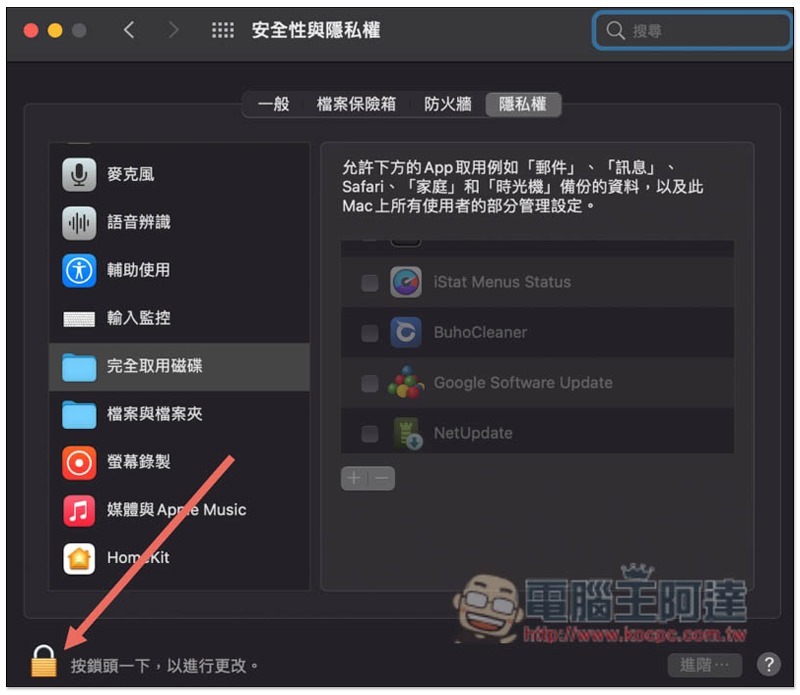
Then the security and privacy settings will open. The right menu is occupied initially, so it needs to be unlocked. Please click the “lock icon” in the lower left corner:
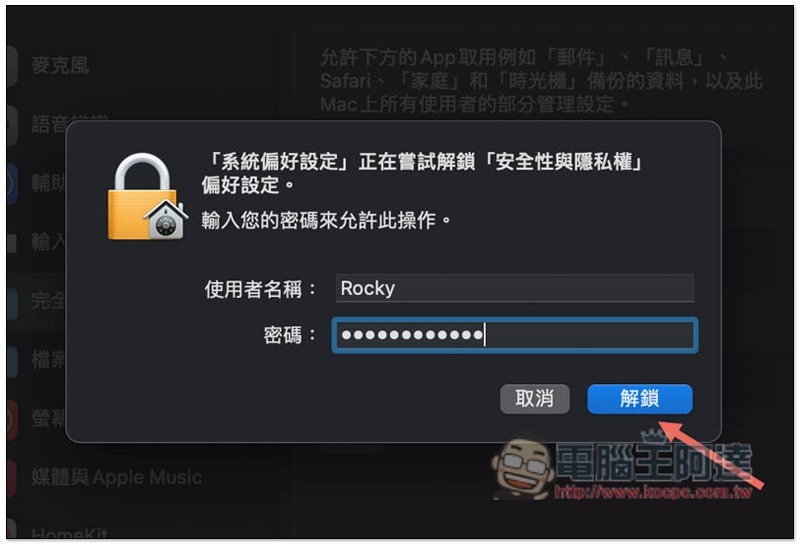
Enter your Mac login password and press Unlock:
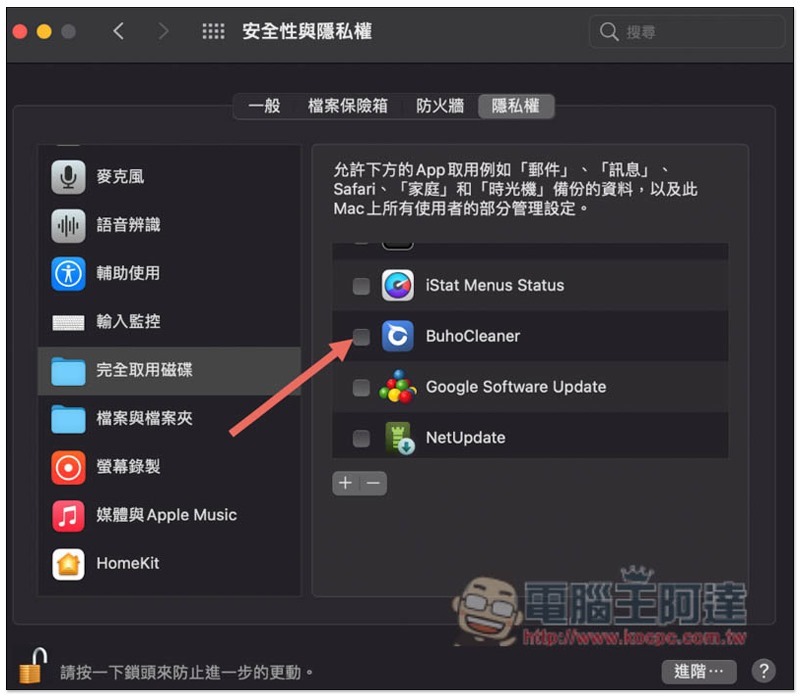
The menu on the right will be opened. At this time, please find BuhoCleaner and check the box on the left:
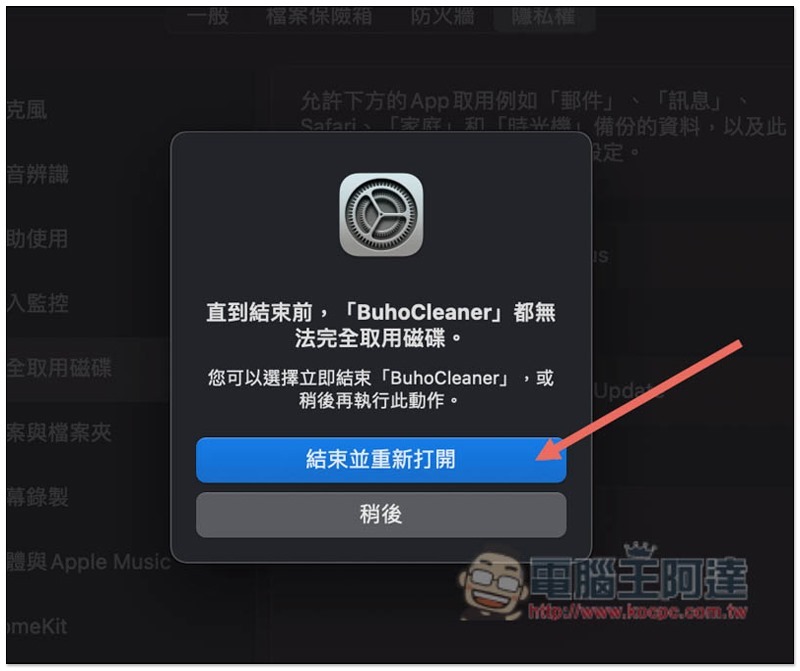
A message window that needs to be reopened will pop up, click “End and reopen”:
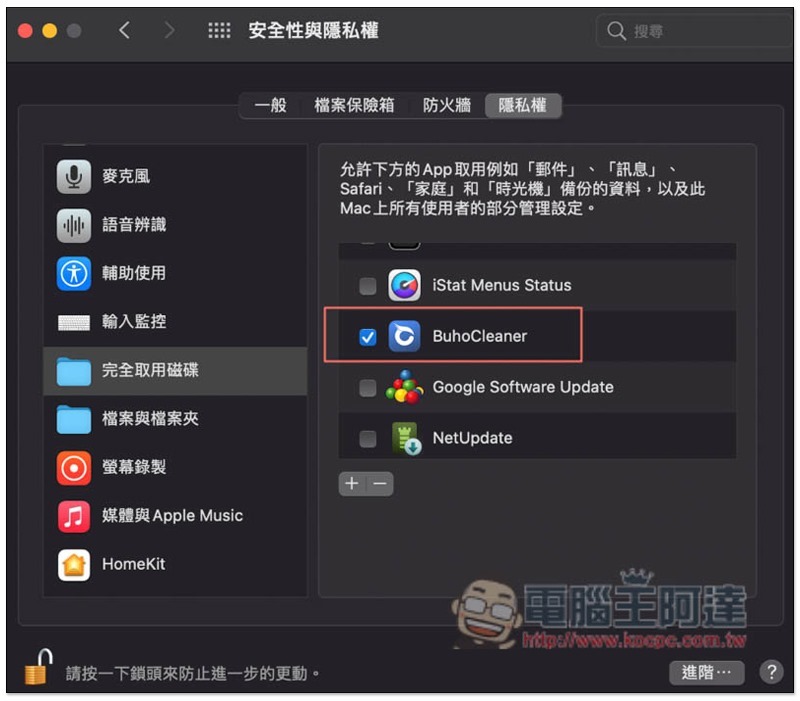
That’s it! Ready to start using:
Find useless junk files and delete them with one click. You can also check what they are before deleting them.
The interface of BuhoCleaner can be said to be the simplest and most intuitive of all the system cleaning software I have used so far. Almost every cleaning function can be activated with one click. For example, to find junk files on the Mac hard drive, press “Scan” on the screen to start execution. The scanning speed also surprised me. My Mac has a 512GB SSD, and it can be completed in a few seconds:
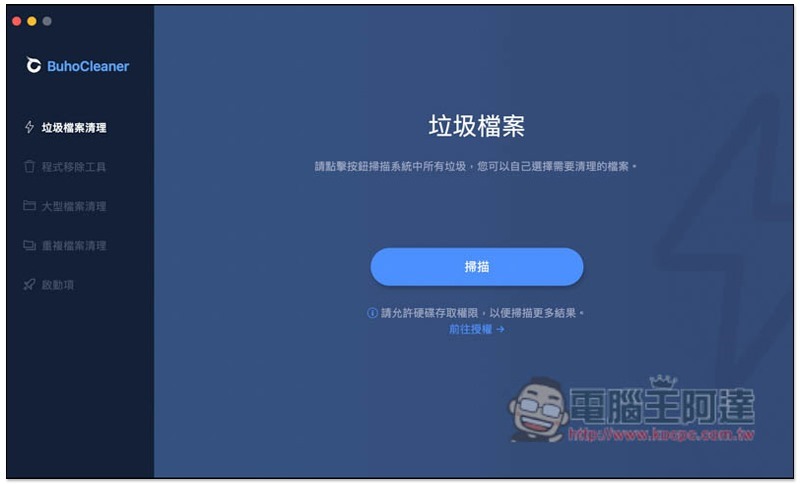
Three types of junk files will be scanned, “system junk”, “application junk” and “browser junk”:
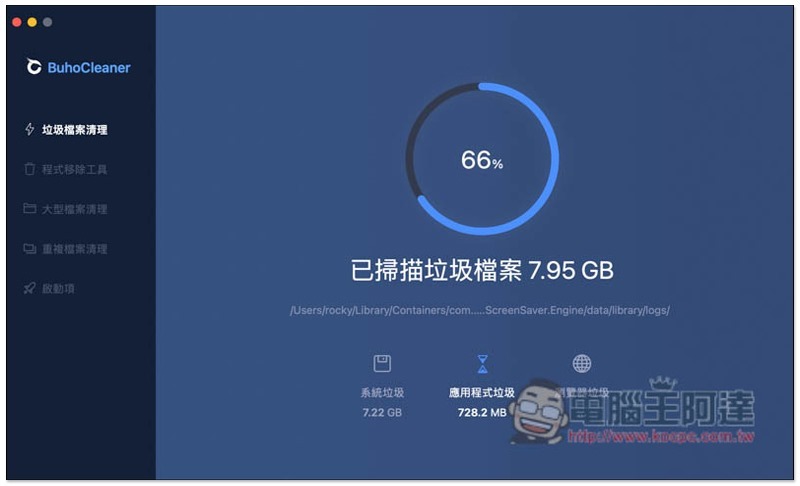
After the scan is completed, the screen will list what garbage was found and how much space it occupies. Generally speaking, you can clean it by pressing “Delete” below, but if you are worried about accidentally deleting files, you can click to view the details:
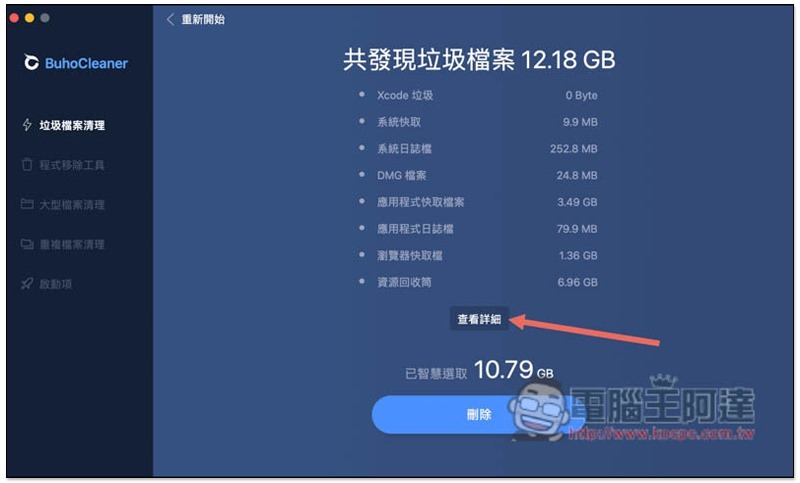
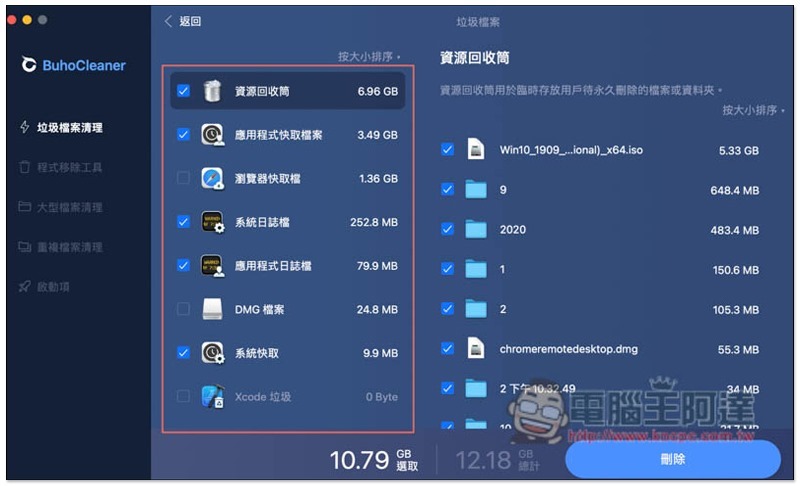
Then you can check which files they are, there are eight categories:
- Resource recycling bin
- Application cache files
- Browser cache
- System log file
- application log file
- DMG file
- System cache
- Xcode garbage
Unexpectedly, there was a 5.33GB file in my Recycle Bin that I forgot to permanently delete, taking up a lot of hard drive space. In addition, the application cache file was also not small, almost 3.5GB. After confirming that there is no problem, press the lower right button to delete it with one click:
Some people may think that junk files can also be cleaned manually, right? The recycle bin is indeed, but the rest of the junk files, such as application and browser caches, system logs, and system caches, are basically difficult to find, and you don’t know which ones are useless junk files.
And through professional system cleaning software like BuhoCleaner, you can quickly find and clean them with one click. You don’t have to spend time searching and manually deleting them, which saves time and effort. Just this step of cleaning up the junk file instantly added about 10GB of space on my Mac.
Scan large files with one click to find the culprits that are taking up a lot of hard drive space
In addition to junk files, after long-term use of Mac, there will definitely be a lot of large files saved. Some of them you may still use, but many of them may have been forgotten by you long ago and are quietly taking up a lot of your hard drive space.
BuhoCleaner also has a built-in one-click large file scanning function. After cleaning the junk files, it is also recommended to use the “Large File Cleaning” function to find those long-lost files and free up more hard drive space. Anything over 50MB is considered a large file:
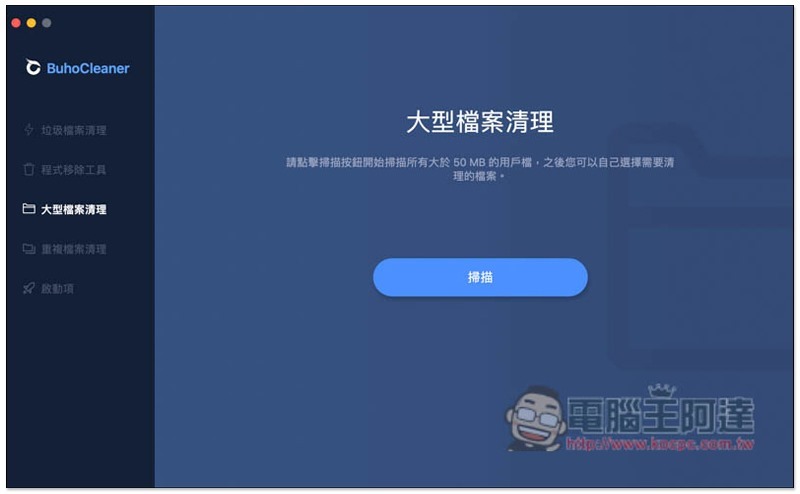
The scanning speed is also super fast, and it will automatically classify files, such as audio files, video files, pictures, etc., for our convenience. This design is really recommended and can quickly find large junk files that are not in use. For example, I immediately discovered that I did not save movies or other videos on my Mac, but the video file classification was as high as 12.36GB:
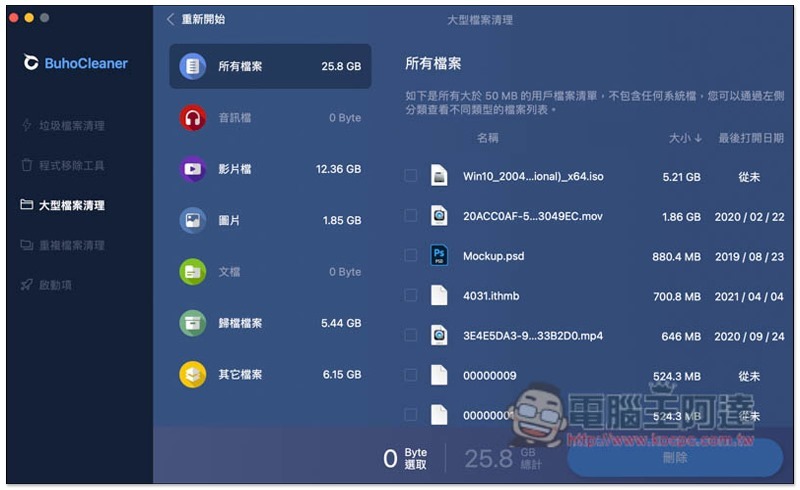
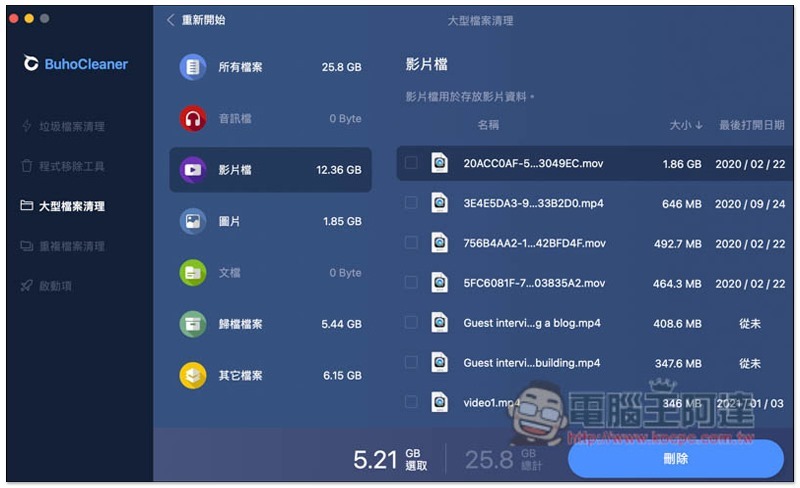
After checking the video file category, there is one up to 1.86GB, but I don’t know what the file name is:
What’s great is that this set also provides the function of opening the file location with one click. Move the mouse over the file and you will see a magnifying glass icon on the right. Click to open it:
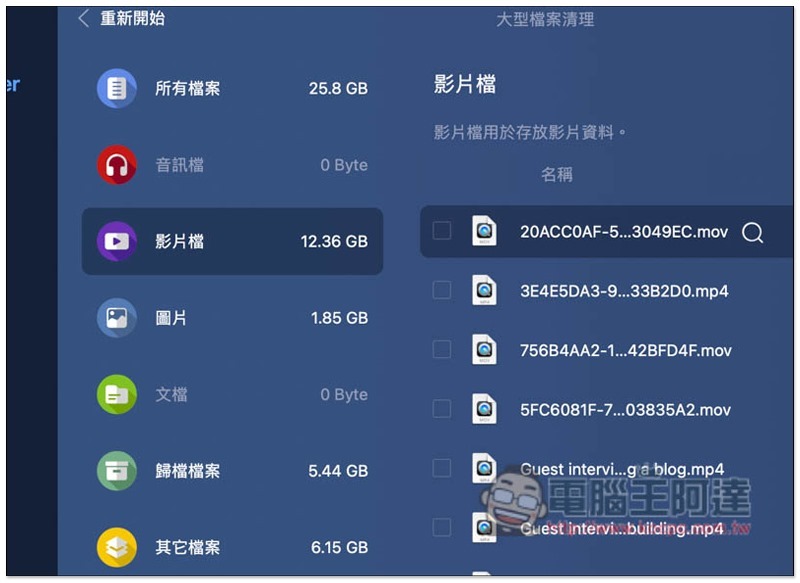
After checking, I found that it turned out to be material that I edited a video a long time ago, and I forgot to delete it after I finished it. To be honest, I don’t know if I have used this set. It turns out that I have a lot of useless video materials on my Mac computer that have not been deleted. The accumulation is really scary. These deletions free up more than 10GB of space.
In addition, the right side of the large files found will also be marked with the last opened date. This is also very good, so that we can make a decision whether to delete it. If it has not been used for a long time, it means that the file does not need to be retained.
Find duplicate files hidden on your hard drive with one click
People are forgetful. Sometimes when they are busy, they may accidentally forget that they have actually put the files on their Mac before, causing them to copy the same files again. For example, I often store too many Windows 10 ISO files. As you can see in the previous screenshot, I have one in the recycle bin, and when scanning large files, I found another one. This one is in the download folder.
Under normal circumstances, the only way to discover duplicate files is to accidentally open a folder one day and remember it at the same time. With BuhoCleaner’s duplicate file cleaning function, you don’t have to take such chances. You can find out whether there are duplicate files on your Mac hard drive with one click, and photos are also supported.
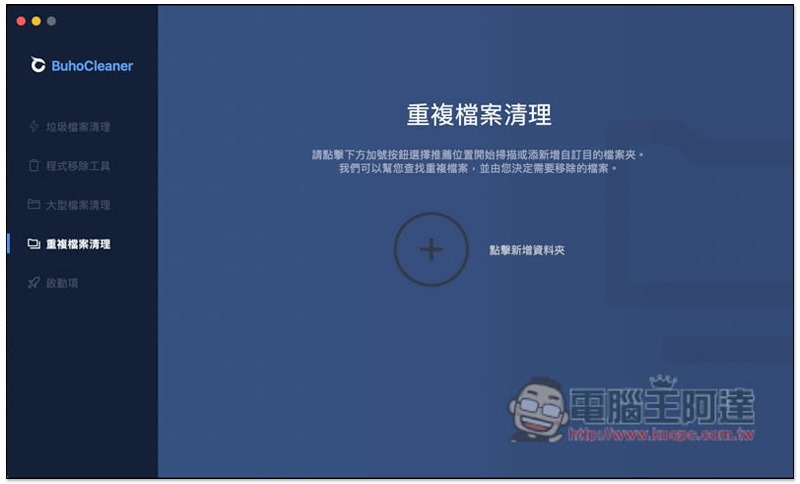
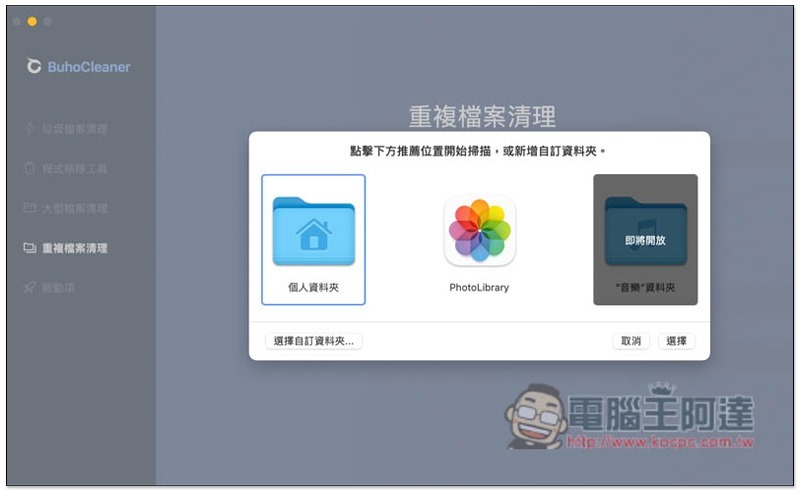
You can choose to scan personal folders, PhotoLibrary or custom folders. Music folders will be opened in the future:
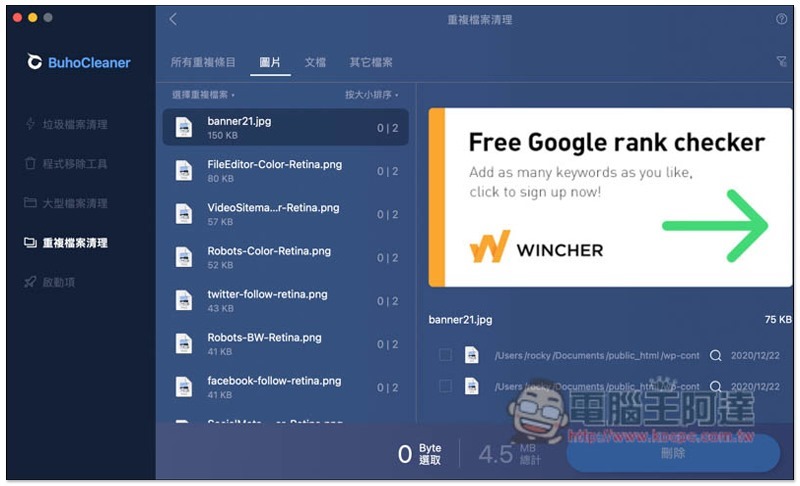
There is also a classification function, and the picture section also provides previews, so you can check and delete them directly here. After using this set of scans, I also discovered that in fact, in addition to duplicate files that I accidentally forgot to save, many software and applications also have duplicate images:
Still don’t understand how to delete software and applications on Mac? Intuitive operation interface allows you to complete the operation in just a few clicks
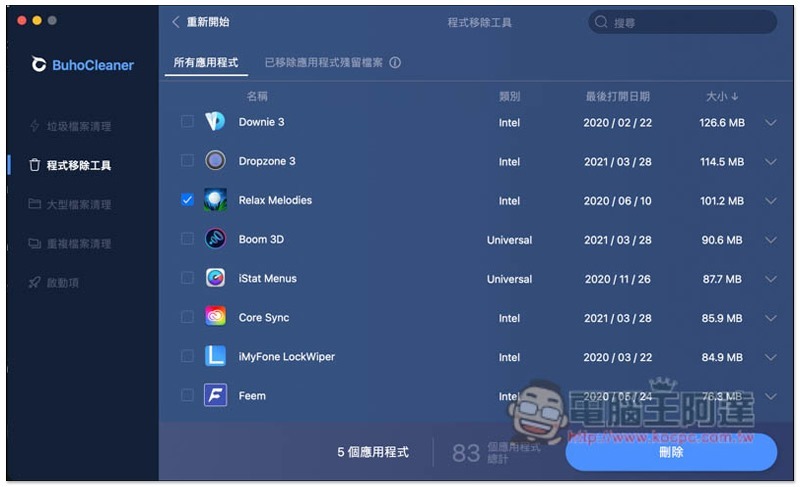
If the Mac software is downloaded and installed from the Internet, the X icon will not pop up if you press and hold it for a long time, so many people may not know how to remove it. It doesn’t matter if you don’t understand. BuhoCleaner also has a program removal tool, and it is the most familiar operation method. It can remove software downloaded from the App Store or the Internet.
After opening, the screen will list the applications installed on your Mac. The last opened date and size information will also be provided on the far right. Check the software you want to remove and click Delete in the lower right corner. This is done:
Easily manage which software starts automatically when your Mac boots up
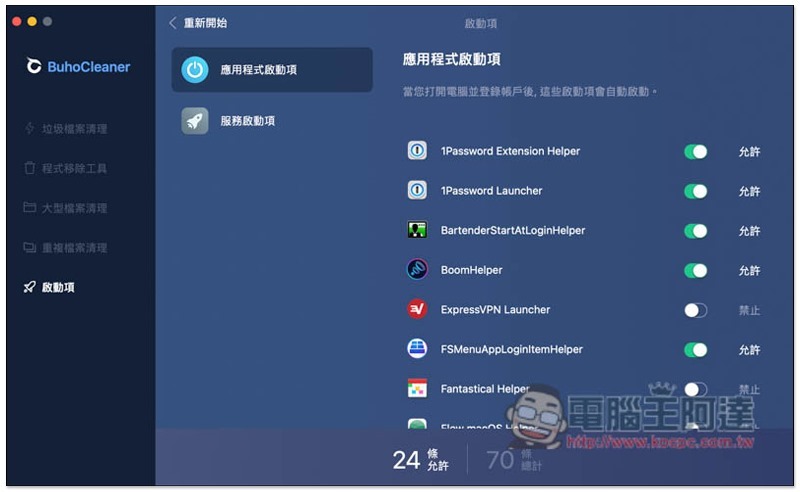
This startup item management function is quite rare and is rarely provided by software. If you feel that too many unnecessary software are automatically activated when your Mac is turned on and restarted, you can use this function to manage it and turn off the useless ones. Although this operation can also be achieved through Mac settings, it is a bit complicated and troublesome.
Just turn off the software switches that are not in use:
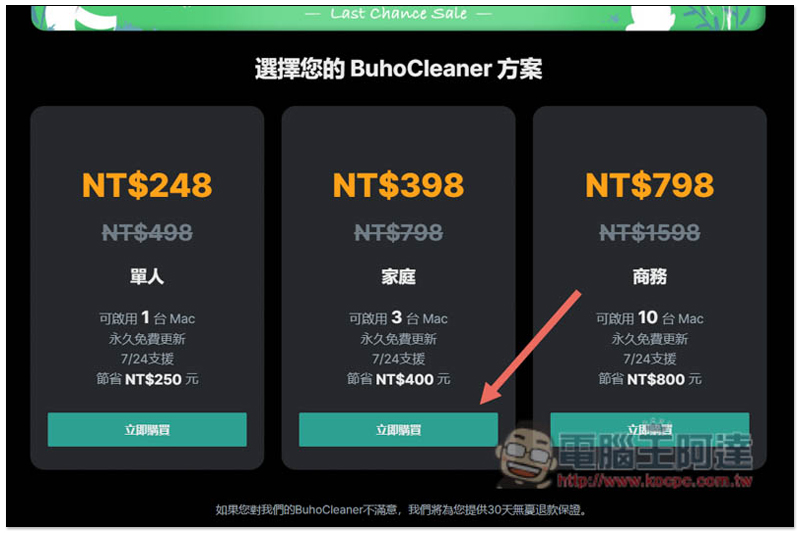
The CP value is super high, and Computer King Ada readers can also get exclusive limited discounts
BuhoCleaner has two versions: free version and paid version. The free version has limited functions. It is highly recommended to go directly to the paid version. Compared with other professional system cleaning software of the same type, the price is really cheap. Currently, the official is launching a half-price discount in spring, and it is a one-time buyout and permanent updates. It is not a subscription system.
- The original price for an individual (1 Mac) is 498 yuan, now it’s only 248 yuan
- Family (3 Macs) was originally priced at 798 yuan, now only 398 yuan
- Business (10 Macs) originally priced at 1,598 yuan, now only 798 yuan
Exclusive limited offer for Computer King Ada readers: the family plan is half price and then discounted by 50%, making it only 198 yuan
(The event is already full. Ada has asked for another 50 sets from the official. If they don’t use it, then… XD discount code TWEA56337B)
Each Mac costs only 66 yuan. People who don’t have that many Macs at home can also find someone to buy together. Limited to 100 only, first come first to win.
How to use the discount code:
Choose the middle family plan:
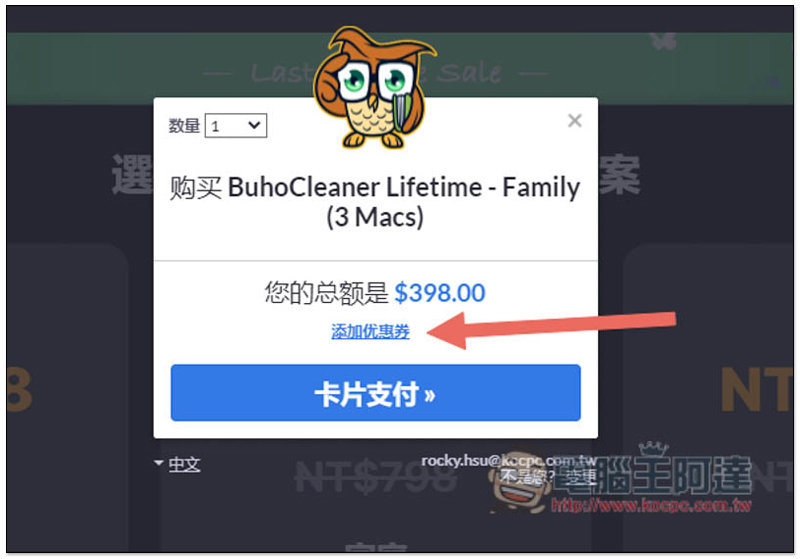
Click “Add Coupon” before paying:
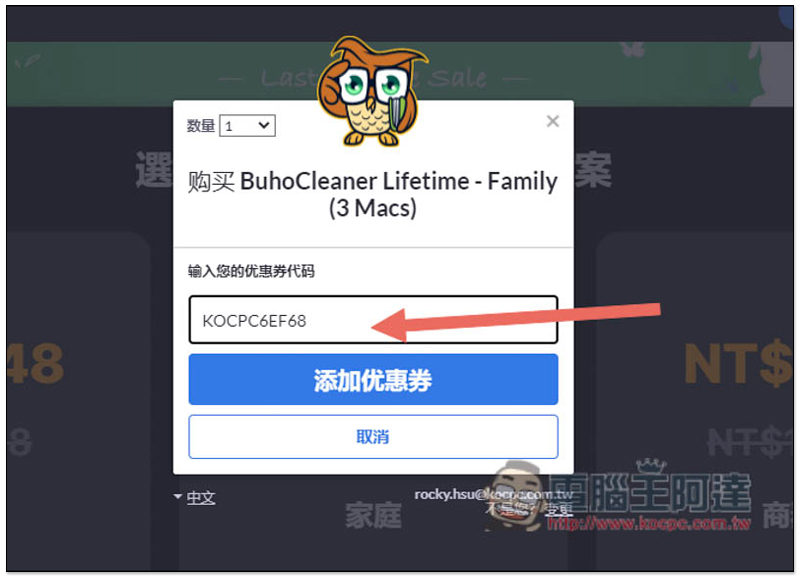
Enter discount code KOCPC6EF68:
You will see that the price becomes 198 yuan:

Summarize
BuhoCleaner is really a pretty good professional Mac system cleaning software. It can quickly free up more Mac hard drive space in just a few minutes. It’s simple and easy. Especially for lazy people who don’t usually like to organize files. When they don’t need to clean up hard drive space, it can also be used as a tool to remove Mac software. I recommend it to everyone.
Source: KOCPC Chinese