


Netflix has a lot of great TV series, movies, and even anime, and they are updated frequently. Therefore, many people who are learning English and foreign languages will use Netflix movies to strengthen their listening skills. However, Netflix currently only supports a single subtitle. If your English is not up to standard, it will be very difficult without Chinese subtitles. In the Chrome extension store, there is such a product called “NflxMultiSubs” that can realize the function of displaying dual subtitles on Netflix. The operation is very simple, and I will introduce it to you below.
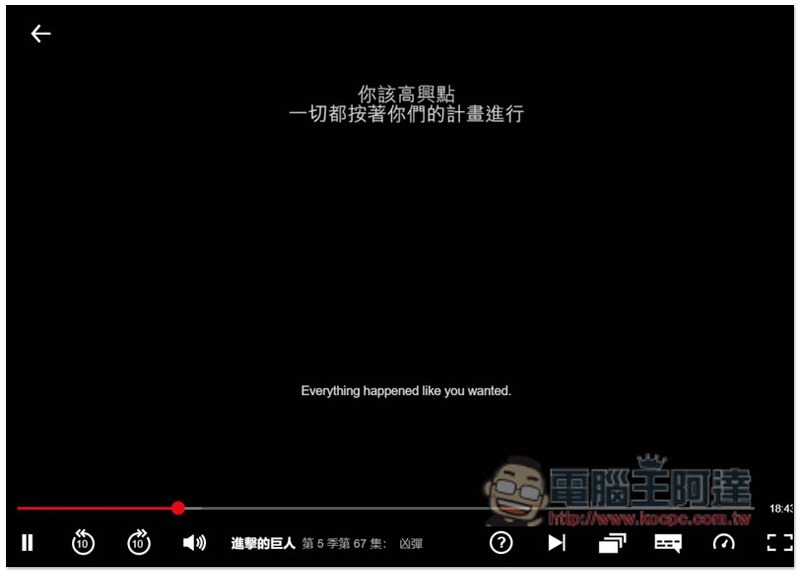
Use NflxMultiSubs to implement Netflix’s dual subtitle display function
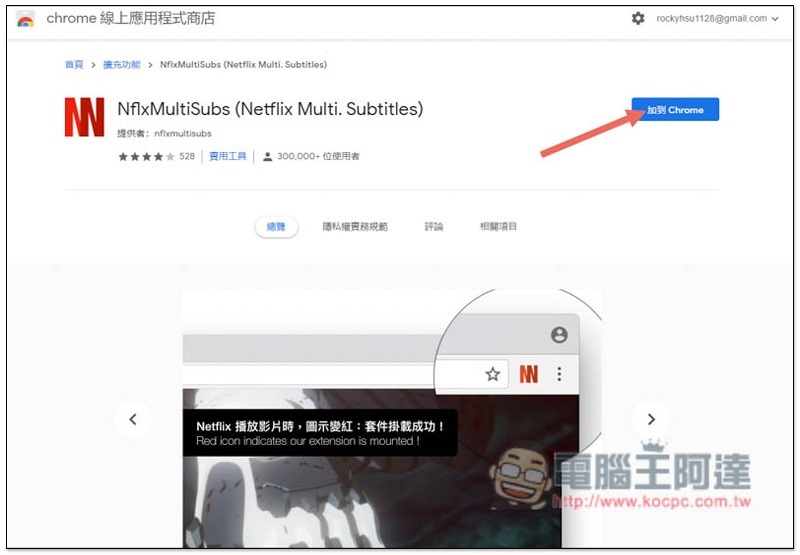
NflxMultiSubs is a Chrome extension plug-in tool, so it needs to be used with the Chrome browser.Click me to go to the Chrome Web Store pageAfter that, click “Add to Chrome” on the right:
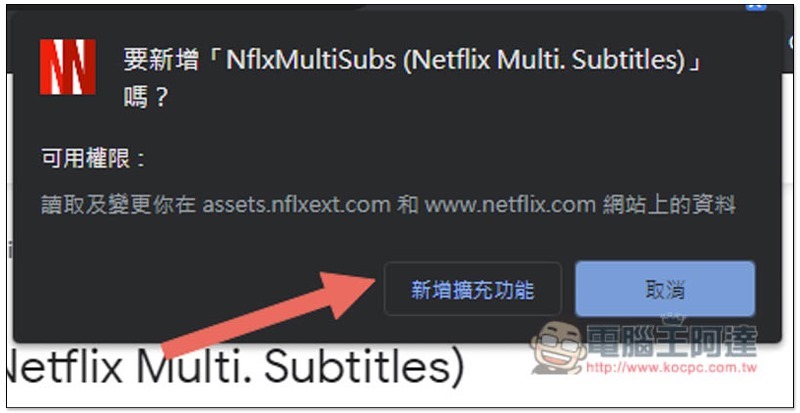
This message will pop up above, click “Add extension” to install:
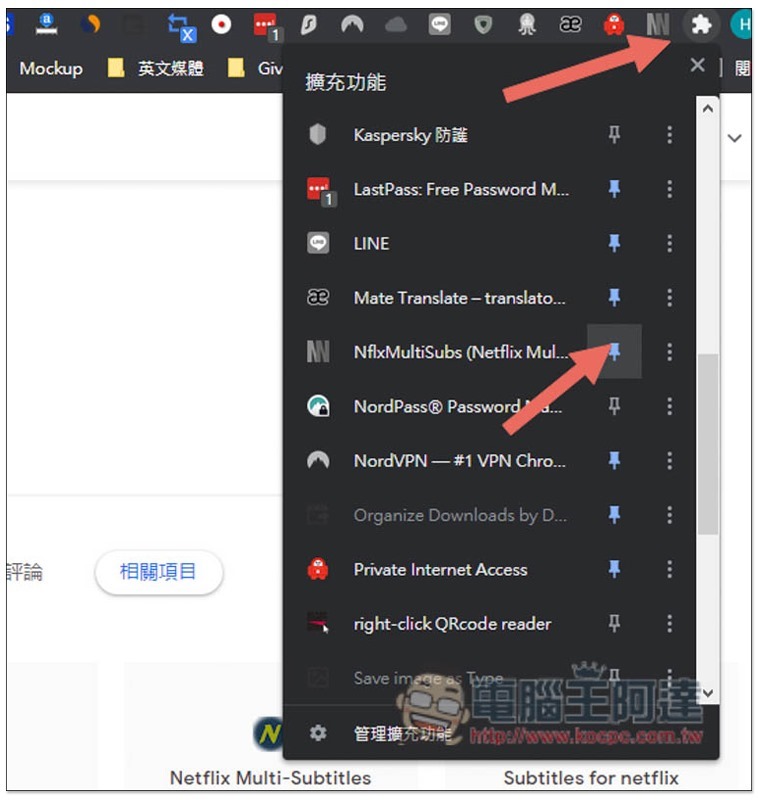
At present, the newly installed expansion plug-ins of Chrome will not be displayed in the upper right corner by default. After opening the puzzle menu on the far right, scroll down to find NflxMultiSubs, and then open the pin on the right, so that it will appear:
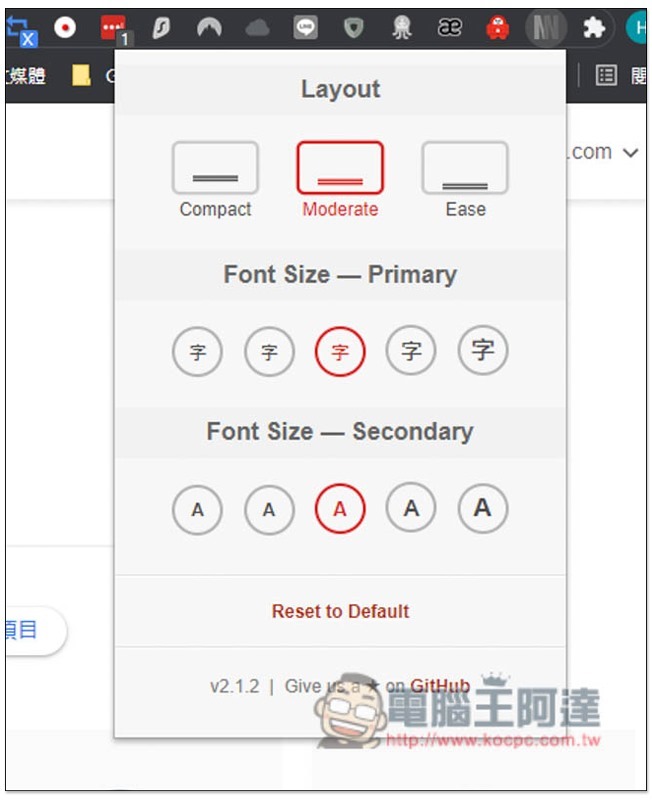
After clicking, you can set your favorite screen configuration Layout, and the font size of the first and second subtitles. You can try the defaults first and adjust them if you are not satisfied:
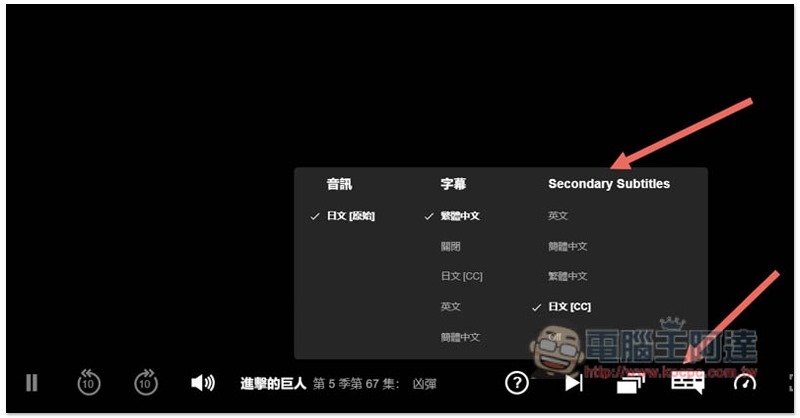
After opening the Netflix video, open the subtitle option in the lower right corner and you will see an additional Secondary Subtitles field. This is the second subtitle. For those who have not seen it, please close Netflix and reopen it:
After setting it up, Netflix will display dual subtitles! In this way, when watching a movie in the future, you can focus on the English subtitles first, and then read the Chinese subtitles after the mental translation is completed to see if you understand the meaning correctly:
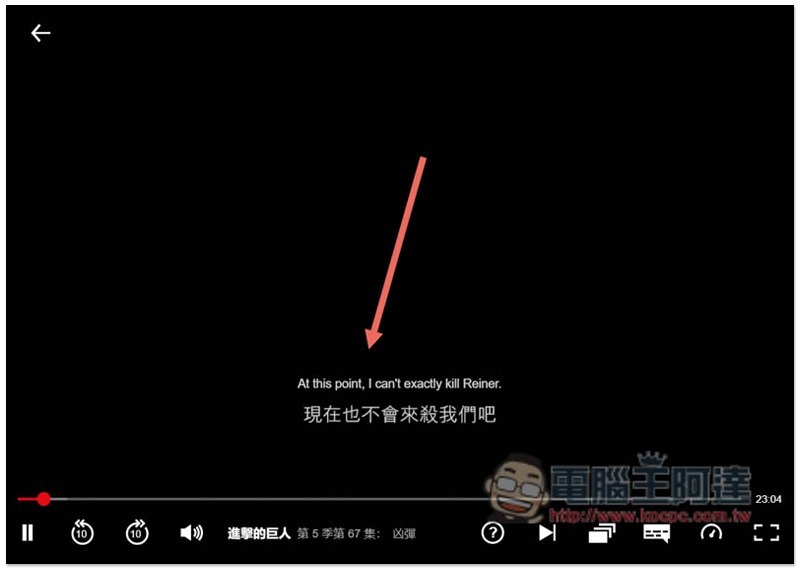
Another thing to note is that the first and second subtitles displayed by this extended plug-in are provided by Netflix itself, so if you want to watch a movie without Chinese subtitles, there will be no Chinese subtitle option!
Supplementary information
- NflxMultiSubs installation page:Click here to go
Source: KOCPC Chinese