


Recently, a very powerful free music listening open source software “Luo Xue Music Assistant” appeared on the foreign GitHub website. It integrates several music platforms on the Internet. It not only provides up to 320kbps sound quality, but can also be downloaded for offline listening. More importantly, the songs are very complete and rich. Not only Chinese and foreign songs can be found, but for those who don’t know what to listen to, there are also many song lists for you to choose from. Even Taiwan’s KKBOX has them. Let’s introduce it to you, both Windows and Mac versions are available.
However, I would like to remind you that the music platform integrated by this software does not indicate whether it is a legal source. Those who care about this point are advised to skip it.
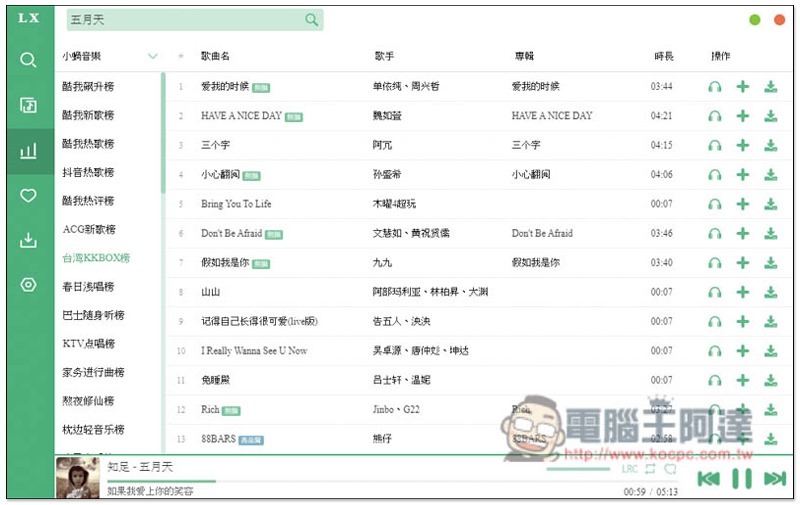
Introduction to Luoxue Music Assistant, free open source software for listening to songs
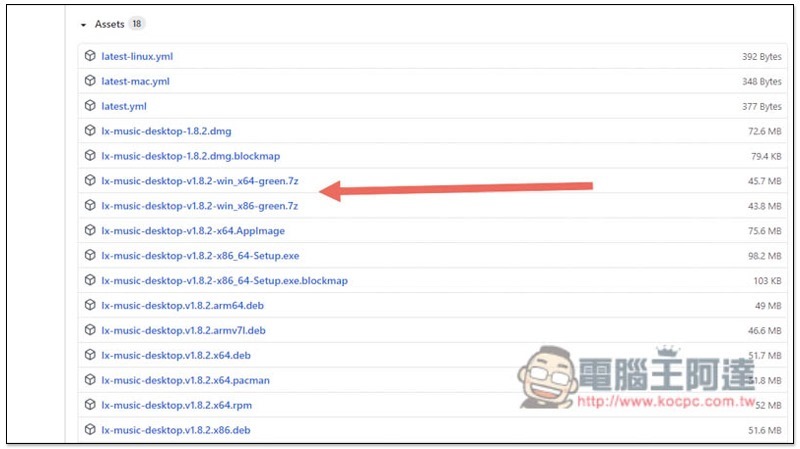
Click me to go to the GitHub page of Luoxue Music AssistantAfter that, the latest version is v1.8.2. Mac users can download the .dmg. Windows users can choose the installation file (Setup.exe) or the installation-free file (green.7z), whichever you prefer:
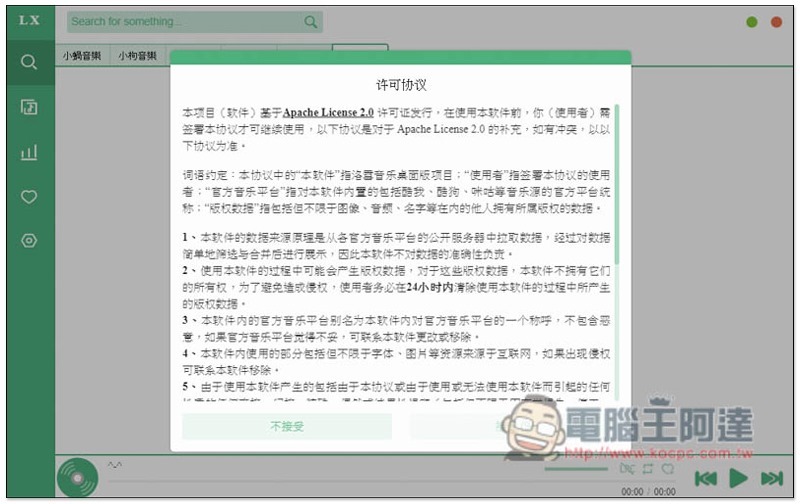
The license agreement will pop up when you open it for the first time, click to accept:
Then you can start using it. This set has a Chinese interface and integrates a total of 5 music website platforms, namely Xiaowo Music, Xiaoyu Music, Xiaoqiu Music, Xiaoyun Music, and Xiaomi Music. To be honest, I have never heard of these. The aggregation conference displays the search results of all platforms at once:
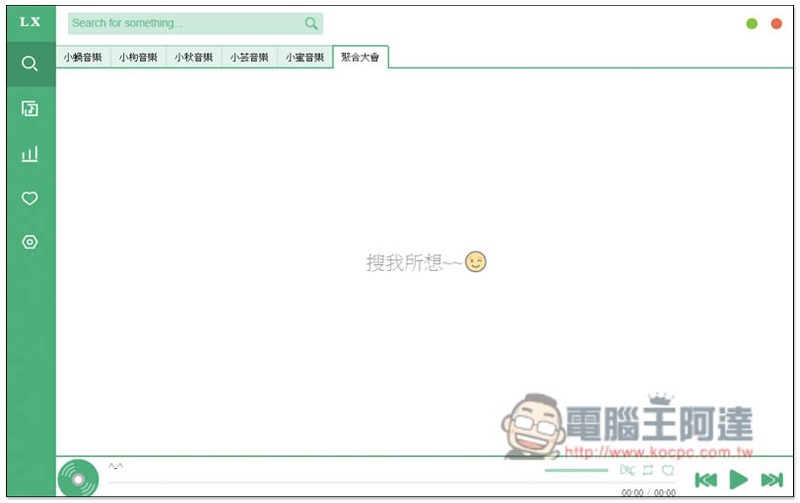
After entering the name of the singer or song you want to find above, the results will be listed below. Click the headphone icon on the right to listen:
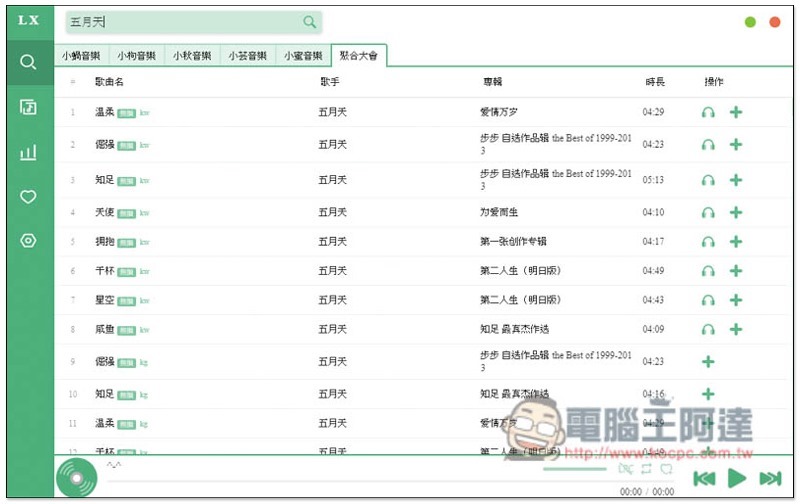
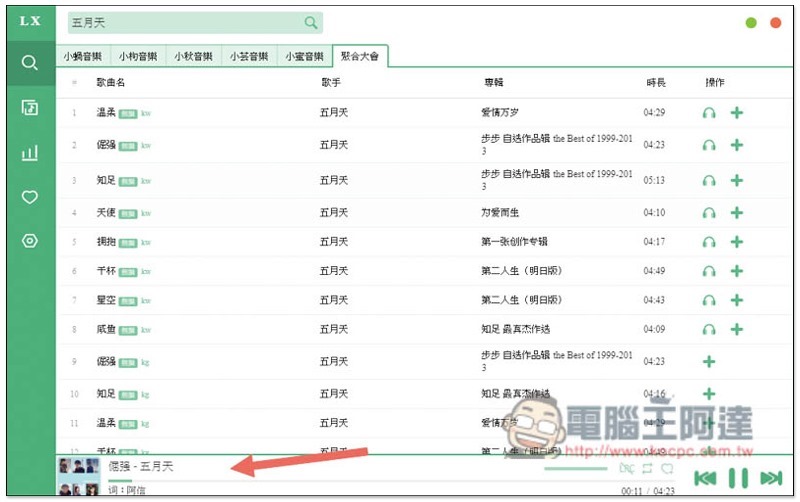
There will also be playback control tools at the bottom:
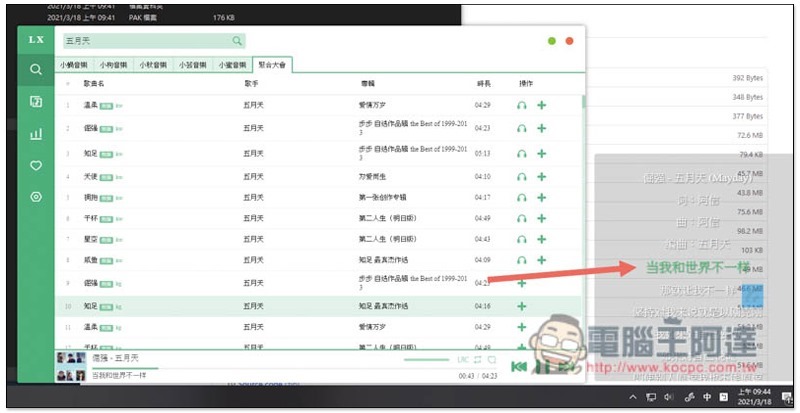
This set also supports the real-time lyrics function. Open the LRC above the playback control tool and it will appear:
It also provides the function of creating my playlist (my collection):
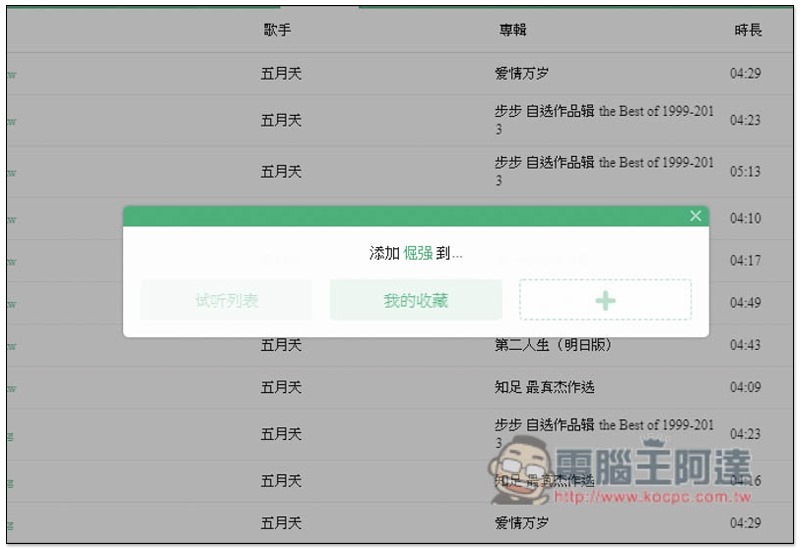
In addition, some songs do not display the headphone icon. If you want to listen to them, please add them to your favorites first:
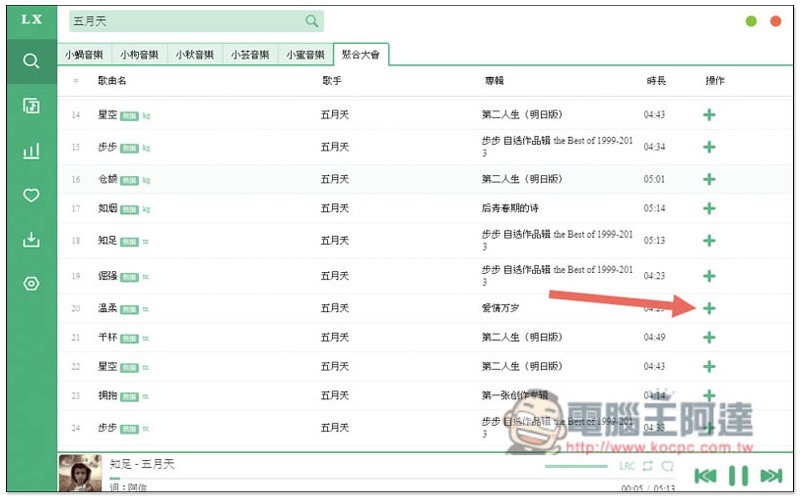
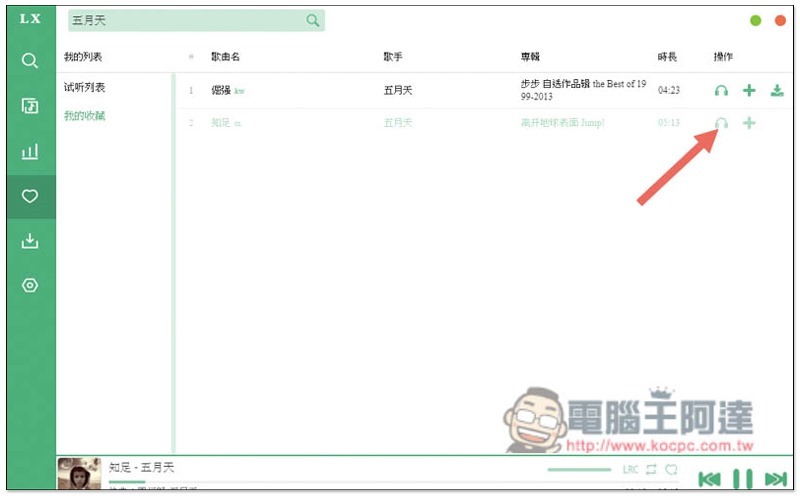
Then the headphone icon will be displayed in my collection:
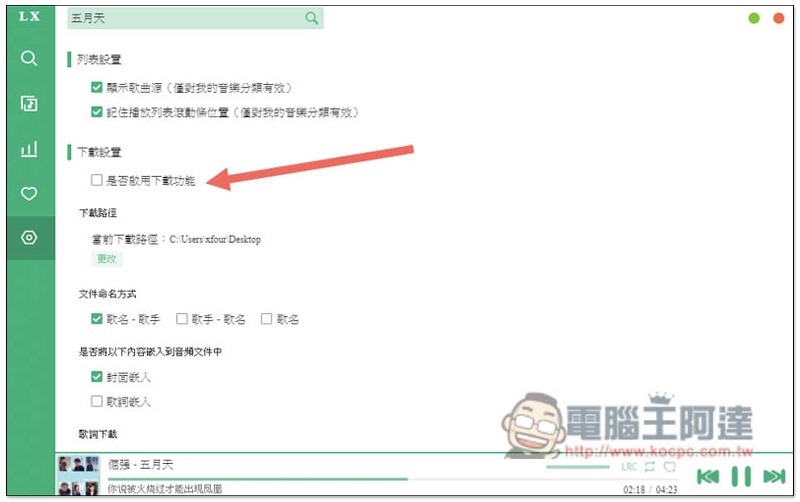
The download function is turned off by default. If you need it, please open the settings menu, scroll down to find it, and check “Whether to enable the download function”:
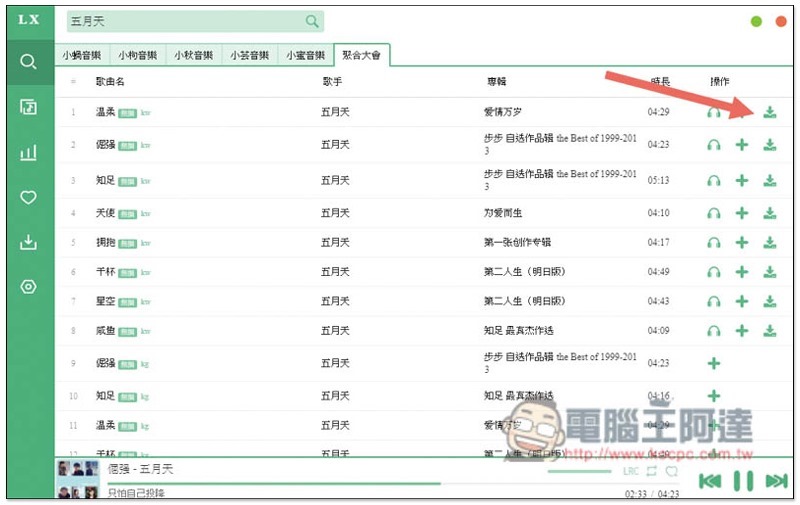
A download icon will appear on the far right side of the song:
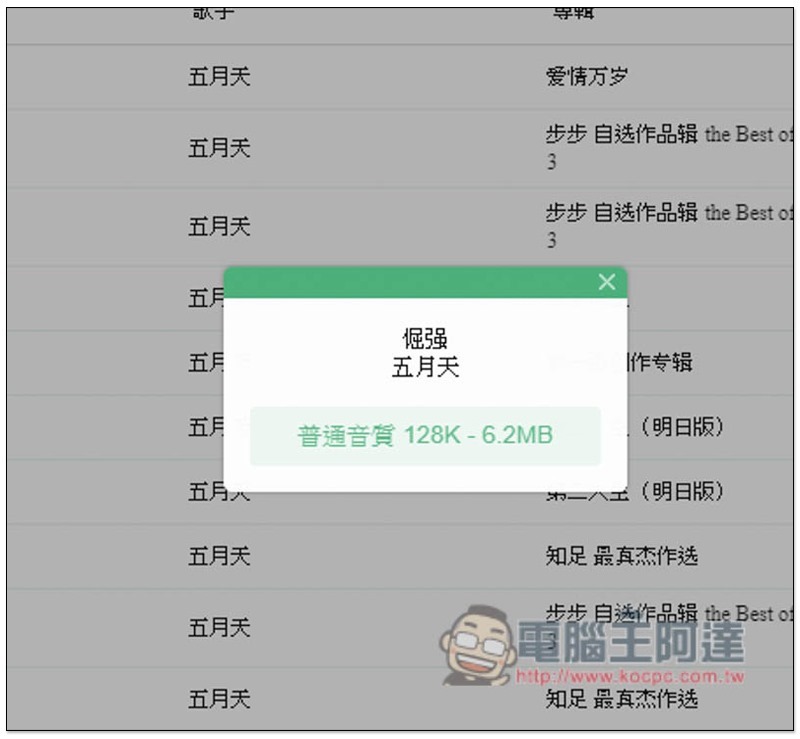
Before downloading, you will also be asked what the sound quality of this source is. The current maximum seems to be 320kbps:
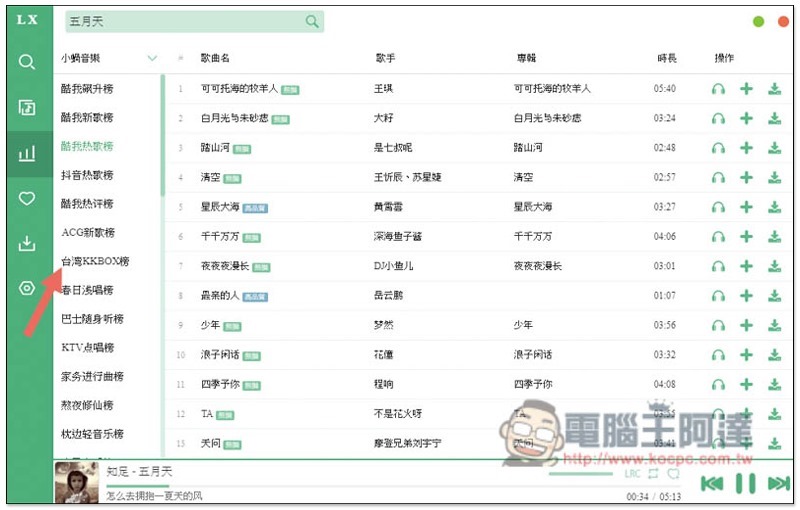
If you don’t know what to listen to, you can click on the third icon in the menu on the left to find a large number of playlists and charts. Taiwan’s KKBOX also has:
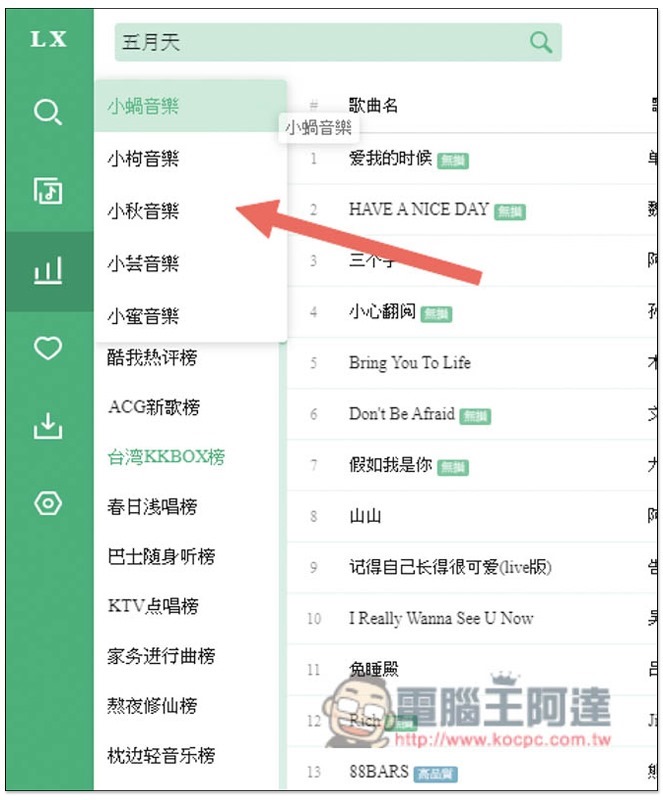
You can switch sources in the upper left corner. Each music website platform provides different lists:
In addition to the charts, there are also many playlists to listen to:
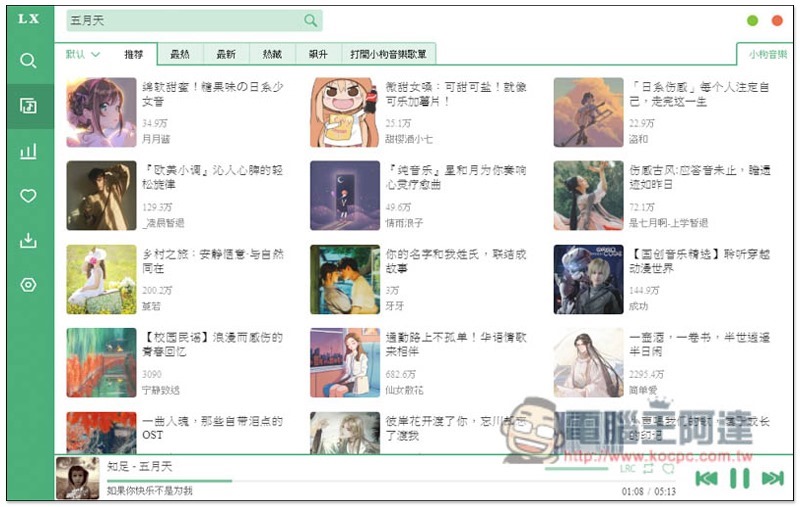
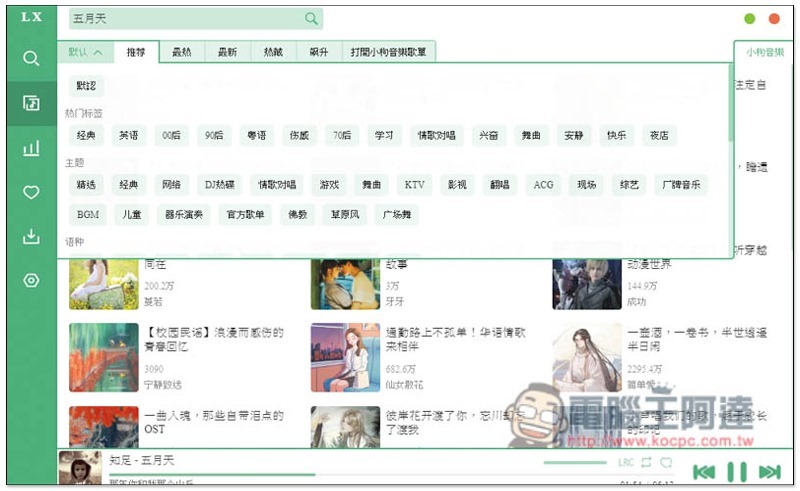
Open the filter in the upper left corner to quickly find the playlists you are interested in, such as: 90s, dance music, love songs, BGM, instrumental performances, etc.:
Supplementary information
- Luoxue Music Assistant GitHub download page:Click here to go
3D YouTube Downloader 超強 YouTube 免費下載工具,4K、8K 解析度、MP3 都支援,還內建轉檔功能
Source: KOCPC Chinese