


Nowadays, many iPhone users may use multiple Bluetooth devices every day, such as using Apple CarPlay while driving, connecting to AirPods while walking, switching to Bluetooth speakers when they get home, etc. Although the iPhone will remember the volume settings of the Bluetooth devices, it is only one set, which means that the volume of AirPods and CarPlay are the same, so manual adjustment is still required. In fact, there is a way to solve this problem. You only need to automate the operation through the built-in shortcut function. You can even set it to automatically open an app after connecting to a Bluetooth device. I will teach you how to set it up below.
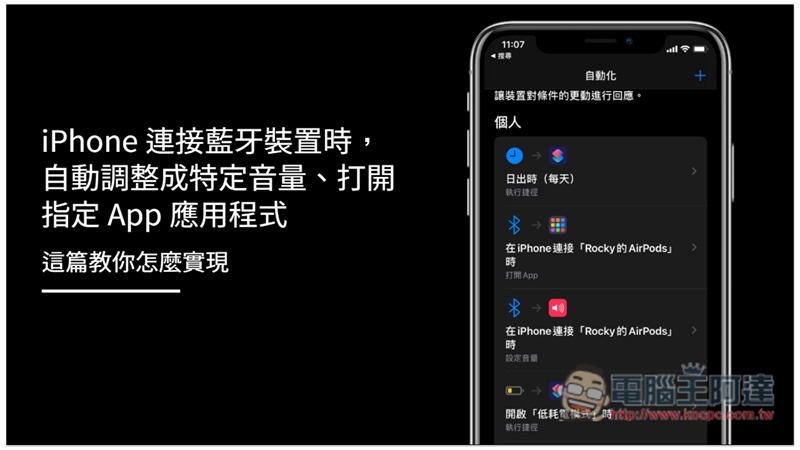
The following settings require the use of the Shortcut App, which is not built into iOS. If you have not downloaded it, please click here to download and install it from the App Store.
When iPhone connects to a Bluetooth device, it automatically adjusts to a specific volume
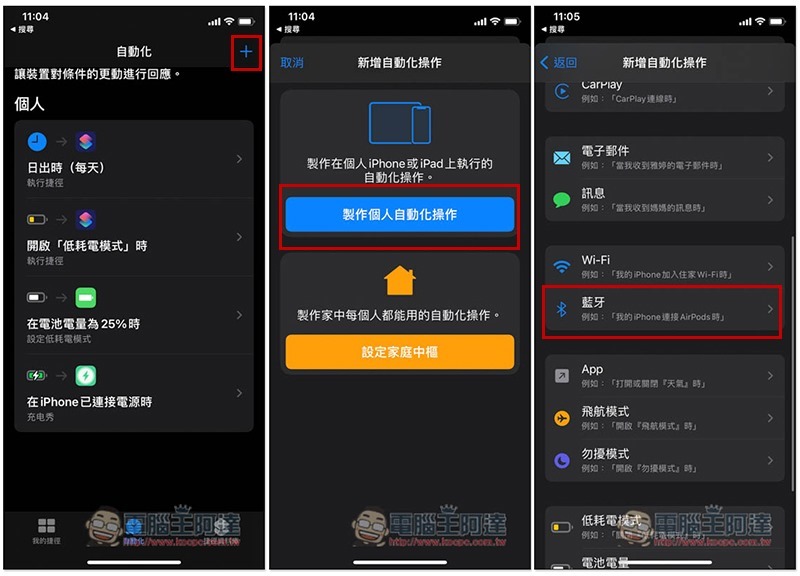
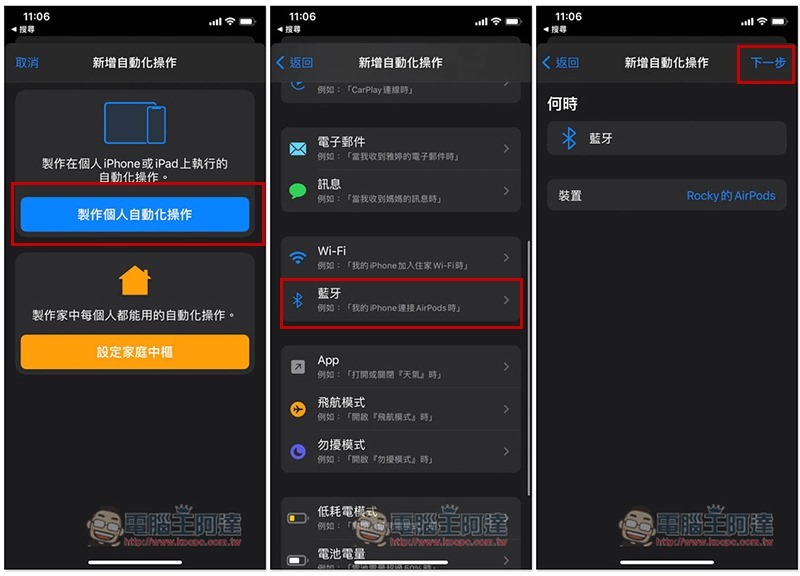
After opening the automation menu below the Shortcut App, click + in the upper right corner, then press “Create Personal Automation Action” and find “Bluetooth”:
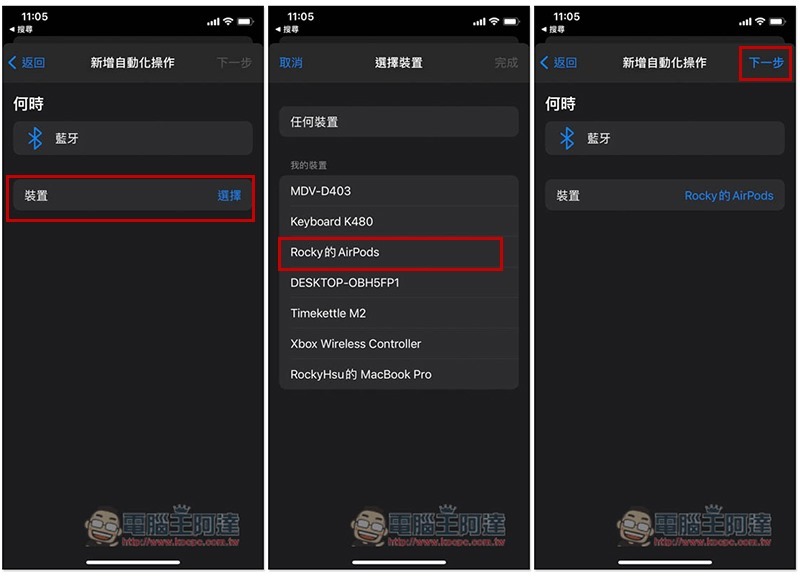
Press the selection on the right side of the device below, and a list of Bluetooth devices that have been paired with the iPhone will pop up. After selecting the Bluetooth device you want to set the volume, click Next. I will use AirPods as an example:
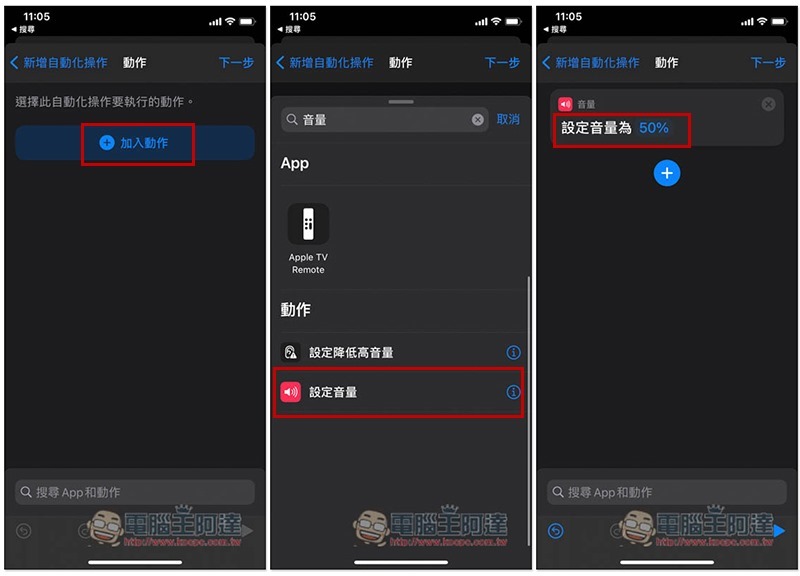
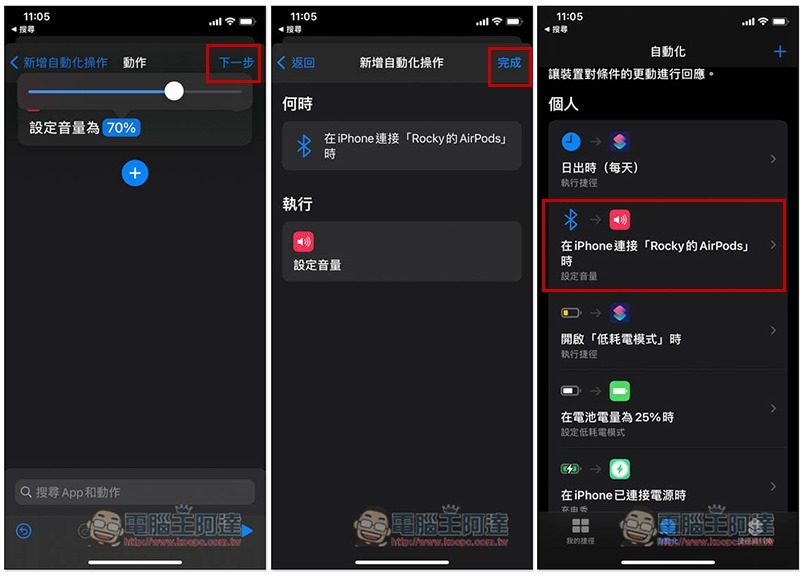
Click “Add Action” and find “Set Volume” in the action menu. You can directly search for the volume keyword, and then click the percentage on the screen to adjust the volume you want:
After setting, click Next –> Finish, so that when this Bluetooth device is connected in the future, the volume will be automatically set at the percentage you specify, and there is no need to adjust it manually:
When iPhone is connected to a Bluetooth device, open the specified App
The setting process for opening a specified App is similar to the volume setting process. Just add an automated operation, and then find Bluetooth:
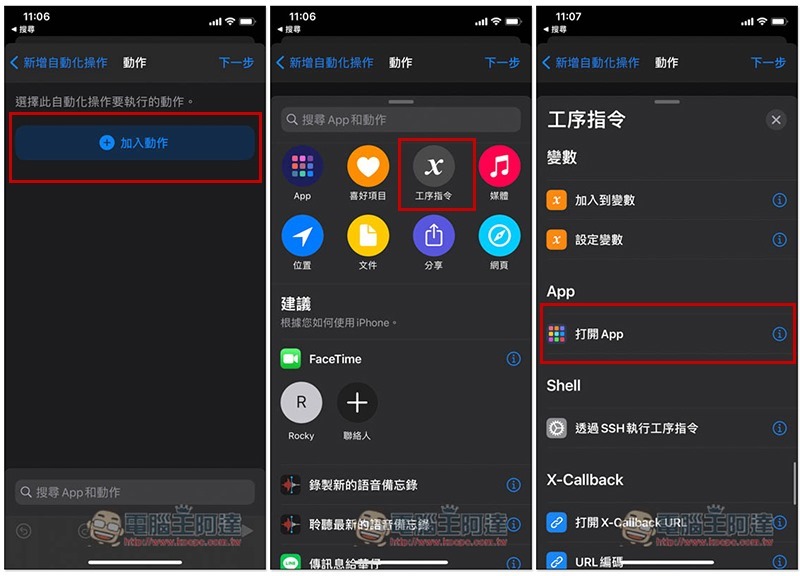
However, in the add action option, select “Process Instructions” –> “Open App”:
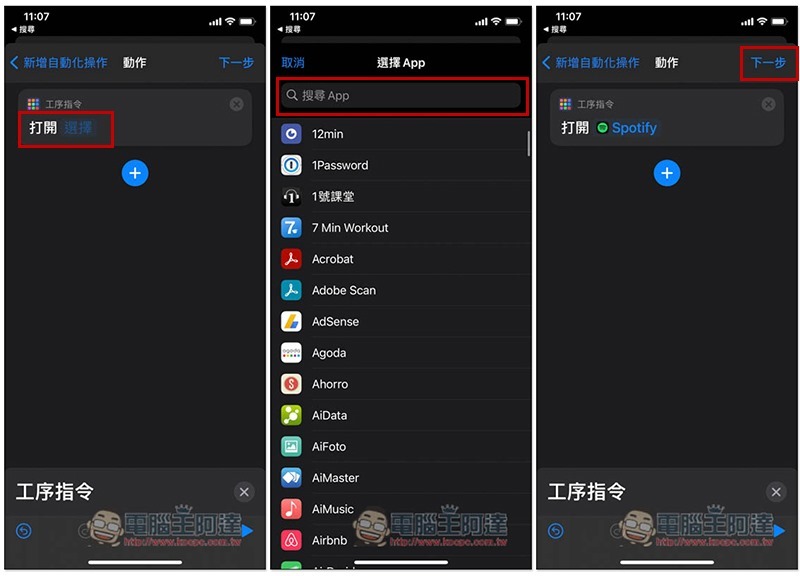
Click Select on the screen, and then select the name of the app you want to open, like I set up Spotify:
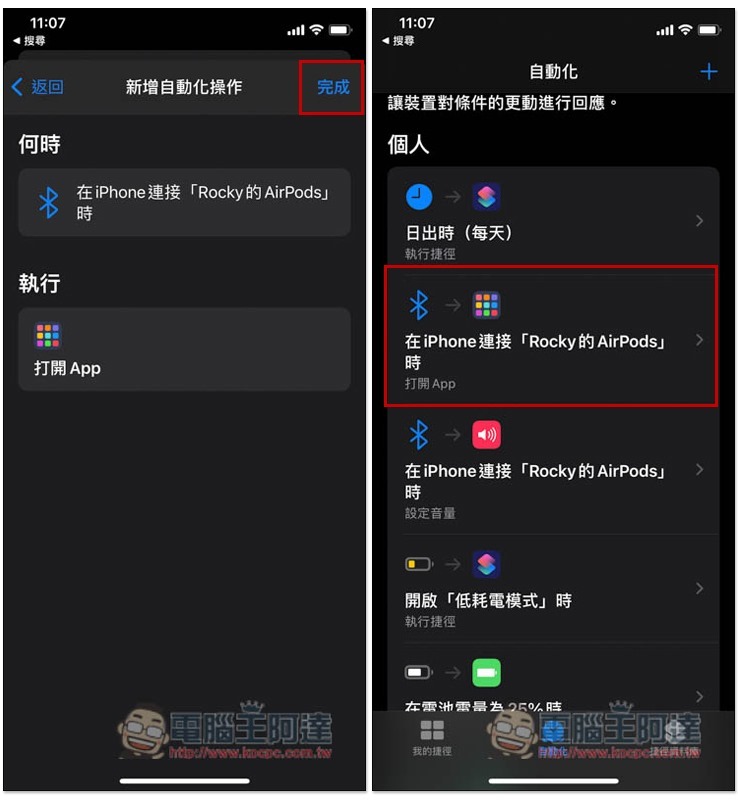
After the addition is completed, when this Bluetooth device is connected in the future, it will not only automatically adjust the volume percentage, but also open the app you pointed to. For example: when I connect AirPods, the volume becomes 40% and the Spotify App is opened:
Summarize
The automated operation of shortcuts can do more than this. If we find some good settings in the future, we will share them with you at any time.
Source: KOCPC Chinese