


When LINE’s community functions were fully opened a few days ago, the official announced that the new function of “chat room emoticons” will be launched in the community in the near future., this feature allows LINE users, even in a community with thousands of members, to respond with emoticons to specific members’ messages when they don’t know what text to respond to. Currently, six kinds of steamed bun emoticons are provided, including like, love, and crying.
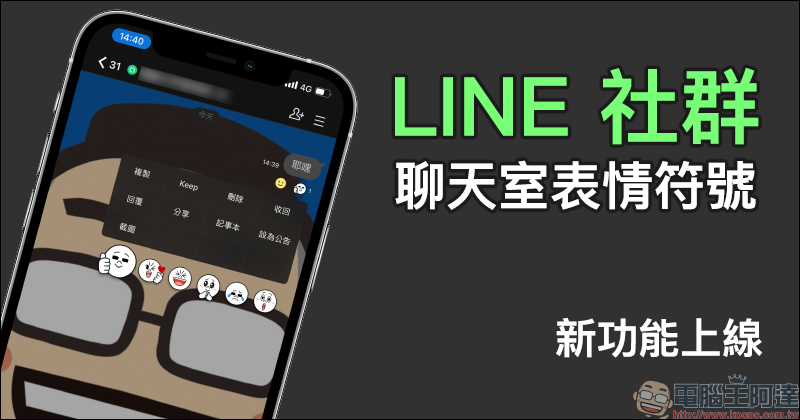
The new feature of LINE community “chat room emoticons” is officially launched: Which message do you like? Put an emoticon on it!
I believe you all still remember that not long ago, when the LINE community function was officially opened to all LINE users, the official LINE community team had a notice that the “chat room emoticon” function would be launched soon, right? It’s the concept of stringing posts on LINE. Now this feature has been officially launched in the LINE community earlier! As long as users are in the LINE community, they can easily press and hold to select emoticons to respond!
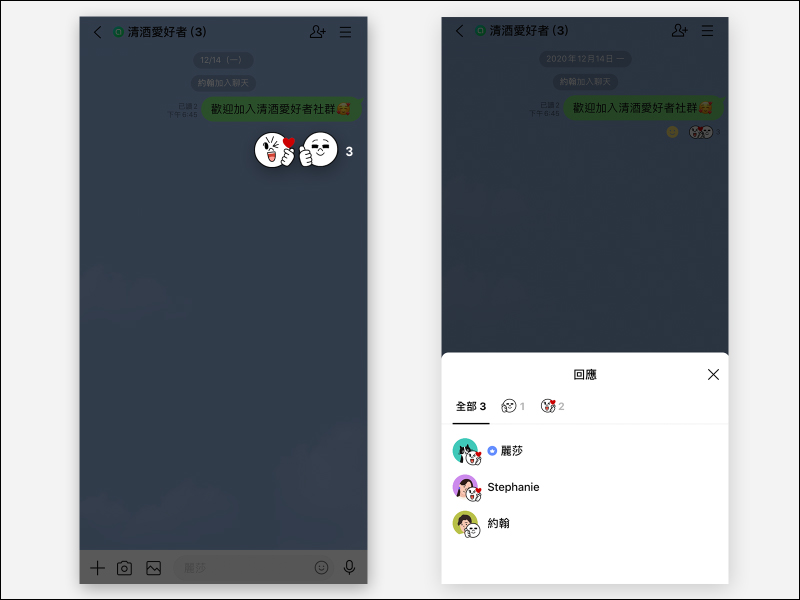
▲Image source: LINE
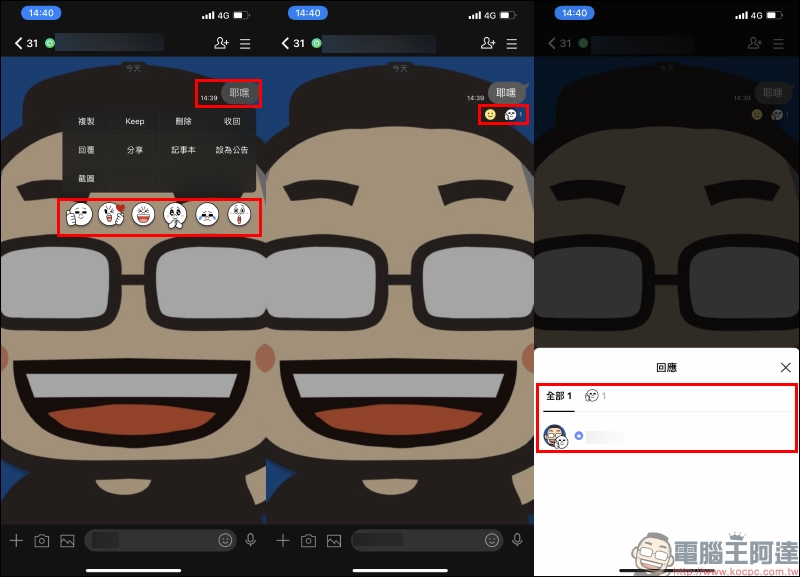
The following is a simple demonstration of how to operate emoticons in the chat room of the LINE community. First, the user must press and hold the message they want to respond to in the “LINE community”. When the function menu appears for the message, six emoticons including like, heart, and cry can be seen below. After clicking on the emoticon, the emoticon will be immediately displayed below the message. Any member can also click on the emoticon under the pending message to further see which member responded and selected the emoticon.
In the LINE community, all four types of messages, including text, pictures, videos, and audio messages, support the chat room emoticon function. Users can also respond to a single photo with emoticons in multiple pictures.
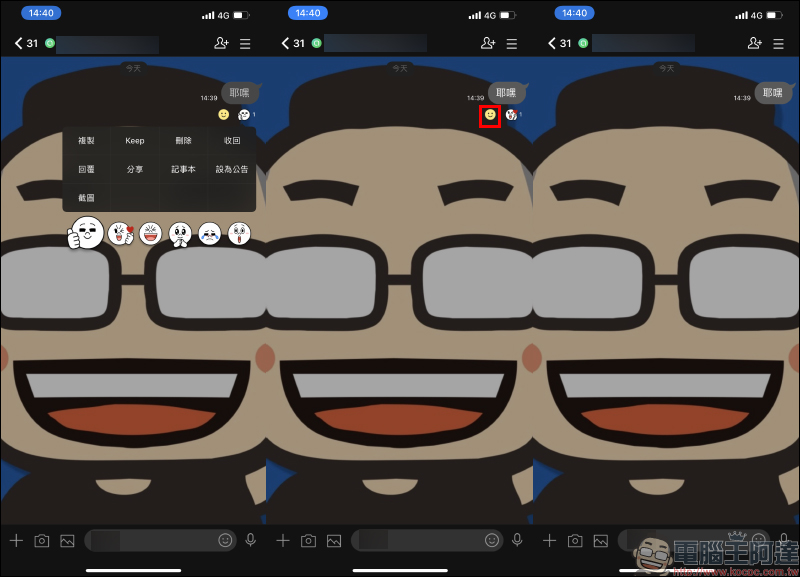
If you want to change the emoticon after pressing “Like”, just long-press the message again to select another emoticon to change. If you accidentally press the emoticon and want to withdraw it, the sender can directly withdraw the emoticon by clicking on the smiley face next to the emoticon.
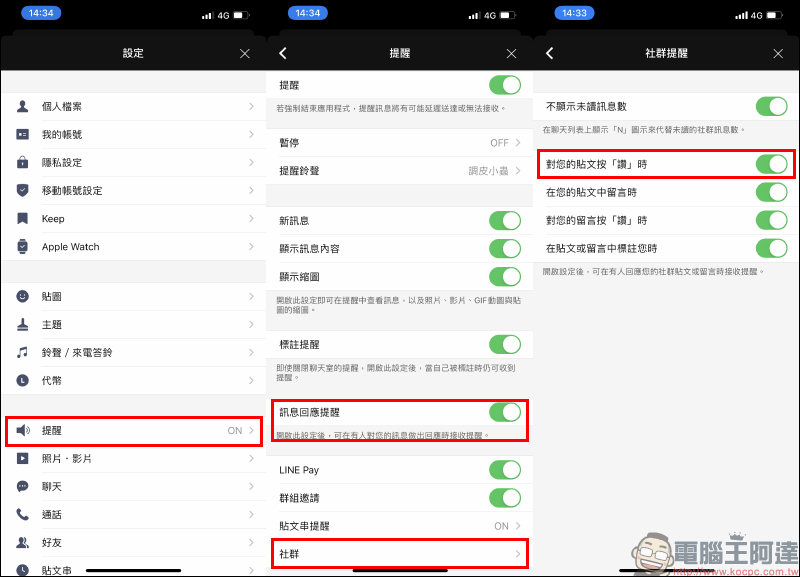
In addition, if users want to be notified when someone in the community clicks “Like” on their post, they can go to the settings on the LINE homepage and select “Reminder”, then confirm that the “Message Response Reminder” function is turned on, click “Community” below, and finally turn on the “When your post is liked” reminder function. If you don’t want to receive like notifications for social posts, you can turn this feature off here.
Currently, chat room emoticons are only available in LINE “Community”, and are expected to be gradually launched in one-to-one chat rooms and groups in the future.
Source:LINE Taiwan BLOG
Further reading:
Collection of 26 free stickers for LINE: Download a variety of LINE stickers for free!
Source: KOCPC Chinese