


PDF files have the advantages of being cross-platform and easy to carry. Due to open standards, PDF-compatible software can be freely developed with authorization. Downloadable manuals and documents are available on the Internet. The PDF format is ubiquitous. Most browsers have the ability to open PDF, and even the Microsoft Edge browser can do it.Text eye-catching prompt effect, it can only be said that the PDF viewer provided by Chrome browser is quite good, but Google Chrome’s new PDF viewer is here. In addition to opening the table of contents sidebar and double-page view, it can also annotate!

用 Telegram 訂閱【挨踢路人甲】最新文章:https://t.me/itwshare
Microsoft Edge is the default PDF reader in Windows 10. In fact, you don’t need to install the Adobe Acrobat Reader third-party tool to open PDF files. You can just double-click the PDF file to open it with Edge. If you want to use the Chrome browser to open the PDF, right-click the file, select “Open File” and click “Google Chrome”.

If you want to change the default application for opening PDF to Chrome, right-click on the file and select “Content”, and the content window as shown below will appear.

Click “Change” to specify Google Chrome as the default application to open.

Google Chrome’s new PDF viewer is still in the experimental stage, so for the time being it needs to be opened on the “chrome://flags/” screen. After entering, enter “PDF Viewer Update” in the search bar above to find this option and select Enabled.

Finally, press Relaunch in the lower right corner to restart the browser.

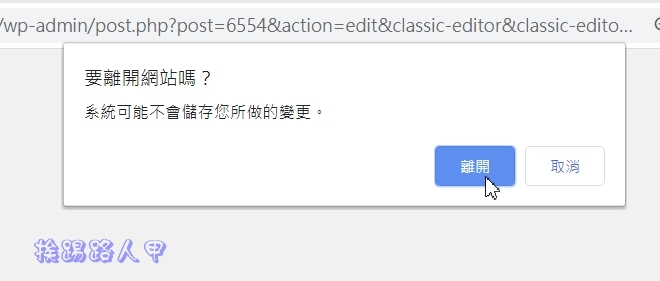
When restarting, the following picture will appear. Click [Exit] to restart and the current paging content will be loaded.
When you open a PDF file, you will see a sidebar directory column on the left. You can use the preview method to quickly find the specific page you want to browse. Of course, it is also a good way to jump quickly.

The menu in the upper right corner also has double-page view and annotation functions. With the “double-page view” function, you can browse two pages of PDF at a time, which will make reading more efficient. With the addition of adjusting to fit the window width or rotating counterclockwise, Chrome’s PDF viewer can finally be put on the desktop!

Further reading:
- Free Hipdf easily handles PDF conversion, compression and encryption, merging, splitting and editing.
- Completely free CleverPDF online 20 PDF conversion tools
- Windows 10 allows you to easily remove PDF password settings without the need for third-party tools
Source: KOCPC Chinese