


At the beginning of this month, LINE Pay officially added the super convenient “My Membership Card” function, which we also shared with you at that timeMy membership card setting tutorial (click me to go to review). However, at the initial stage of launch, there was only the option of built-in OPEN POINT membership. However, recently it has also quickly added common members including FamilyMart, OK Supermarket, Laifu, Associated Press, etc.! For users who want to log in to these different membership cards, it is more convenient to bind or open these membership cards on a daily basis.
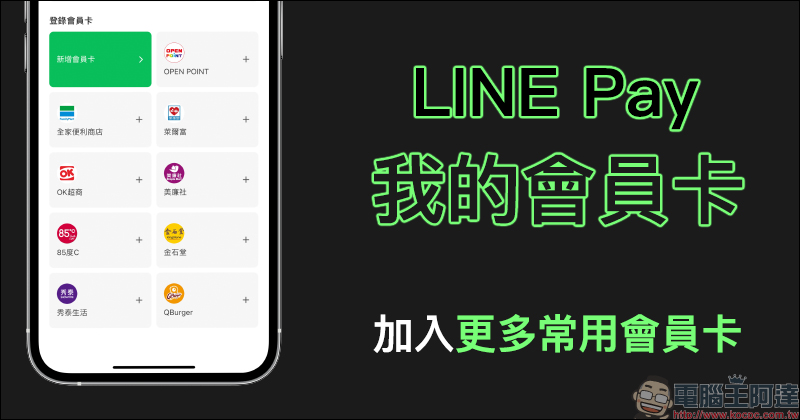
LINE Pay’s “My Membership Card” function adds more commonly used membership card options
Currently, many channels can use LINE Pay for payment. Therefore, if you want to use the store’s own membership card to accumulate points, you have to open another app. After LINE Pay joins the “My Membership Card” service, users can integrate the membership cards of various commonly used stores into it, making it more time-saving and efficient when checking out.
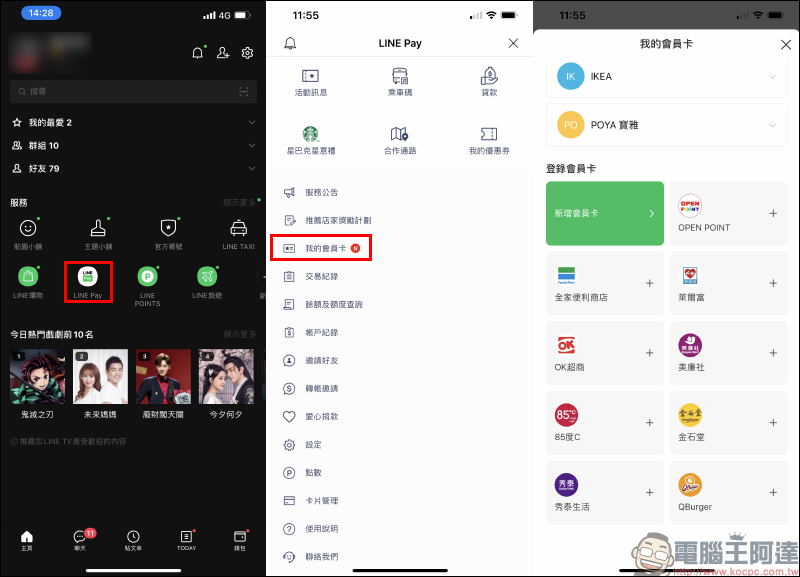
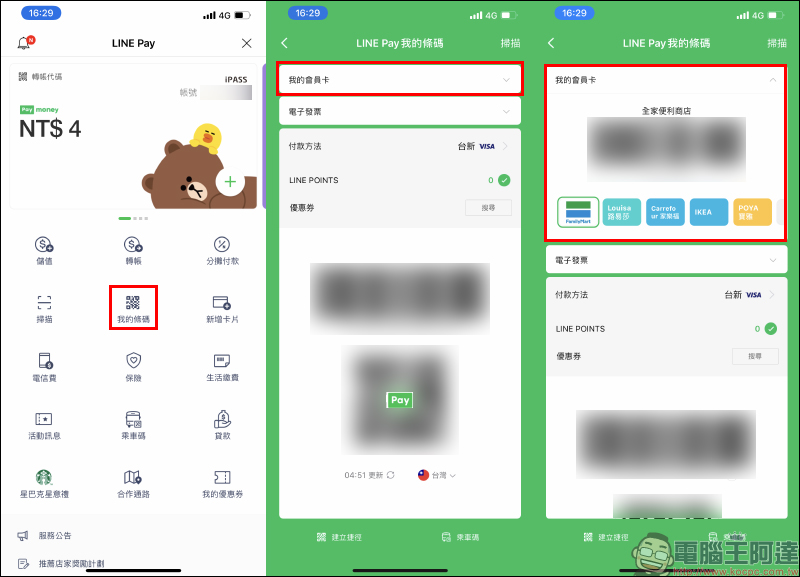
If you want to log in a new membership card to LINE Pay, users only need to open the LINE App and select “LINE Pay” on the homepage service, then click “My Membership Card” to open the page to add it.
It can be found that compared with when it was first launched, now in addition to OPEN POINT membership, many commonly used membership card options have been added, and these membership cards have been integrated with the membership card form of the store, making it more convenient for everyone to bind membership cards.
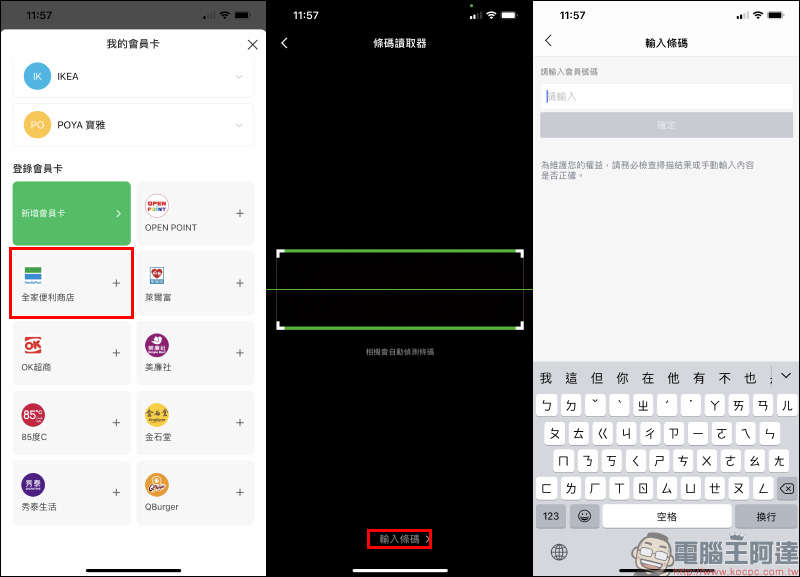
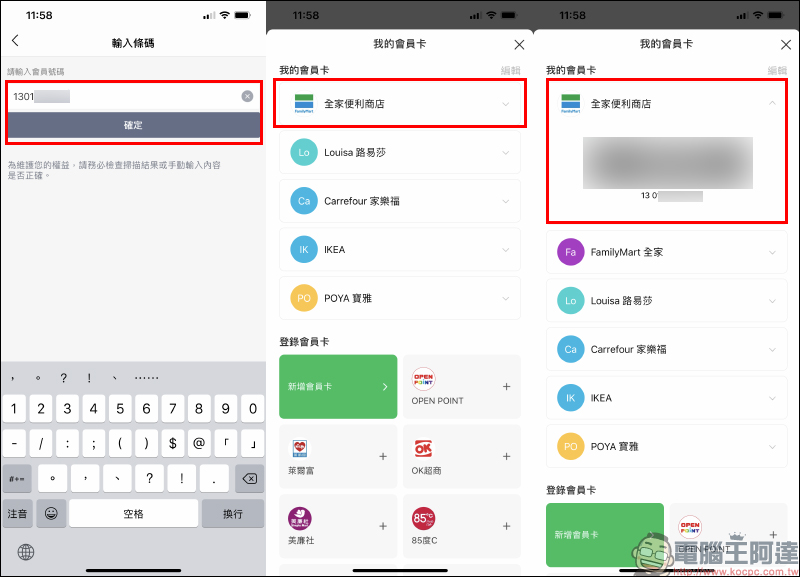
This time, the author will use the “FamilyMart” member as a demonstration. Click the “FamilyMart” button on the membership card login page, and then choose to add a membership card by using barcode reading or manually entering the barcode:
In the past, to accumulate FamilyMart membership, you had to open the FamilyMart App and turn on the “Membership Barcode” in the upper left corner of the page. Now we need to bind it to the LINE Pay membership card and obtain the membership barcode. In fact, as long as you open the Membership Barcode in the FamilyMart App, you can see the member number of the barcode:
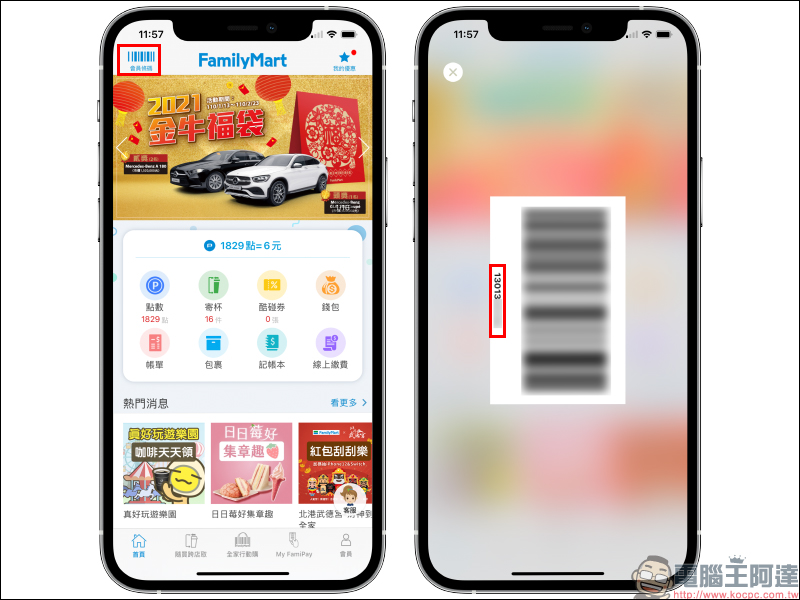
Then return to the LINE Pay page and manually enter the membership number. The FamilyMart member will be successfully added to LINE Pay! Compared with other membership cards added manually by other users, there is no exclusive icon and the need to manually edit the membership card name. These have been integrated into the LINE Pay My Membership Card store, making it more convenient to use.
After the settings are completed, if you want to use LINE Pay to pay for future checkout purchases and accumulate store membership card points, you can do it directly on the same screen, without having to open another app!
Further reading:
LINE Pay membership card setting & payment tutorial
LINE application tips: safety inspection & prevention teaching

Source: KOCPC Chinese