


In the new year, many people will definitely make new plans, which are the goals they hope to achieve this year, to save more and more, and to control their spending habits. I believe this must be on many people’s lists. Since there are goals, of course, tools are indispensable. There are many accounting apps in the App Store and Google Play, most of which are good and have rich functions. However, for beginners, it is best to find an accounting app that can record accounts quickly and has an uncomplicated interface, so that people can be more motivated to persevere. The “Simple Accounting SMoney” I would like to recommend is a very good choice. It is the simplest one I have tried so far. Accounting can be completed in basically 5 seconds. It also provides necessary functions such as statistical reports. More importantly, it is completely free and has no ads. It also adopts a comic style design. I will introduce it to you below.

Simple accounting SMoney introduction
There are two versions of Simple Accounting App (iOS and Android), and the operations are roughly the same. I will take the iOS version as an example below.
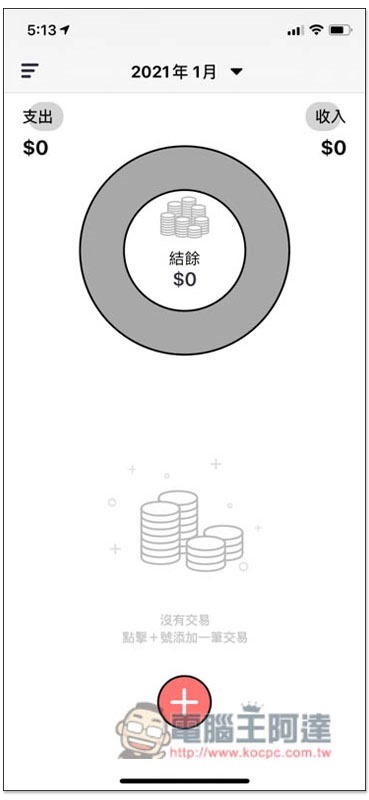
After opening the App, press + below to start accounting. Expenses and income are:
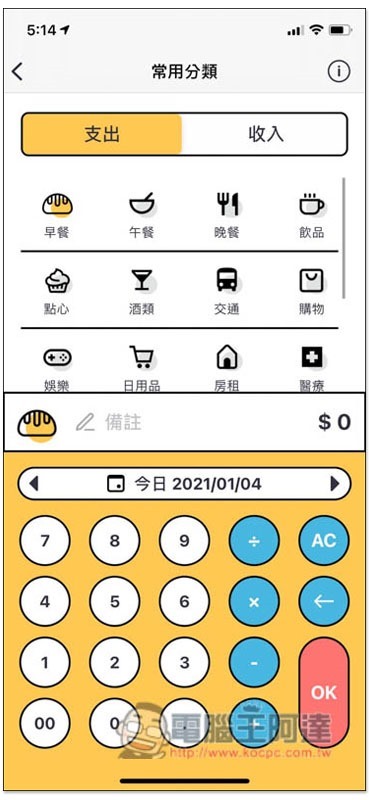
Commonly used expense categories are preset, such as: breakfast, lunch, dinner, drinks, shopping, etc. Basically, after selecting your category, enter the money and press OK to complete the accounting. Unless you want to specifically mark the content, such as eating Kara chicken drumsticks and milk tea for breakfast, you need to spend time entering it in the notes:
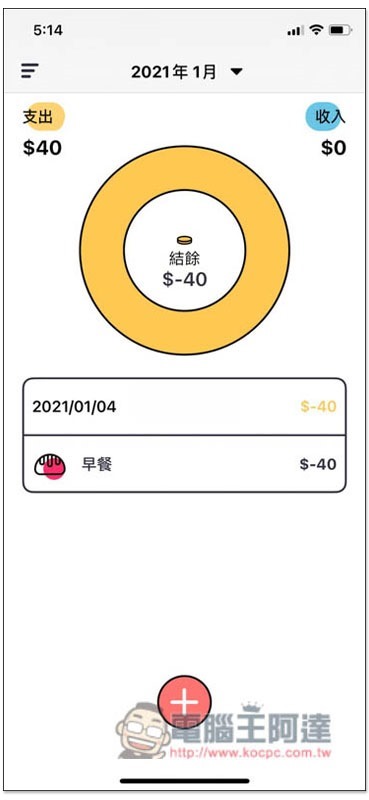
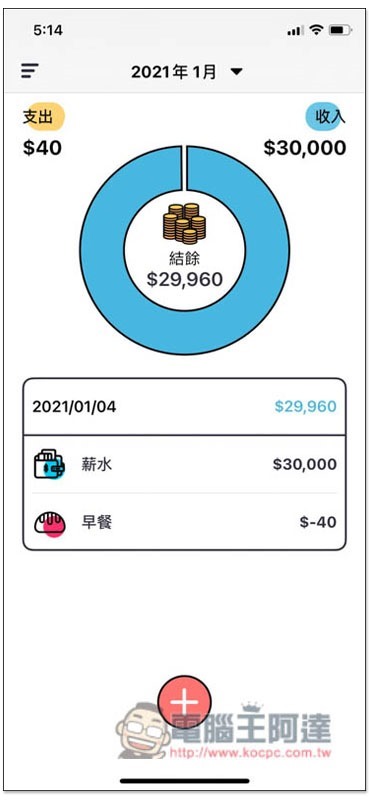
Like this, after opening the app and pressing +, select the expenditure category and enter the amount. The process does not take 5 seconds to complete the consumption record. The top of the main screen will also count the current income-expenditure amount:
The same goes for income. Commonly used categories are built-in, such as salary, bonus, dividend, investment, etc.:
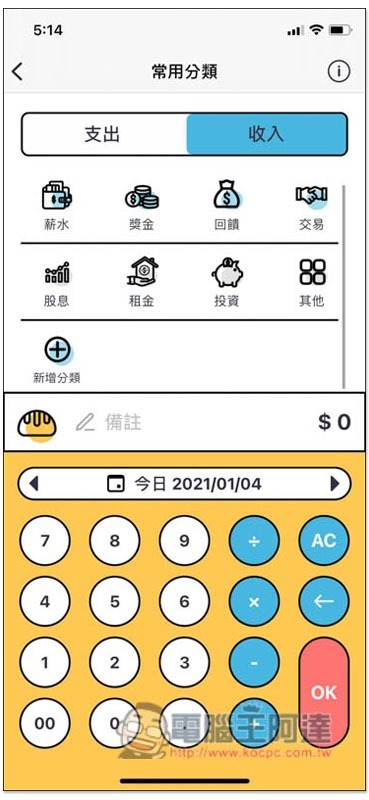
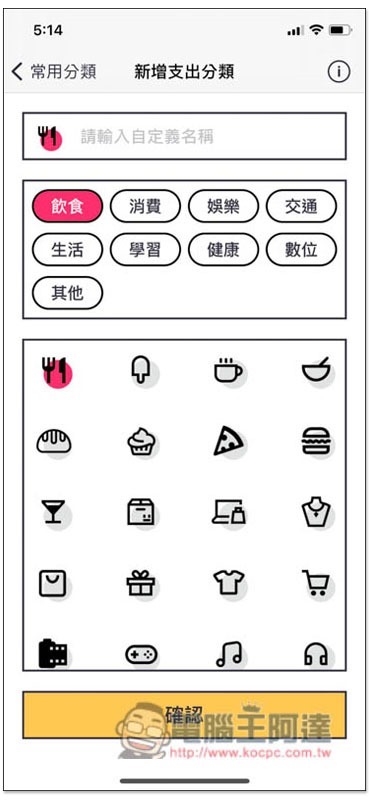
Of course, you can also create your own expense/income categories:
Enter any expenditure or income, and the balance on the top pie chart will be calculated instantly, allowing you to know how much money you have left now at a glance:
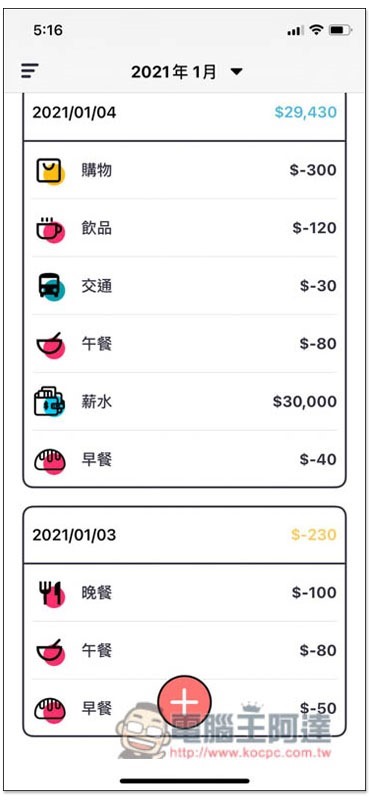
Scroll down to view every past consumption and income record:
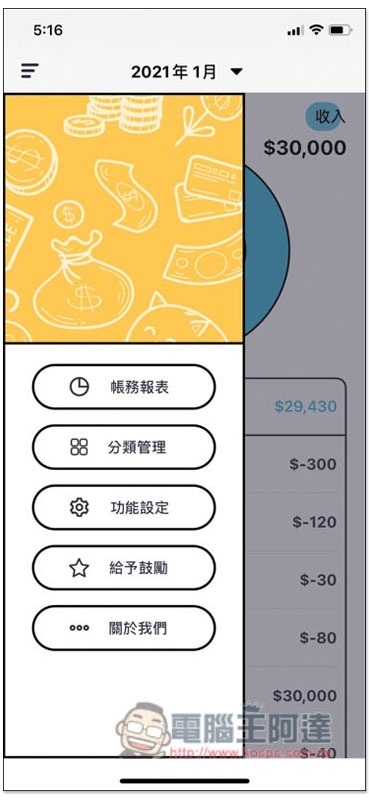
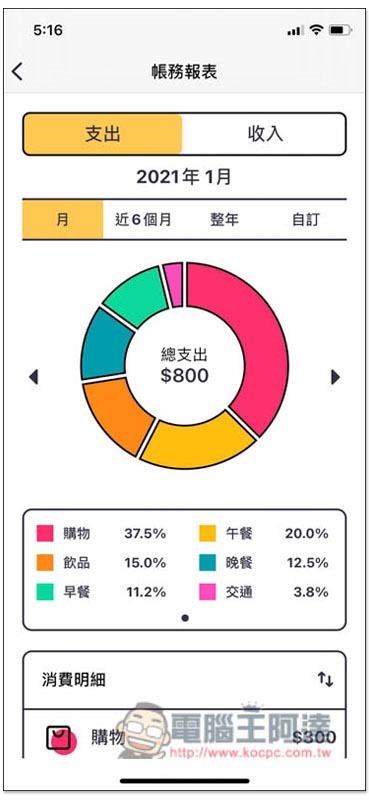
When more and more records are recorded, you can open the left menu and go to “Account Report” to learn more about your spending habits:
It will help you count your spending habits for this month, half a year, whole year or customized, such as which category the majority of the money is spent on. For me, the shopping part is currently the most consumed this month, which also means that I should find ways to reduce random shopping in order to save more money:
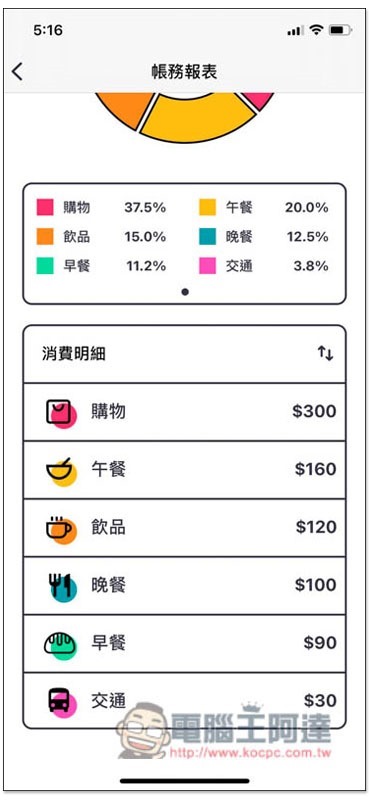
Scroll down to see consumption statistics for each category:
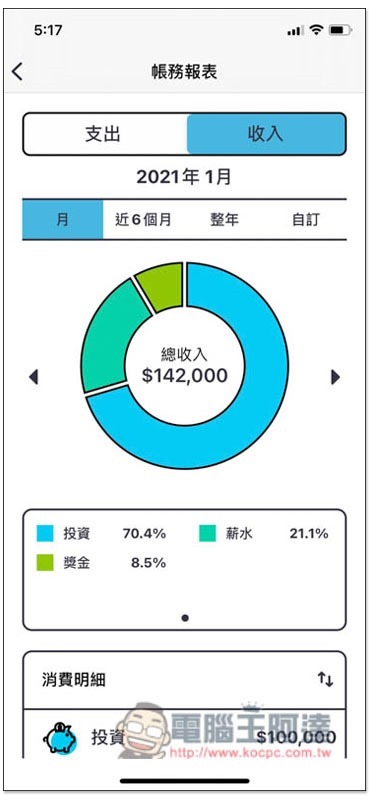
The same goes for the income section. It will calculate which categories of your current total income have the highest income.
The functions of this app are just like this. Although it is not like some more professional accounting apps, which also provide accounting functions for bank accounts and credit cards, it is easier for novices or friends who are new to accounting to get started. There is no need to set up things there, making accounting very simple.
Simple Accounting download link
- App Store:Click here to go
- Google Play:Click here to go
Source: KOCPC Chinese