


Modern people’s dependence on the Internet has reached a very serious level. You need the Internet to find your way out, and you also need the Internet to order takeout. Among these various applications, the silent support of the browser is indispensable. Using a browser to surf the Internet has become an essential skill for modern people. For those who are familiar with operating a browser, they will also use the bookmark function to collect frequently used websites for convenient use every time they visit. However, as the number of personal devices and computers increases, the synchronization of bookmarks becomes very important. Chrome and Firefox both have synchronization functions to serve their own users, but cross-browser bookmarking services require third-party help. The Syncmarx browser plug-in shared today is a good tool for remote bookmark synchronization:
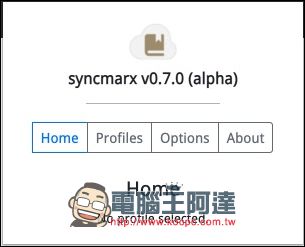
▲The plug-in interface is quite simple, and the support part can also correspond to Mozilla Firefox and Google Chrome
Many people who are familiar with browsers know that both Google and Mozilla develop synchronization services for their own browsers that are exclusive to their own users and may not be available to other browsers. Whether it is Chrome Sync or Firefox Sync, these synchronization services are only available for the original browser. Although the synchronization services can be used across computers, in terms of cross-browser, unless there is a sudden reconciliation between these companies and they decide to work together, these synchronization services cannot be used on other browsers. Even if the same typesetting engine is used.
Chrome Sync is only available for Chrome. Chromium-based browsers are of course not eligible.
For example, Chrome Sync, which can synchronize between Google Chrome, can only synchronize between Chrome and Chrome no matter how you use it. The typesetting engine that is similar to the Chrome application system is the Safari browser produced by Apple, and naturally Chrome Sync cannot be used:
▲There is no reason for Google to open up its useful synchronization functions (including synchronization between bookmarks, passwords, browsing information, etc.) to other browsers
Furthermore, browsers developed based on Chromium, Chrome’s open source twin brother, such asMicrosoft Edge、Brave、Opera、Vivaldi、Yandex、COMODO Dragon, Slepnir, Maxthon, Kinza and other Chromium-derived browsers that are not fully equipped, all have nothing to do with Chrome Sync.
Of course, Chromium-derived browsers, which are distant relatives of Chrome, may each have synchronization functions launched by their own companies. However, these synchronization functions are only for home use, and there is no cross-browser synchronization. Microsoft Edge is an example that many people are familiar with. Although this browser is almost similar to Chrome in use, the bookmark synchronization function naturally uses Microsoft’s own account for synchronization.
Bookmark synchronization has always been a problem for an internet novice like me, who likes to occasionally use other browsers for a change, and sometimes takes advantage of the incompatible nature of data in different browsers to use avatars to curse on some social networking sites. Xmarks used to be a great tool, but unfortunately it officially shut down its service in 2018. I just recently discovered the interesting plug-in Syncmarx, so I use it myself and share it with everyone.
Supports Firefox and Chrome/Chromium, almost supports most browsers
These days, the Chrome/Chromium family is quite blossoming, and even Microsoft has chosen Chromium as the core of the Edge browser. Many browser plug-ins will at least support Chrome and Firefox, thus ensuring support for nearly 90% of browsers. Many browsers based on Chromium core can still use the Chrome Online App Store to download browser plug-ins. Here the author uses Chromium core Brave browserLet’s install a demonstration:
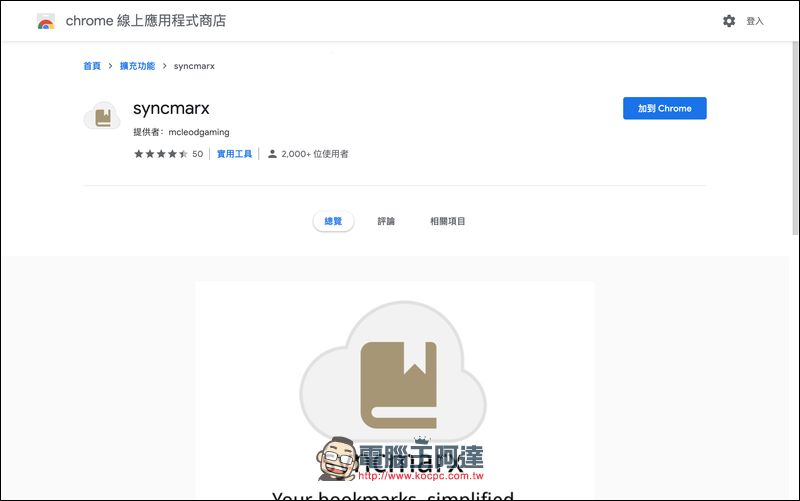
▲Just search for Syncmarx in the Chrome Online Store, orClick here, you can install
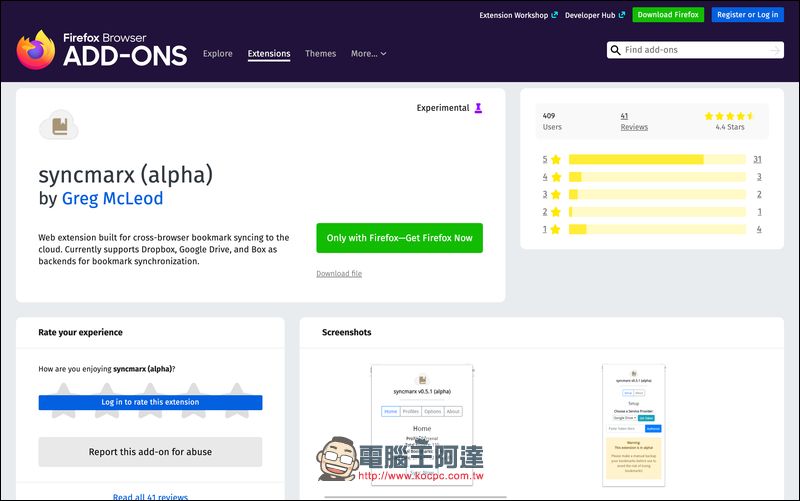
▲The Firefox part is also handled accordingly. People who are too lazy to look forPlease click here

▲Brave browser will give a gentle reminder before installation that “they will not help review vulnerabilities and security.” If you don’t trust the developer, you can also press Cancel to interrupt the installation.
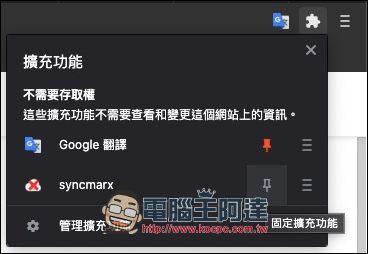
▲After installation, you can click the button of the puzzle pattern to call out the extended function menu, and find Syncmarx to use it. If you want it to appear on the interface, you can click the thumbtack button to fix the logo.
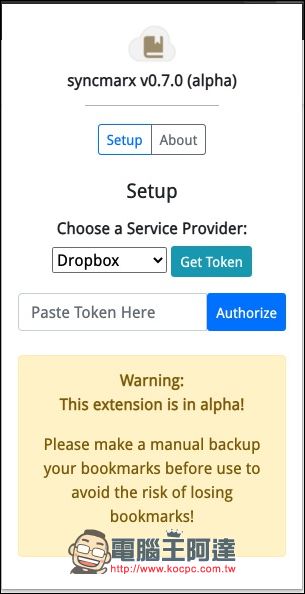
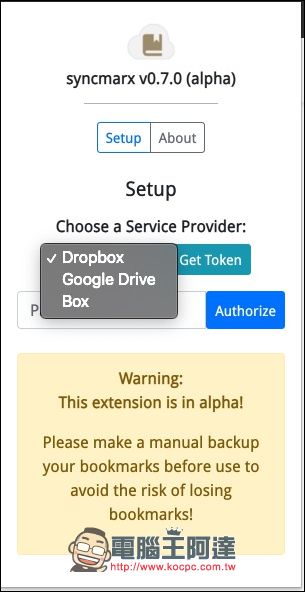
▲At this time, the plug-in has not started to operate. When you open the plug-in interface, you can see that the screen stops here and asks us to set it. First, choose a personal cloud space. Currently available cloud services include Google Drive、Dropbox and Box. Once you have made your selection, press the green Get Token button.
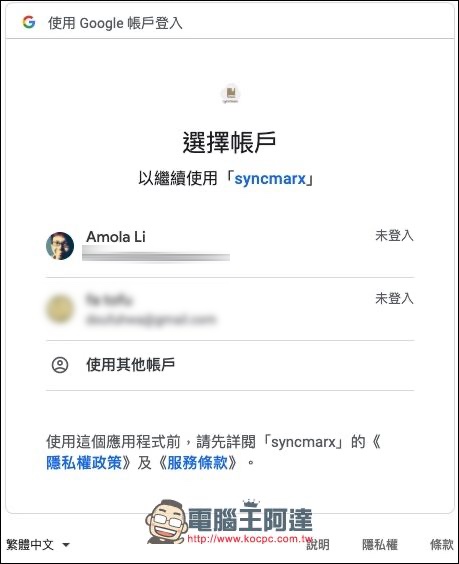
▲The author chose the Google Drive plan, so the system will automatically jump to the Google account login interface
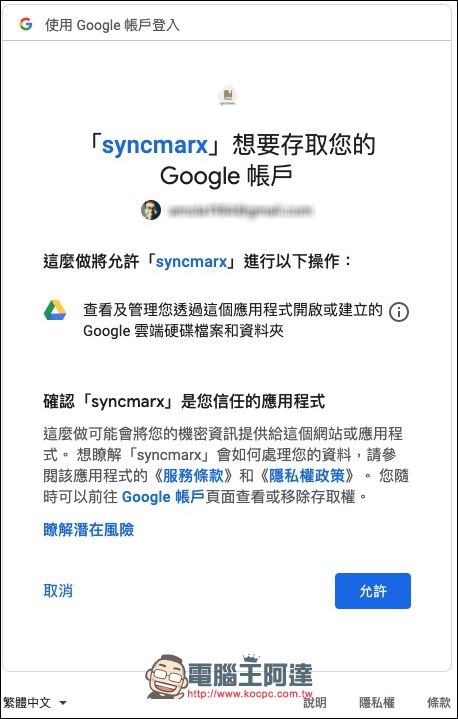
▲After logging in, you will first see this warning that you need to access your account. The old rule is, if you trust it, click Allow, otherwise click Cancel.
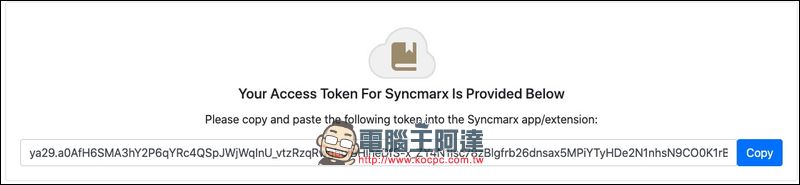
▲You will then see a garbled Access Token. It can be understood as the key used when synchronizing bookmarks.
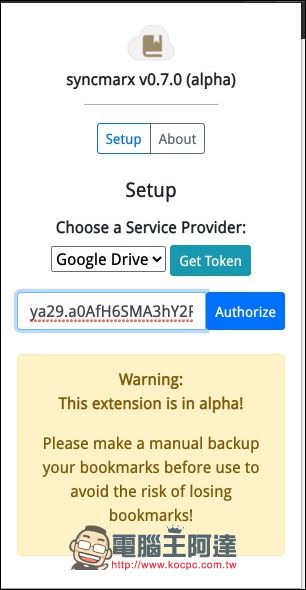
▲Then paste the Access Token in the field specified by the plug-in and press Authorize.
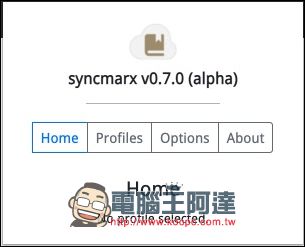
▲Now that the settings are complete, press the Profile button
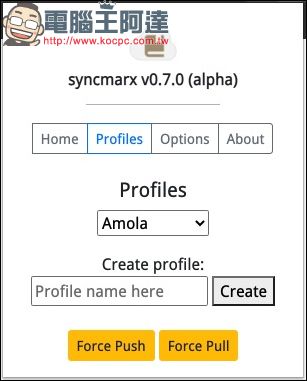
▲Profile The main purpose here is to create a personal setting data for bookmark synchronization. Enter the profile name you want in the space below Create profile, then click Create to create the profile.
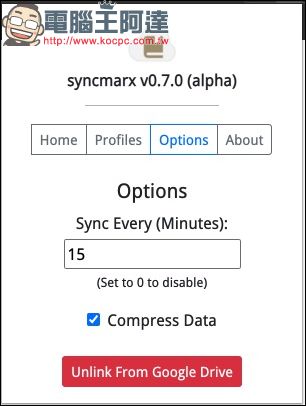
▲The Option page has only two functions, setting the synchronization interval, the default is 15 minutes. There is also a checkbox below to check whether to compress the data. The default is also checked. Since Syncmarx has just been authorized for use from your Google account, there will be an Unlink From Google Drive button below. Just press it if you don’t want to sync to Google Drive.
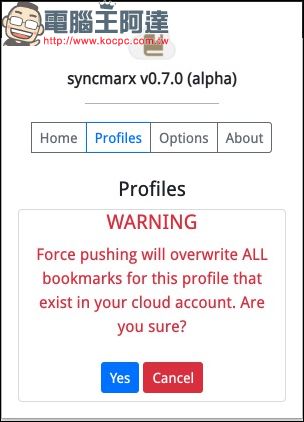
▲The Profile page has Force Push and Force Pull functions. To put it bluntly, they force uploading and downloading data. When used, a warning will pop up indicating the risk of data corruption. The author believes that this operation is best done after the existing bookmarks have been exported and backed up to make it safer.
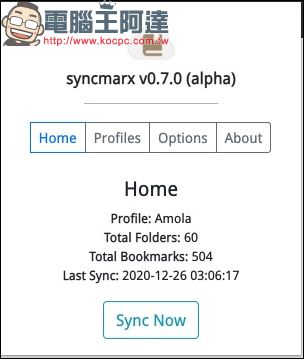
▲If you have synchronized your bookmarks at least once, you can see simple report information on the Home page. Displays the number of folders with synchronized bookmarks, the total number of bookmarks, and the synchronization time. As for syncing these bookmarks to a second computer or browser, naturally you need to repeat the above process, but this time it is done on another browser.
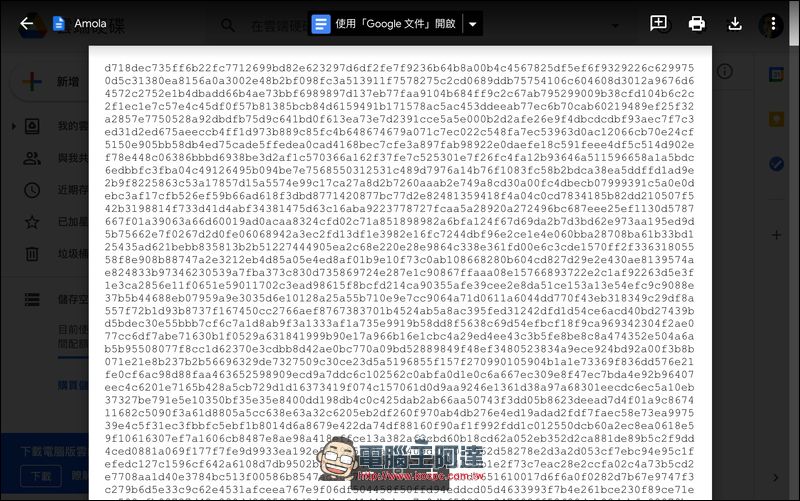
▲As for what the bookmarks synced to the cloud space will look like? The author specially opened his Google Drive to find the bookmark synchronization file uploaded by Syncmarx, and found that it was a maze of numbers and letters. It must have been compressed and specially processed to achieve such a scene. In other words, these data are also difficult to crack or be used by other synchronization software.
For people who don’t use cross-browser frequently, this feature is relatively limited. After all, many browsers now have built-in synchronization functions that are “limited to use by the same brand”, and each has its own advantages in using it. But if there is a need to synchronize bookmarks across browsers, Syncmarx is not yet mature, but it is quite simple to use. You can use your own cloud space to back up, and you have the added peace of mind that you don’t have to worry about data security. Although Syncmarx is still under development and there are still some minor bugs, the author feels pretty good when using it myself. It is recommended for players with similar needs to the author to download and play.
Source: KOCPC Chinese