


Not long ago, LINE A major update of LINE 10.21.0 has just been released for the mobile version, ushering in a new user interface and some new features (Click me to review). Now the LINE PC version 6.5 update has been launched for PC version users, adding the “Biometric login” and new features such as “Chat Room Classification” that users have long awaited. The most important thing is that the computer version of the chat room has more complete functions than the mobile version. Users can finally customize the categories for the chat room, which is so convenient!

LINE PC version 6.5 updated, adding new features such as biometric login, chat room classification, etc.
Recently, LINE quietly released version 6.5 update for the computer version of the application. It was first launched on Windows systems a few days ago and will also be officially launched on Mac systems on December 21! This update has three major new highlights, namely “Chat Room Classification”, “Biometric Login” and the option to share the window of a specific application or the entire desktop when sharing the screen.
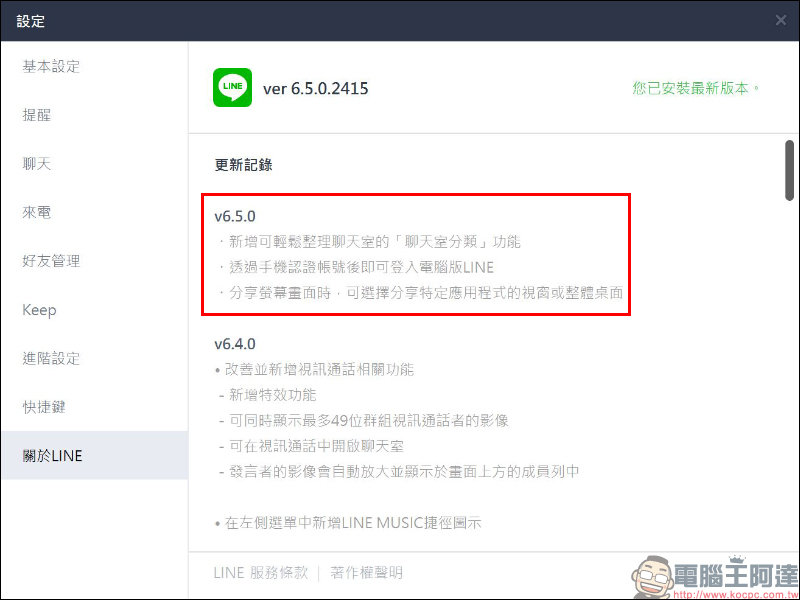
Chat room classification
Currently, the chat room classification function in the mobile version of LINE (iOS/Android) is in the experimental stage and has not been officially launched. You need to go to the settings to open a “trial” in LINE Labs. In the LINE PC version, the 6.5 version update officially supports the long-awaited chat room classification function. Compared with the previous mobile version, which can only target the default classification items of “All”, “Friends”, “Groups”, “Official Account” and “Community”, the PC version of LINE not only provides classification sorting adjustment but also provides the function of customizing new classifications.

If you feel that the default chat room categories are not enough, or you want to move some categories to the front, you can use the “Create New Category” of the chat room category or adjust the sort order:

Click the icon on the far right of the chat room category to create/edit categories:

After entering the editing page, press and hold the category and then drag it up to change the sorting order; if you want to create a new category, click the “+” icon:
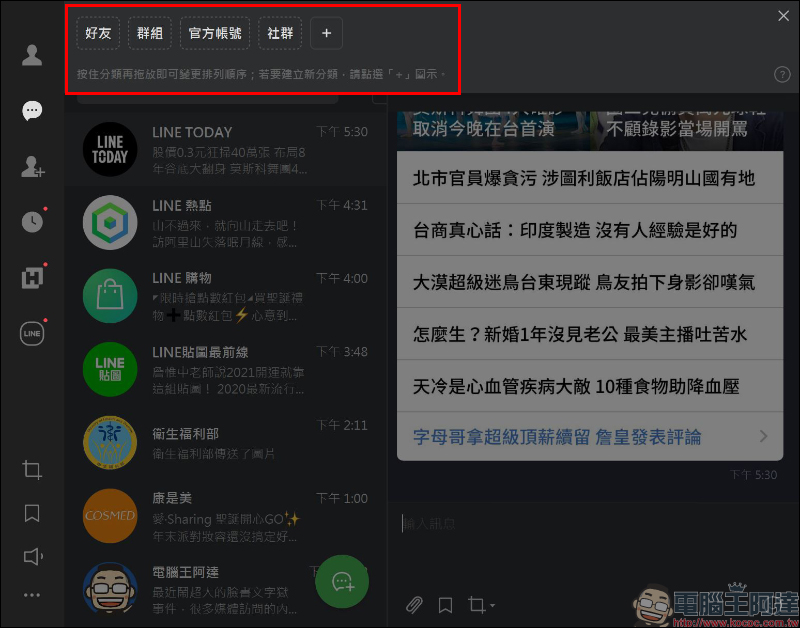
To create a new category, users can enter the category name, check the chat rooms they want to add to this category, and finally click “Add”:

Users can create categories for their close friends, family members, or other official accounts that they are accustomed to using. For example, if LINE has many official accounts, they can be organized into separate categories through chat room categories.However, please note that only those who are already on the chat room page can search or check., if you just add friends but do not have a chat room, you will not be able to find it, so it is recommended to open a chat room first and then add it to the category.

By unifying all LINE-related chat rooms into one category, it will be much easier to read in the future. You will no longer have to worry about chat conversations with friends being flooded by these official account messages!

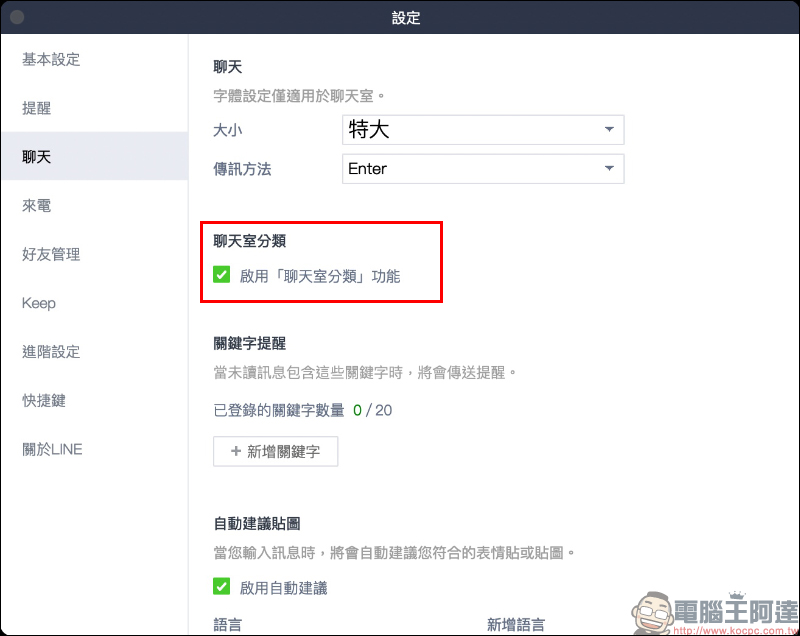
Although the “Chat Room Classification” function is turned on by default in the LINE PC version 6.5, users can turn it off at any time in the settings:
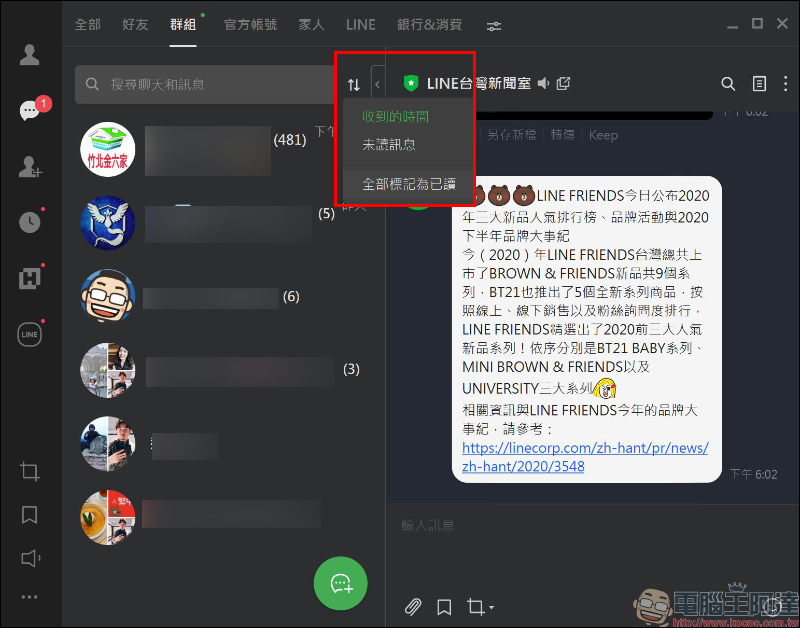
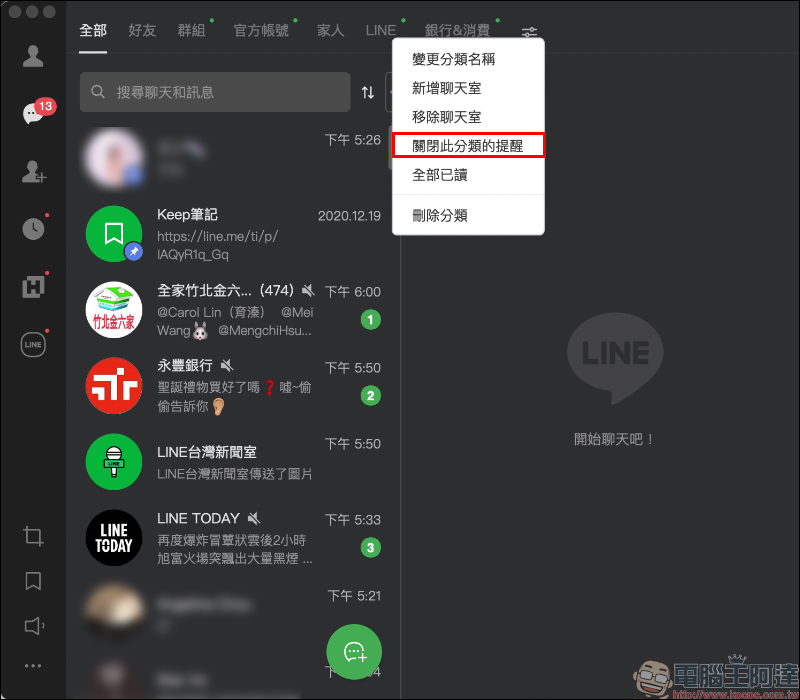
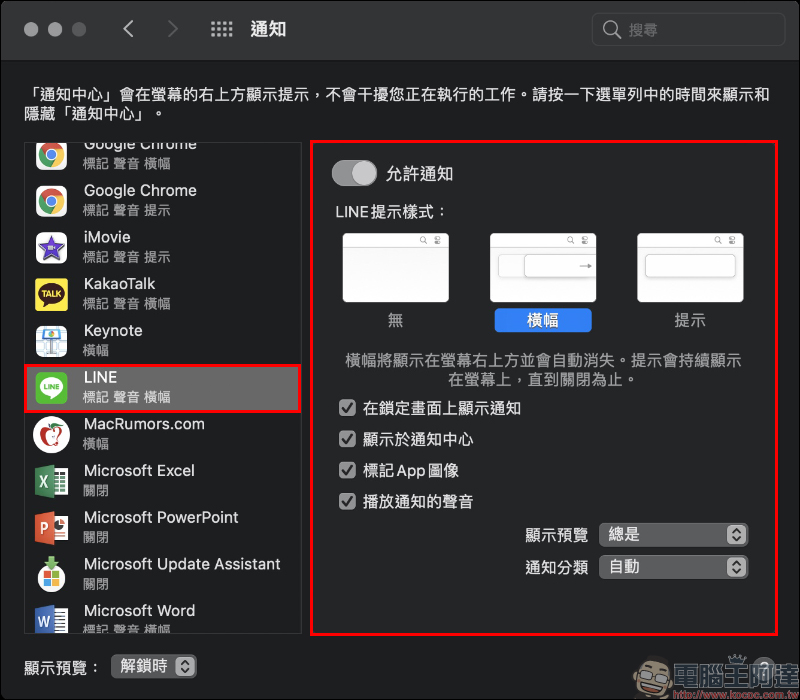
In addition, you can also choose to turn off reminder notifications for specific categories in the message notification section:
Biometric login
Last month, LINE took the lead in launching a “biometric” login method for iPad users. At that time, LINE officials had announced that the biometric login mechanism would also be introduced into the PC version of LINE as soon as this year. Now at the end of 2020, the LINE PC version 6.5 update has also added biometric login options. Let’s take a look at how to use it!
Although the last introduction to using LINE biometric login on iPad has been introduced, here is a quick introduction to the pre-process of biometric authentication.
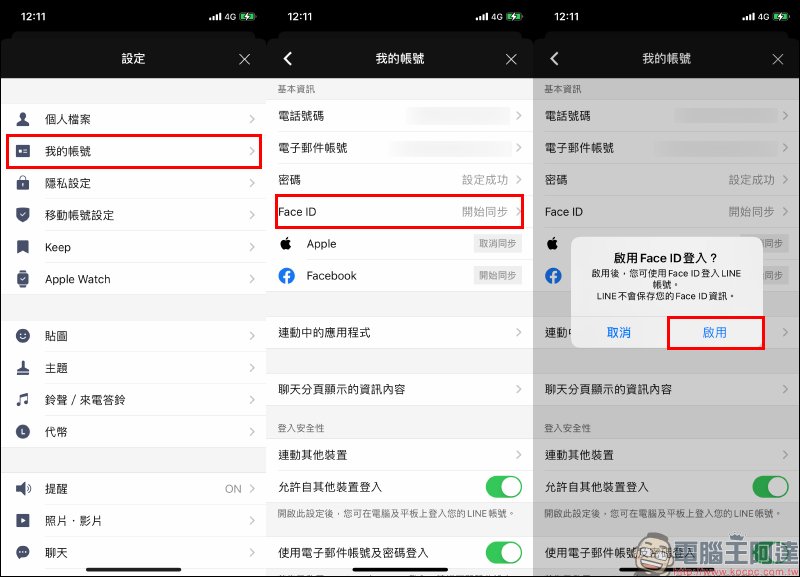
First, to use biometrics, you need to update the LINE App on your mobile phone to version 10.18.0 (inclusive) or above, then go to the mobile phone to open the “Settings” page of the LINE app > “My Account”, and click “Start Sync” > “Enable” on Face ID (or Touch ID):
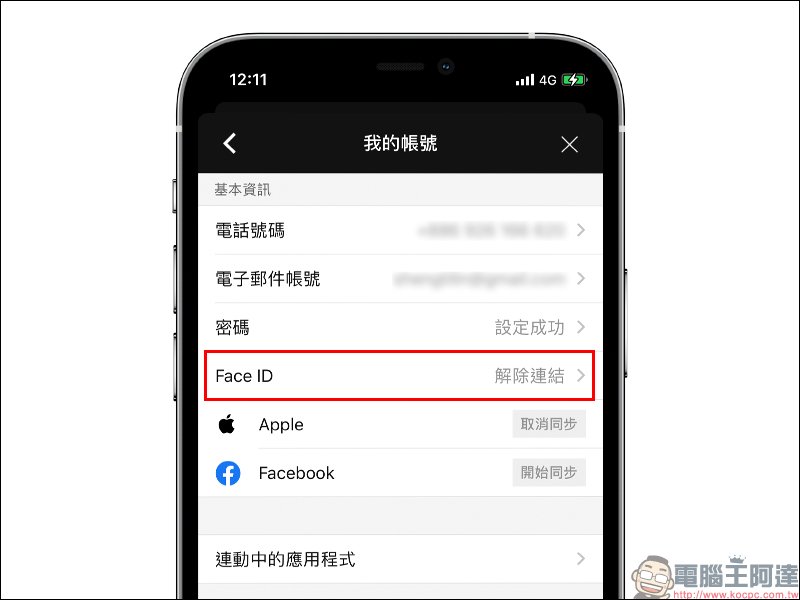
At this time, the phone will scan the face or fingerprint. After the biometric synchronization is completed, the field will display “Unlink”:
Then open the LINE PC version updated to 6.5.0 (inclusive) and above. You can find that there are some changes in the new version of the login page. In addition to the original several account logins and mobile barcode logins, if you use biometrics to log in, click “Log in with a smartphone>” below: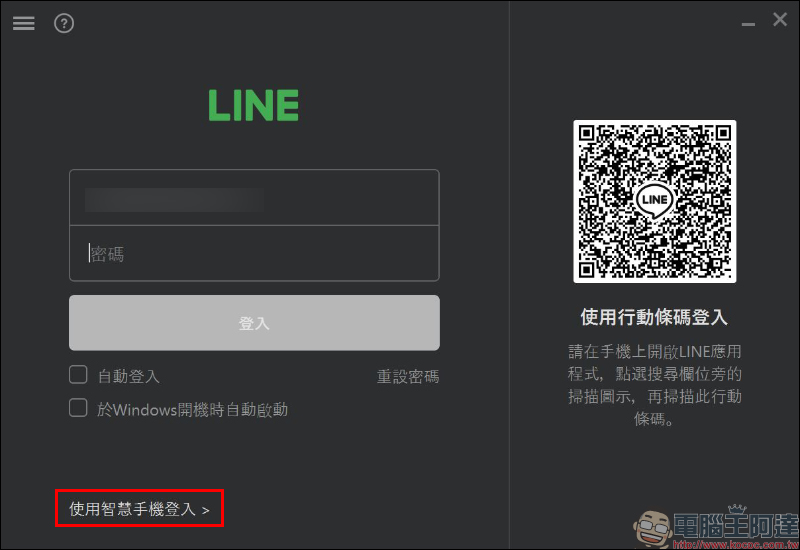
The login field on the smartphone login page will be changed to a phone number. At this time, enter the phone number bound to your LINE personal account and press the “Log in with smartphone” button:
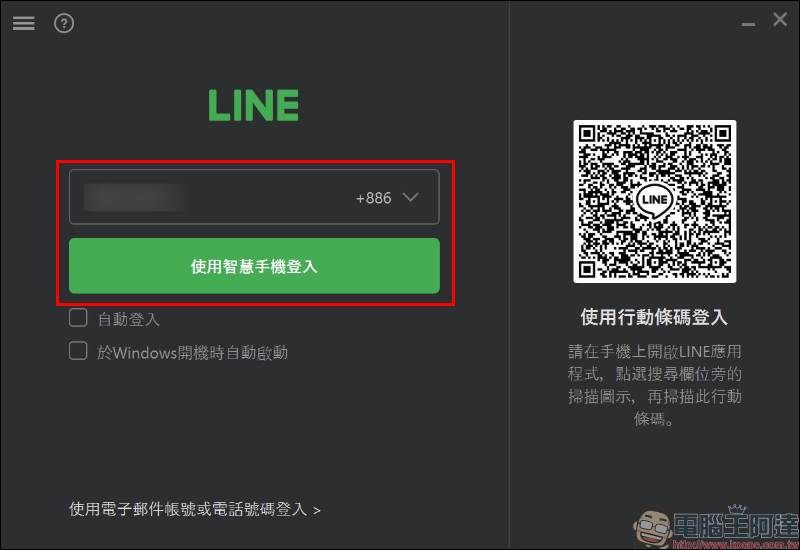
The first time you use this method to log in, you will need to enter the verification code to bind, and you will not need to enter the verification code again in the future. Now click “Show Authentication Code” in the window:
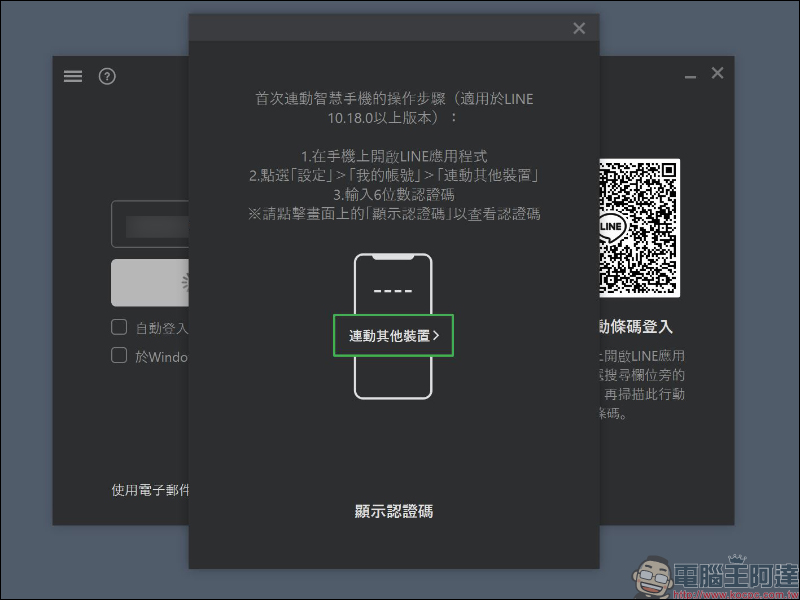
Next, enter the 6-digit verification code displayed in the computer window on your mobile phone:
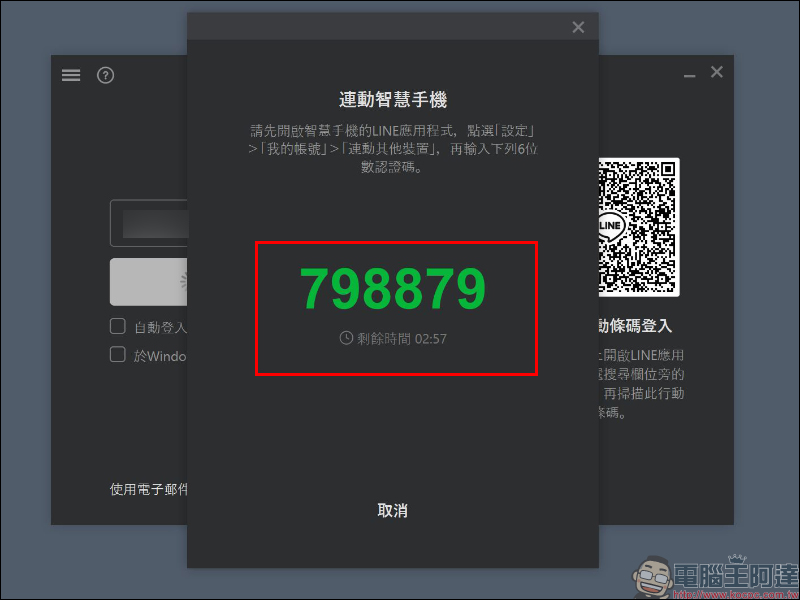
Select “Link other devices” on the “My Account” page and enter the 6-digit verification code displayed on the computer. After confirming that login from other devices is allowed, click the “Log In” button to complete the first linkage and login steps.
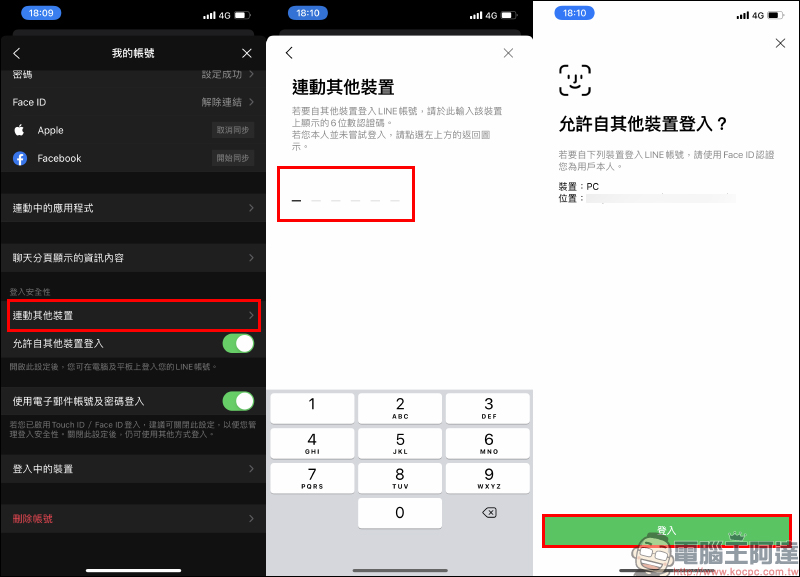
After pressing “Login” on the mobile phone, the computer version of LINE will also execute the login steps simultaneously:

Finally, let’s take a look at the process of logging in using biometrics in the future! Just enter the user’s phone number in the PC version of LINE and press log in, then open the LINE App on your mobile phone, click “Log In” and complete the biometric verification. Once the verification is passed, you will be logged in automatically!
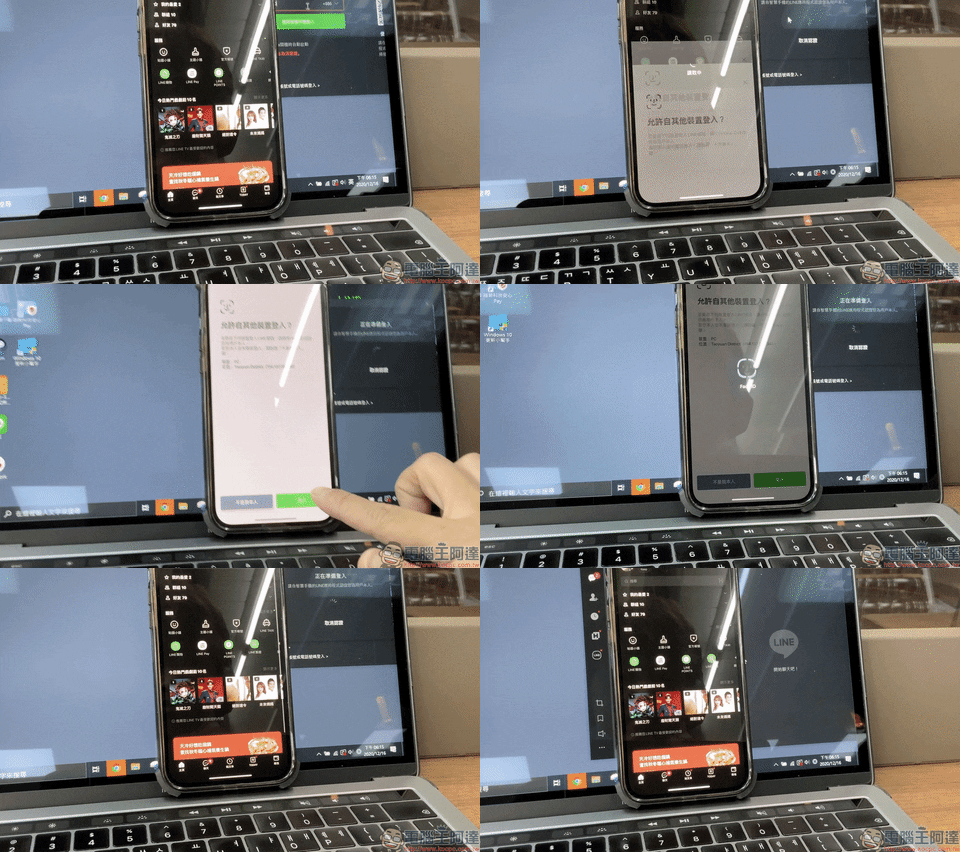
For more questions about the use of LINE biometric login, please refer to the official instructions of the LINE Service Center:Click here to go
Further reading:
The horizontal bar at the bottom of the iPhone hides a small trick, so you no longer have to worry about accidental touches when playing games or watching videos on the full screen.


Source: KOCPC Chinese