


After upgrading to iOS 14, someone should have discovered why there are a few more blank spaces in the iPhone’s control center? And it has no function. Although it does not affect the use, the extra spaces in the middle will still be visually uncomfortable, especially for people who like neatness. So, here’s how to remove it, it’s very simple.
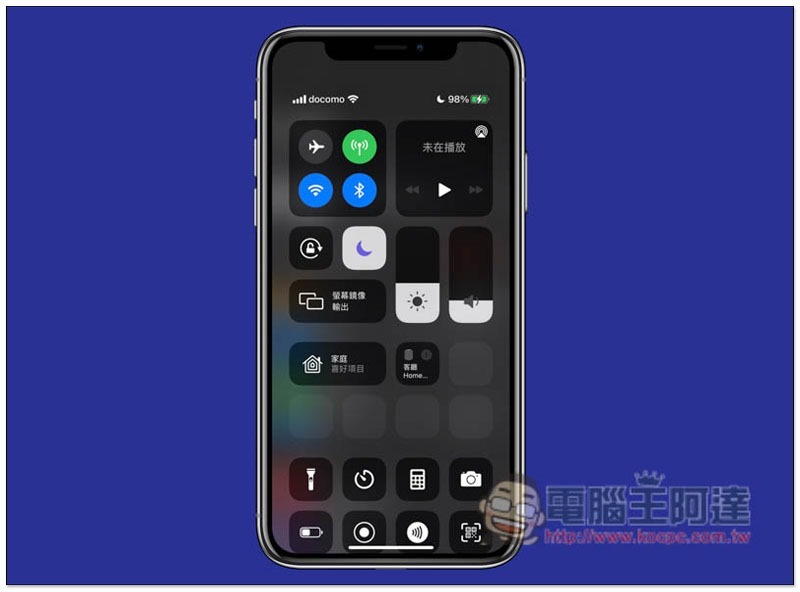
What are the spaces in the control center used for?
This space is actually reserved for HomeKit smart homes. If you have paired related products, the space will be filled. If you see a blank space, it means that you are not using a product that supports HomeKit. Then you can temporarily turn it off and turn it on when necessary in the future, so that the iPhone control center does not have to put so many useless grids.
As shown in the picture below, there is an entire white space in the middle:
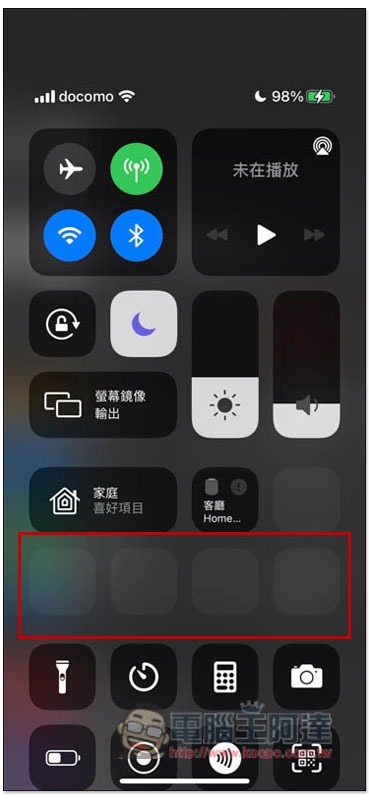
Having said that, I don’t know why Apple specifically left this space until it appears after pairing. It shouldn’t be difficult in terms of software design. I guess this part should be improved in the future.
How to turn off the blank space in iPhone Control Center?
Since it is caused by HomeKit smart home, to remove and delete spaces, of course, just turn off the HomeKit function in the control center. The steps are as follows:
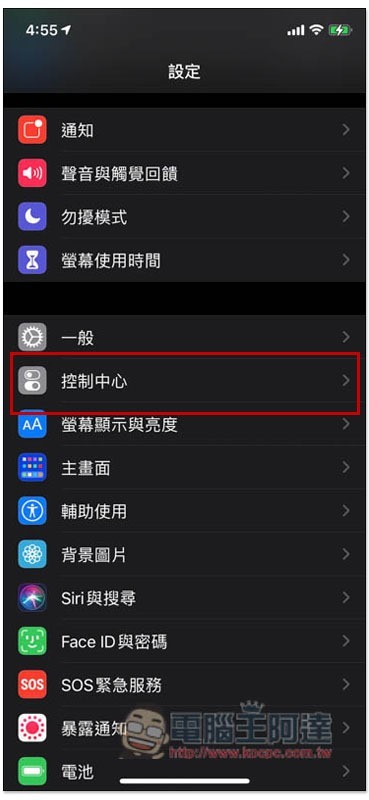
After opening iPhone settings, go to the “Control Center” option:
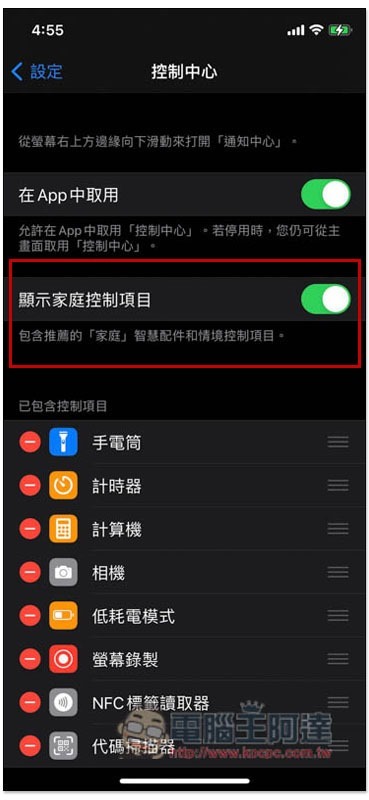
Turn off the switch on the right side of “Show Home Control Items”. If it turns gray, it means off (green means on):
Then when you open the iPhone Control Center, you will see that all the original spaces have disappeared and there are no useless functions on it:
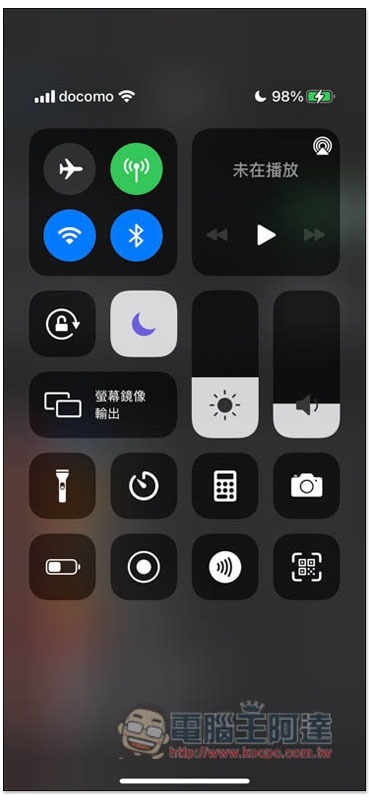
When you buy HomeKit smart home products in the future, remember to turn this feature back on so that you can quickly control it from the iPhone Control Center.
in conclusion
Turning off this function will not affect the use of HomeKit smart home devices, but it cannot be controlled from the Control Center. Therefore, if you open the HomeKit App every time, you can actually turn it off permanently, so that the iPhone Control Center will not become difficult to use due to too many functions.
Source: KOCPC Chinese