


Christmas will be here in a few weeks, but due to the impact of the epidemic this year, it is better to avoid gathering in crowded places. A better way is to use messaging software to spend Christmas with friends. In iOS 12 and above and iPadOS, users can create content that matches their personality and mood Memoji, and Memoji can actually easily create a Christmas-style dress. This time I will share how to do it!
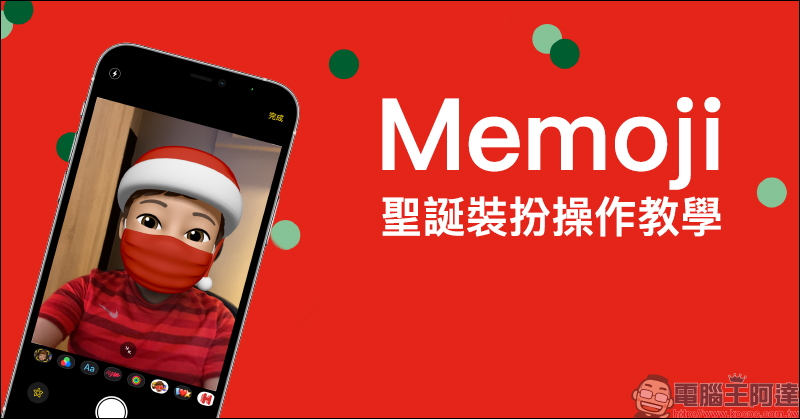
Memoji Christmas dress-up instruction, how to play with Santa hats and red masks!
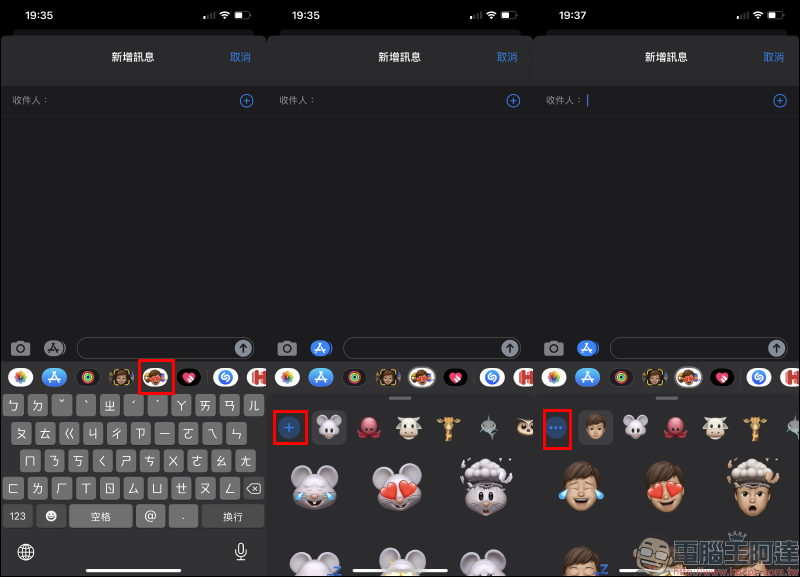
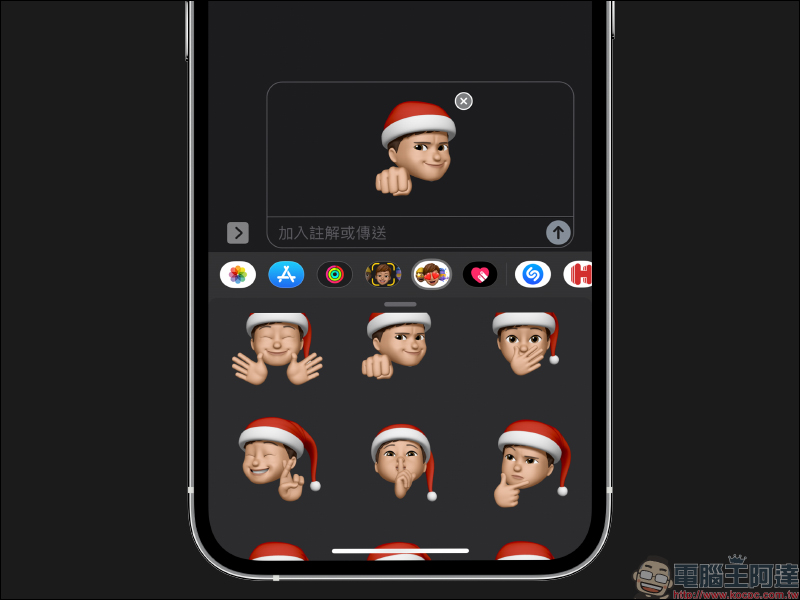
Before you start playing with Memoji Christmas decorations, let’s review how to use Memoji! First open the “Messages” app on iPhone, then click the “Memoji Sticker” button above the keyboard when adding a new message. If you have not added your own Memoji, you can click the “+” button to create an exclusive Memoji Sticker. After the creation is completed, click the “…” button in the Memoji sticker menu to edit:
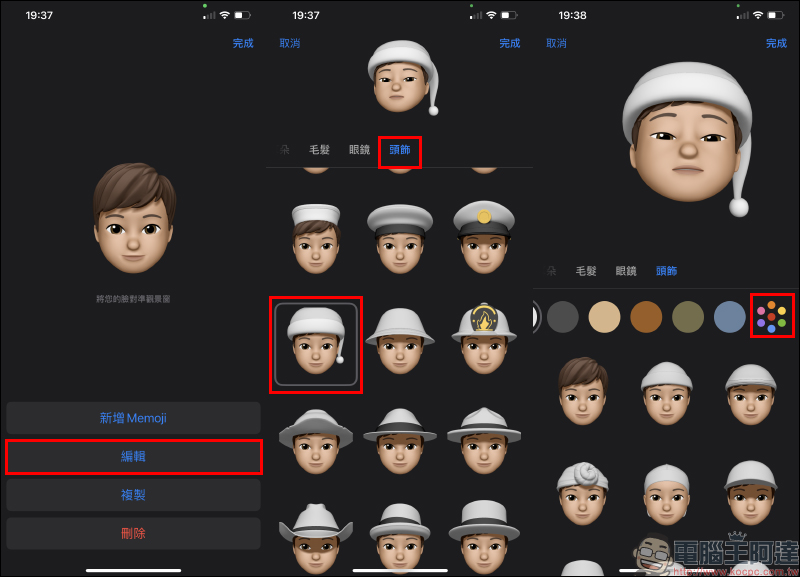
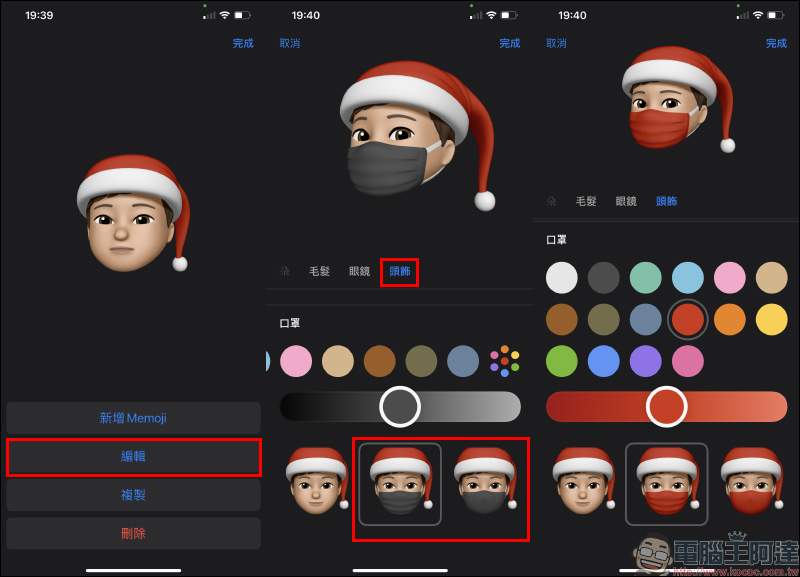
Click “Edit” to enter the Memoji editing page, and you can find the Santa hat in the “Headwear” category. Usually the default color of Santa hats is not red, so after choosing to play with Santa hats, slide to the top of the headwear page and select “More Colors”:
Then you can find the red option. Users can also fine-tune the color in this step. After setting, click “Done” in the upper right corner of the screen to return to the message page, and you can see a variety of Memoji stickers and expressions!
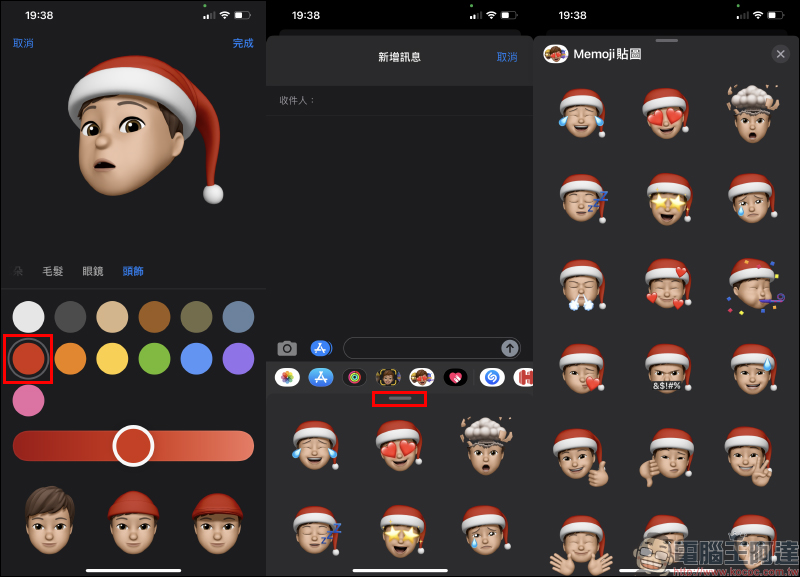
Select a Memoji sticker to send it to a friend:
As for the impact of this year’s epidemic, it is also very important to wear a mask and practice epidemic prevention. Memoji stickers also have masks as an option. Masks are also classified under the headgear category. Swipe to the bottom of the page to choose between two mask styles. Users can choose masks in various colors according to their own preferences:
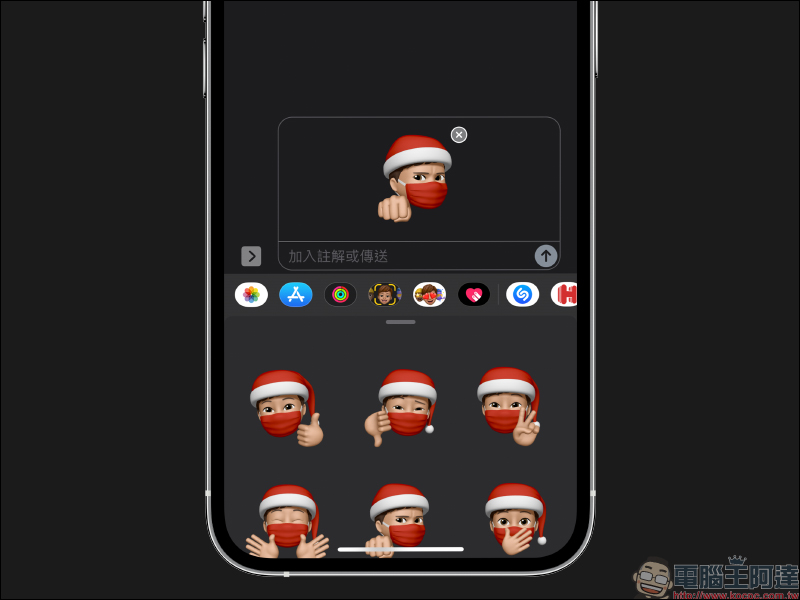
After the mask is added, all the super cute Memoji stickers can be put on the mask directly!
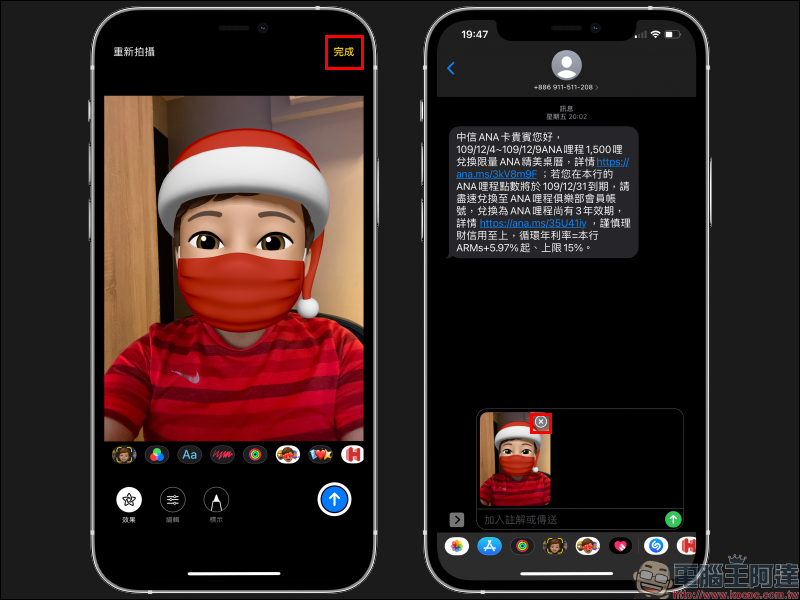
In addition to using message Memoji stickers, what should you do if you want to use these Christmas decoration Memoji to take selfies? Open the Messages app in the same way, then select a message with a set delivery target, and press the “Camera” button to open the camera. After turning on the camera, select “Memoji”. When a face is detected on the screen, Memoji will be automatically applied. Then press the camera shutter button to shoot:
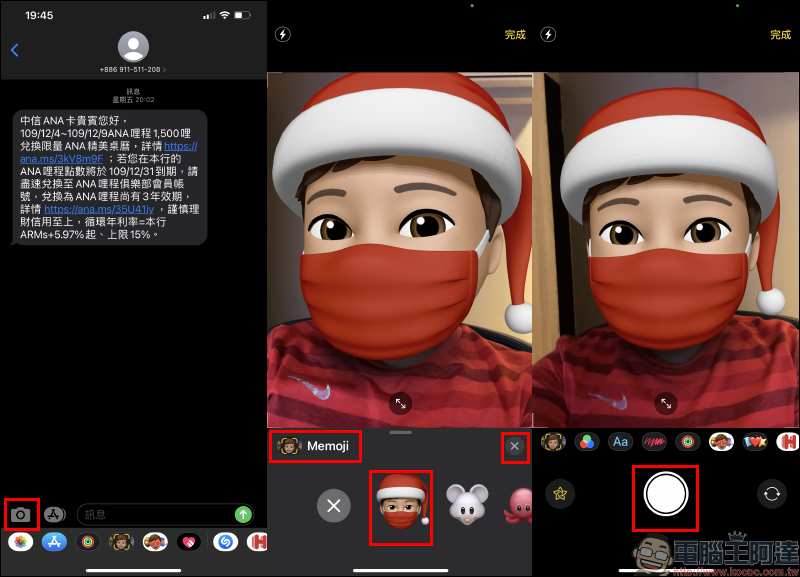
After taking the photo, click the “Done” button in the upper right corner of the screen. The screen will then return to the message sending page, and the photo has also been saved to the album. Don’t forget to click the “✕” button in the message to cancel the transmission, so that you won’t send the selfie with your hand! (laugh)
Further reading:
iOS 14 tips: Siri Q&A content display and full-screen mode settings
Source: KOCPC Chinese