• About Us
King of Computer Media
  • Home
  • Tech News
  • AI News
  • Apps & Tutorials
  • Mobile & Telecom
  • Lifestyle
  • About Us
No Result
View All Result
  • Home
  • Tech News
  • AI News
  • Apps & Tutorials
  • Mobile & Telecom
  • Lifestyle
  • About Us
No Result
View All Result
King of Computer Media
No Result
View All Result

Home - Computer Applications and Other Tutorials - Chrome 87’s super useful hidden feature: “Automatically create paging groups”, this article teaches you how to turn it on

Chrome 87’s super useful hidden feature: “Automatically create paging groups”, this article teaches you how to turn it on

Rocky by Rocky
November 29, 2020 - Updated on August 4, 2026
in Computer Applications and Other Tutorials, Internet and software applications, Mac OS software sharing and teaching

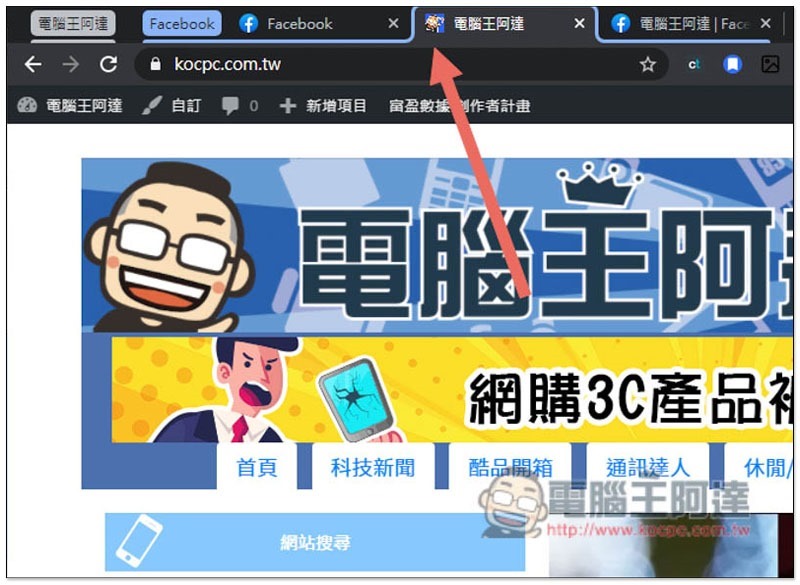
Chrome 87 latest versionIn addition to significantly reducing CPU and RAM usage and improving battery life, it also quietly adds a very practical “automatically create pagination group” function, which will automatically group new paginations on the same website, and can also manually add paginations for other websites. It is very useful for people who often open more and more paginations. It’s just that this function is currently hidden and needs to be opened manually to use it. I’ll teach you how to open it below.

Cropro-2020-11-29-15-54-15

Chrome 87 hidden function: “Automatically create paging groups” tutorial

Currently, the new “Automatically Create Pagination Groups” function added in Chrome 87 is still in the experimental stage, so it is not turned on by default. Please enter it in the address bar. chrome://flags/ Or click directly and you will see the following screen:
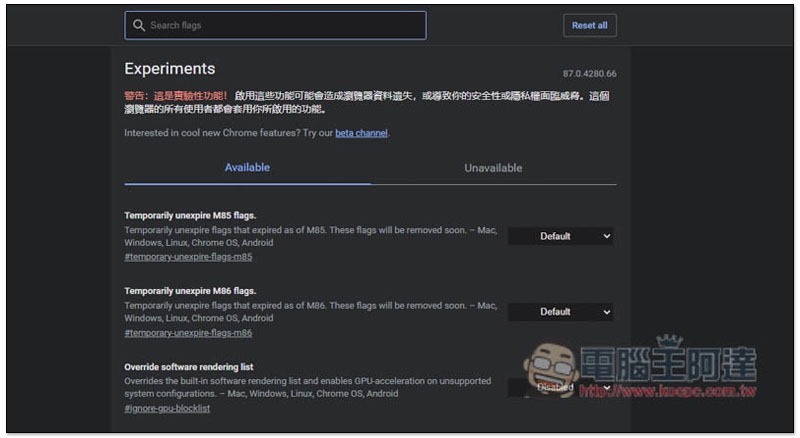
2020-11-29_154838

Search for Tab Groups Auto Create to find:
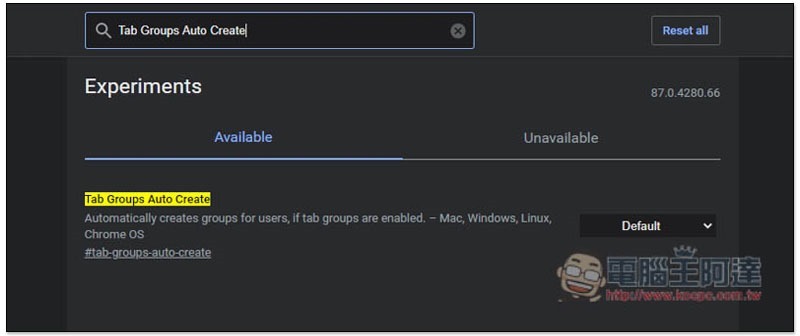
2020-11-29_154915

Click the Default option on the right and change it to “Enabled”:
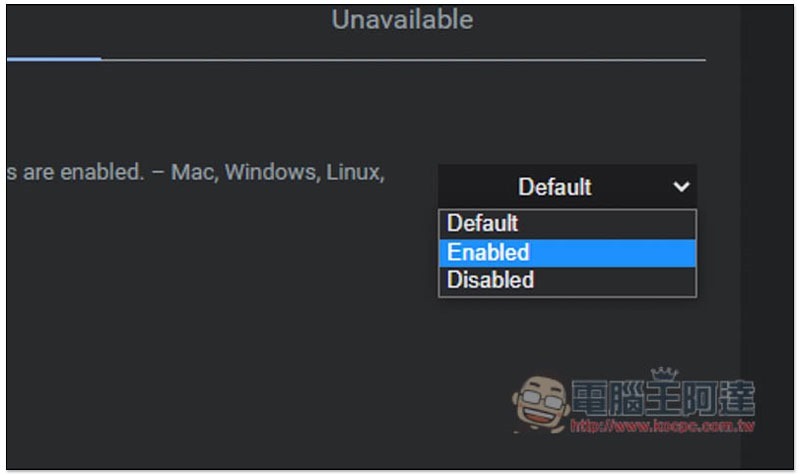
2020-11-29_154922

You need to restart Chrome for it to take effect, please click Relaunch at the bottom right:

2020-11-29_154930

After reopening, when you open new tabs on the same website in the future, Chrome will automatically group them together. You can refer to the lines:
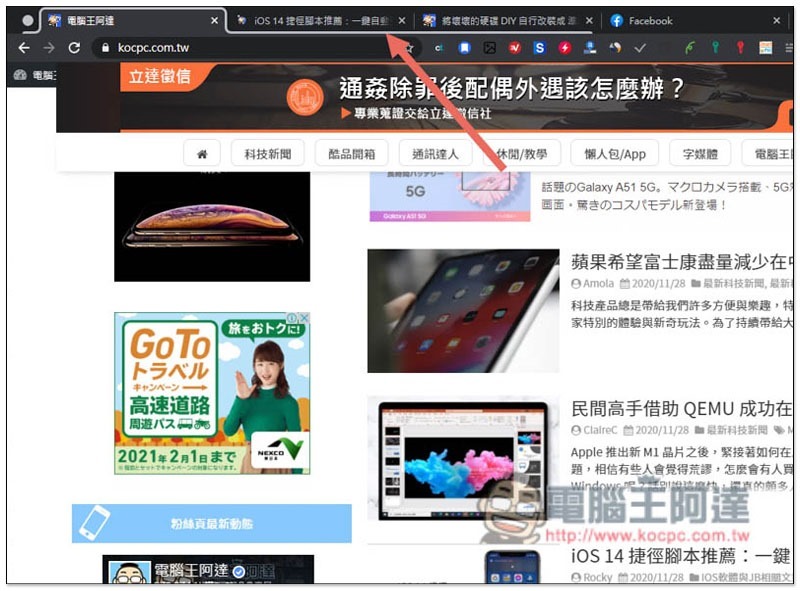
Cropro-2020-11-29-15-50-43

The leftmost circle is the paging group switch, please click it:
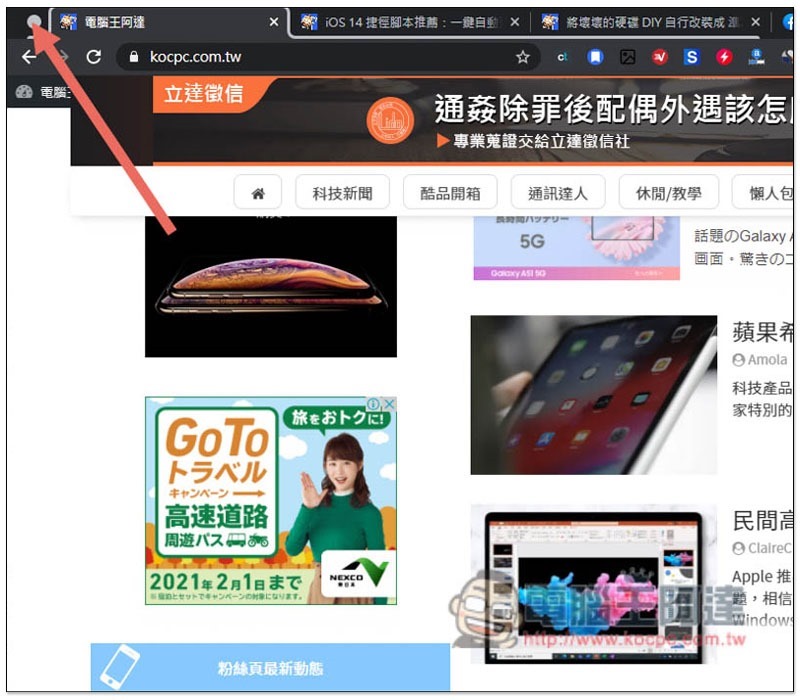
Cropro-2020-11-29-15-51-07

This group will be stored, giving you a cleaner Chrome tab field:
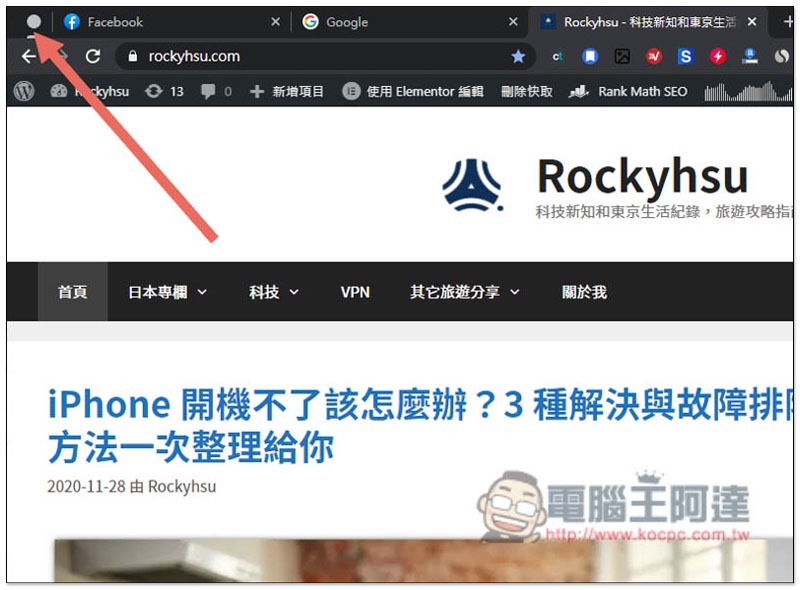
Cropro-2020-11-29-15-51-34

Multiple groups will also automatically change colors to make it easier for you to identify:

Cropro-2020-11-29-15-52-07

Right-click the paging group circle icon to find the menus for “Group Name” and “Modify Color”, as well as Close and Cancel:
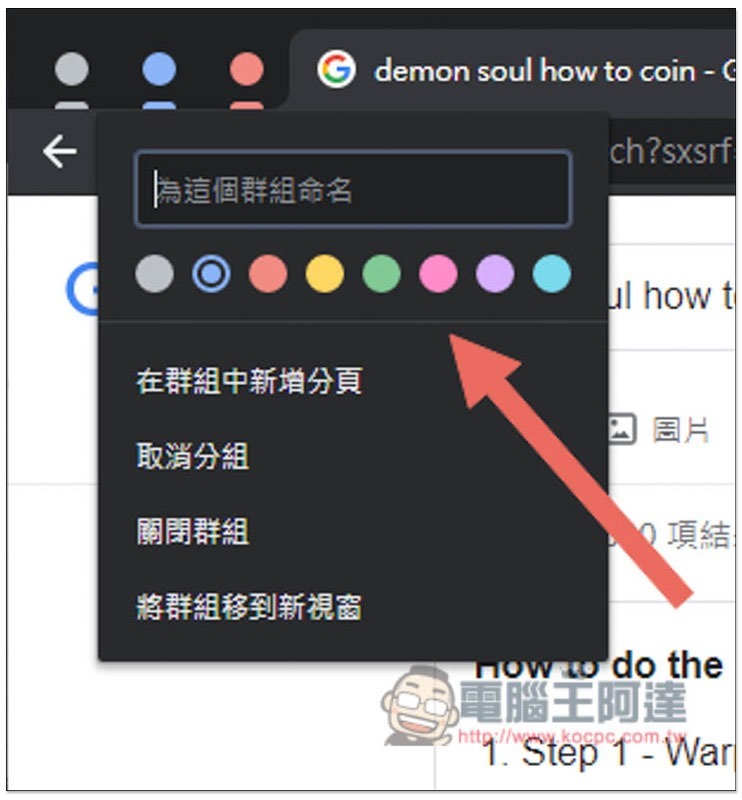
Cropro-2020-11-29-15-52-34

If you find it difficult to recognize pure icons, you can name each paging group:
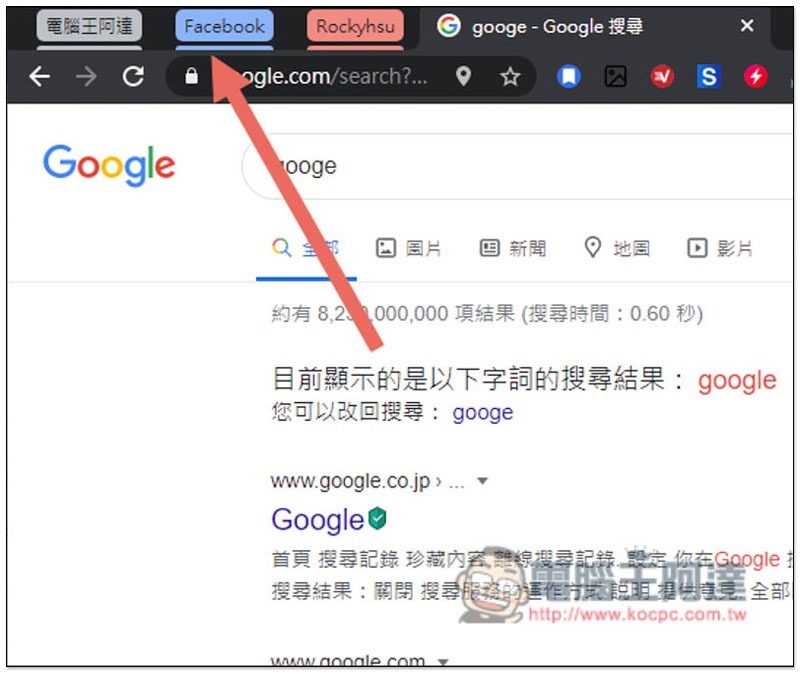
Cropro-2020-11-29-15-54-01

Adding other tabs to the group is also very simple, just drag them there:

Cropro-2020-11-29-15-57-04

As shown below:
Cropro-2020-11-29-15-57-13

in conclusion

Although there were Chrome extension plug-ins in the past that could achieve this function, it is still easier to use it natively. Not only does it not need to install anything, but the speed is also quite fast. However, I feel that the name of the paging group is not refined enough at the moment, and it should be changed after it is officially launched in the future.

In addition, it is an experimental function after all, and errors may occur during use, but I have not touched it yet.

Chrome 在 Windows 7 的死期延至 2022 年

Source: KOCPC Chinese

Tags: Chrome 87Chrome new featuresChrome Tutorial

Recent Posts

  • The Xiaomi Pad 8S Pro has passed network access certification and will debut with the self-developed XRING O3 chip.
  • The entire Google Pixel 11 lineup has been leaked! Official promotional renders of the Pixel 11 Pro XL have also surfaced
  • Are Chinese phone battery capacities falsely labeled? A brief look at the “capacity locking” phenomenon in Chinese silicon-carbon batteries.
  • NCC is leaderless, recklessly sending out national-level alert messages!?
  • What does “QR” in QR Code mean?

Recent Comments

No comments to show.
  • About Us

We welcome partnership inquiries and product review opportunities from smartphone manufacturers, iPhone accessory brands, and app developers.koc kocpc.com.tw|Privacy Policy |Hosting & Maintenance: Fast Line Taiwan, A-Chang Digital Technology

No Result
View All Result
  • Home
  • Tech News
  • AI News
  • Apps & Tutorials
  • Mobile & Telecom
  • Lifestyle
  • About Us

We welcome partnership inquiries and product review opportunities from smartphone manufacturers, iPhone accessory brands, and app developers.koc kocpc.com.tw|Privacy Policy |Hosting & Maintenance: Fast Line Taiwan, A-Chang Digital Technology