


We have previously shared the setting instructions on how to change the call notification back to “full screen” display in iOS 14. However, in addition to changing back to the previous incoming call screen, for users who prefer to display the contact photo of the incoming call on the full screen, this time we will share how to set it up! Although the steps to set up the full-screen incoming call screen on iPhone in iOS 14 are slightly different, the setting process is actually very easy!

iOS 14 application tips: Display incoming call contact photos in “full screen” (setting tutorial)
hereFirst, let’s quickly review the previously shared steps for changing call notifications back to “full screen” display settings in iOS 14., first select “Phone” > “Incoming Calls” in Settings > change the default “Banner” to “Full Screen”.
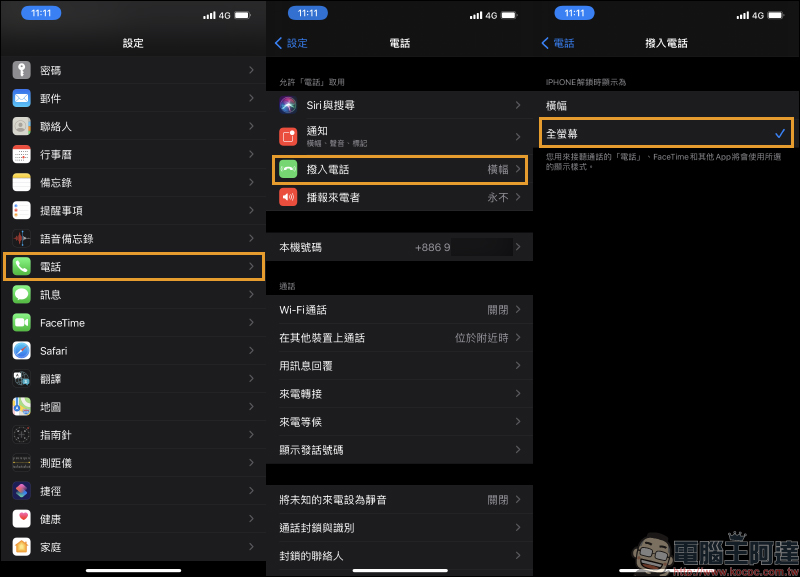
After changing the caller ID screen to full screen, the next step is to set the contact’s photo sticker! First, select the contact you want to set the caller ID on the contact page, and then click “Edit” in the upper right corner to enter the edit contact page. On the editing page, in addition to setting photos, users can also fill in settings such as the contact’s company, contact number, email, ringtone, message, etc. After selecting “Add Photos” below the contact’s icon, click the “Album” icon to access photos from the album:
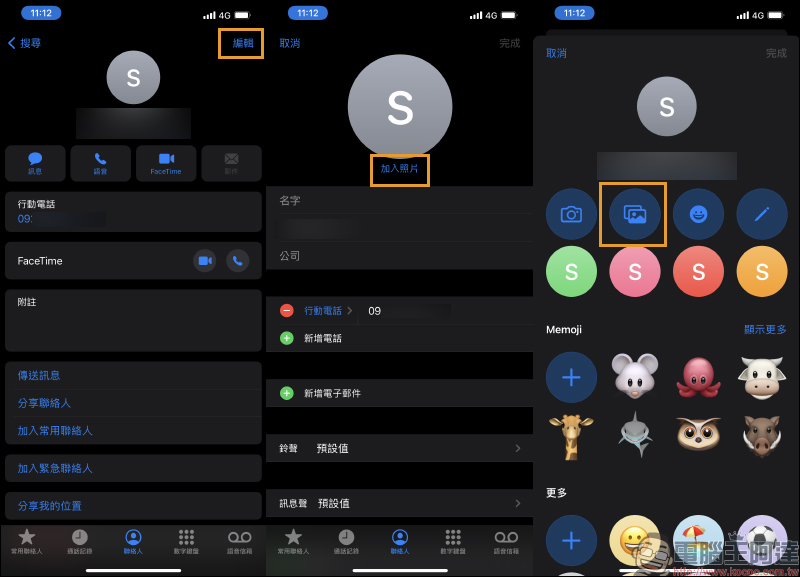
Select the picture you like as the contact’s incoming call photo. Since the thumbnail of the contact’s photo is in a circular format, the incoming call notification is actually set to “full screen” display. Therefore, when selecting photos, it is recommended to select them in the long proportion of the iPhone wallpaper, so that the final presentation effect will be better.
If you select a square or incorrectly proportioned image, the system will crop the original image on both sides because the system needs to adjust the image height to “full size (full screen)” without destroying the original image proportions.
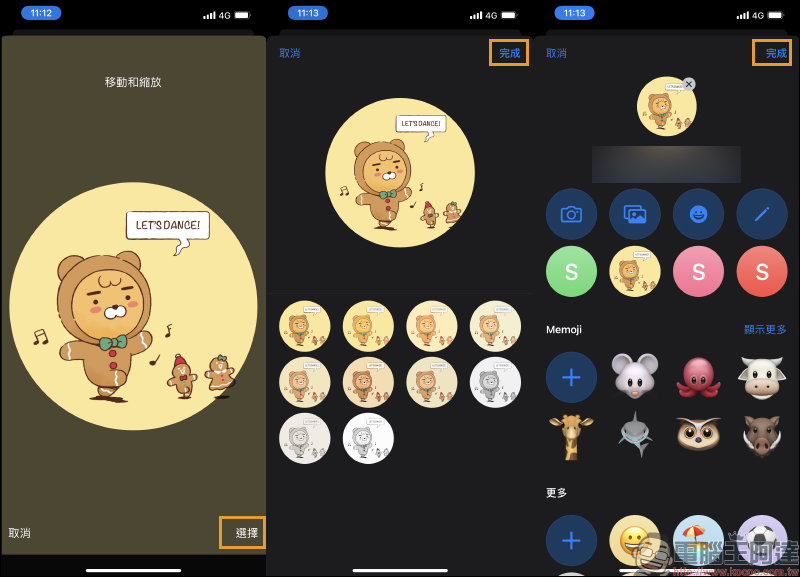
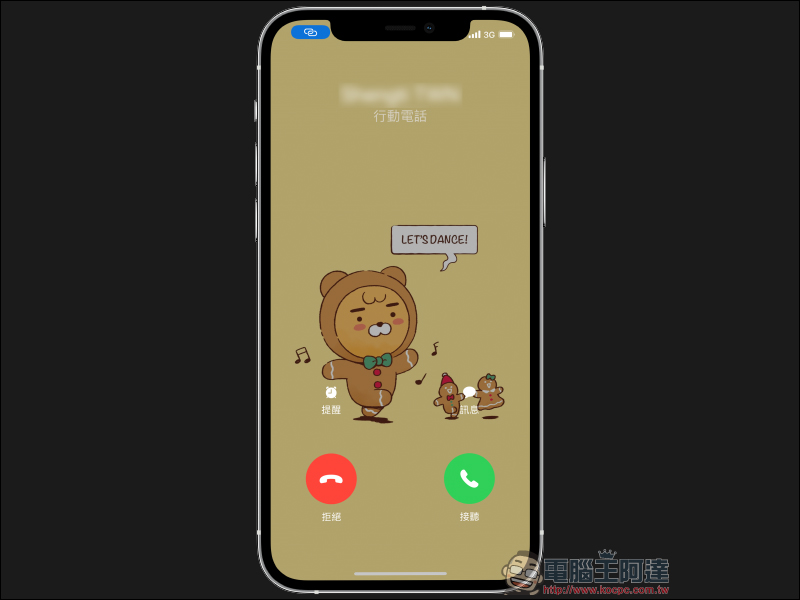
If you have already chosen a picture that matches the iPhone wallpaper when selecting pictures, then the completed incoming call notification settings will be able to present the best full-screen full-page photo! Finally, let me share the official tablecloth released by KAKAO FRIENDS used in this article. You may also wish to use it as a tablecloth:Click here to go
Further reading:
LINE iOS version also launches the “Chat Room Classification” experimental function: friends, groups, official accounts and social chats are automatically classified!


Source: KOCPC Chinese