


A few days ago, IWe have just explained to you the real reason why the LINE chat partner has become “no member”At that time, I also reviewed with you how to use the LINE App’s sticker gift method to confirm whether the other party has blocked you. However, for some LINE users who have a large number of friends, it is too tiring to check them one by one!
Today I will share a LINE block decryption artifact “LINE Tracker” App, which can analyze which friends have been blocked with just one click. Although the accuracy is not 100% in actual measurements, it is still quite reliable as a reference.
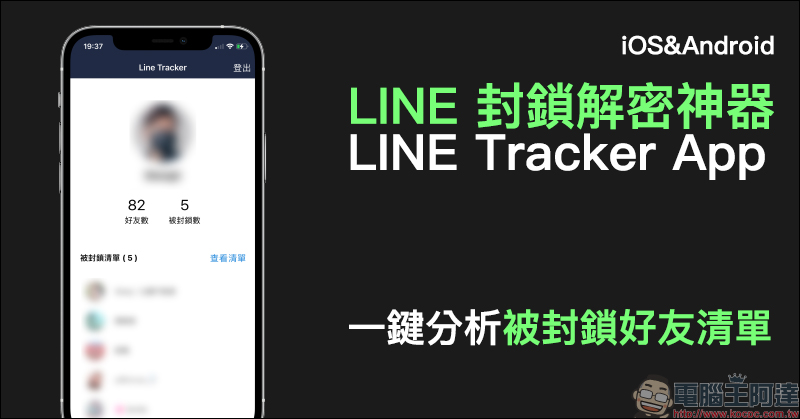
LINE’s block decryption tool LINE Tracker App, analyze the list of blocked friends with one click! (Applicable to both iOS/Android)
For LINE users, the most annoying thing is being blocked by friends for no reason, right? The LINE block decryption tool “LINE Tracker” App shared today may be helpful in quickly analyzing LINE blocks. This app is free to download. If you want to use the ad-free, full version, you need to pay for in-app purchases. At the end of the article, I will briefly share my actual usage experience. If you don’t want to pay, there are some simple tips to find out the members on the list.
Line block decryption tool – Line Tracker App download:
iOS version (click me to download)|Android version (click me to download)
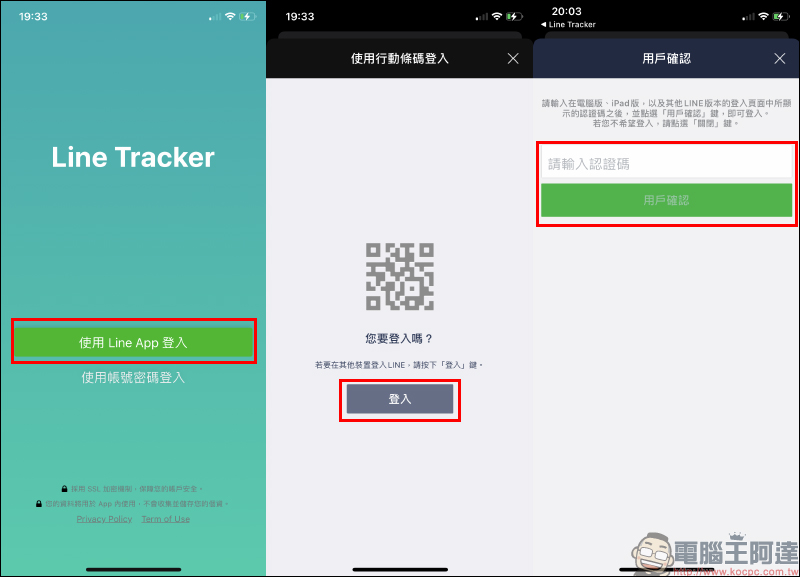
After downloading, open the LINE Tracker App. First, select “Log in using Line App” on the main screen. The screen will then jump to the LINE account login page. Just follow the instructions. However, at the “User Confirmation” stage, you need to enter a “Verification Code”. Some users reported that they were stuck at this step and could not find the verification code at all. The author will immediately answer the question for you:
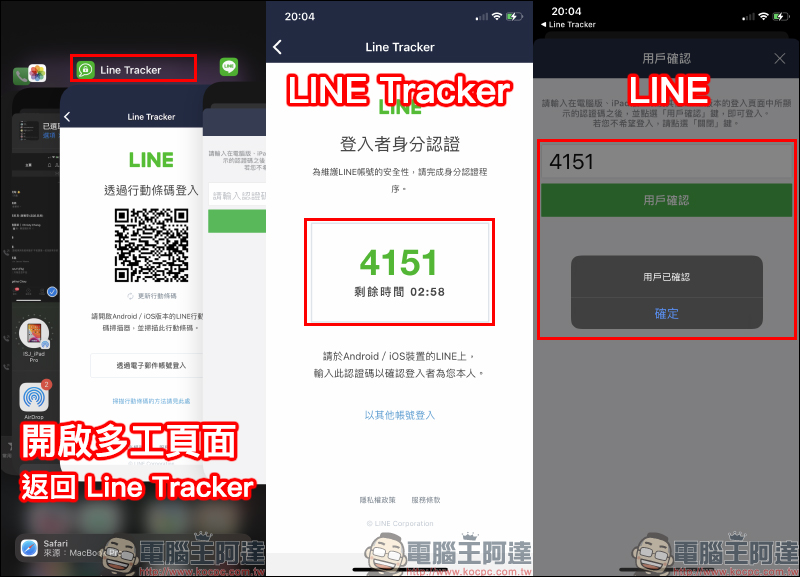
In fact, the verification code input page is to open the LINE App. At this time, just open the multi-tasking page and select the LINE Tracker App. After returning to the LINE Tracker, the verification code will be displayed on the screen. After remembering the verification code, return to LINE App again, enter the verification code and press the “User Confirm” button to successfully complete the login!
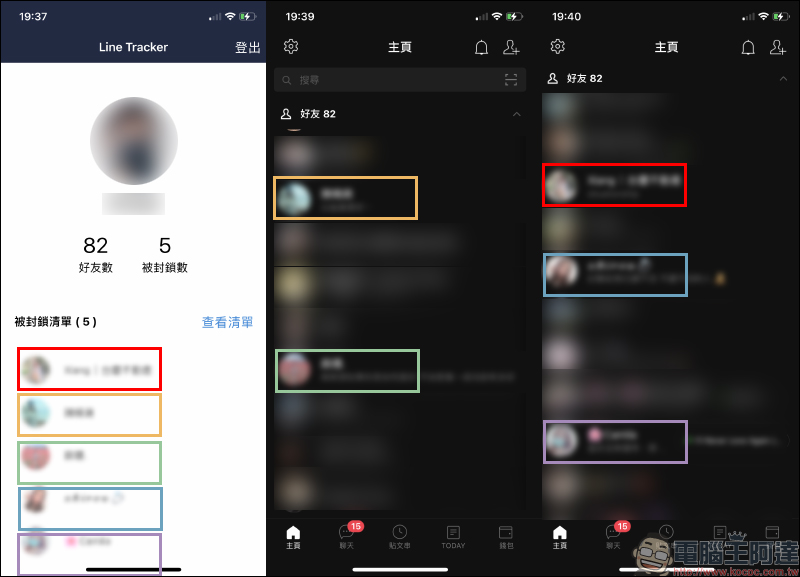
When using it for the first time, only the user’s LINE nickname and photo will be displayed. At this time, click the “Start Analysis” button to perform the analysis. The length of analysis will also vary according to the number of the user’s personal friends. When the analysis is completed, the number of blocked people will be displayed in a “Blocked List”. However, generally free version users will see the blocked list as blurred as shown below. Clicking to view the list will pop up the Line Tracker Pro paid page.
The author personally prefers not to pay for the full version. Although the members in the blocked list analyzed have indeed blocked themselves, there are still some blocked friends who have been missed by Line Tracker. In addition, in fact, when this friend has blocked him, even if he pays to know who the other person is, it will be difficult to contact him again, right? (laugh)
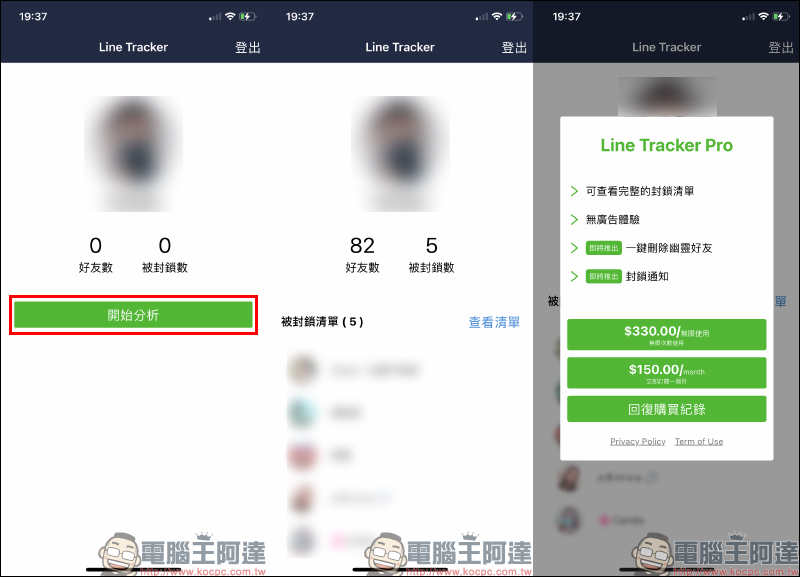
There is another reason not to pay for it, because the people who will be displayed in the blocked list are all members who are still on the friend list. As long as you take a screenshot first and then slowly compare it in the LINE friend list, you can actually quickly know who the other person is (the blur effect of LINE Tracker can actually vaguely see the nickname and photo).
Line block decryption tool – Line Tracker App download:
iOS version (click me to download)|Android version (click me to download)
Line Tracker App official website page:Click here to go
Further reading:
Why does the LINE chat partner become “No members”? This is not actually being blocked by friends (same scene: How to check whether LINE is blocked?)
Source: KOCPC Chinese