


In the past, users of the “Activity Record” item in the watchOS system of Apple Watch could only customize the calorie consumption target. One of the changes that attracted attention in watchOS 7 is that in addition to the original customized activity goals, they can finally customize all “Activity Record” goals according to their own physical fitness and physical condition, including “standing” hours and “exercise” minutes that could not be adjusted before. Therefore, no matter what age you are, whether you are injured or not, it will be easier to review your daily activity status through appropriate activity goals, and then it will be easier to achieve the goals and gain a sense of accomplishment.
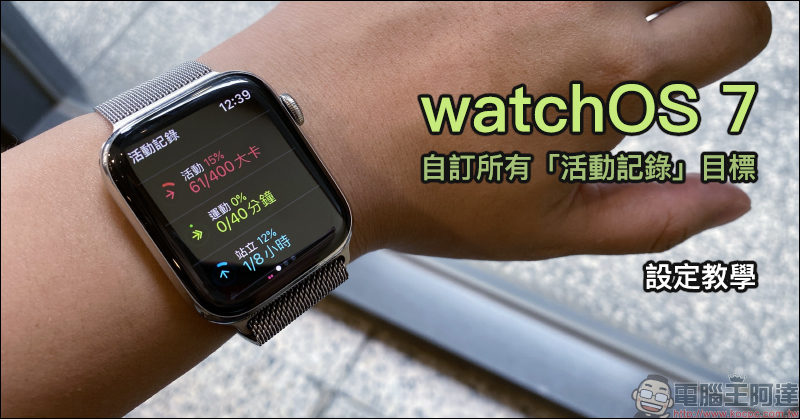
Apple Watch watchOS 7 Customize all “Activity Record” goals (setting tutorial)
For iPhone and Apple Watch users, if they want to use Apple Watch to track the calories burned, standing hours, and exercise minutes of their daily activities, in addition to using the “Fitness” app on the iPhone to display daily activity records, physical training, medals, and activity record trends on a single county and city tab, the Apple Watch can also use the “Activity Record” application to track their daily activity status.
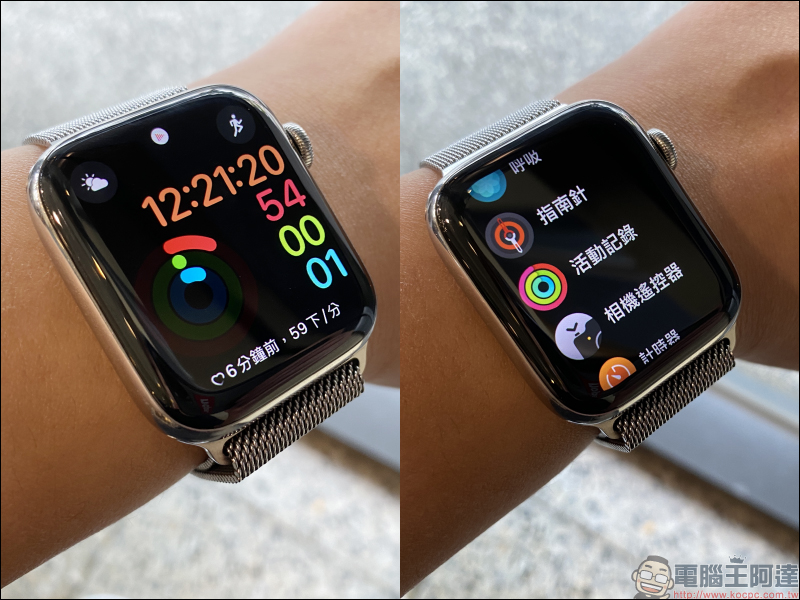
However, starting with watchOS 7, all activity records including activity goal calories, standing hours, and exercise minutes can be customized to adjust the goals. However, many old Apple Watch users or new users who have just purchased Apple Watch Series 6 and Apple Watch SE still don’t know about this change. This article will briefly share the instructions for setting the “activity record” goal!
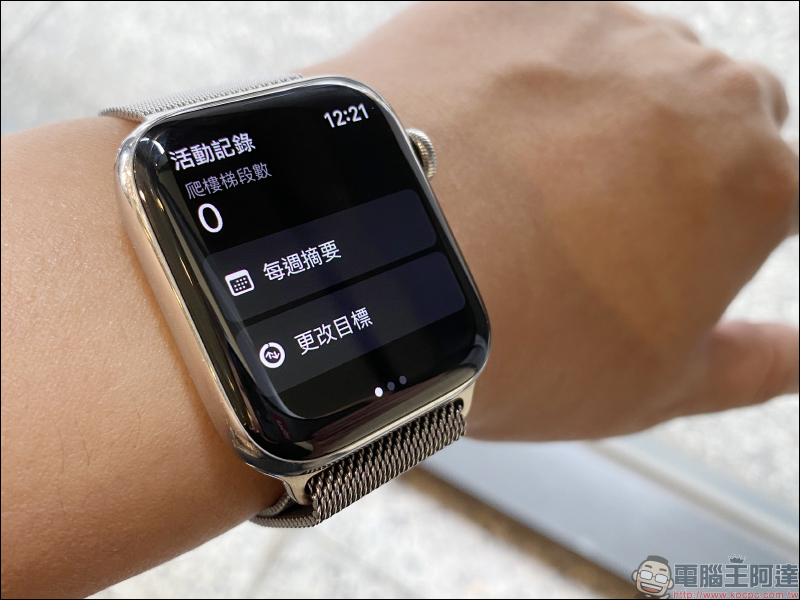
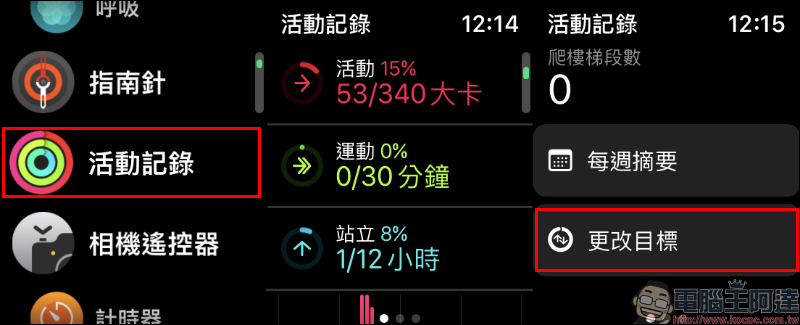
To customize the three activity goals of “Activity Record”, “Activity Goal”, “Exercise” and “Stand”, first update Apple Watch to the watchOS 7 operating system, then open the Activity Record application on Apple Watch, then slide the page to the bottom and click “Change Goal”:
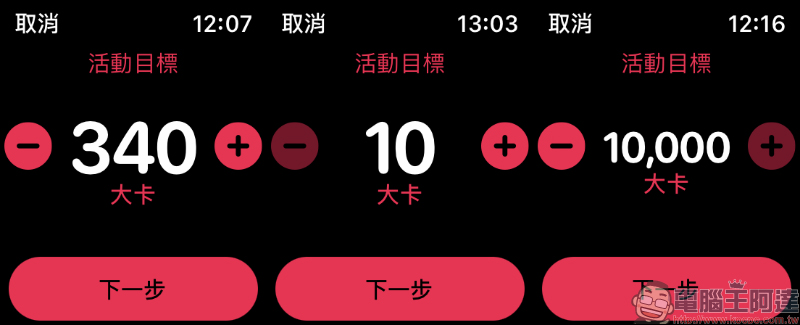
Then you can set the “activity goal” first. Users can set the calorie goal they want to consume based on their daily activity status. The target range can be from 10 kcal to 10,000 kcal. The value can be adjusted by clicking “-/+” on the screen or rotating the crown. After setting, press “Next”.
It is recommended that you refer to the approximate calories burned by your own exercise as a basis for setting activity goals. If you are injured, you can also use this setting to lower the goal. This will not only make it easier for you to achieve the goal, but also cause a burden on your body in order to achieve the goal.
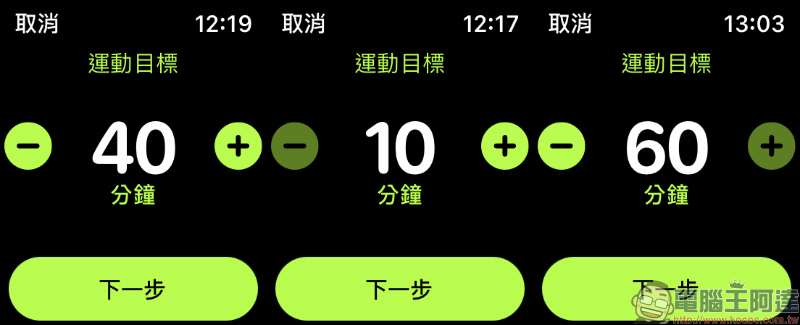
Then “Exercise Goal” is to set the number of minutes of exercise per day. You can set a target range of 10 minutes to 60 minutes. Again, click “Next” after the setting is completed:
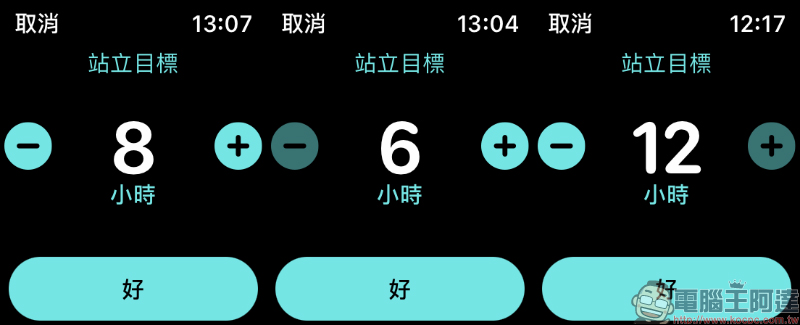
The last “Standing Goal” allows you to set the number of hours you stand every day. The hours can be set from 6 hours to 12 hours. After setting, press the “OK” button to confirm the activity record goal.
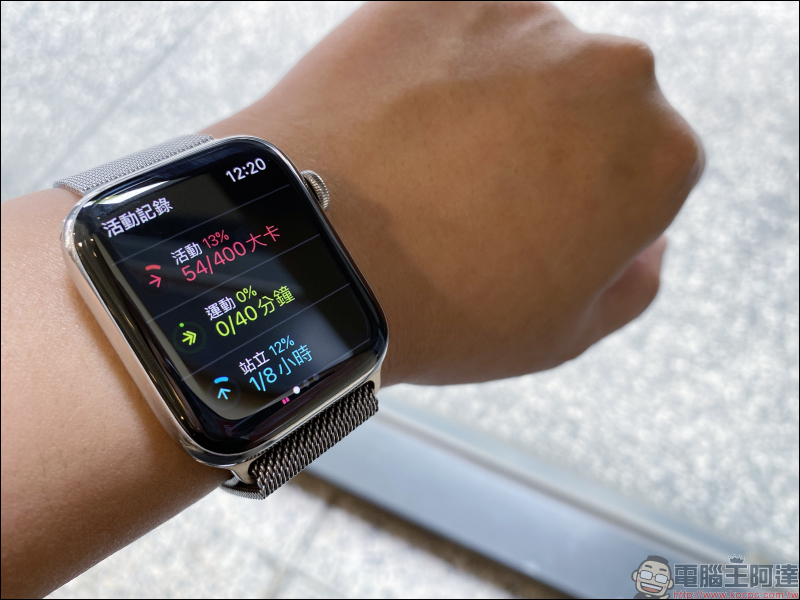
After adjusting the goal, the activity record page will also update the user’s three goals of activity, exercise and standing simultaneously. This seemingly inconspicuous small change in watchOS 7 is actually quite considerate for people who are busy at work or injured. They can consider their own physical condition to customize the most appropriate goals, and they will no longer have to look at their daily goals but never reach them.
Further reading:
YouTube silently resumes free members and can also use the iOS 14 “Picture in Picture” function, which can be used without shortcuts and fees.

Apple proposes solutions to fix GPS issues in sports apps after updating watchOS 7
Source: KOCPC Chinese