


With the recent release of the official version of iOS 14, users can finally add Widgets to the home screen on the iOS platform. For tips on getting started with gadgets, you can refer to our previous operating tutorials (Click here to go)。
However, many users are curious whether Google App’s iOS 14 gadgets also have gadgets corresponding to the Android version? In fact, there is, but even if you have downloaded this app in the past, you may not be able to find it immediately at first. So let’s share some tips for activating “Google Gadgets”!
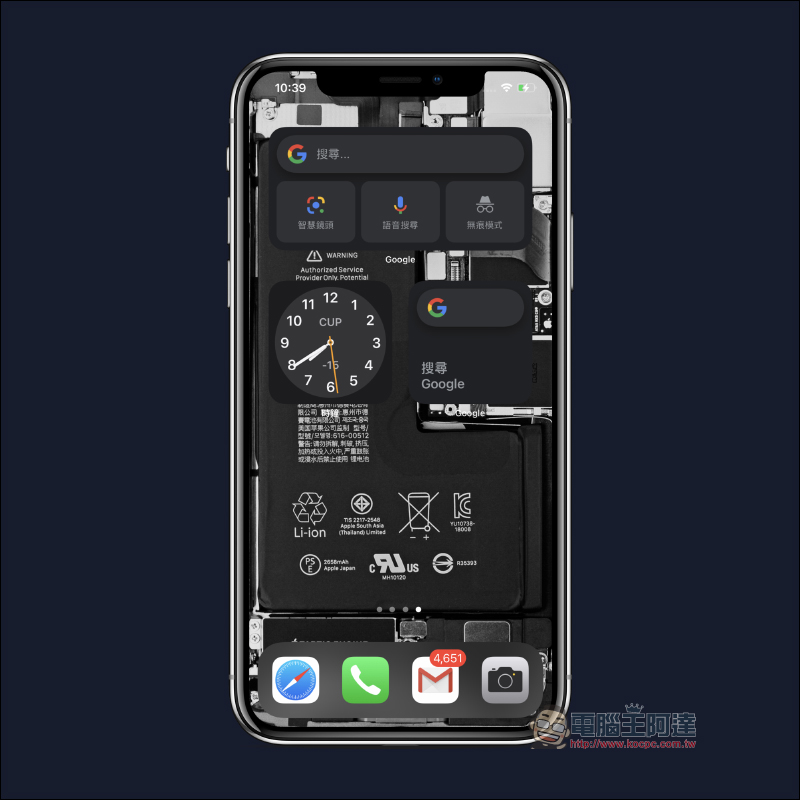

Tips for activating “Google Gadgets” in iOS 14. Use this trick to find hidden and useful Google Gadgets!
First of all, I would like to reiterate again that the “gadgets” introduced in this article need to be upgraded to iOS 14 before the newly added desktop gadgets are available! Google gadgets need to be downloaded first Google App (click here to go)Or update it to the latest version in the App Store.
However, whether you have just downloaded the Google App or you have downloaded the App on your iPhone before, Google is still not found in the list of new desktop gadgets.
Google iOS App Download:Click here to download (App Store)
Don’t be discouraged if the Google gadget doesn’t appear. In this case, just open the Google App once:
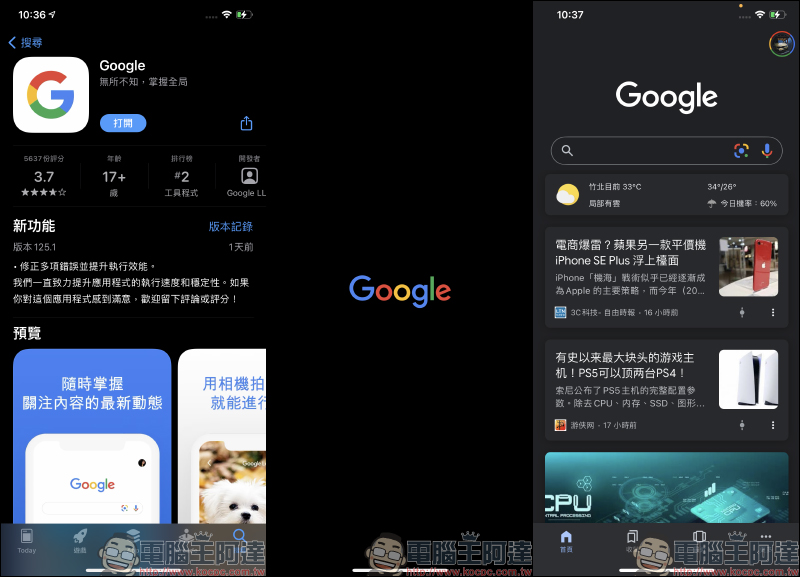
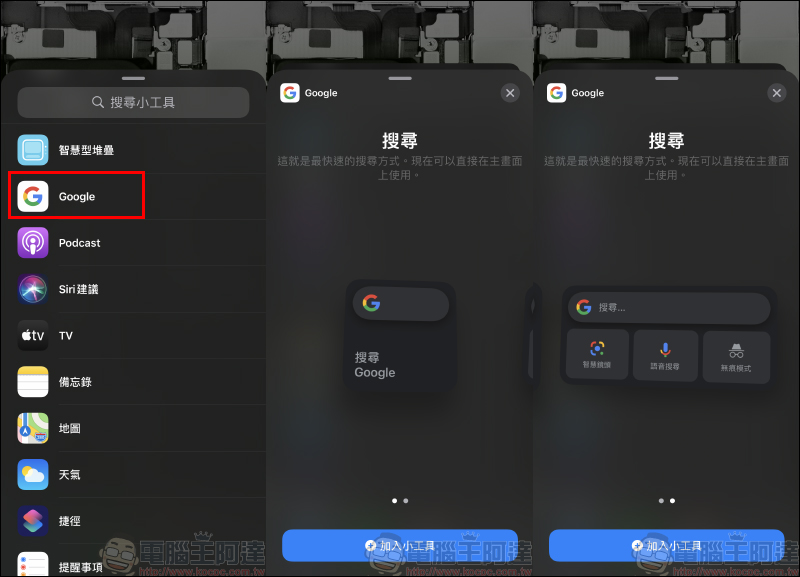
Then go to Add Desktop Gadget and you will see Google! Currently, Google gadgets offer two size options: a mini version that only supports Google search functions, and a full version that includes Google search, Google Lens, voice search, and incognito mode. Click “Add Gadget” below to add the gadget to the home screen.
Then take a quick look at the full version of the Google App’s iOS 14 gadgets, including regular Google search and one-click incognito mode search:
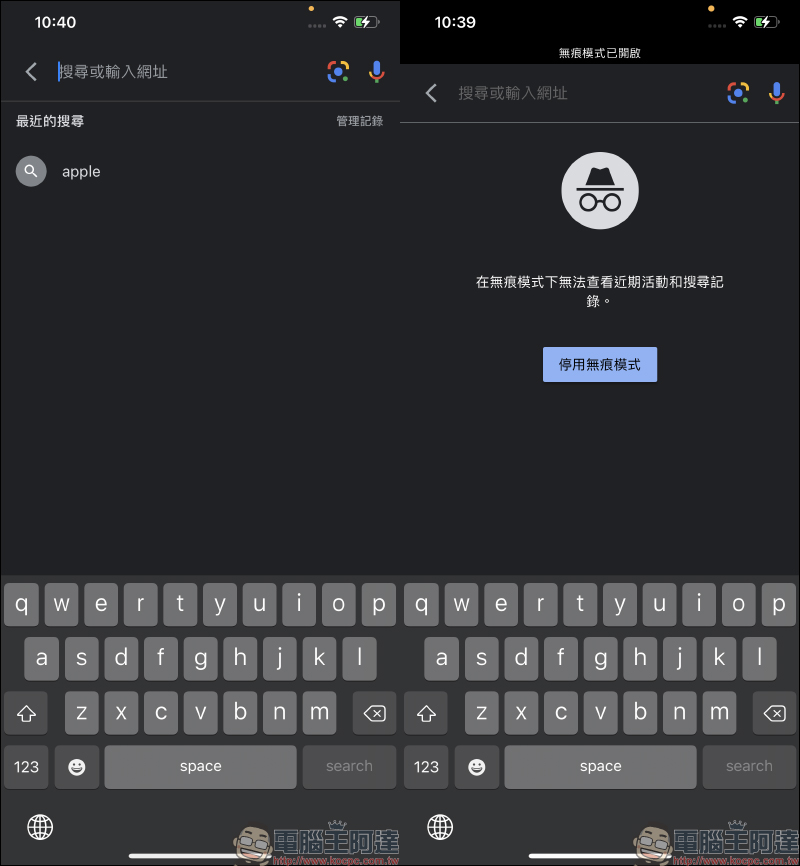
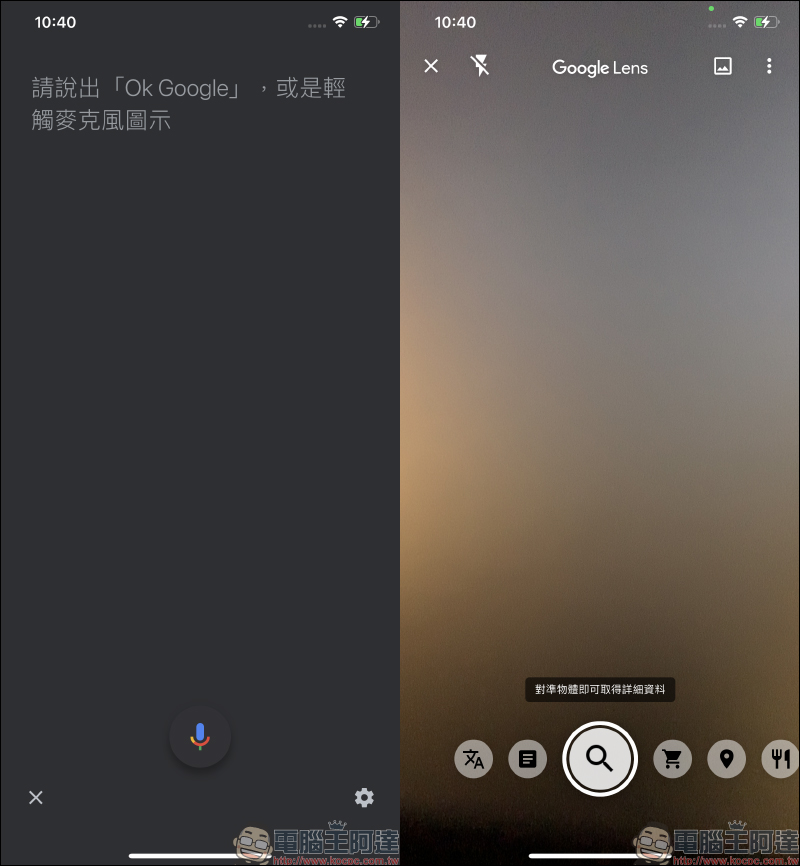
If you don’t want to type, you can search through Google voice. If you want to identify objects in daily life and translate documents, you can click on the “Google Smart Lens” shortcut function to open it:
Google iOS App Download:Click here to download (App Store)
Further reading:
iOS 14 widgets (Widgets) have been added to the desktop operation tutorial, taking you step by step to quickly understand
Source: KOCPC Chinese