


When writing articles and organizing paperwork, I am always used to temporarily storing the notes to be temporarily stored in the built-in notepad of the computer. Especially sometimes, when I am writing an article, I will also be used to writing some drafts of articles on the notepad first and then integrating them into the article. Although Windows or Mac also have their own text editors and they are quite convenient to use, sometimes you slide to close a text-only file but forget to save it, and then the text you finally entered is gone, which is a big trouble. Nute, a text-only online notepad tool, can solve the problem for many computer workers who need to temporarily store notes at will. They can have a free, fast and convenient online notepad tool option.

Nute is a text-only online notepad tool that saves content instantly and can also be downloaded and saved as a txt file.
First of all, users don’t need to download any apps at all. They can just open the Nute website and start typing and pasting text directly. Nute does not have any function list, text editor or account login page at all. Basically, users can enter any text content on the page, regardless of the text content in various languages.

Nute text-only online notepad tool:Click here to go
When users leave text content on the Nute website, it will be automatically saved online immediately. Even if the user closes the browser tab or saves the whole page and opens the Nute website next time, the text content last saved on the website will still remain on the website, without the need for manual storage steps. Of course, if you open the Nute website in incognito mode, the text content will not be saved after closing and reopening.
The advantage of using Nute to save instantly is indeed very convenient. Not only will the notes you close the window not disappear, but you can also clear the formatting directly when pasting text content and return the text to its original pure text state.
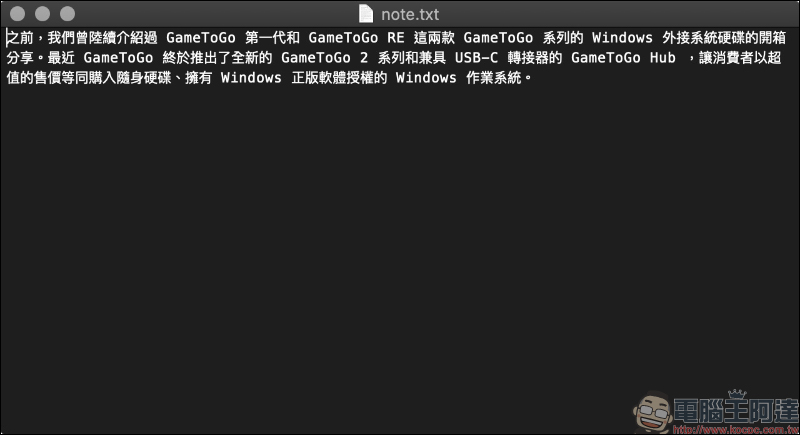
If you want to download all the text content in Nute to your computer, just click the download button in the lower right corner of the screen to save it as a plain text file in TXT format.

The downloaded TXT text file is displayed as follows:
In addition, Nute is also a progressive web application that users can install on iOS, Android, Windows and macOS for offline operation. This service has no ads, no tracking functions, and is permanently free.
Nute text-only online notepad tool:Click here to go
Further reading:
LINE installation-free plug-in version, Chrome version only has LINE memo function


Source: KOCPC Chinese