


As more and more apps and operating systems support dark mode, I believe many people will turn on this mode even during the day. After all, it is indeed more comfortable to read. However, most websites currently do not support it, so you cannot enjoy it when surfing the Internet. In fact, there is a “Force Dark Mode for Web Contents” function in Chrome’s experimental features. As long as it is enabled, you can force all websites to change to dark colors. Although it is mandatory, it feels good in actual use. Most websites look quite natural. I will teach you below.
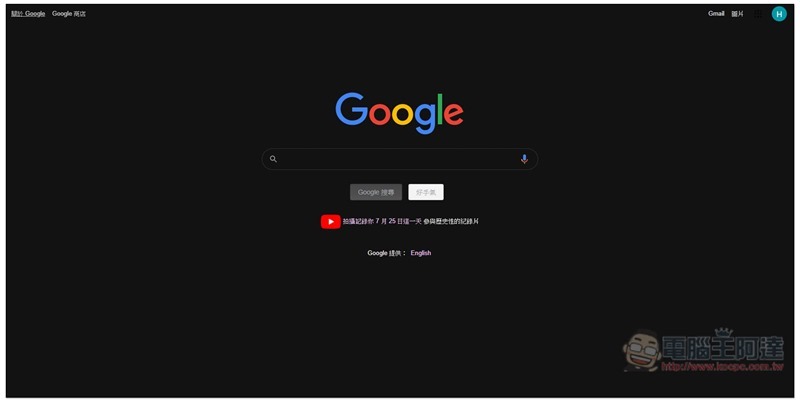
Teach you how to enable Chrome to force all web pages to display dark mode
Before using it, I would like to remind you that this function is still experimental at present, so it may not be stable, or the color matching may be a bit strange after the web page is switched to dark color, but I personally haven’t tried it yet.
First, enter “chrome://flags/”, you will enter the experimental function menu:
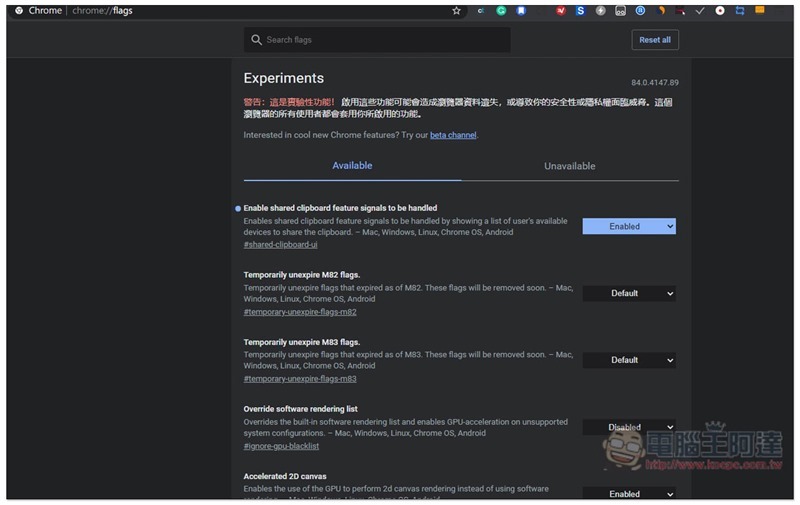
Enter “Force Dark Mode for Web Contents” in the search bar above, and this feature will be displayed below. If you don’t see it, please try to upgrade to the latest version of Chrome. I’m not sure which version added it, but at least my version 84.0.4147.89 has this feature:
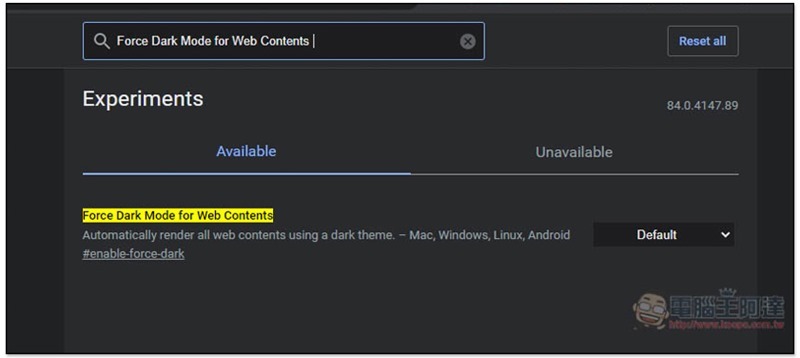
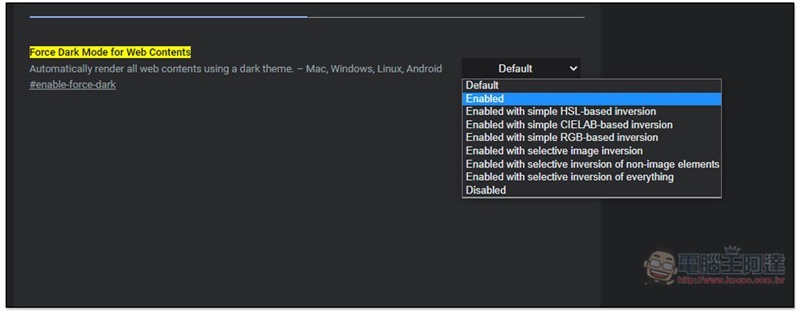
Then change Default on the right to Enabled, and you’re done. Below are some color inversions based on HSL, CIELAB, RGB, etc. Those who are interested can try it. If there are no special requirements, use Enabled:
You need to restart the Chrome browser, click Relaunch in the lower right corner:

Next, any web page you enter will change to a dark color. Like our website, it is generally good, as is the article content. However, it is experimental after all, and it is automatically forced to darken. You will still encounter some colors that are a bit strange, such as: the blue text on the black background of the button above:

Google search results are also quite good, and I personally guess that Google services should be pretty good:
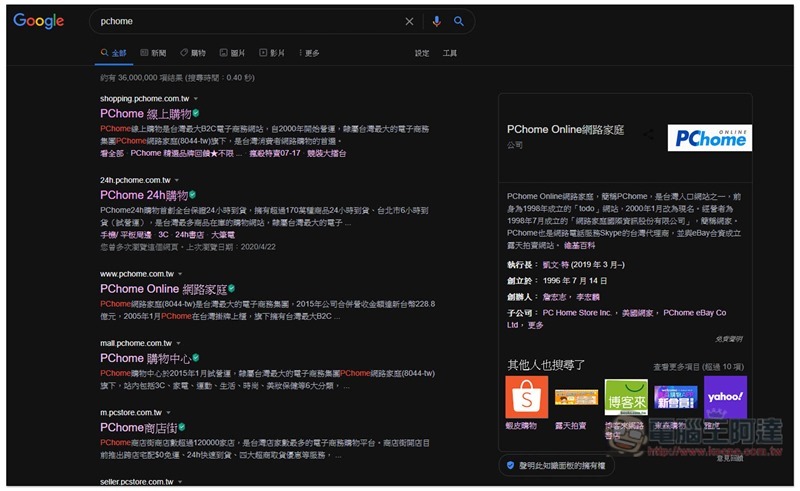
PChome shopping website also accepts:

If you don’t like it, or want to switch back to the original color scheme, just go back to the flag menu and change Force Dark Mode for Web Contents to disabled.
Source: KOCPC Chinese