


Some time ago, LINE officially announced that in order to provide users with a more intuitive and convenient operating experience, LINE’s “Home” and “Wallet” pages will be redesigned in late July., add more personalized and thoughtful settings. This afternoon, the new homepage and wallet page were officially launched on both iOS and Android platforms.
In addition to adding birthday reminders to friends, the new version of the homepage also allows users to “freely select” frequently used services based on their personal preferences. In addition, the wallet page has also been completely redesigned, focusing on services related to mobile payment and consumer intelligence.
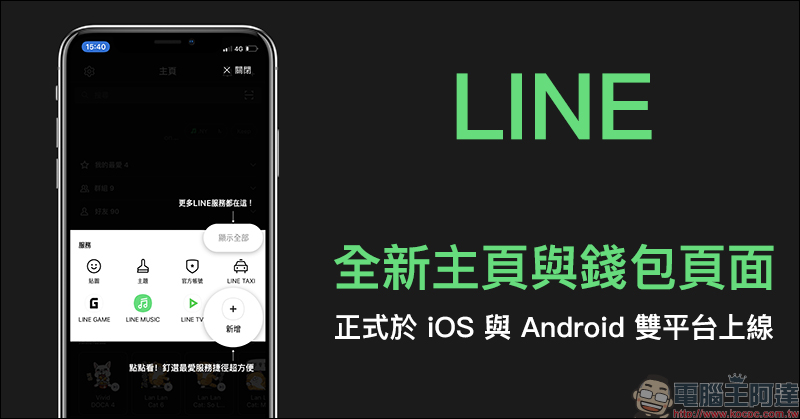
LINE’s new homepage and wallet page are officially launched on both iOS and Android platforms
This afternoon (21st), LINE finally released its new homepage and wallet page on both iOS and Android platforms. As long as the user’s LINE version is 10.12.0 (inclusive) or above, the new interface will be automatically applied. If you haven’t seen the new interface yet, you can (Click here to go) to update the LINE app.
On the new version of the home page, the biggest improvement in user experience is the “Services” content under the friend list. From now on, users can freely select frequently used service content based on their common habits. In addition, the Toshiba Center with a small bell icon is also added to the top of the homepage. Users can click on it to open the notification center and keep track of “friend-related” updates.
In the recommended content field, AI will serve as a small helper, selecting and actively recommending topics based on the topics that users may be interested in. In the initial stage of launch, it is expected to focus on sticker recommendations, and other content will continue to be added later. For example, you can track popular post accounts, LINE MUSIC recommended music, or LINE TV drama and program recommendations, etc.
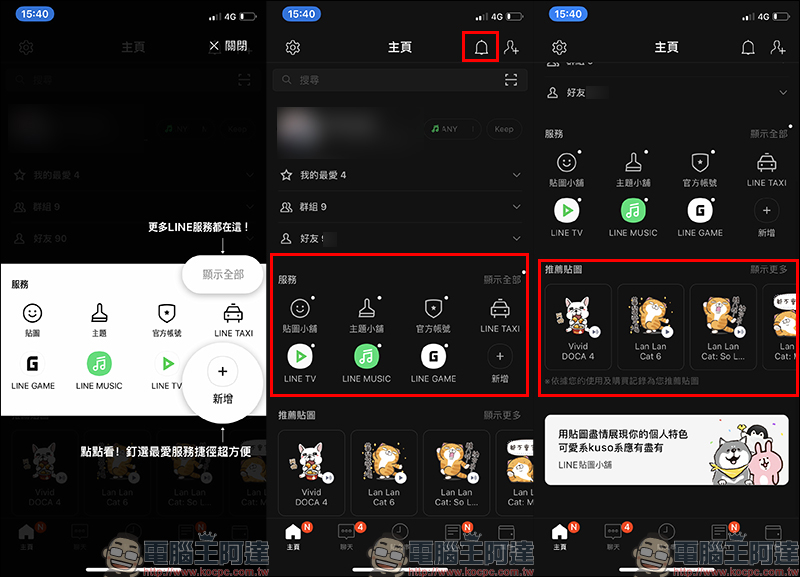
There are four fixed-position service entrances in the first row of the LINE homepage service, which provide the four most commonly used services by users: “Stick Shop”, “Main Tip Shop”, “Official Account” and “LINE TAXI”.
The second row allows users to pin their favorite or frequently used services. Just click the “Add” button to expand all official services launched by LINE in Taiwan, and select frequently used or favorite services to pin them to the second row. Up to eight services can be set.
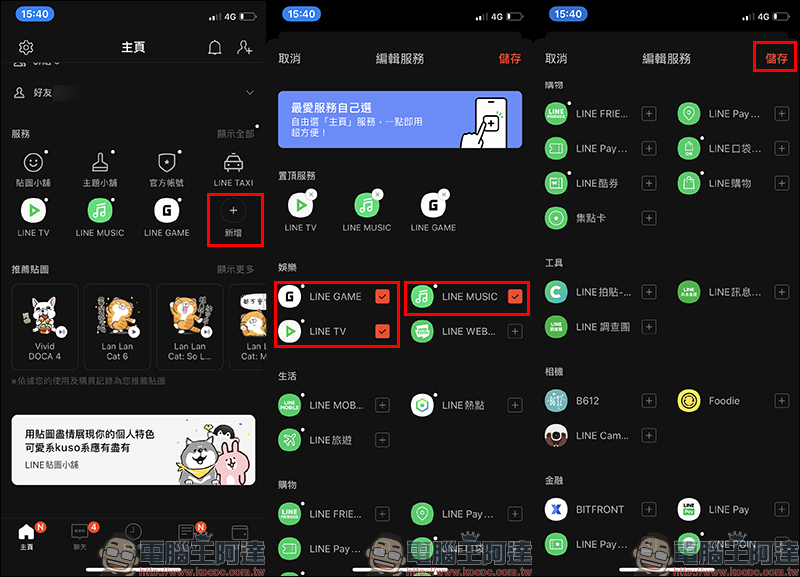
Based on the author’s personal usage habits, I chose LINE Shopping, LINE Pay, LINE POINTS and Foodie Camera App as the four selected services.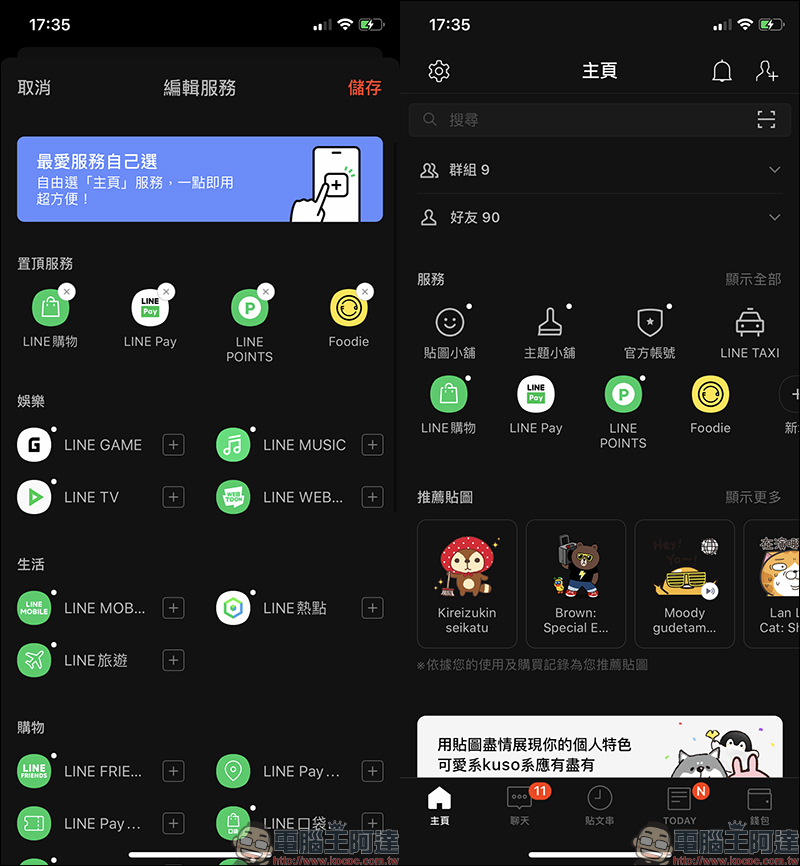
The changes to the wallet page are also quite obvious. In order to make the positioning of the page more clear, the three major service entrances, “Picture Shop”, “Main Tip Shop” and “Official Account”, have been moved to the “Home Page” after the revision. In the mobile payment field at the top of the wallet page, you can see the stored value balance, LINE POINTS accumulated points, as well as payment-related functions such as transfer, payment, ride code and scan code. Users can find it immediately by clicking on the LINE wallet page.
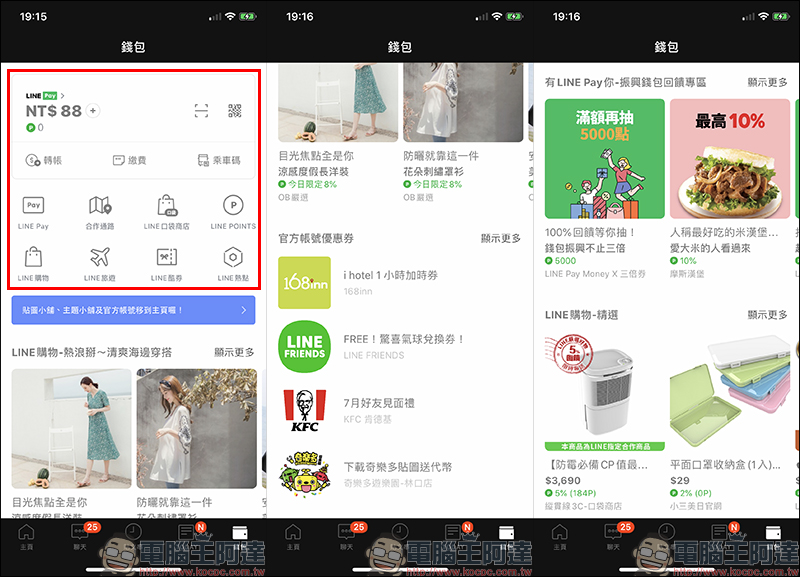
At the bottom of the wallet page, LINE services related to mobile payment and consumer intelligence are integrated, such as LINE Pay, LINE Pay partner channels, LINE POINTS, LINE shopping, LINE cool coupons, LINE pocket stores, LINE travel and LINE hotspots (LINE SPOT). The latest consumer intelligence information is also organized at the bottom of the wallet page. Official account coupons that users have added as friends can also be quickly opened and used on the wallet page.
Source:LINE Taiwan official BLOG
Further reading:
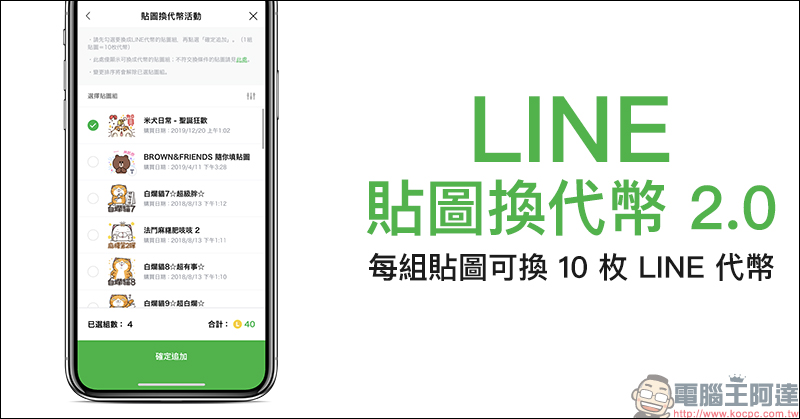
LINE stickers exchange for tokens 2.0 event starts, each set of stickers can be exchanged for 10 LINE tokens
Source: KOCPC Chinese