


Just nowFocus on laptop battery lifeGoogle Chrome, which claims to increase battery life by 28%, or about 2 hours, has recently launched a test version for mobile devices, similar to Gmail’s “postponed to” mail function, which can more intelligently place download tasks at a more appropriate (or designated) time point. Not only does it have the opportunity to save energy that is wasted by intermittent downloads while on the move (and the download may fail), it also allows users to avoid consuming too much mobile data. Continue reading Chrome will let Android download files at a better time and teach you how to enable the content of reports first.
▲Image source: Google
Chrome will let Android download files at a better time (early enabled for tutorials)
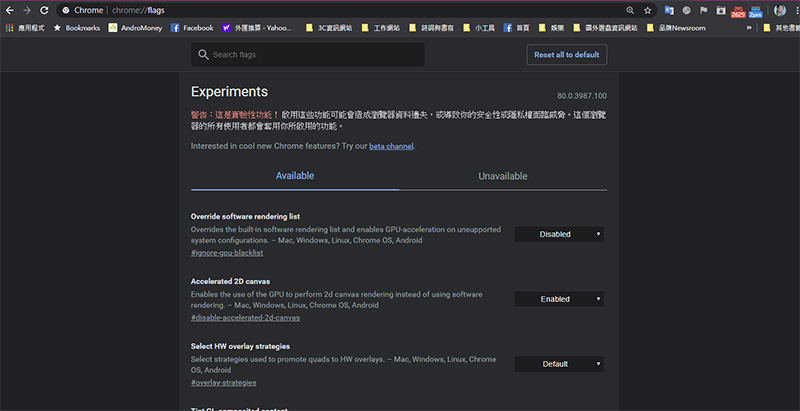
If you are someone who likes to try new features, you should be familiar with the Flags page of the Chrome browser – this page will release many Experiments for users to consider and start trying. This time, Google has released a very considerate delayed download function for the Android mobile version: Download Later.
▲Image source: Phone Arena
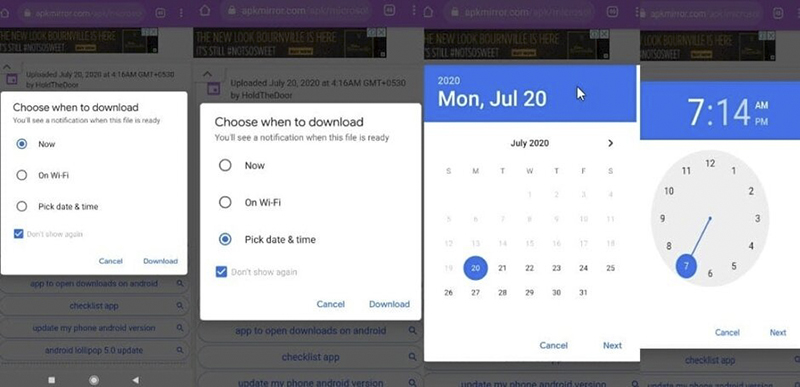
After enabling this experimental feature, if you need to download a file, Chrome will proactively remind you if you want to delay the download when not connected to Wi-Fi (you can also check “Don’t ask again”, and then it will be executed according to this option). So if you are in a situation where the mobile network or Wi-Fi connection is not stable, you will have the option to wait until there is a Wi-Fi connection before continuing the download, or you can directly specify the download time like Gmail’s “Delay to” function – if you are sure that you will be home at 7 or 8 pm, you can specify it like this.
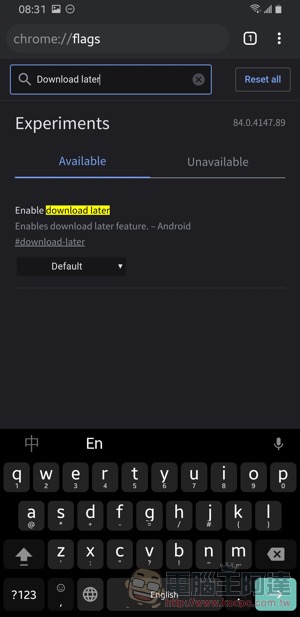
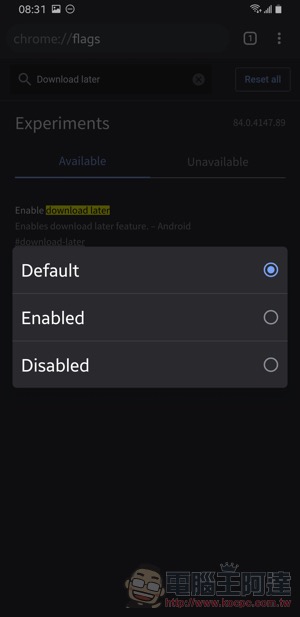
The activation method is the same as the normal Flags activation method. First enter “chrome://flags” to enter the experimental function page. Enter “Download Later” in the search bar on this page to find the experimental feature option of Enable download later (remember that Chrome needs to be updated to the latest version). Click “Default” to choose whether to enable it (Enable). You can enable this feature after restarting the Chrome browser.
Further reading:
Really so awesome? Chrome 86 will extend laptop battery life by two hours

Source: KOCPC Chinese