


Now in productionPresentationWhen that happens, many people will directly through NotebookLM Generating, although nothing was inputPromptOverall, the results it generates are already pretty solid. But if you use it regularly, there will be times when you feel the content and design of the generated slides don’t quite match your vision—or you just want more variety. In this article, we’re going to share 8 excellent and practical NotebookLM presentation prompts, covering everything from creative styles and FAQs to historical timelines.
How to enter prompts for NotebookLM to generate presentations
Before I start introducing the prompts, if you still don’t know where to enter them, let me quickly explain that as well. I’ll use the NotebookLM browser version as an example.
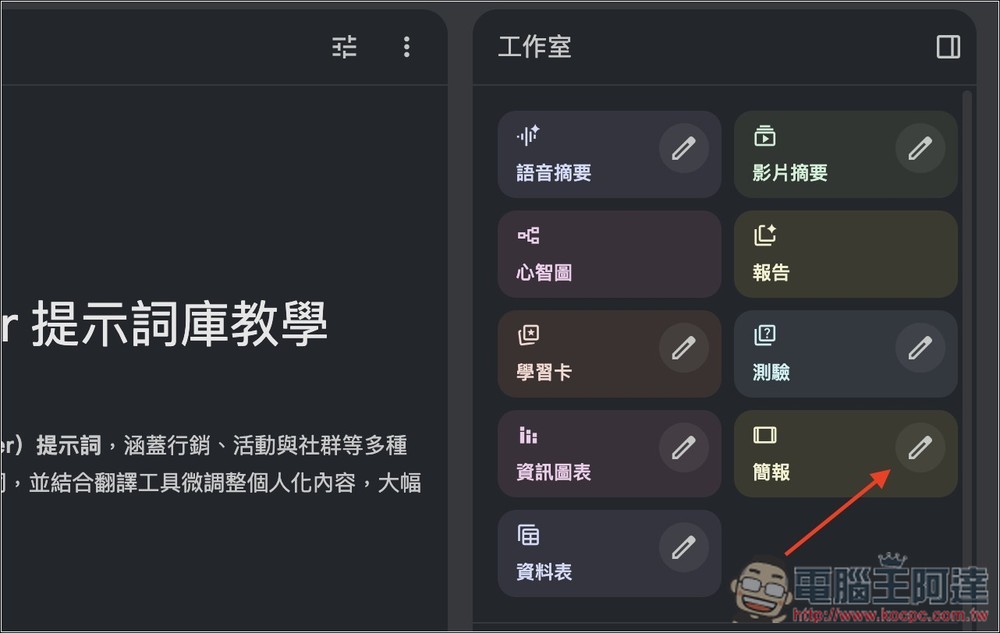
After opening a NotebookLM notebook, locate the “Presentation” feature in the Studio section on the right, and click the pencil icon next to it.
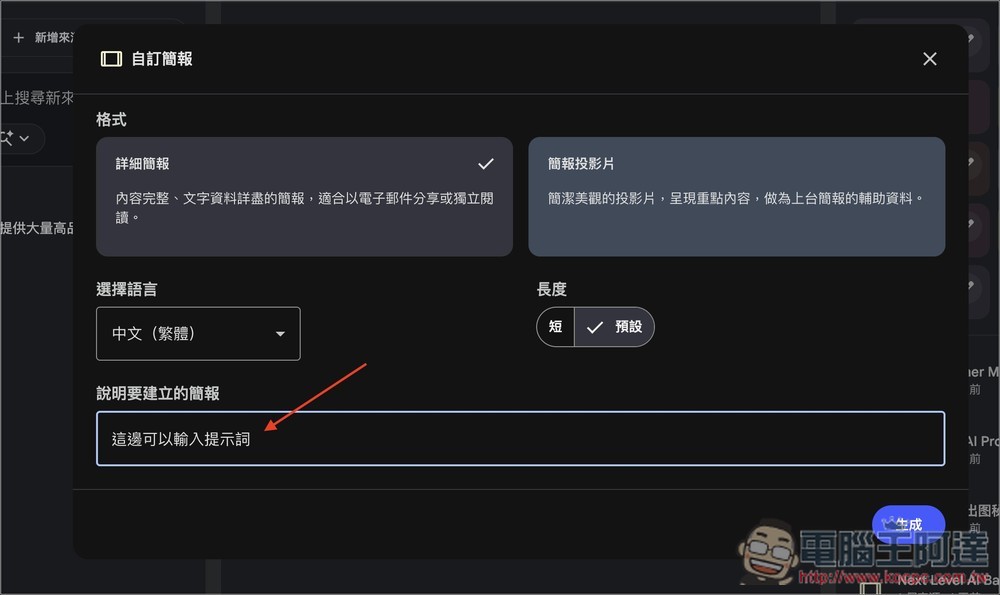
In the pop-up custom presentation settings screen, simply enter your prompt in the “Describe the presentation you want to create” field below. The format, language, and length above can also be adjusted at any time to suit your needs.
8 NotebookLM Prompt Recommendations
Frequently Asked Questions
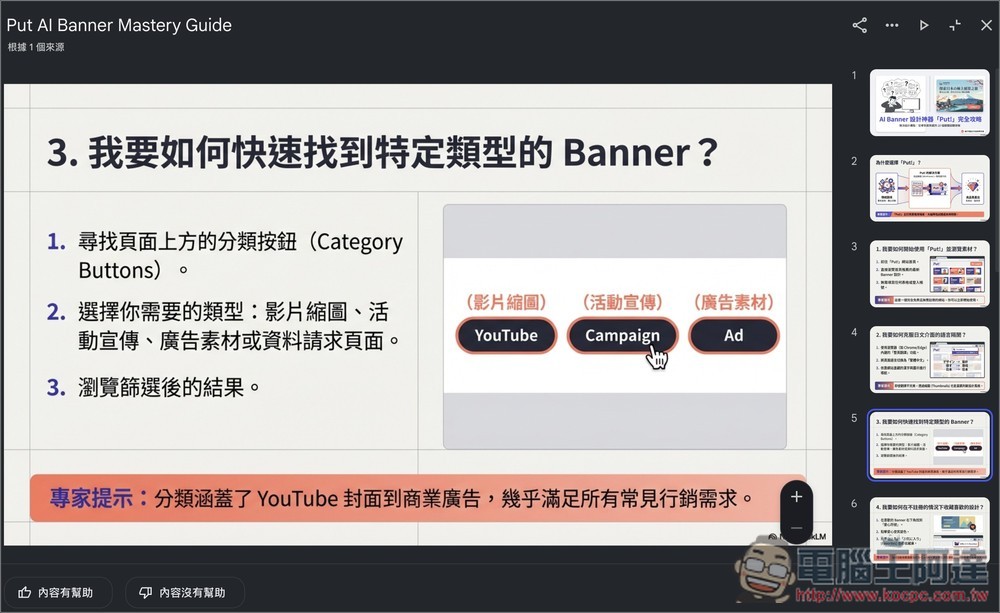
If you want your generated presentations to have a Q&A effect, where each slide contains a question and answer, this prompt is perfect. It’s great for both learning and work purposes. For instance, customer service teams can quickly extract key points from manuals, or you can even ask NotebookLM to “use a polite customer service tone.”
prompts
審閱上傳的內容。識別出前 10 個最複雜或令人困惑的流程。
建立一份「疑難排解與常見問答」簡報。
格式:
標題:我要如何 [動作]?
內文:編號 1, 2, 3 的逐步指令。
頁尾:從文中擷取的「專家提示」。
Results Showcase:
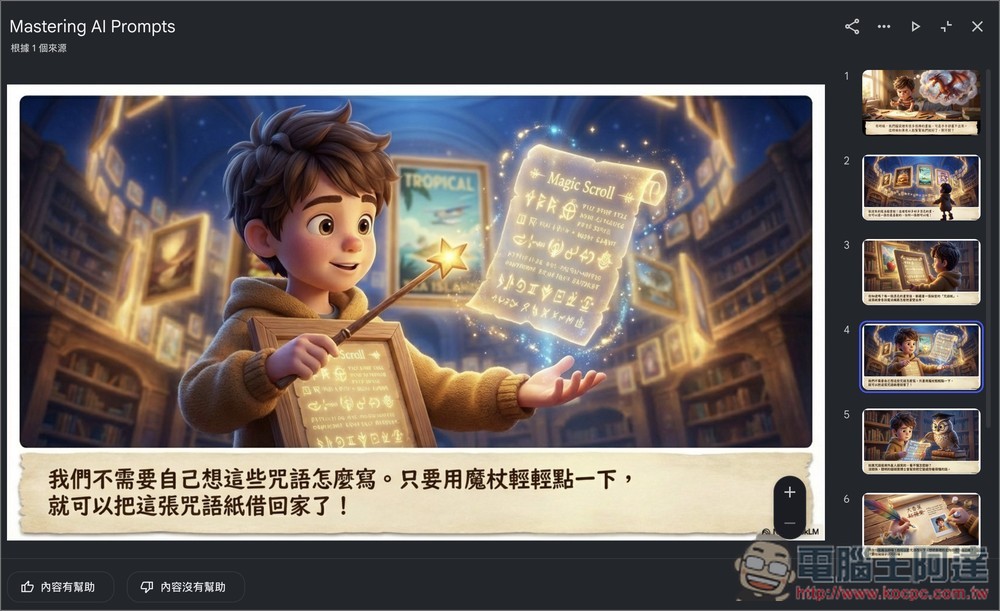
2. Even a 5-year-old can understand
If parents or teachers want to help kids learn using NotebookLM presentations, I highly recommend trying this prompt — you’ll get a creative, story-driven script. For example, when explaining the complex concept of “blockchain,” NotebookLM might use “Lego blocks” or “a ledger” as metaphors.
Additionally, the “5-year-old” in the prompt can also be changed to roles like “high school students” or “non-technical people,” and NotebookLM will generate content that’s easy for that role to understand.
Prompt
將這份文件中的複雜概念,解釋成一份給 5 歲小孩看的簡報分鏡腳本。
建立 8 張投影片。
每一頁請根據文本描述一個簡單的視覺譬喻(例如:『想像 CPU 是廚房裡的大廚』),並提供 2 句非常簡單的旁白。完全避免使用術語。
Demo:
Community Quick Guide
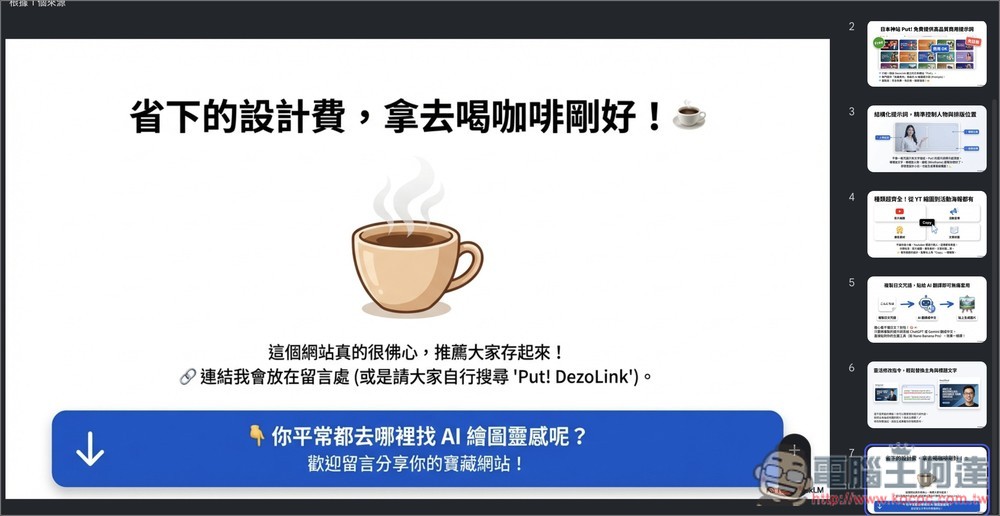
This prompt is perfect for creators. It can transform presentations into content ready for social sharing, and even includes a Call to Action at the end to encourage fans to share their thoughts.
Prompts
很抱歉,我沒有看到您提到的文章內容。請您將文章內容貼過來,我就可以為您製作一份 7 頁的 Facebook 教育懶人包。
Slide 1: Design a provocative hook question based on the main issue.
Slides 2-6: One key insight per slide, with summaries in 20 words or less.
Slide 7: Call to Action, inviting fans to share their thoughts.
Tone: professional but conversational. Use emojis where appropriate.
Results Showcase
4. Black × Orange Creative Style
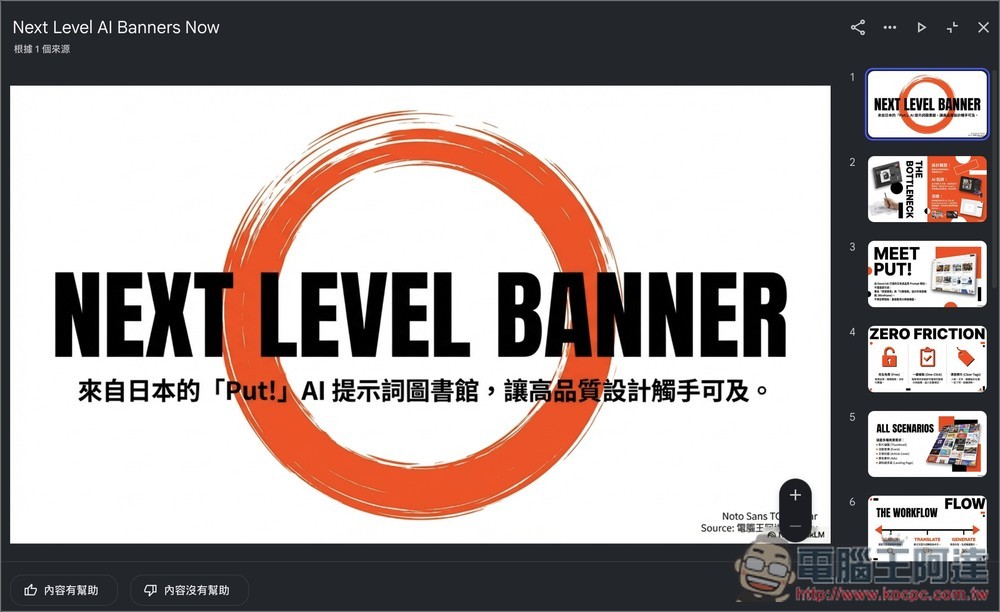
This prompt creates a creative presentation style featuring a black, white, and orange color scheme, delivering a fashionable and modern layout. The colors can be customized to your needs, such as changing the orange-red to match your brand colors, and fonts can be switched to other styles, like handwritten fonts, to add more creative flair. Perfect for creative presentations, marketing proposals, or content creators seeking a minimalist yet eye-catching design.
keywords
背景為白色、文字為黑色,強調色採用橘紅色。風格時尚,彷彿創意代理公司製作的設計,融入動感且簡潔的照片,以及大膽的英文字體排版(文字內容使用使用者的語言)。
Results Showcase
5. Modern Japanese Newspaper Style
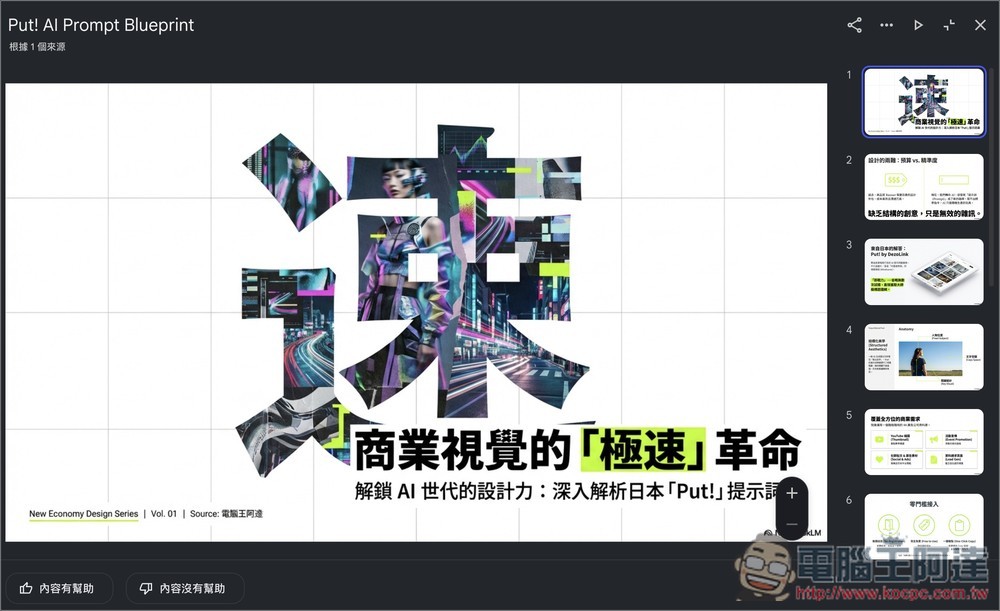
This prompt will set NotebookLM as a senior design director and explicitly require creating a presentation in modern Japanese newspaper style. The content structure strictly requires one key point per slide, creating visual tension through the contrast between whitespace and full-width text blocks.
You can also customize it, such as replacing the topic terminology and content with your own, adjusting presentation themes, colors, and font settings to match brand requirements, or incorporating referenced design styles. It’s suitable for business reports, professional presentations, or occasions that require both strong visual appeal and information.
Prompts
你是一位引領日本「新經濟商業媒體」的頂尖藝術總監(產出內容須使用使用者要求的語言)。根據以下「設計定義」,生成一份視覺導向、高感知力的簡報投影片組,以激發智慧型手機世代商業專業人士的思想共鳴。
Results Showcase
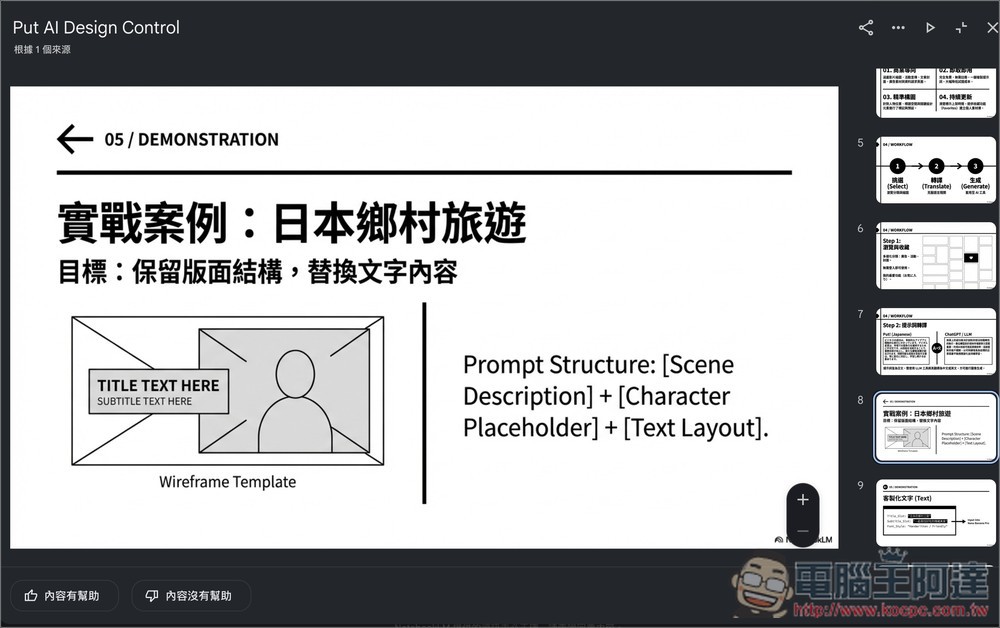
6. Sharp Minimalist Style
This prompt provides minimalist layout guidelines ideal for professional presentations that want to highlight the content itself, such as academic conferences, portfolios, or minimalist business presentations, giving the entire deck a clean, organized, and designed look. The structure clearly outlines global design settings, including tone, color palette, and typography, with bold elements and free positioning.
Prompt
請將投影片設計為精緻俐落的極簡作品集風格。使用淺灰色 (#E9E9E9) 或純白色作為背景,搭配漆黑或深灰色文字,並以純黑色粗線作為強調點綴。在每張投影片的一角加入小型章節編號和標題(如「01. INTRODUCTION」)作為導覽,採用嚴謹的網格對齊佈局,並留有大量留白以營造優雅效果。
Results Showcase:
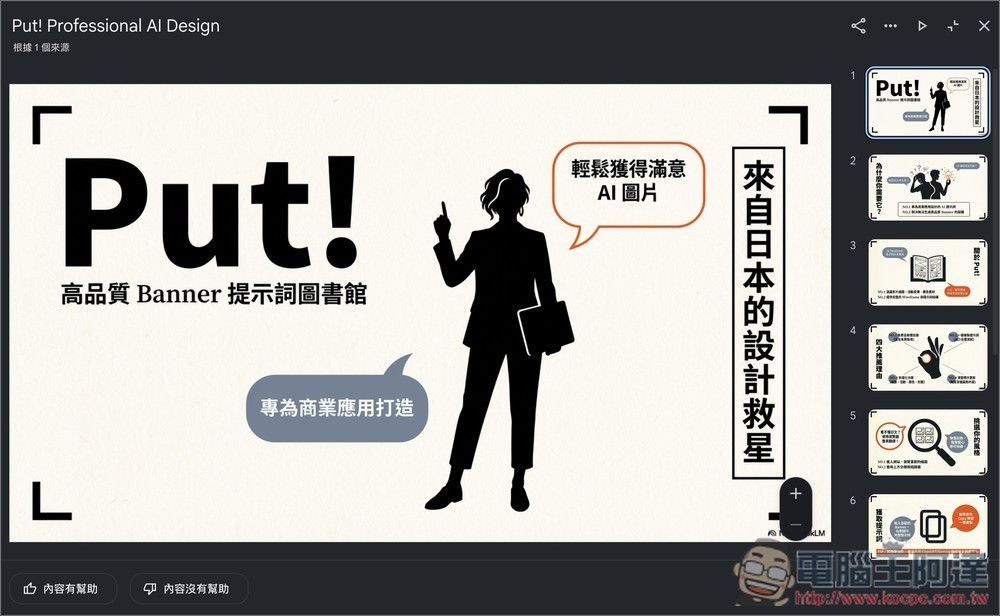
7. Magazine editorial style
If you’re looking to create magazine-style presentations, try this prompt: it organizes source materials by mimicking magazine layouts. Beyond style and layout requirements, the prompt structure also defines design details—such as specifying an elegant misty pink background, requiring the main image to have its background removed, and adding hand-drawn style bubbles and line elements, among others.
prompts
請將來源資訊整合成成熟可愛、精緻的雜誌編輯設計風格 。版面指南:在中央放置一張主題的大幅剪影照片;於左右頁緣不對稱地加入對話氣泡或文字方塊;將要點分成小段並標註「NO.1」「NO.2」等編號;在頁面邊緣垂直放置一個文字框來插入吸睛標語;四角加上類似修邊標記的「L」形線條,營造雜誌頁的感覺
Results Showcase:
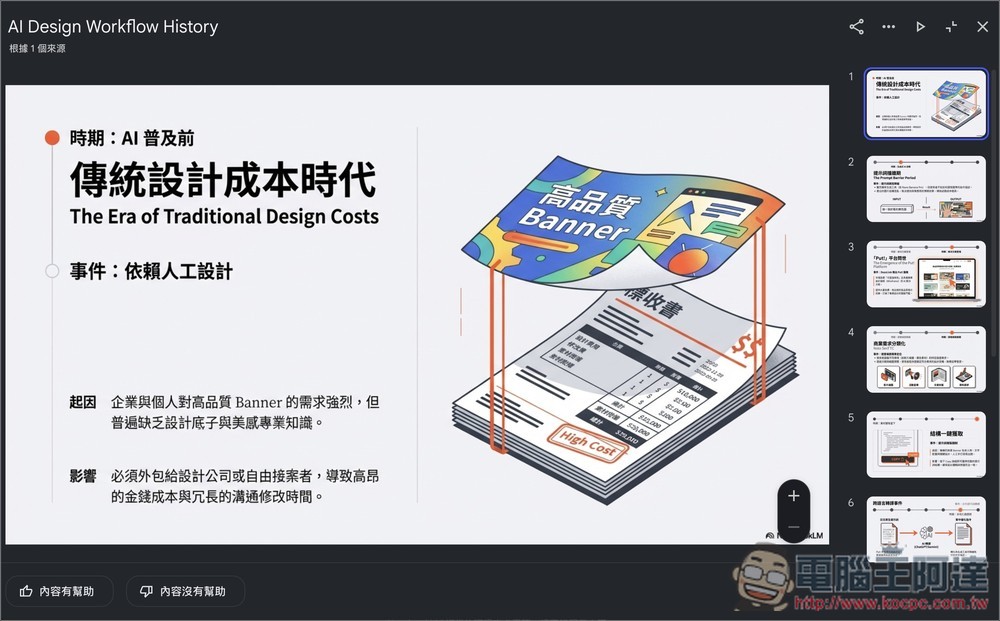
Presentations with historical timeline explanations
If your content follows a clear historical evolution, such as project development history or company milestones, and you want to create presentations explained through a timeline, this prompt is ideal. Each slide functions as a turning point in a story, emphasizing why it happened.
Prompt words
根據文本中的歷史事件建立一份依時間序的簡報。
共 10 頁。
每一頁代表一個關鍵時代或事件。
內容包含:
1. 日期/時期
2. 事件名稱
3. 「起因」(導致此事件的原因)
4. 「影響」(此事件造成的結果)
請著重於因果關係。
Results
Source: KOCPC Chinese