


I have been using my email for a long time, and have applied for many online services, so I must often receive advertising letters. Unless you are a diligent person, most people are like me. They ignore advertising letters when they see them, and are too lazy to delete them manually. Over time, the mailbox becomes full of these advertising letters. Unsubscriber by Polymail is a very useful little tool that scans all subscribed letters in the mailbox, allowing us to manage and cancel them easily and quickly without having to search for them one by one. It even provides one-click deletion of emails sent by these advertisers.
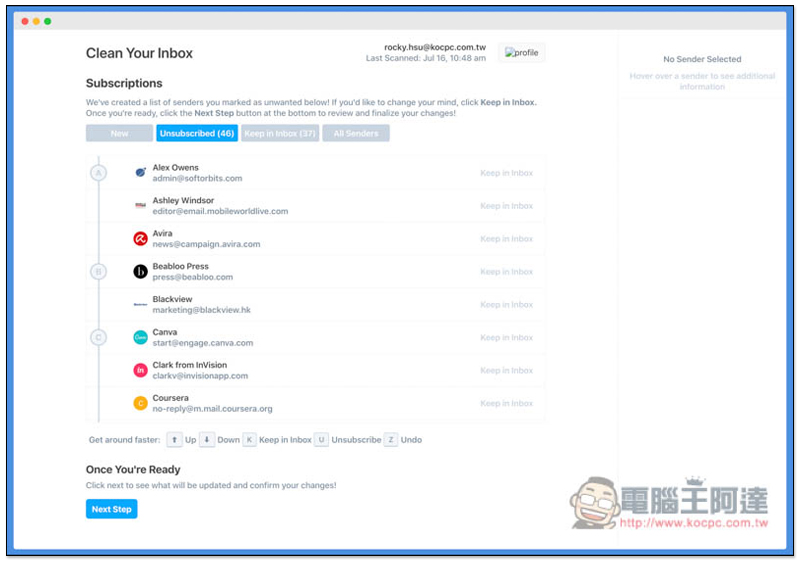
Unsubscriber by Polymail Introduction and Operation Tutorial
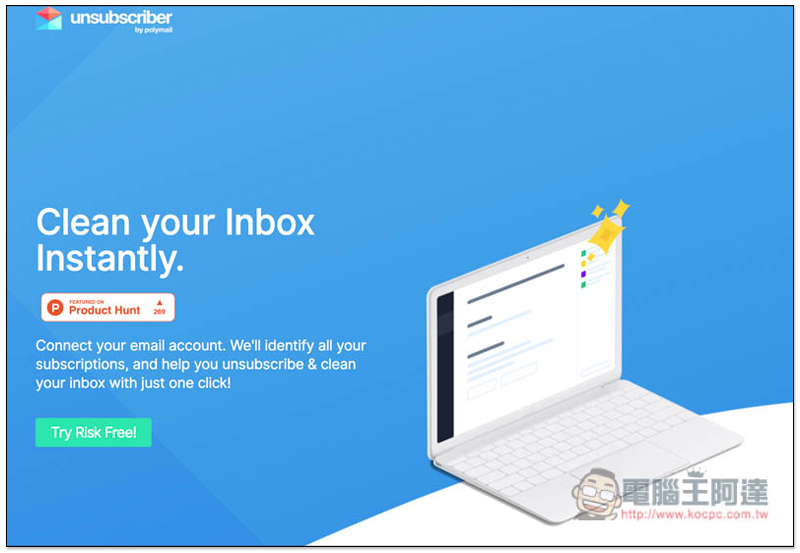
Unsubscriber by Polymail is easy to use and completely free.After clicking me to enter the website, press Try Risk Free in the lower left corner:
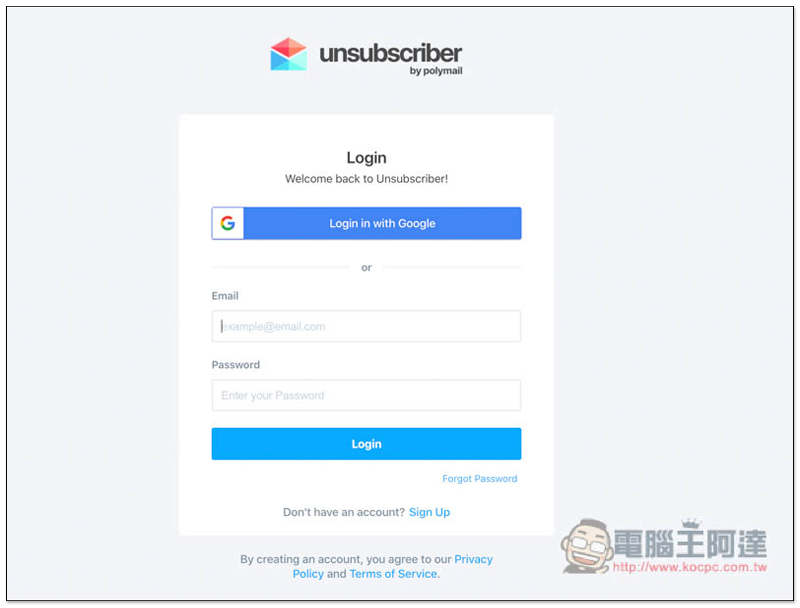
You must register an account before using it (click Sign Up below). If you use Gmail, you can use Google to quickly log in:
You will need to obtain some permissions, click “Allow”: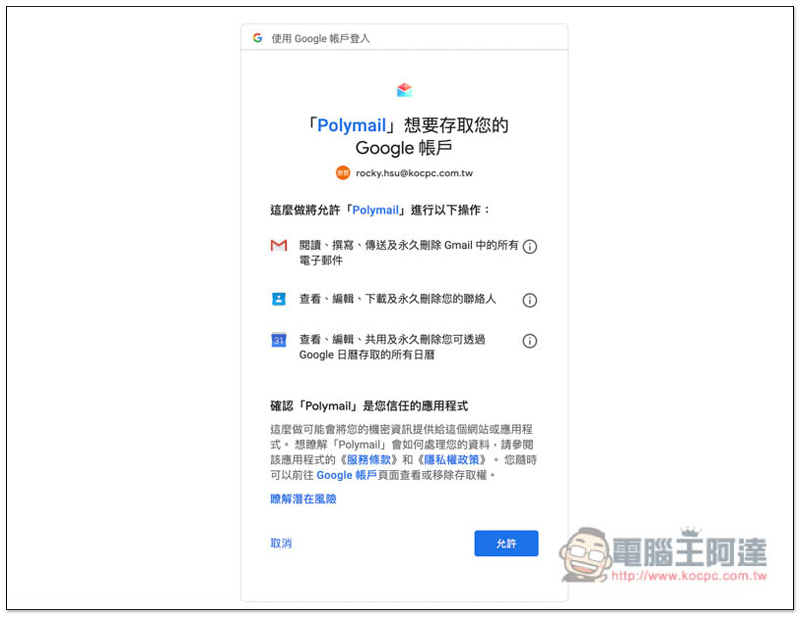
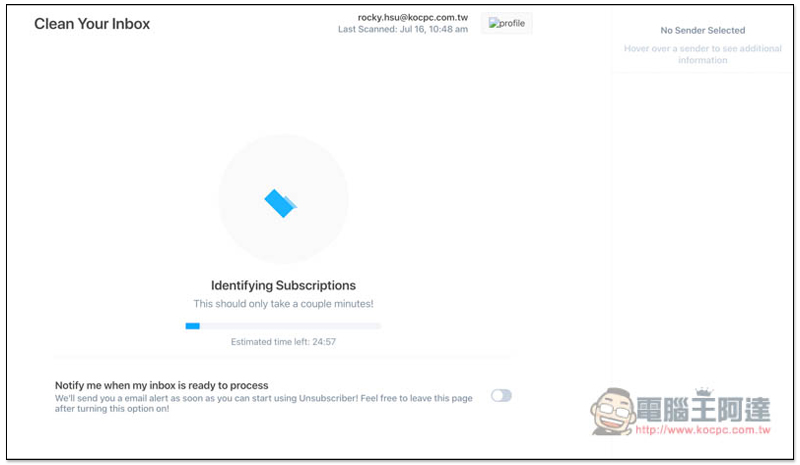
After logging in, it will start to scan the subscribed emails in your mailbox. Although the remaining time will be displayed at the bottom of the page, I personally think this number is a bit exaggerated. In fact, it does not take that long. For example, it took me about 24 minutes to write, and I waited 10 minutes to complete:
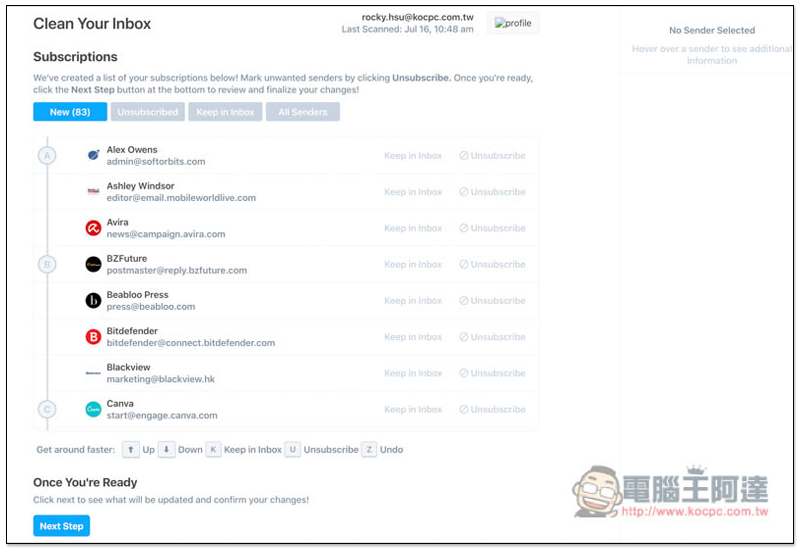
The screen will display all the advertising letters you have subscribed to. I didn’t expect there were so many, up to 83… No wonder there are dozens of advertising letters coming into the mailbox every day:
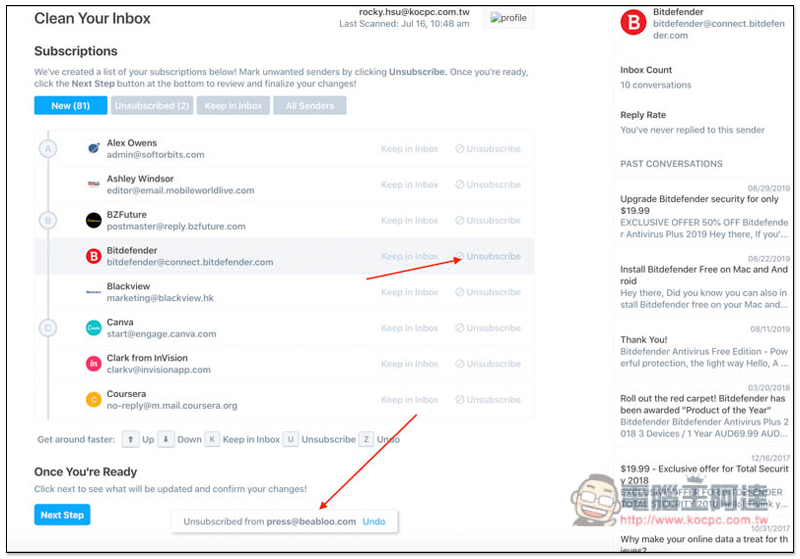
Find the service you do not want to continue to subscribe to, and press the Unsubscribe button on the right. It will be moved to the unsubscribe list, and a successful notification will be displayed at the bottom (it will be restored if you press the wrong button or regret it and press Undo):
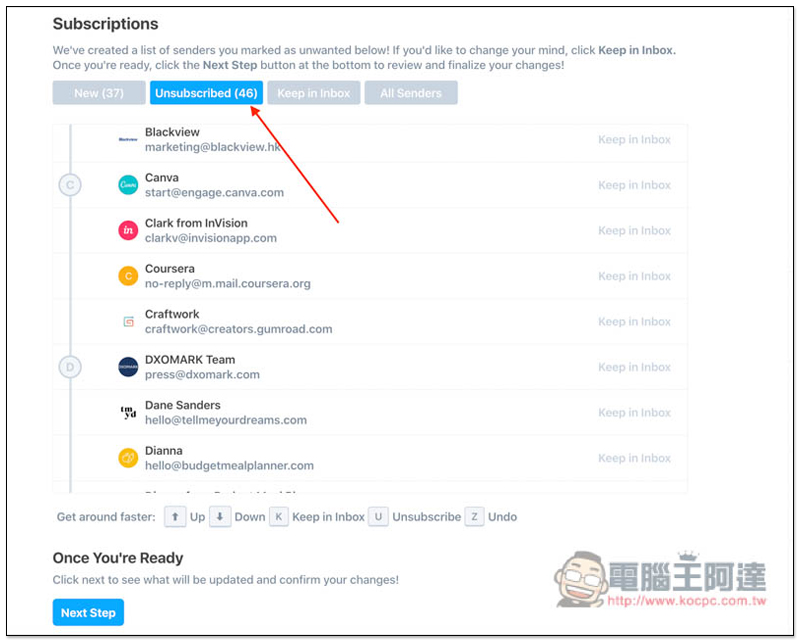
Click the Unsubscribed option above to view the services you chose to unsubscribe from. If you want to restore it, press Keep in inbox on the right and it will return to the subscription state. If there is no problem, click Next Step:
These options will pop up, and there is basically no need to change any settings. However, if you want to delete these unsubscribed advertising letters, you can open Remove xxx messages from unsubscribed senders in the Bulk Archive below. When there is no problem, press Clean Now: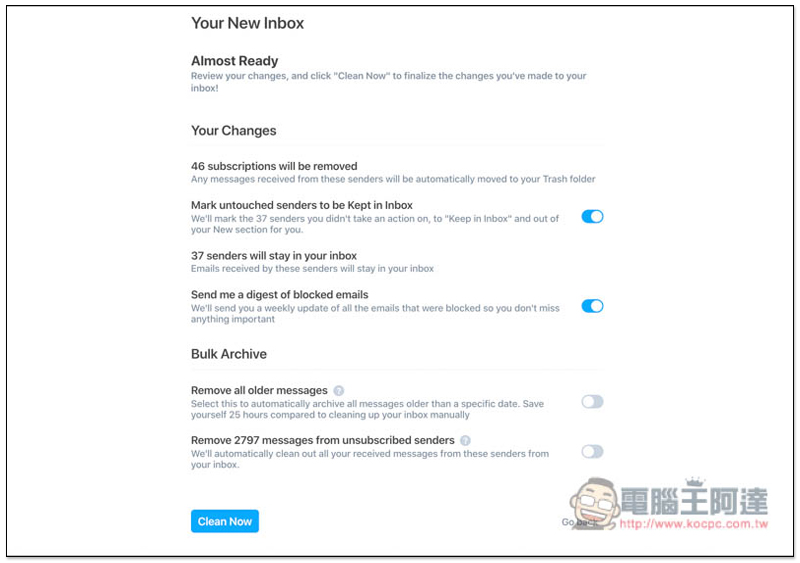
That’s it! :
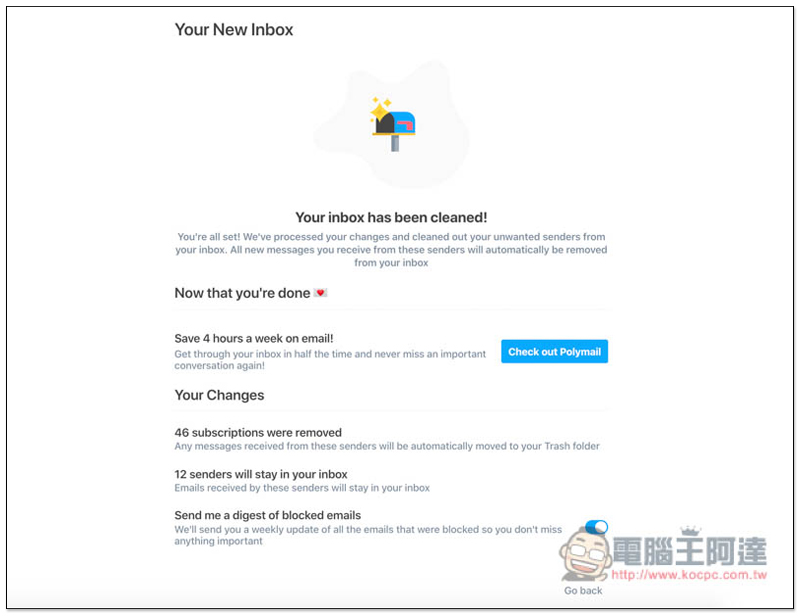
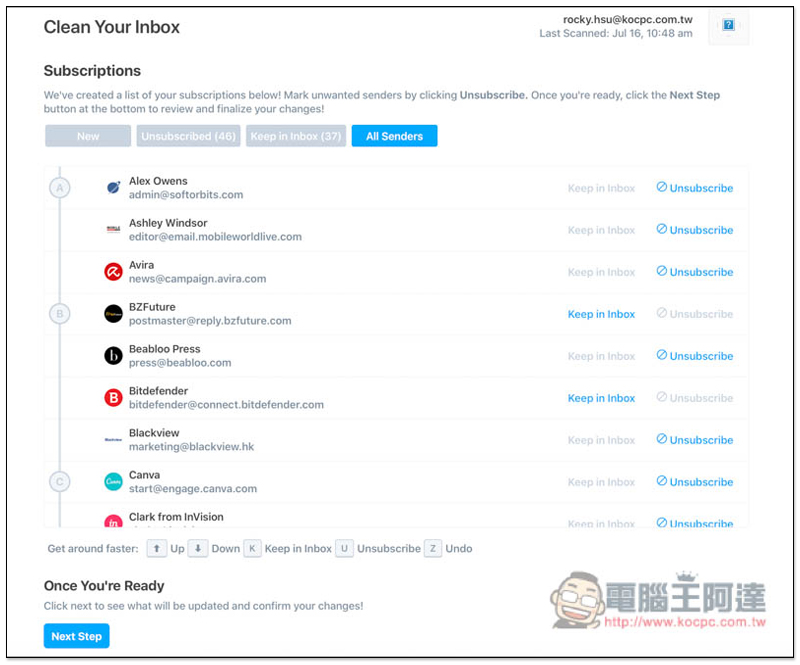
After unsubscribing, you can actually restore it at any time. This tool will retain the Unsubscribed list. You can find it by logging in to your account:
In addition to advertising letter subscriptions, if you also want to know how to free up more Gmail space,In this article we have compiled 5 step tips。
Supplementary information
- Service name: Unsubscriber by Polymail
- Nature: Free
- URL:Click here to go
Source: KOCPC Chinese