


Python is a widely used literal, advanced programming, and general-purpose object-oriented programming language. Compared with C++ or Java, Python allows developers to express ideas with less code. I remember that I learned combinatorial languages, C and Pascal when I was a student. I have not written a program for more than 20 years. I am used to rigorous compiled languages. In recent years, I have seen the rise of Python. The literal translation method of direct execution and modification is very convenient for general users and development testing. It happens that children are studying, so let’s have a parent-child interactive learning. First, let’s talk about the basic environment installation of Python.

用 Telegram 訂閱【挨踢路人甲】最新文章:https://t.me/itwshare
Download and install Python
Most people would recommend learning Python for the recently popular data analysis and artificial intelligence. In fact, Python has been developed for more than 20 years. The program code is highly readable and the literal translation method can be executed in all operating systems. It is not a problem in Linux, Mac OS and Windows. So how to use Python and how to install it?
PythonThere are two main versions. If you want to learn, just choose the latest Python 3. As for the old version of Python 2, many people are still using it, but the syntax differences between the two versions are not small. Most of the current online teaching is still based on Python 3.
[Python official website]: https://www.python.org/
[Python download webpage]: https://www.python.org/downloads/
Go to the download webpage and directly see the [Download Python 3.8.x] download button. There are also options for Windows, Linux, Mac OS X and other systems below it. It is not recommended to press [Download Python 3.8.x] directly. Please use the selected platform in the blue box to download.

Enter the Windows download page to choose the 32- or 64-bit version, or choose an older version with better compatibility.

After downloading and installing, please pay attention when the following screen appears. Generally, the installation is based on the default options. However, be sure to check “Add Python 3.8 to PATH” in the initial installation screen, because this option will not be automatically checked. If it is not checked, it is OK, but the subsequent execution often cannot find the command due to the path location!

Then see the installation process.
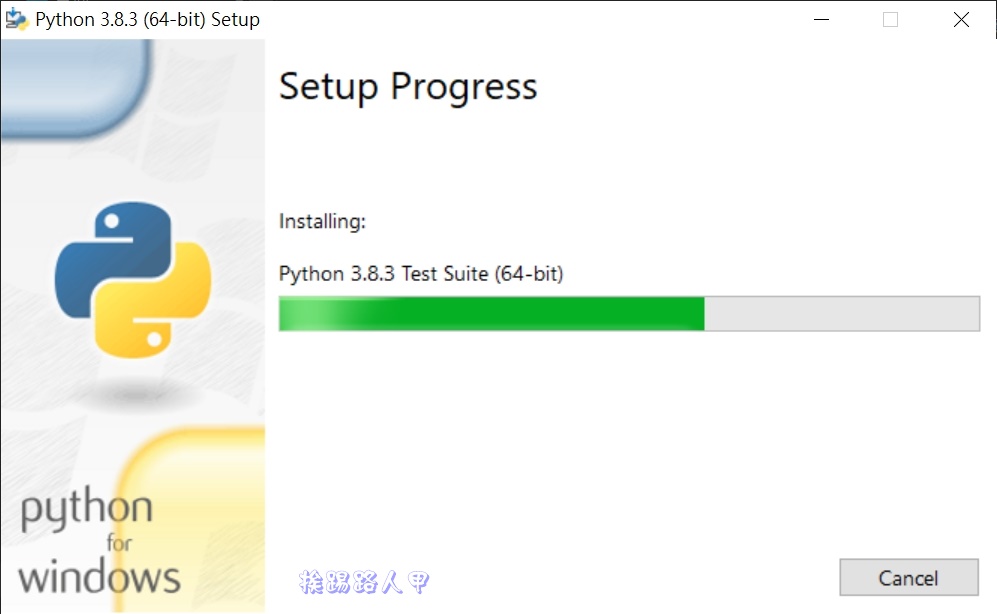
The Python installation file is not large, and the installation is completed quickly. Click [Close] to exit the installation window.

Built-in IDLE tool
Most languages will have an integrated development environment IDE (Integrated Development Environment). After installation, I found that Python has a built-in IDLE integrated development and learning environment tool, which can be found in the start function. The picture below is downloaded using the [Download Python 3.8.x] button. The default is the 32-bit version, which is why the author recommends going to the download page to select the version yourself.

After entering IDLE, you will see a window with the cursor staying behind the “>>>” symbol. After this prompt is where you enter the program code.

Python is a literal translation language. Its built-in “IDLE” environment is like a sentence-to-sentence interactive mode. For example, the author inputs “3+4” and presses [enter], and immediately gets the answer of “7”. I want to ask for 23(Input 2**3), you will get the answer “8” immediately. Shell’s conversation mode is quite convenient for simple testing and learning Python.

In fact, you can also use Windows’ “Command Prompt Characters” to perform interactive mode commands. On the Windows 10 Pro system, press [Win] + [R] and enter “cmd” and then press the [OK] button.

Enter “Python” in the CMD window and press [Enter], and you will see the familiar “>>>” prompt symbol.

Do you find it strange that executing “python” under user\itwalker can also work normally. That’s because “Add Python 3.8 to PATH” is checked during installation, which means that the path of Python installation is added to the path environment variable. For example, directly enter “path” in the “Command Prompt Characters” to see which paths in this variable will be searched (different paths are separated by semicolons). You will find that there is a python installation path in it. Generally, you will see the following two paths added.
C:\Users\itwalker (use this name)\AppData\Local\Programs\Python\Python38-32\Scripts
C:\Users\itwalker (use this name)\AppData\Local\Programs\Python\Python38-32
Python’s IDLE interactive mode operation is easy to test and learn. This kind of conversation where you say something and Python replies to you is more lively and not so rigid that it is easy for you to stare at the program. However, some instructions cannot be entered in a single sentence, such as while The use of loops is a multi-line sentence, so don’t be nervous. When IDLE encounters the “colon” at the end of the sentence, it will know the command of a compound sentence. When you press [Enter], it will be translated immediately. An automatically indented cursor will appear as shown below. At this time, you can enter a multi-line program code description.

When you want to leave a multi-line compound sentence command, just press the [Enter] key twice to leave and interpret the grammar.

By talking, I can easily write a small program of 1+2+..10.

The interactive mode of inputting a sentence and then executing it allows you to instantly know where the error is.

But you definitely don’t want to write the code from scratch every time, so you want to save the code and reuse it, or modify the code to make it faster and more concise. At this time, you can use [Ctrl+N] to create a .py file to write the code, which can save it and facilitate editing and execution.

Let’s try the multiplication table that is a must-have for beginners of any language.

After archiving, you can use the menu to execute it. I am accustomed to using the shortcut key F5 to execute it.

The execution results will appear on the Python Sell interface window.

Further reading:
Source: KOCPC Chinese