


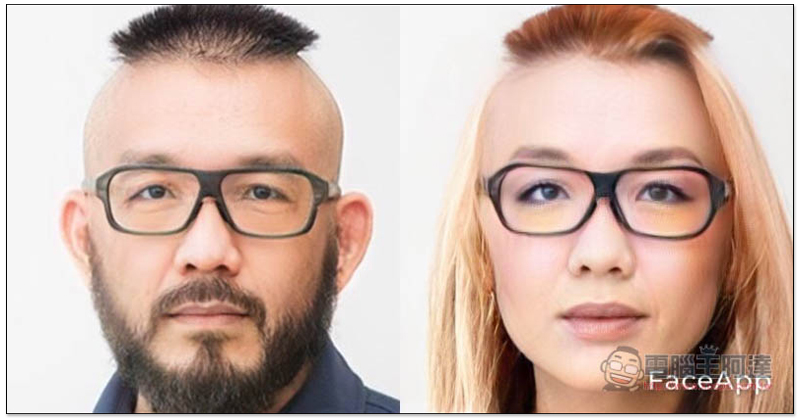
Recently, it has been quite popular on social platforms. FaceApp To perform gender conversion, this app has once again stirred up the topic following the previous “aging” app. However, many unfamiliar users have accidentally paid nearly a thousand yuan per year in subscription fees because of the app’s subscription function. If you want to know how to check whether you pressed subscription by mistake and how to cancel, you can also refer to our previous introduction (Click here to go)。
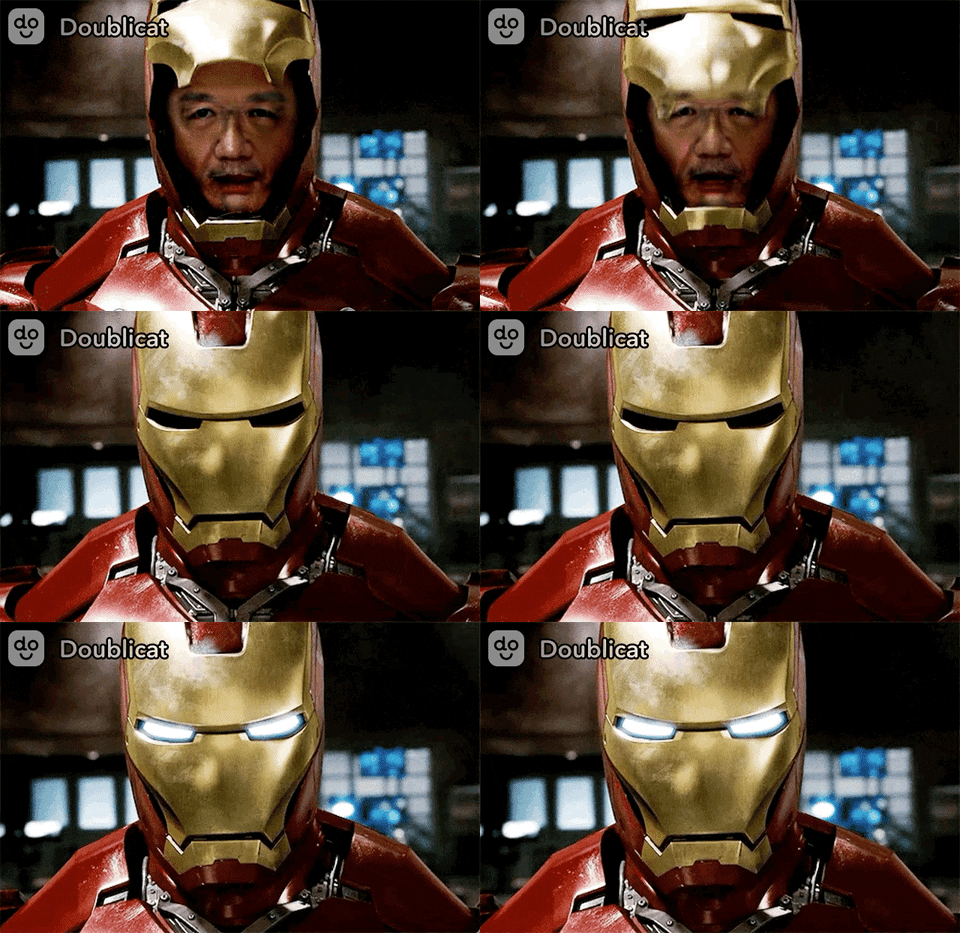
In addition, if you are tired of seeing all kinds of memes on the Internet, there is also Doublicat’s face-swap generator app on the iOS/Android dual platform. Just take a portrait and then use the huge GIF library to swap faces. Whether you want to transform into Iron Man, Captain America, or even GIF memes of various celebrities, you can quickly generate them.
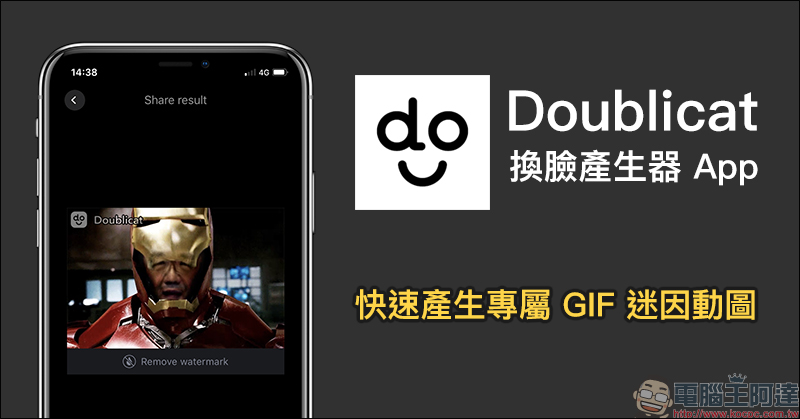
Doublicat Face Changer Generator App: Quickly generate exclusive GIF memes.
Currently, Doublicat, the face-changing generator app, is available in both iOS and Android app stores, and is available as a free download with in-app purchases. Since the paid version is actually not cheap, and most people use such apps just to create laughter in the community, it is not recommended to use paid methods to subscribe to the full version of the app. The following will also briefly share how to use various photos to create GIF animations more easily while being free to use.
Doublicat App Download:
Android version (Google Play Store)| iOS version (App Store)
After opening the app, you must first allow permission to use the camera. Since taking photos with the camera is a necessary permission for the Doublicat app, you must agree to allow it to access the camera. As for whether to send notification messages, if you don’t want to be disturbed by notifications from the app, it is recommended to select “Do not allow”:
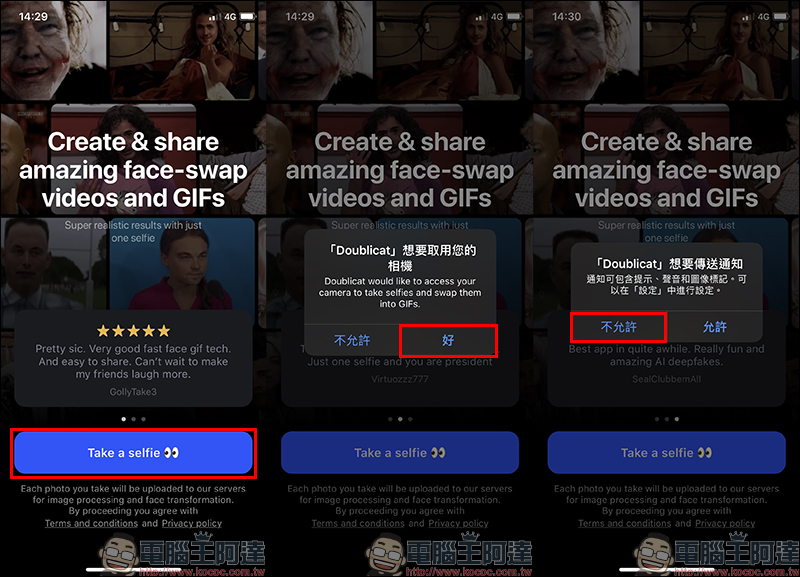
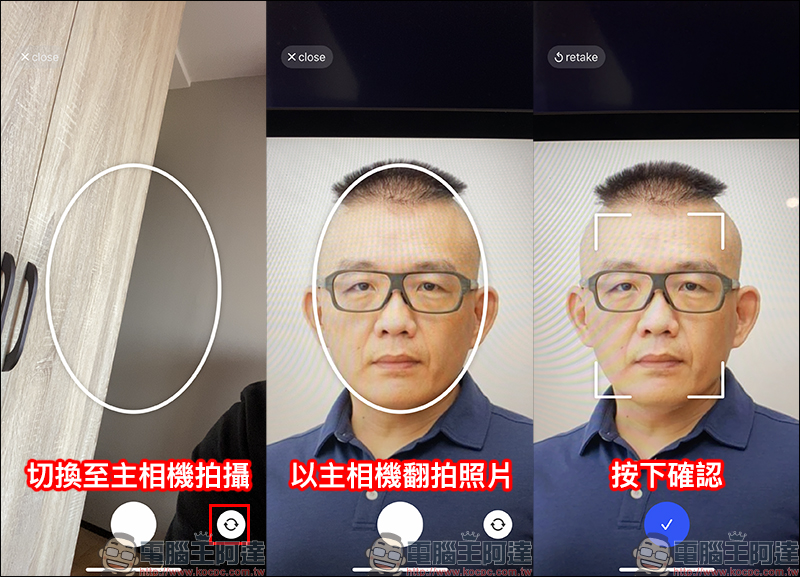
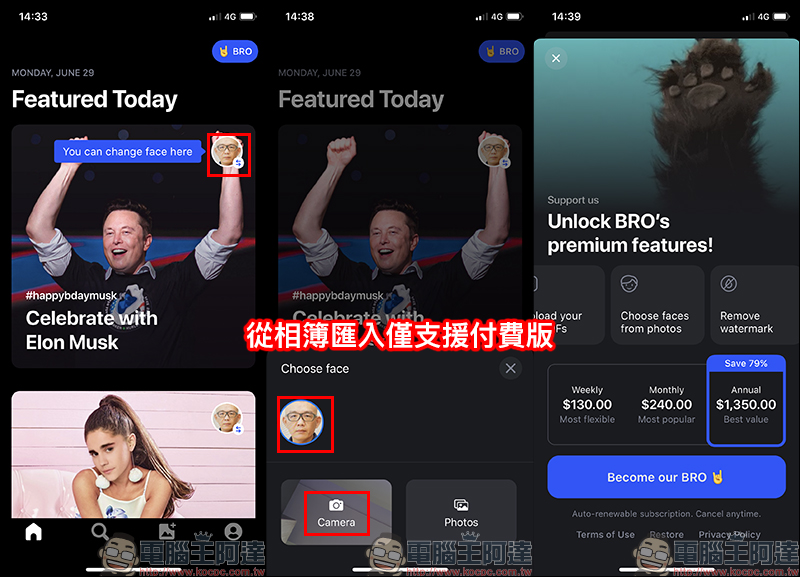
Before officially entering the main screen, you must first take a “selfie” to use as a template for subsequent face-changing photos. However, if you don’t want to take a selfie or use your own photo to change your face, you can also press the lens switch button on the screen to switch to the main camera for shooting.
If you want to use friends or other people’s photos to make GIF memes, you only need to open the photo on another mobile phone, tablet, computer, etc., and then copy the photo. In this way, you don’t have to spend the money to purchase the paid version, and you can achieve the photo album import function similar to the paid version.
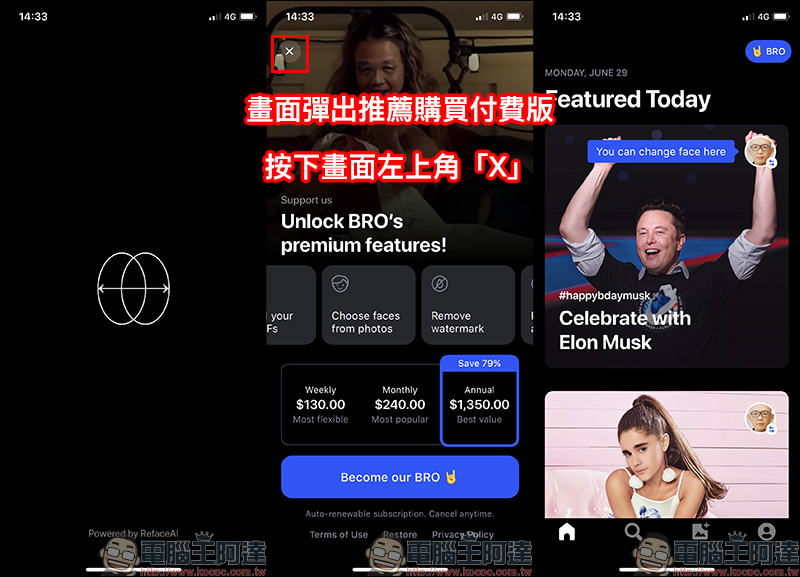
It will take a few seconds to calculate after confirmation. At this time, the screen will pop up from time to time recommending the purchase of the paid version. At this time, don’t stupidly press the button to upgrade to the professional version! Although the paid version has more complete functions, such as using the photo album to import photos, removing floating effects, etc., if you just want to share it with friends on social platforms, the free version is actually very useful. In this case, please press the “X” in the upper left corner of the screen to close the paid recommendation page.
After entering the main screen, various recommended GIFs will be sorted out for users to use. Just select the ones you want to play with and use!
If you want to take a new picture template again, you can click the big button on the main screen to take a new photo. Reading from the photo album is a function only available in the paid version, so users who only want to use it for free should make good use of the “remake” method in the above tutorial to generate photos!
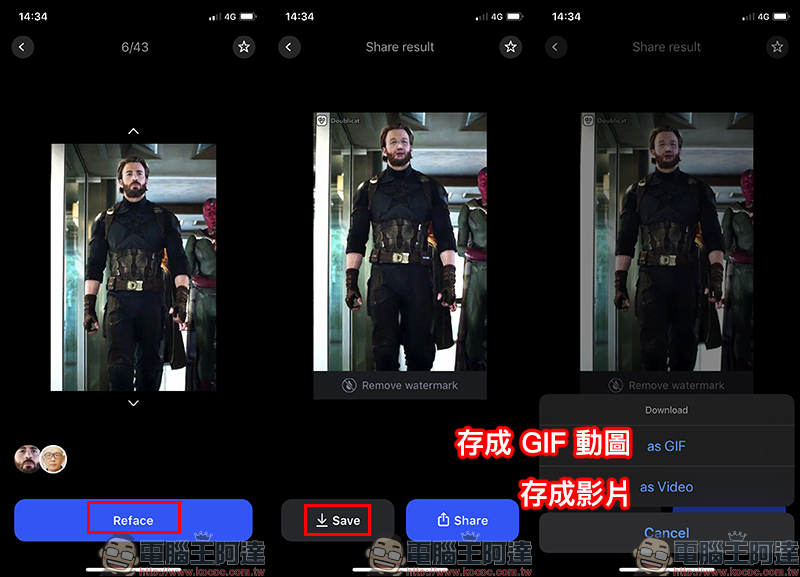
Select the GIF material you want to change your face in the Doublicat App. After entering the page, press the “Reface” button. After the face change is completed, a preview will be displayed on the screen. If you are satisfied, you can press the Save button to save it as a GIF or video:
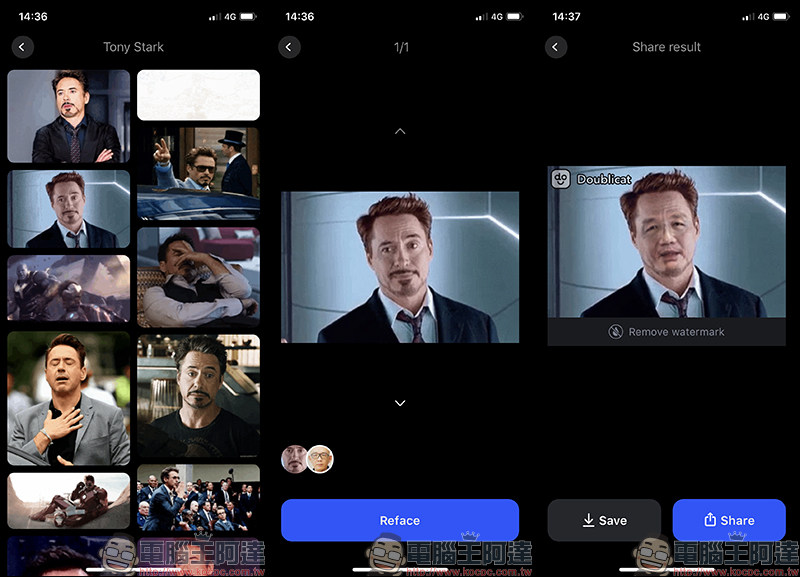
In addition, users can also enter keywords on the search page of Doublicat App to find materials that meet their needs:
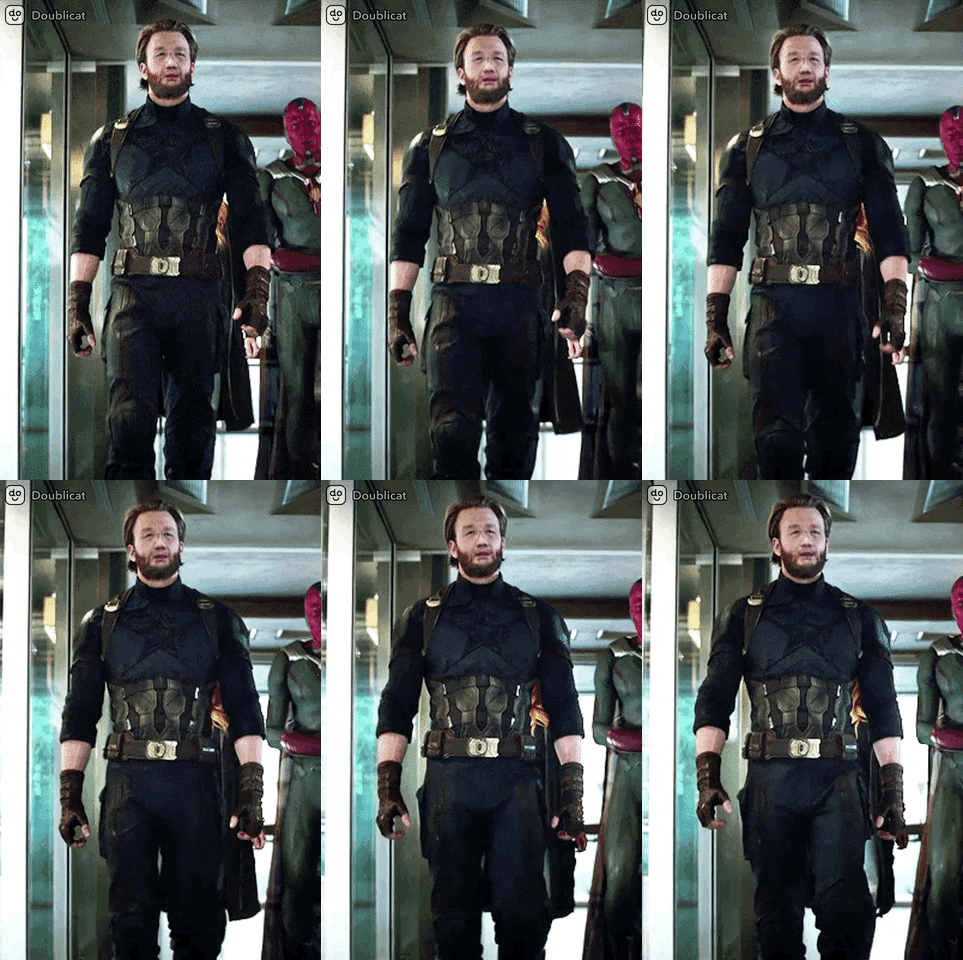
The actual effect of the GIF animation generated by Doublicat App:

Doublicat App Download:
Android version (Google Play Store)| iOS version (App Store)
Further reading:
FaceApp gender conversion operation tutorial, did you accidentally press subscribe? Also teach you how to cancel and confirm
Source: KOCPC Chinese