


YouTube Premium price: NT$179 per month for Android, NT$230 for iOS, and NT$230 for home version. YouTube Premium price: NT$269 per month for Android, NT$350 for iOS. It costs a lot to invest every month, but you may not know that you only need to click to use VPN.Register as a paid member across regions to India, converted into Taiwan dollars, the personal version only costs NT$51/month, and the family version only costs NT$74/month, which saves a lot of money. If you share the family version with six friends, you can use it for less than NT$10 a month, which is really good!
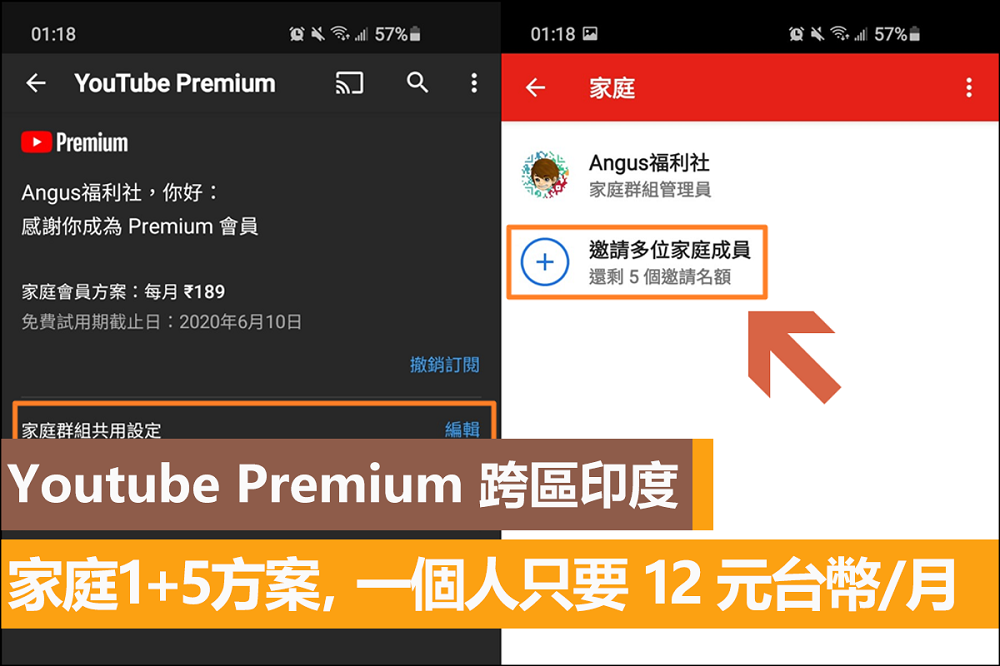
How to register a Youtube Premium account across India
Step 1: Use a VPN to cross-region India
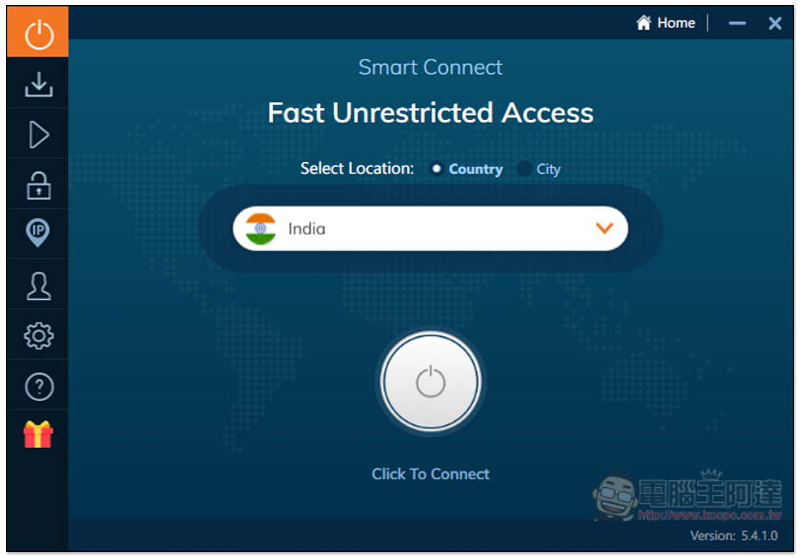
▼ Use the Ivacy VPN, select India for Country:
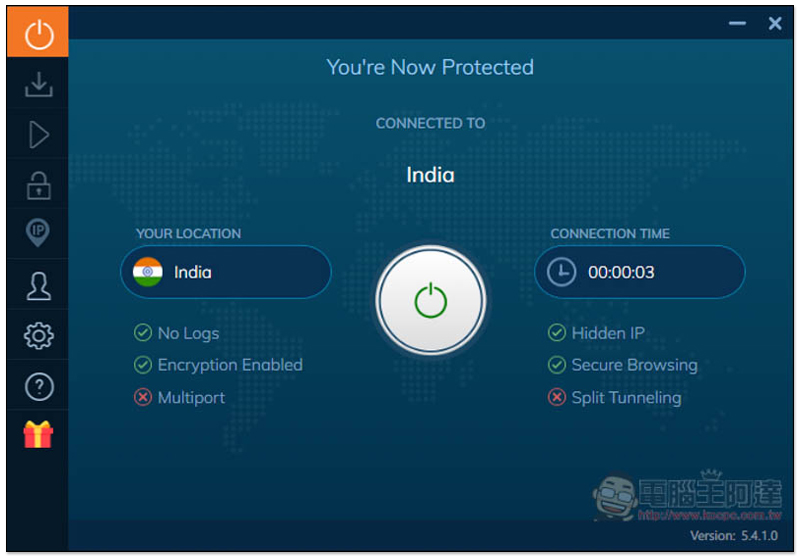
▼ When this screen is displayed, it means success, VPN to India.
Step 2: Enter the Youtube Premium registration window
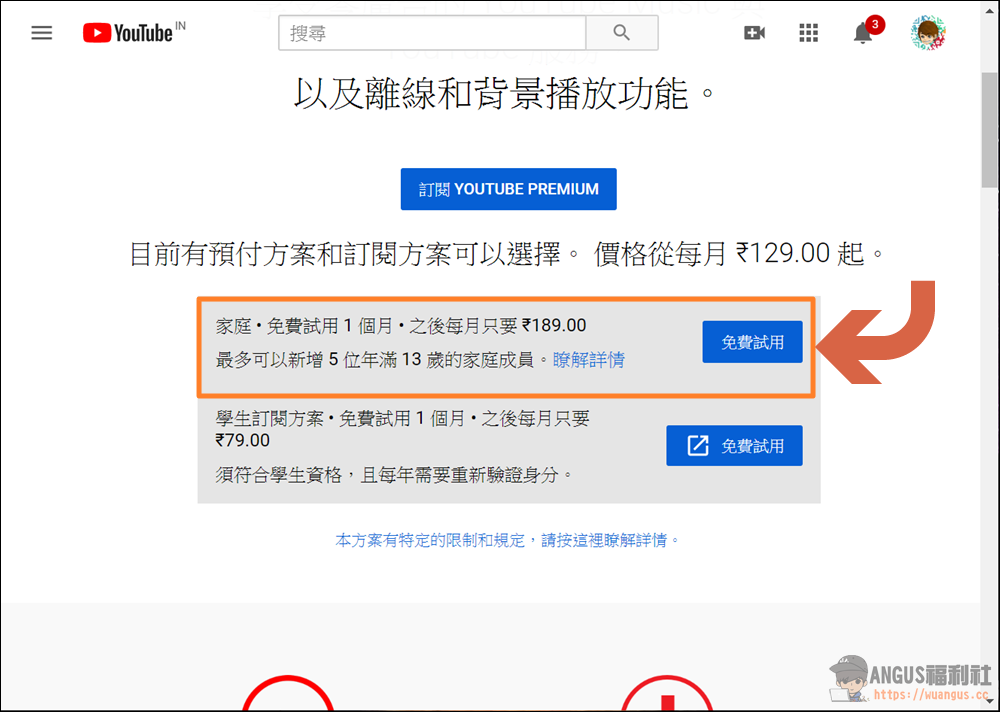
▼ Next visit YouTube Premium It shows that the general personal plan is a free trial for one month, and then it costs 129 rupees (about NT$50) per month. The family version is 189 rupees (NT$75) per month, and can invite 1+5 users to form a family. If 6 people in India purchase the family version together, the average price per person is only 13 yuan a month, which is really quite cheap.
Step 3: Enter credit card information and billing address
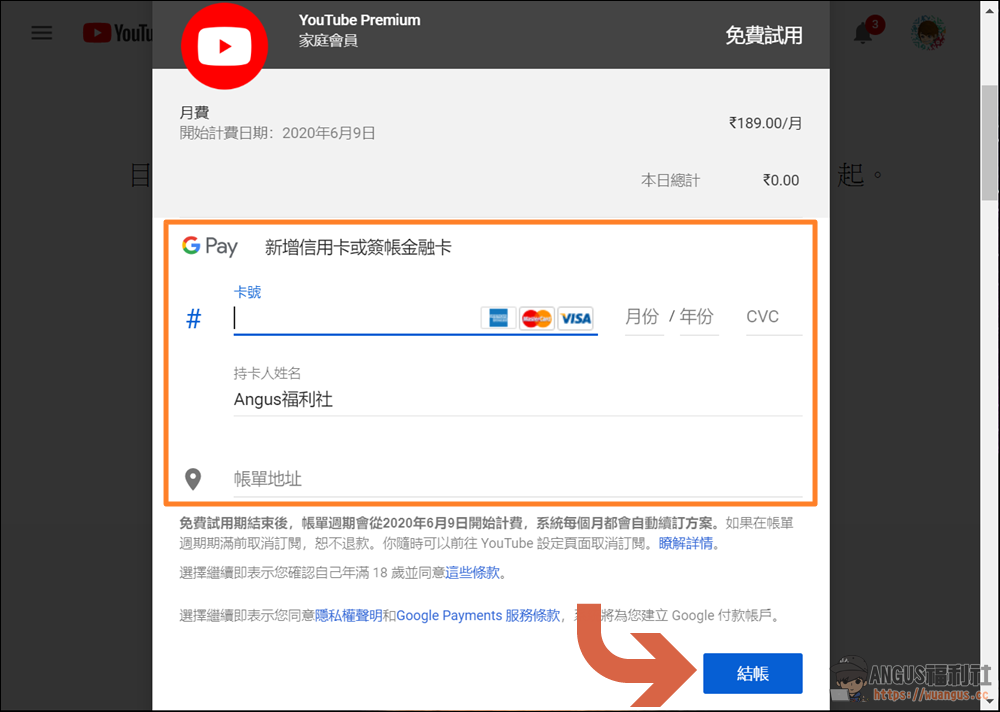
▼ Enter the credit card number and billing address on the payment page. Please note that it must be an Indian address, otherwise it will not pass.
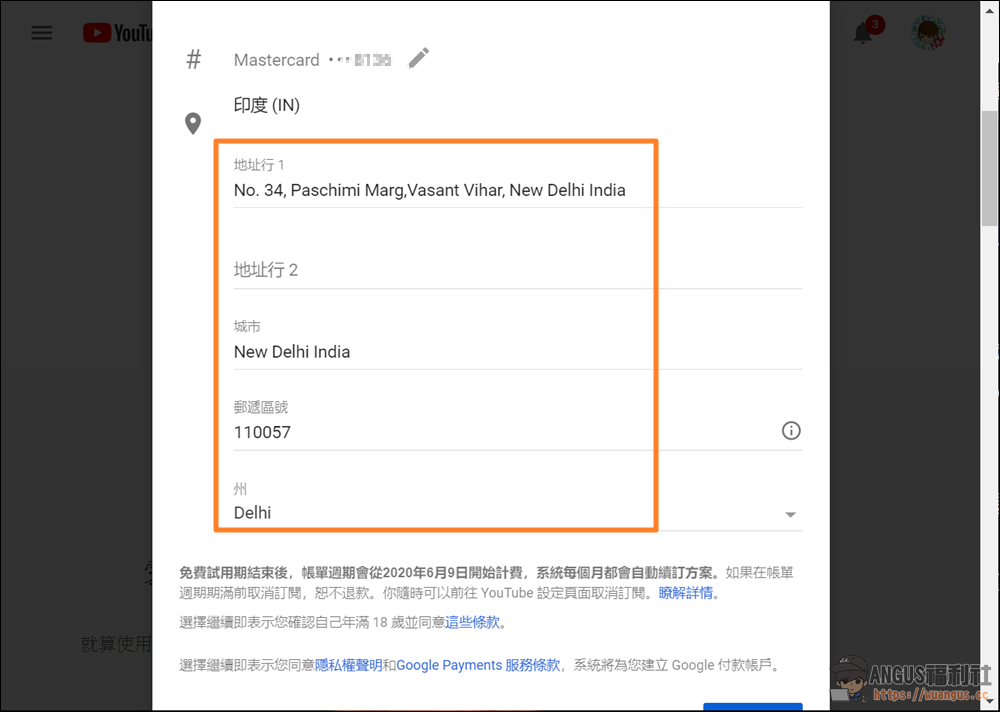
▼ The billing address can be entered according to the information below.
- Address Line 1: No. 34, Paschimi Marg, Vasant Vihar
- City: New Delhi India
- Postal code: 110057
- State: Delhi
Activated successfully and added family members (1+5 plan)
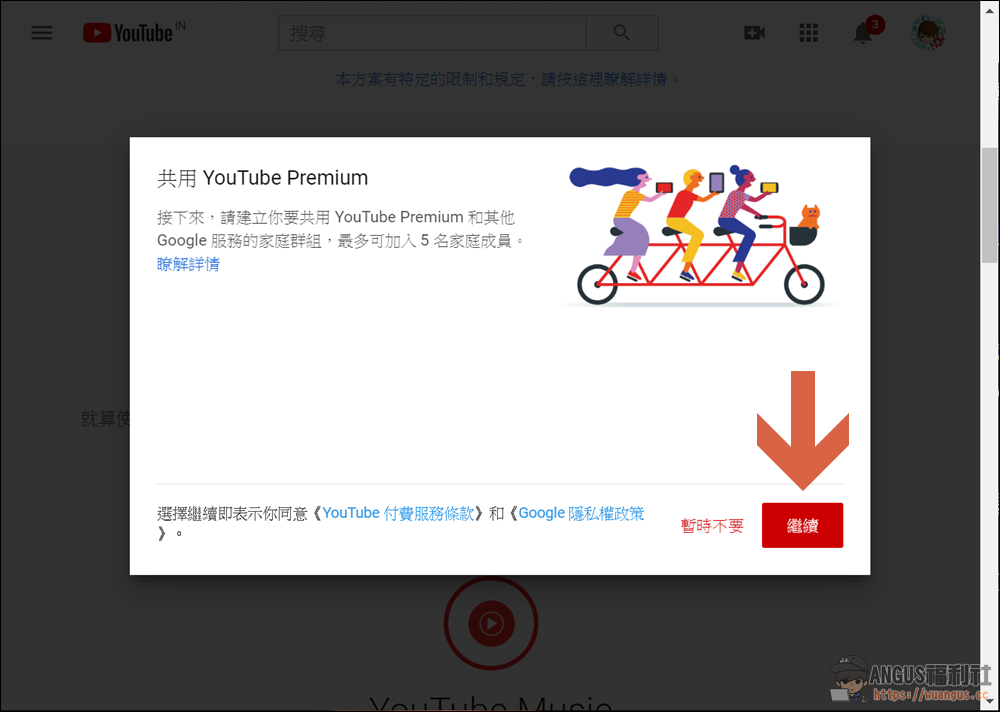
▼ After finally becoming a Youtube Premium India member, please click “Continue” to add family members.
▼ To join via email, please click “Continue” to add family members.
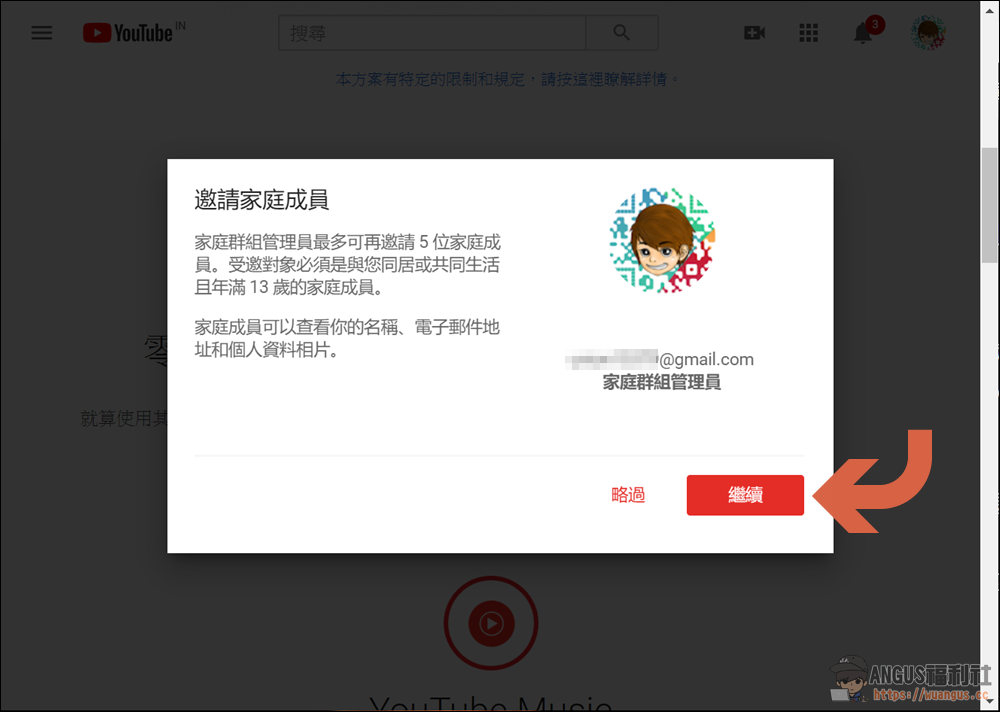
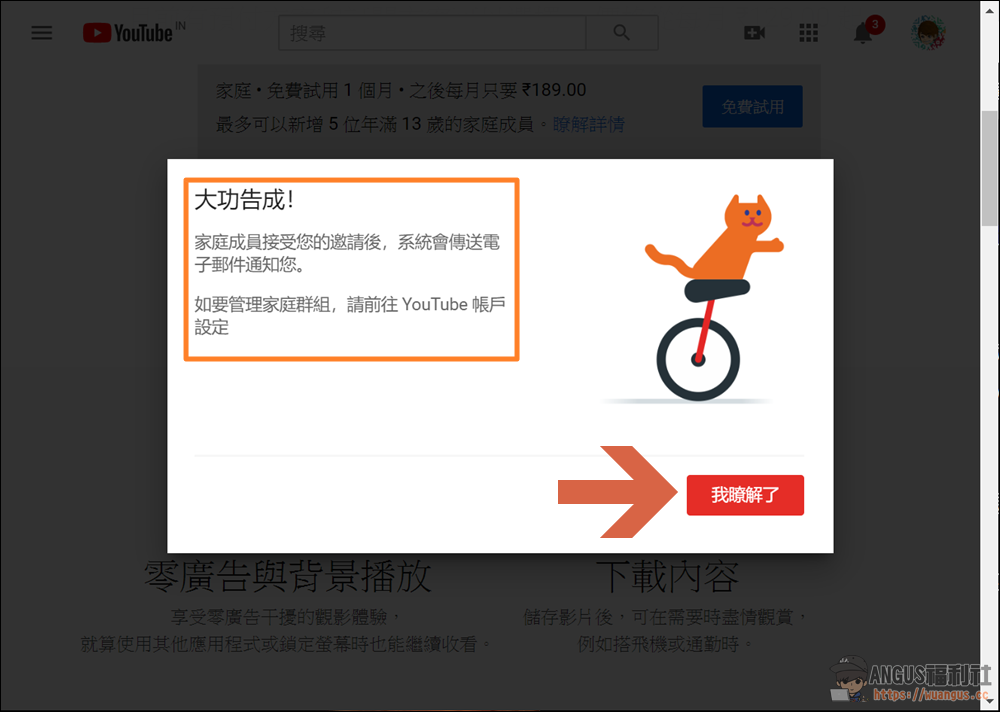
▼ Enter the backend and enter the other party’s gmail account, notify the inviter to receive the email, and you can join. This process does not require a VPN. It is only required when the family plan purchaser pays. Just be aware that Google family members can only change once a year, so choose your friends and family carefully.
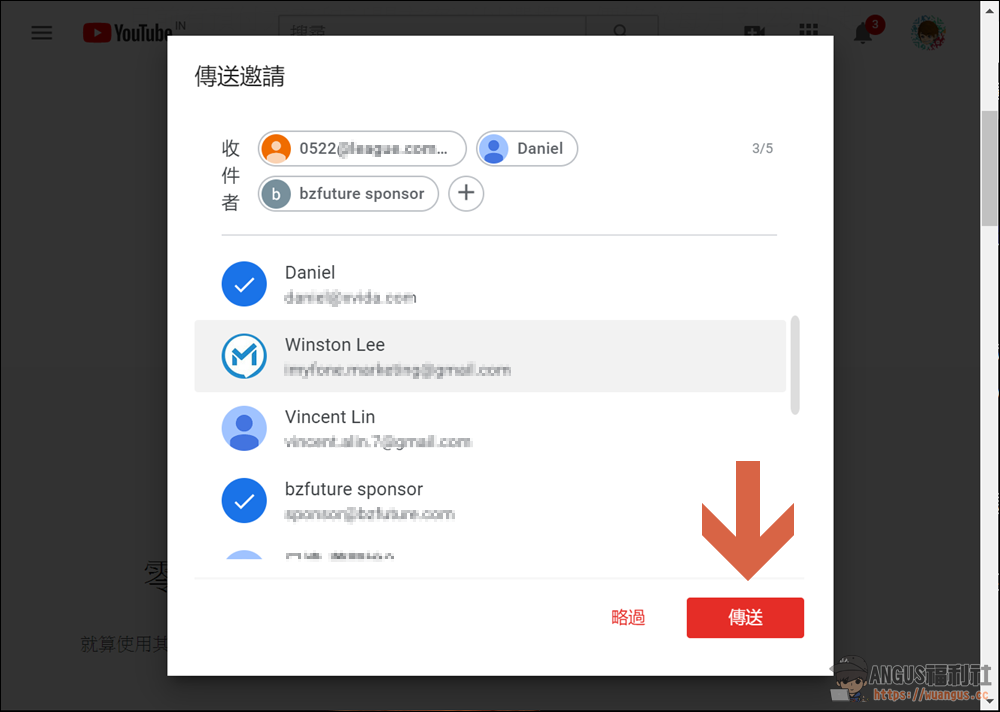
▼ Finally, you’re done, let’s start enjoying the functions of paid membership.
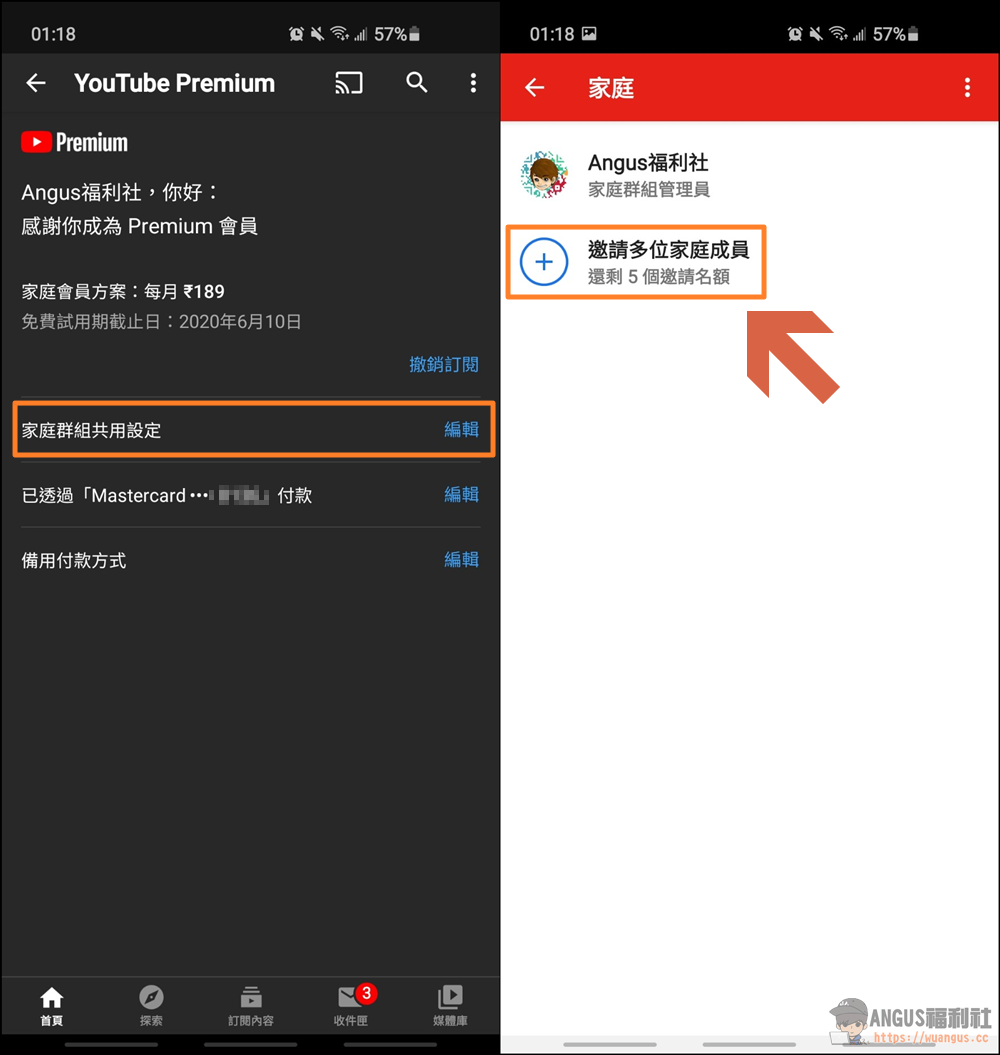
Mobile version functions and operations for adding family members
▼ After entering the “Paid Membership” option, you can see the “Family Group’ Sharing Settings”, where you can also select up to 5 family members.
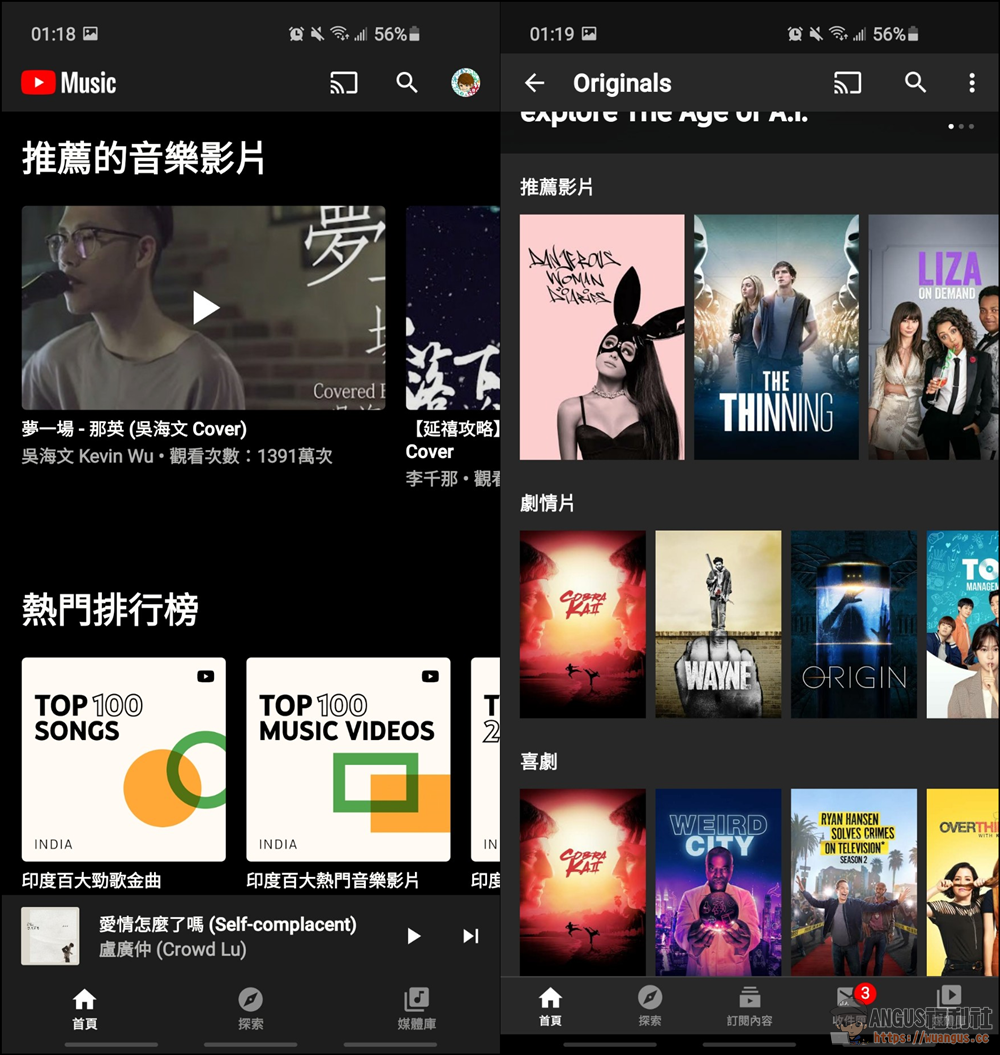
▼ Whether it is Youtube Music or Youtube Originals albums, they are very convenient and easy to use. You can explore and use them more.
More Youtube related articles
- Google Photos syncs photos on your phone so your phone’s built-in space can’t be used up!
- Looper for YouTube automatically replays YouTube videos Chrome suite
- Unblock Youku Unblocks Chrome Suite from Thunder, Youku, and Tudou Videos
- The new version of Microsoft’s Chromium-based Edge browser is officially launched and is compatible with Chrome plug-ins!
Source: KOCPC Chinese