


When you finish taking a series of photos and come home with a full load, the most troublesome thing is the processing of the photos. It takes a lot of time to process each photo, especially when you are writing a blog or want to organize the entire photo archive. Just processing the photos may take you a whole night. PhotoStack, a tool I will introduce to you this time, can help you easily batch process photos, resize, delete EXIF files and raise watermarks. For those who don’t want to spend money on Lightroom, check it out!
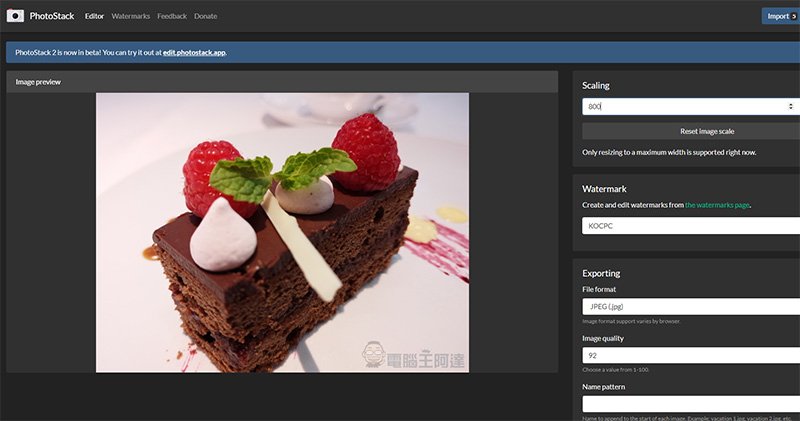
PhotoStack, a free batch photo processing tool, makes watermarking and resizing simple and easy
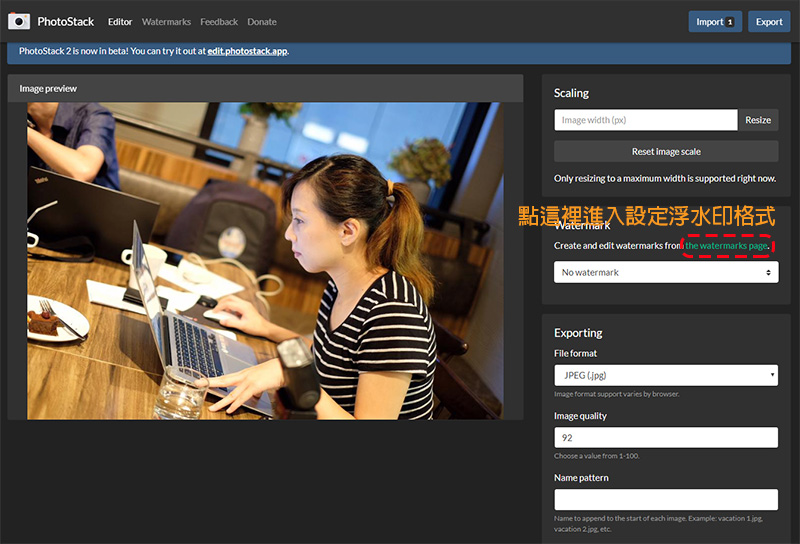
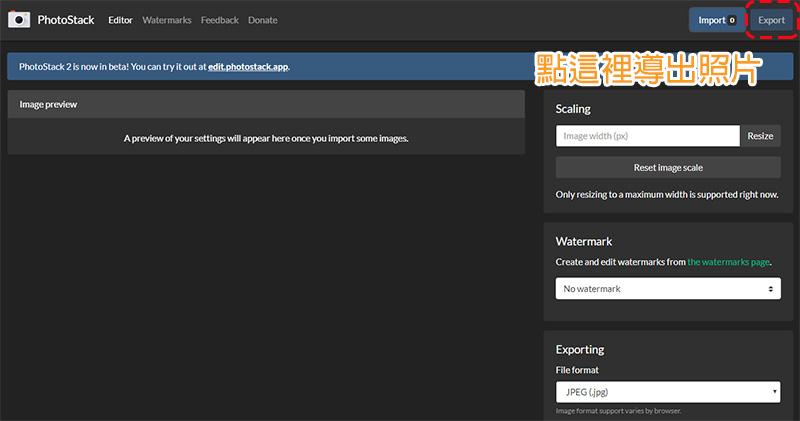
PhotoStack is a tool that does not require downloading and installation. It can be used on the web. You can import multiple photos from your computer or external website for basic processing, such as resizing the image, adding watermarks, and deleting EXIF data. After finishing editing, you can choose to save the image format and quality you want, and then save the photos to your personal computer. It is worth mentioning that all image processing of this tool is completed locally in the browser, and all your photos will not be uploaded anywhere on the Internet.
【PhotoStack web tool, click here】
★When using it for the first time, it is recommended to set the watermark before importing photos.
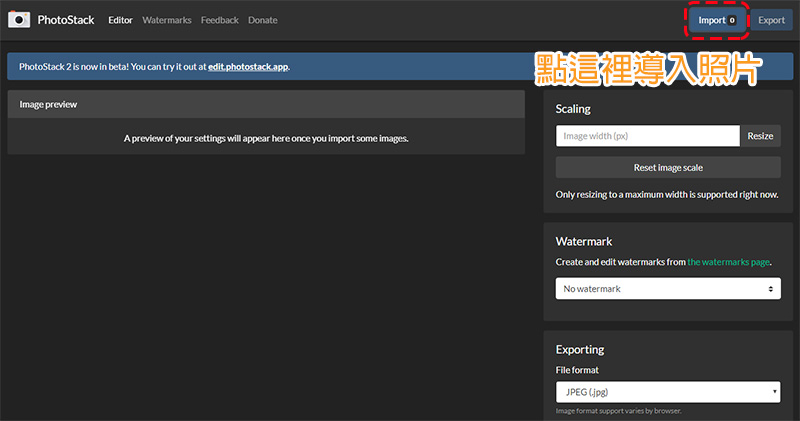
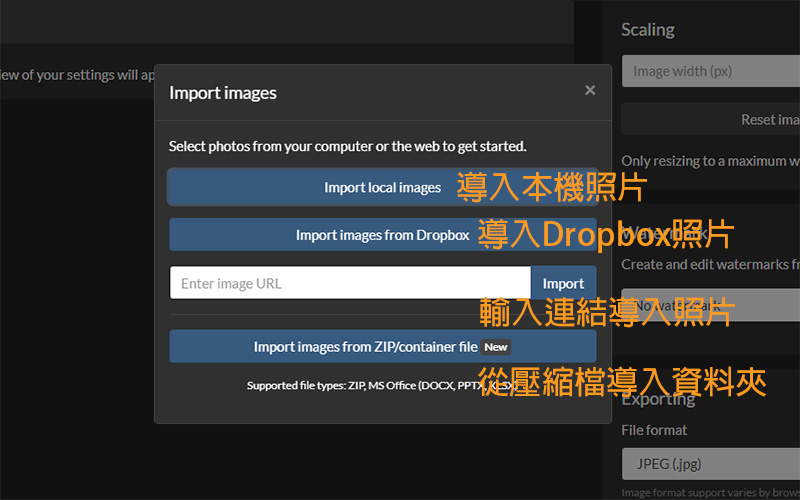
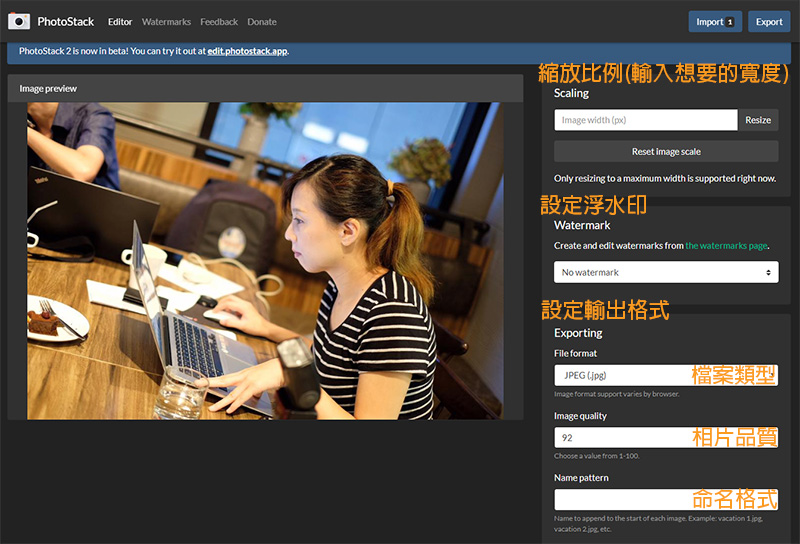
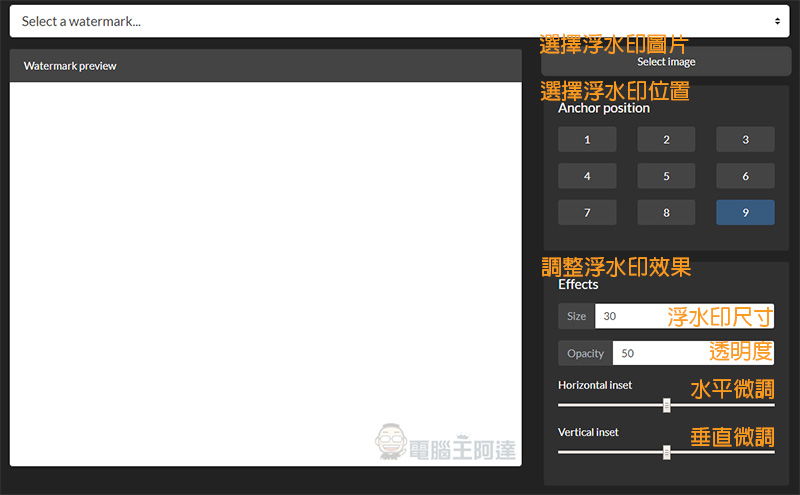
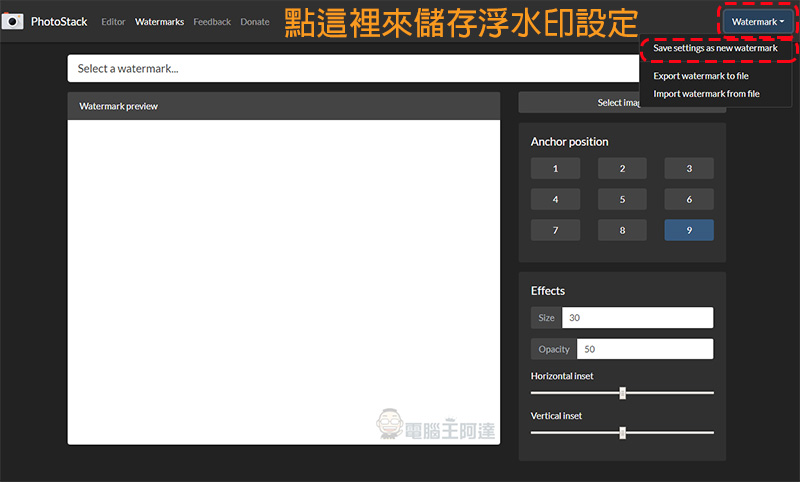
If you’ve ever used Adobe Lightroom, you’ll love PhotoStack’s watermark feature. For those who make money blogging, watermarks are the most basic measure to protect personal creations. In this tool, you can set the watermark pattern, watermark position, transparency and size, etc. After creation, you can save it in the local machine of the device for future use, and you can even export the data to another device for use. Thanks to Service Workers networking technology, PhotoStack can run completely offline on most browsers; the first time you run PhotoStack, the app will be saved to the device, so typing “photostack.app” will always work even when you don’t have Wi-Fi.
PhotoStack does not tie users to a specific platform, nor does it require a monthly subscription. You can use it through most modern web browsers, such as Chrome, Firefox, Opera, Edge, and even IE 10 and above. If you’re in a hurry to edit photos on the go, it also supports the mobile version of the browser. Now this toolThe second generation is in beta testing, the operation methods are similar. If you are interested, you can try it.
Source: KOCPC Chinese