


In the past, LINE post strings were often limited to sharing posts between users’ personal LINE friends. Users inevitably have topics and official account updates that they want to follow, but do not want to directly add the account as a friend. Now the LINE post thread has also launched a new function of “Explore”, which allows users to not only track the public posts of specific accounts of interest in the post thread, but also explore various interesting topics in the post thread.
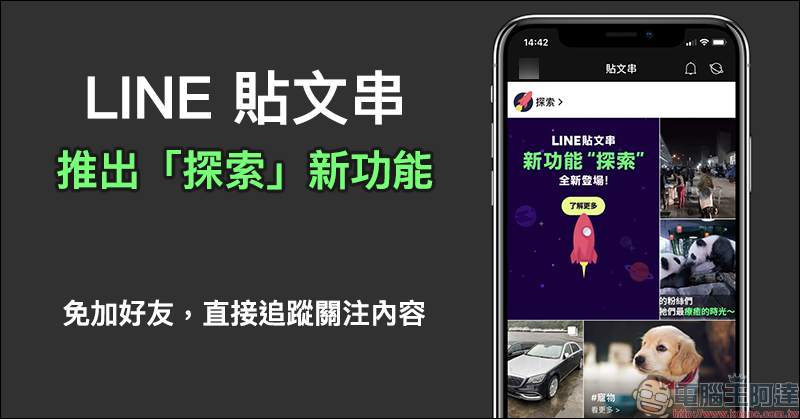
LINE post string launches new “Explore” function: no need to add friends, directly follow the content you follow
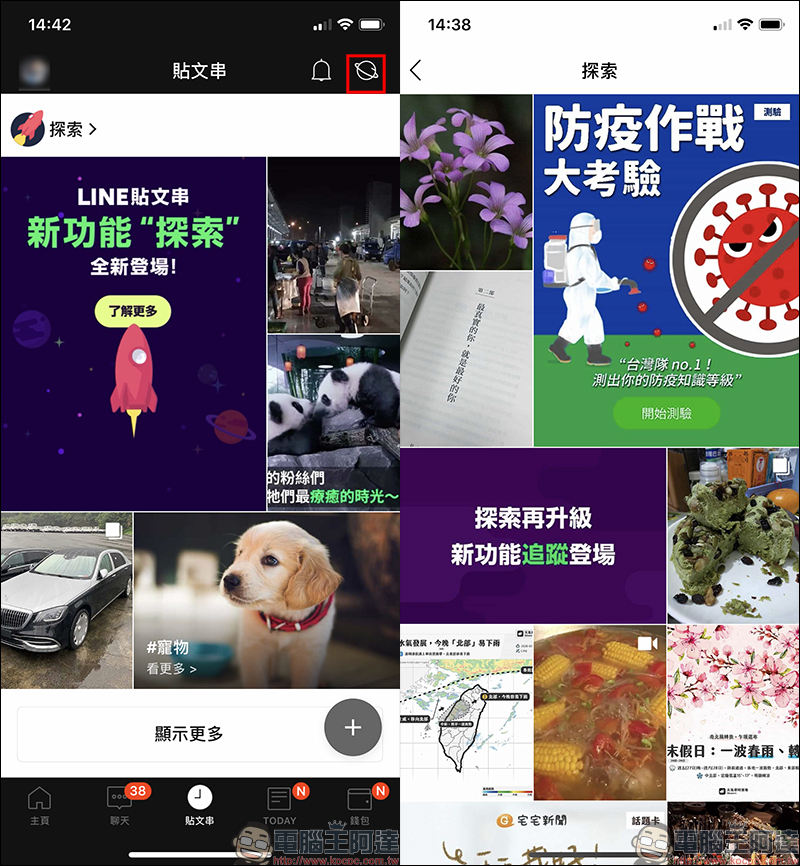
As long as you update LINE to the latest version, you will see a “Planet” icon added to the corner of the post page. Click to enter the newly launched “Explore” function. In the exploration tab, various popular topics in the LINE post string will be randomly displayed in the form of a “picture wall”. Users can explore their favorite content here and click on the post to view more information.
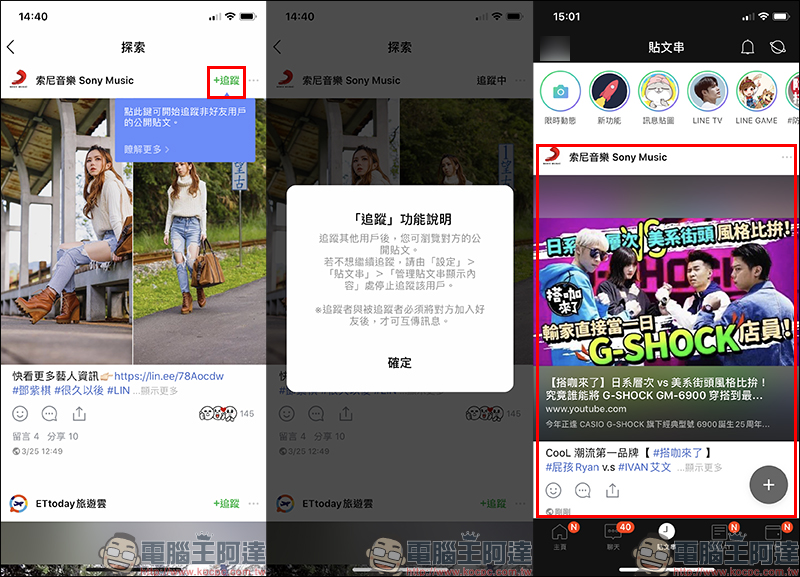
If you find content you are interested in and want to continue to follow the account’s post content in the future, click the “Follow” button, so that you can browse all the other party’s public posts! The accounts followed by the user will also be directly displayed in the personal post string, just like LINE friends. But the biggest difference is that the “Following” account does not need to add the other party as a friend to follow the public content of the post string.
In terms of settings, in addition to selecting “Post String” through the “Settings” page, users can also directly click on the photo in the upper left corner of the “Post String” page to open it.
Post string setting window:
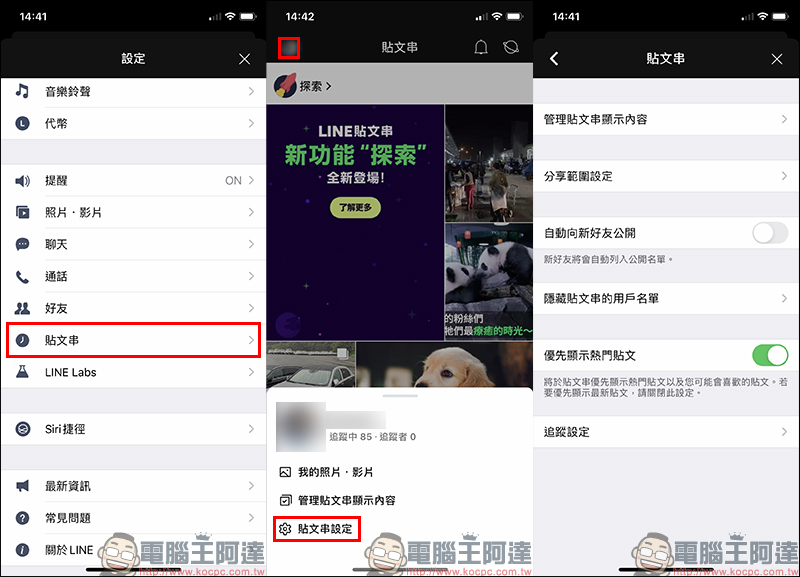
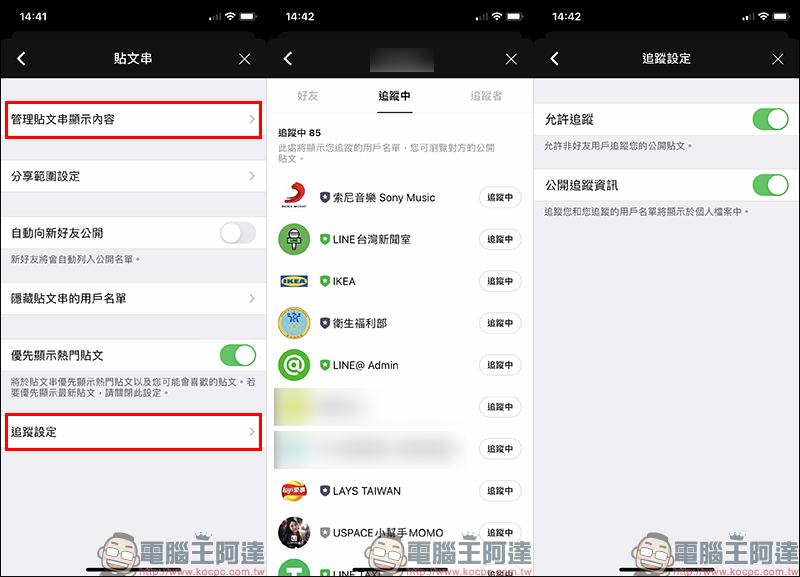
On the post string settings page, click the “Manage post string display content” function to view the list of all currently tracked users. If you want to cancel tracking, you can manage it directly from here at any time.
With the “Following Settings” function, users can set whether to allow non-friends to track their public posts. In addition, users can also choose whether to display themselves and the list of users they follow in their profile.
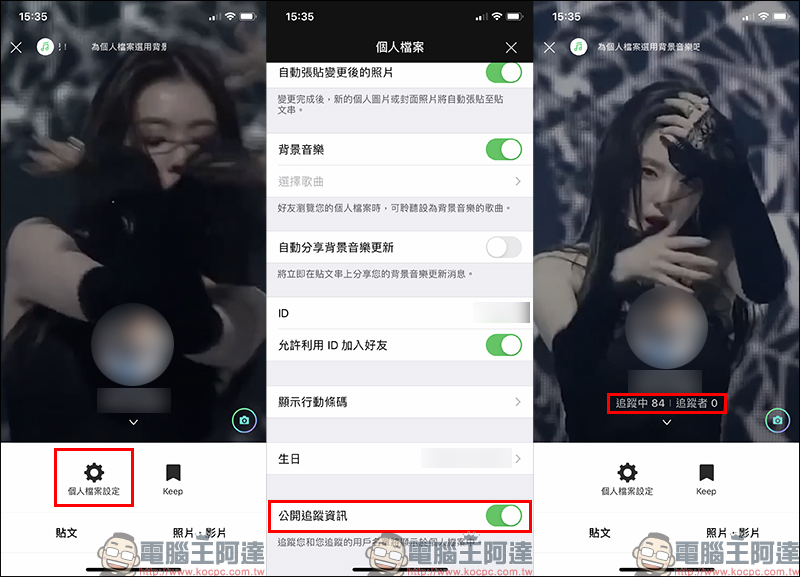
If “Public tracking information” is turned on, the number of people being followed will be displayed on the LINE profile page. This feature can also be turned on or off by clicking “Personal Profile Settings” on the personal page:
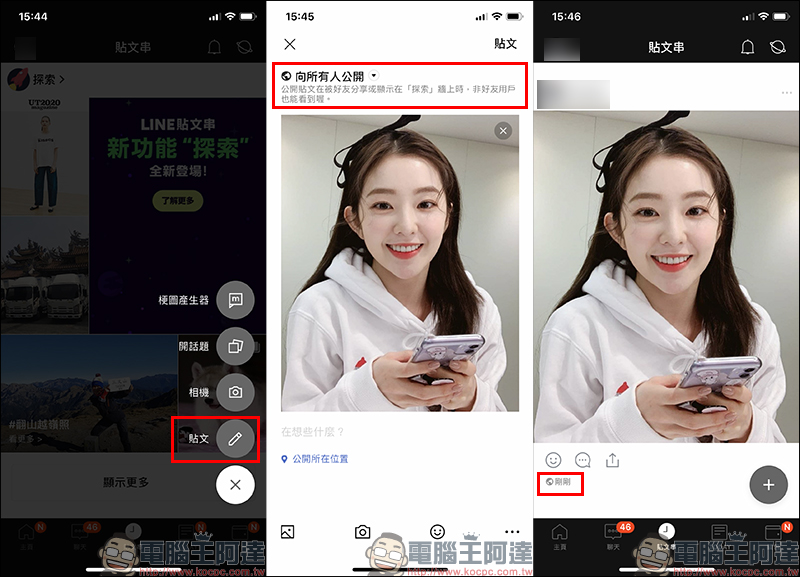
As long as the user turns on the “Allow Tracking” setting, remember to select “Public to Everyone” when sending a new post and post it. When the public post is shared by friends or displayed on the “Explore” wall, non-friend users can also see it!
Source: LINE post string
Further reading:
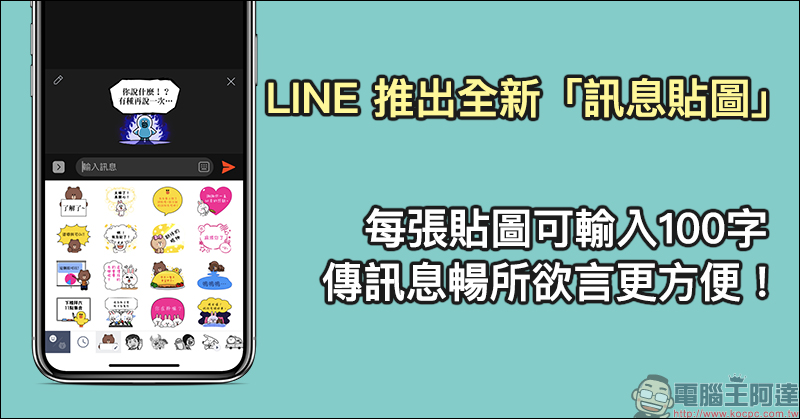
LINE has launched a new “Message Sticker”. You can enter 100 characters per sticker, making it more convenient to send messages freely!
Source: KOCPC Chinese