


Gemini It’s really becoming more and more powerful—not just chatting, generating videos and images, but now even…Music generationThe feature is now supported as well! Earlier today. Google announce Lyria 3 Music generation models have been officially integrated into Gemini, allowing users to quickly generate 30-second tracks from text, images, or video input, complete with instruments, vocals, and lyrics, while also automatically generating cover artwork.
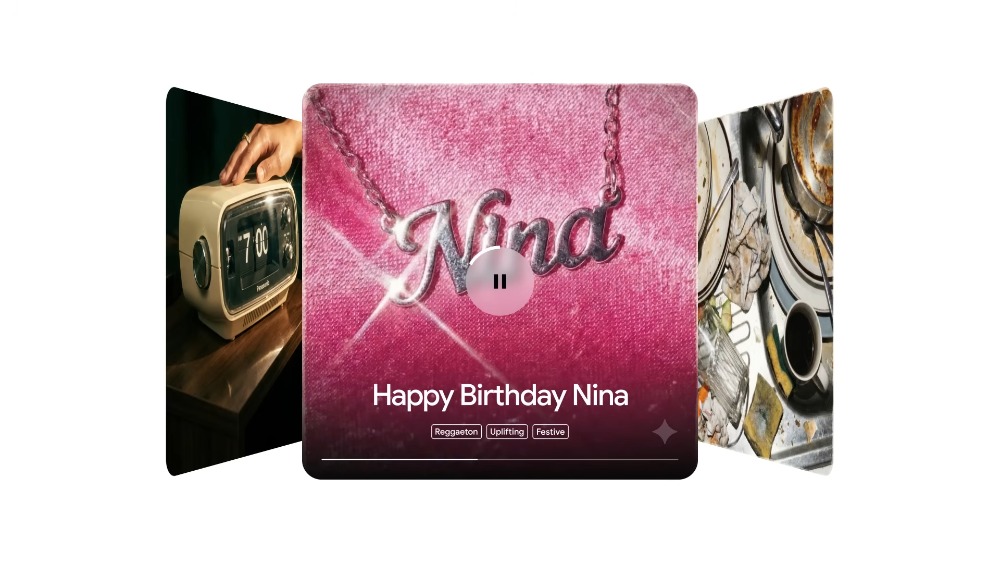
Google has officially integrated the Lyria 3 music generation model into Gemini, and everyone can use it for free.
Lyria is an AI music generation model launched by Google in 2023. It was not made directly available to the general public at first, but was rolled out through experimental tools such as YouTube’s Dream Track feature, which lets creators generate background music for YouTube Shorts videos.
Google has also released MusicFX as an experimental tool, letting developers or testers try it out to generate simple music clips. However, these offerings were somewhat restrictive—for instance, only available in certain countries, requiring a waitlist signup, and not supporting Chinese.
And with the launch of the more powerful Lyria 3 model, Google has also officially integrated it into Gemini.
Compared to previous models, Lyria 3 can generate high-quality 30-second music, including full instrumental arrangements, vocals, and automatically generated lyrics. You can tell it what to do using text descriptions, such as specifying the genre, mood, or theme, and the AI will create a short song for you.
Additionally, Lyria 3 also supports images or videos as input. For example, if you upload a photo, the AI analyzes the mood of the image and generates matching music and lyrics. Although Google emphasizes that this feature is still in beta, the results are already quite impressive.
When it comes to prompts, Google recommends that beginners start with a simple description and avoid overly complex instructions so that the AI can produce better results. For example: “Make an Afrobeat song about growing-up memories, dedicated to my mom,” and the AI will generate an Afrobeat song with lyrics.
You can also specify a style such as “lo-fi beats for relaxation,” and the AI will create background music that fits. If you want more control over the details, you can add elements like “slow tempo, female vocals, and piano lead.”
If you’re not satisfied with the generated music, you can directly ask the AI to modify it without starting over.
Gemini’s music generation feature is now available on the web, with the mobile app expected to follow in the coming days. It’s free for all users worldwide aged 18 and up, while AI Plus, Pro, or Ultra subscribers will receive higher usage limits.
How to Use Gemini’s Music Generation Feature
Now when you open the Gemini web app, you should see a prompt pop up at the bottom saying “Music generation is here! What do you want to create?” Just tap the button next to it to try it out right away. If you don’t see it, you may need to wait a bit longer — this is also being rolled out gradually, not to all users at once.
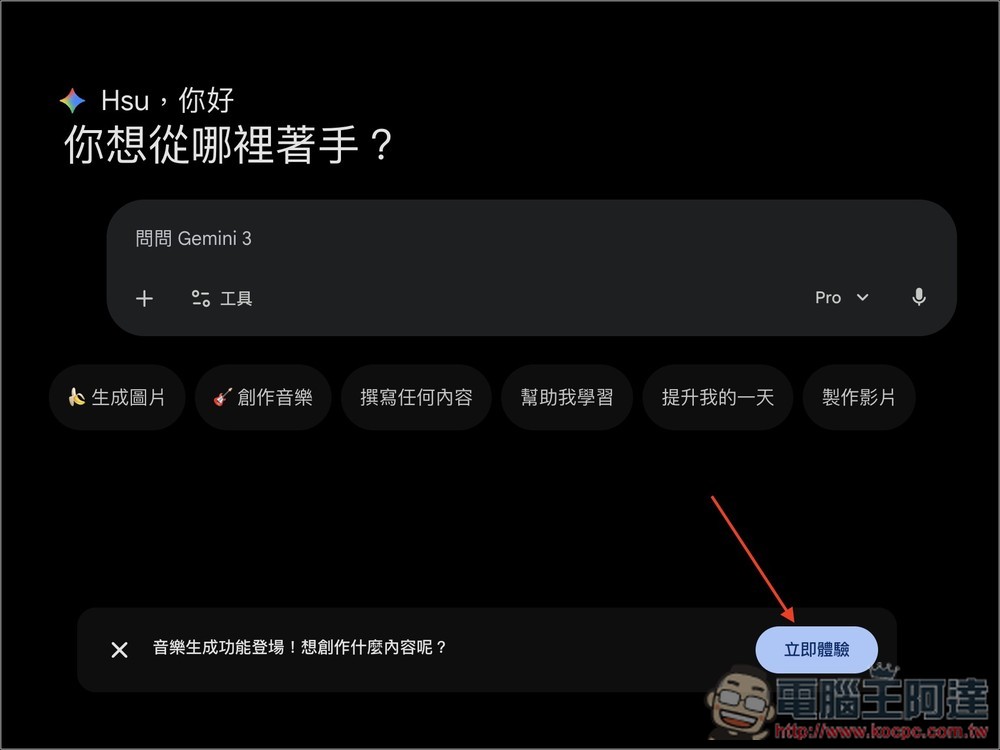
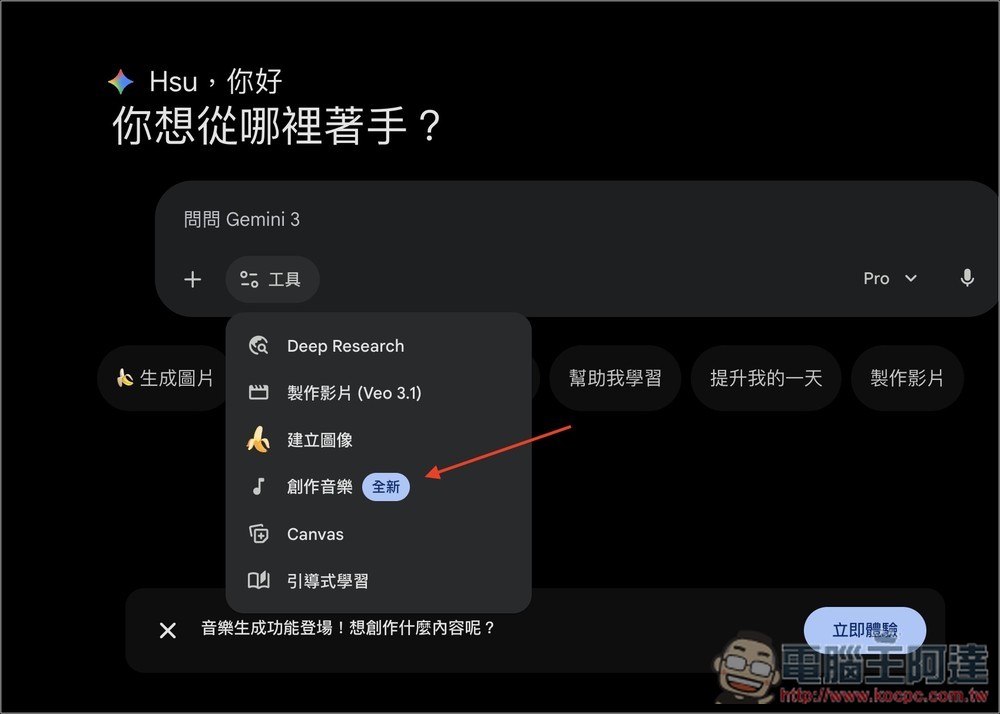
Additionally, you can also find the new “Create Music” option in the Tools menu:
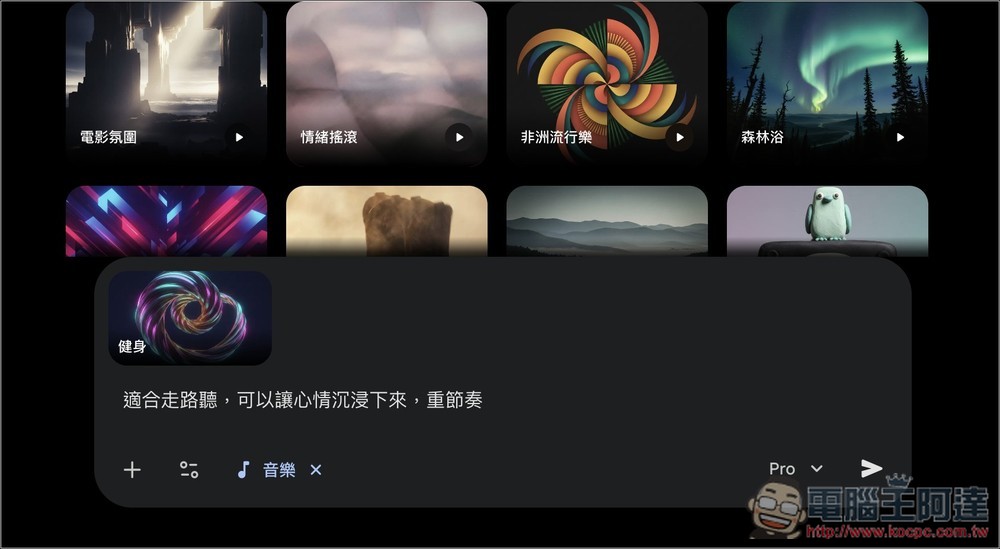
After enabling it, you’ll enter the music creation screen, where some popular tracks are displayed at the top to help you quickly create the music style you want:
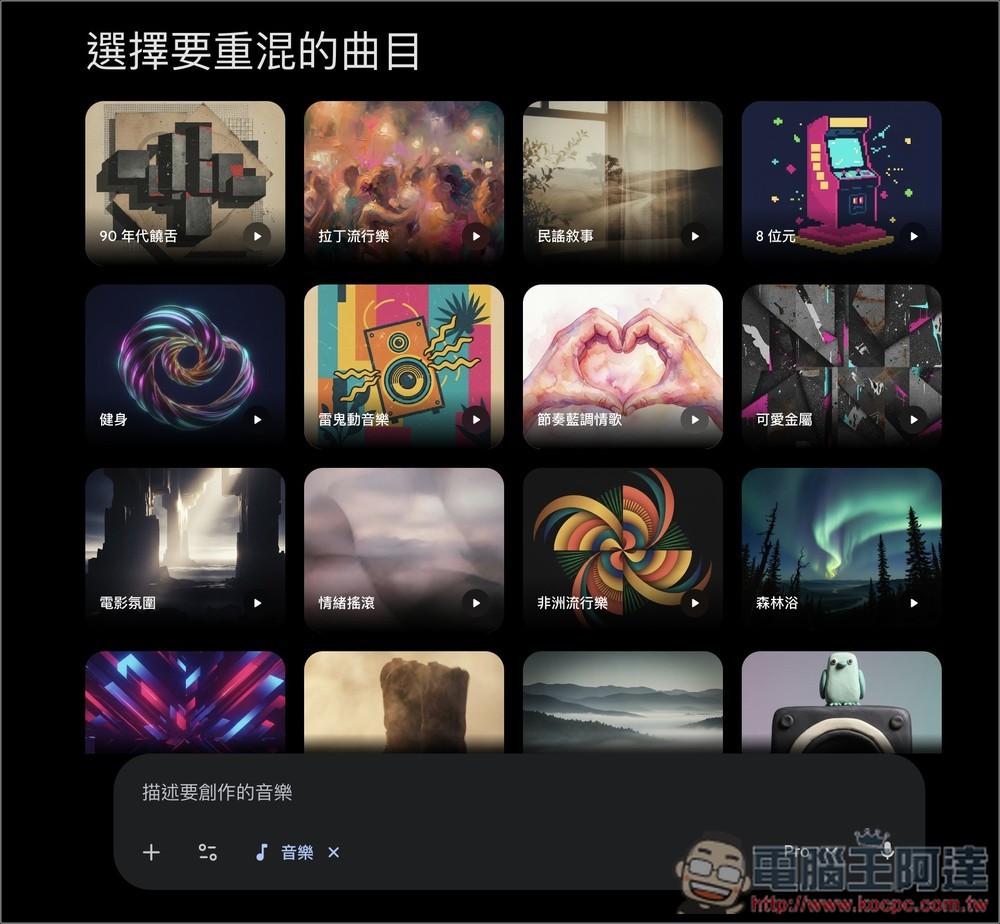
After selecting the track, enter your prompt:
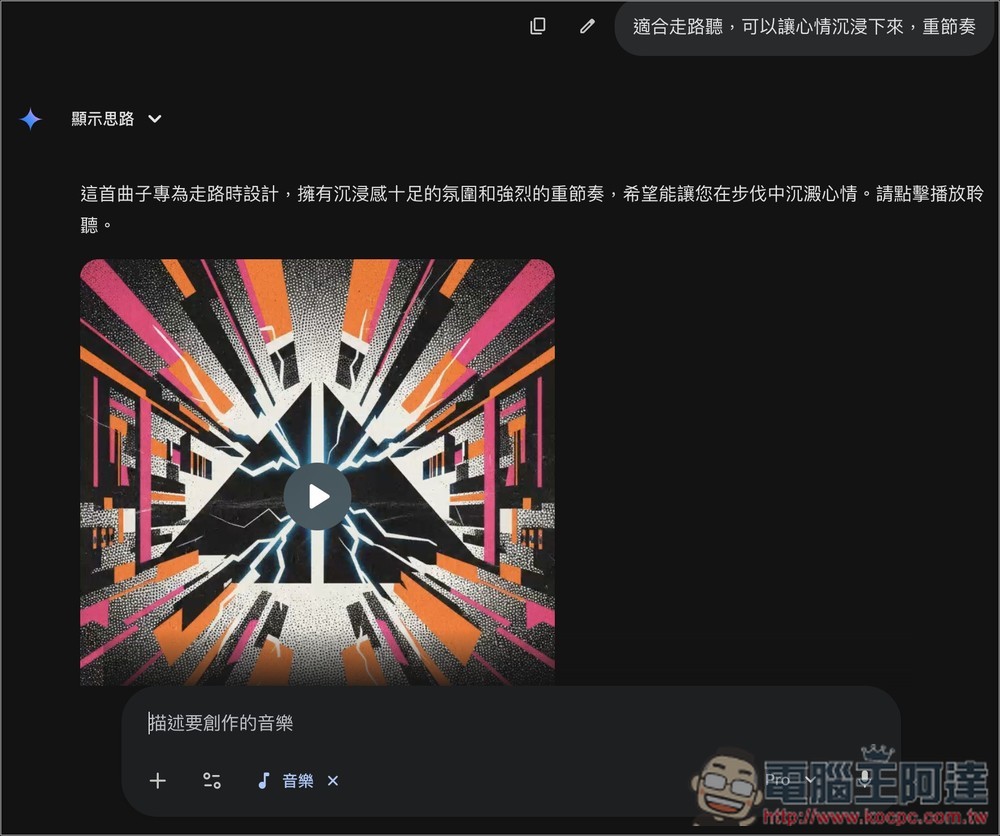
After it’s sent, it’s generated in about a few tens of seconds — very fast. You can press the play button to preview:
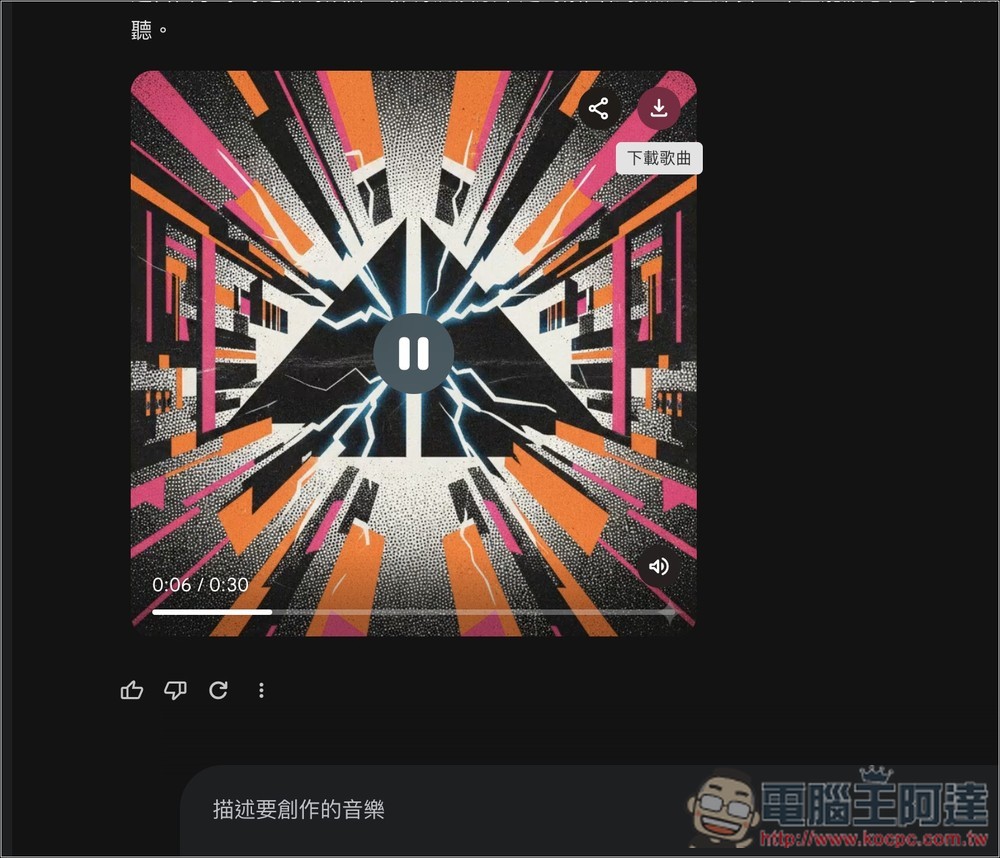
If you’re satisfied, hover your mouse over the upper-right corner of the track to see the Download Song button:
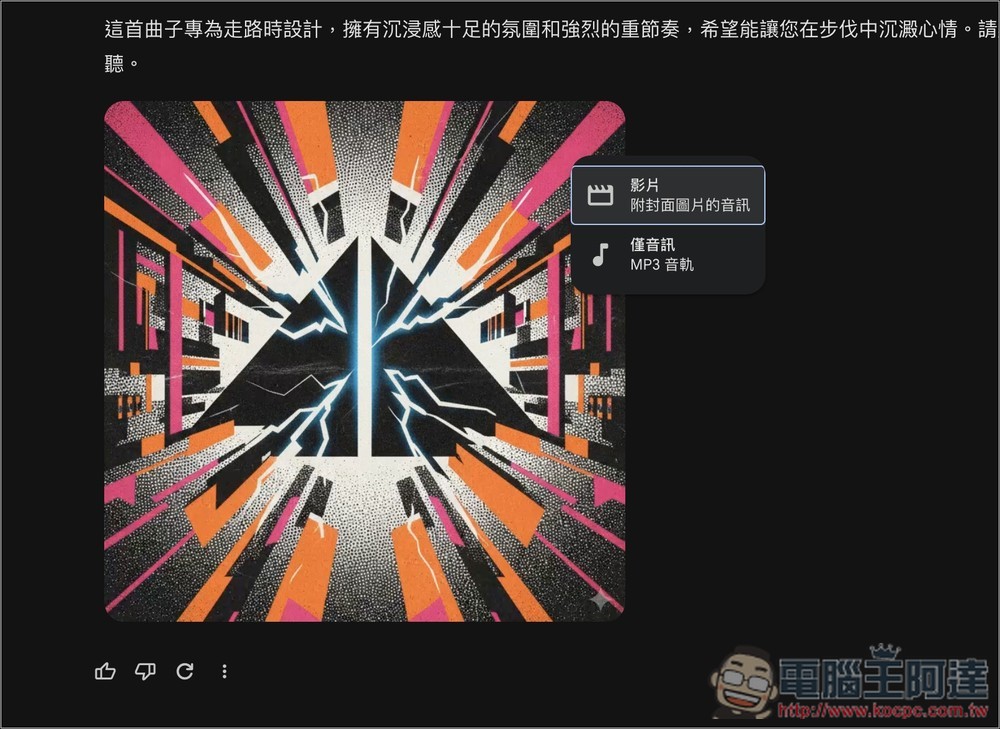
Two download formats are available: “Video (audio with cover image)” or “Audio only (MP3)”:
Source: KOCPC Chinese