


ChatGPT The built-in apps keep increasing, making the entire ecosystem more complete, and recently once again added the well-known song recognition service Shazam This integration means that going forward, if you hear a familiar song at a café, department store, in a short video, or anywhere else but can’t remember the title, you no longer need to open Shazam or another song identification app—just recognize it directly within ChatGPT. For those who use ChatGPT regularly, this is yet another convenient addition.
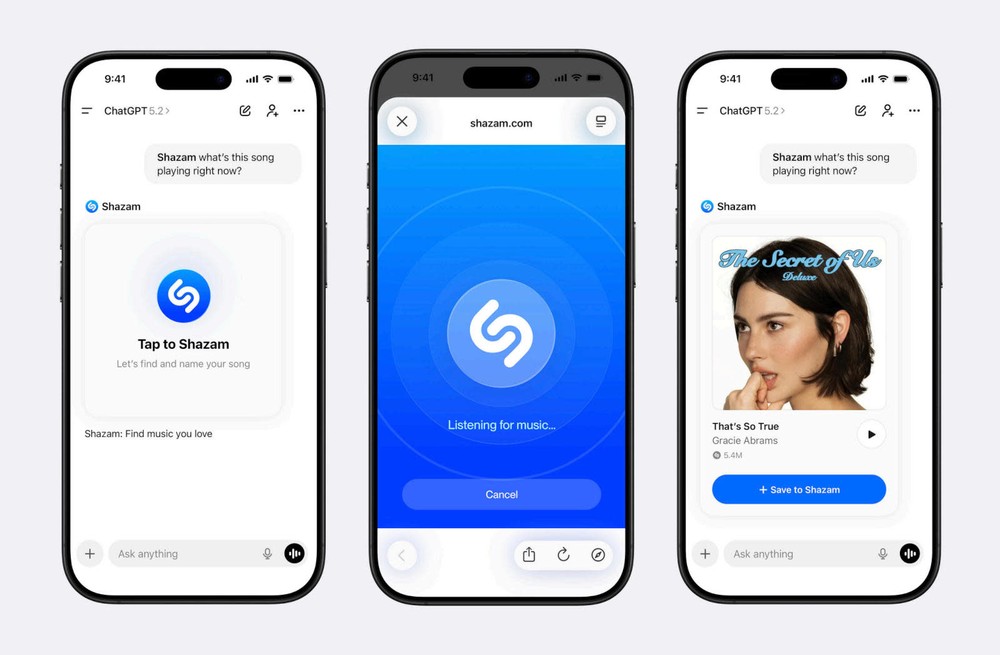
ChatGPT Officially Integrates Shazam, Letting You Identify Songs Without Leaving the App
For those unfamiliar with Shazam, here’s a quick introduction. Shazam is a music recognition service currently owned by Apple (acquired in 2018). Simply let it listen to a short clip of music that’s playing, and it will tell you the song’s name and who the artist is. It’s also one of the most widely used music recognition tools globally, with the company stating that its user base has reached “hundreds of millions” of people.
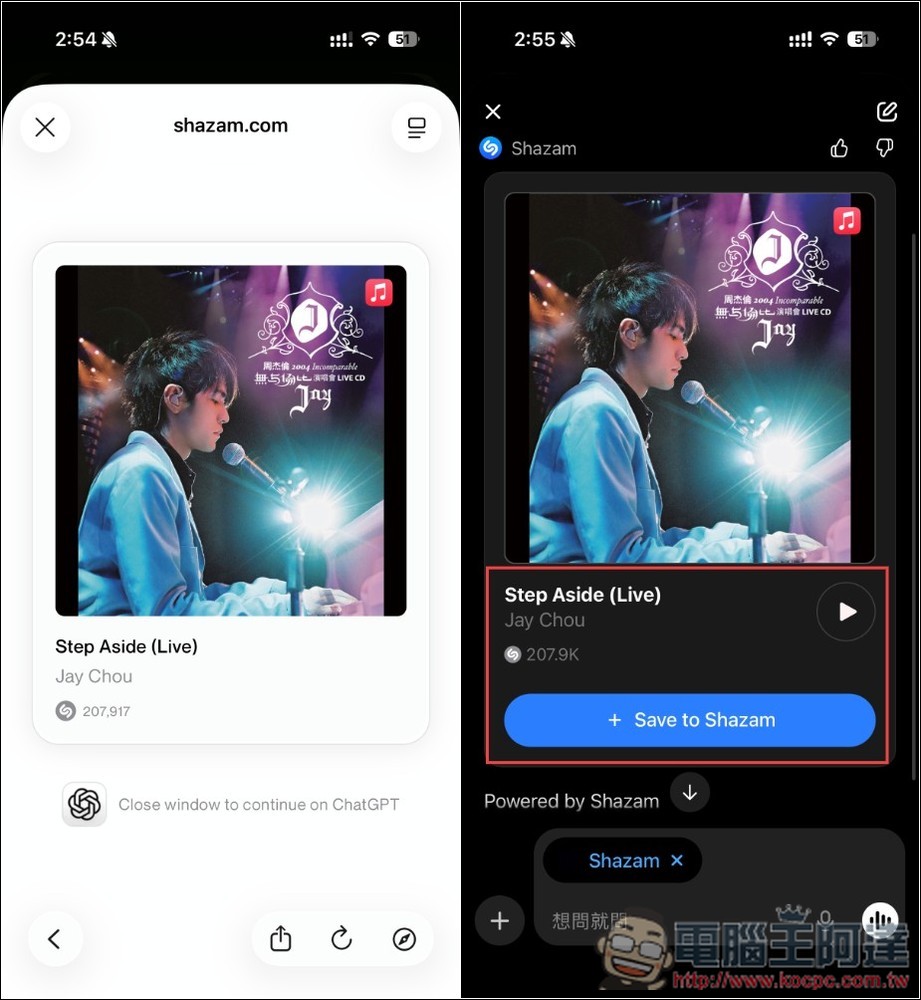
OpenAI announced a few days ago that ChatGPT has integrated Shazam’s song recognition feature, available on iOS, Android, and web platforms with a global rollout that includes Taiwan. When a song is successfully identified, ChatGPT will display an information card containing:
- Singer name
- Song Title
- Album cover image
- The number of times this song has been Shazamed
At the same time, you can also listen to snippets of the song directly within ChatGPT, without having to switch to another music player. If you have the Shazam app installed on your phone, songs identified through ChatGPT will automatically sync to your Shazam music library, making it easy for you to review them later.
Note that on your first use, you’ll need to go to the app store and connect Shazam to your ChatGPT in order for it to work properly. The steps will be demonstrated below. The free version of ChatGPT works as well.
How to use ChatGPT’s Shazam song recognition feature
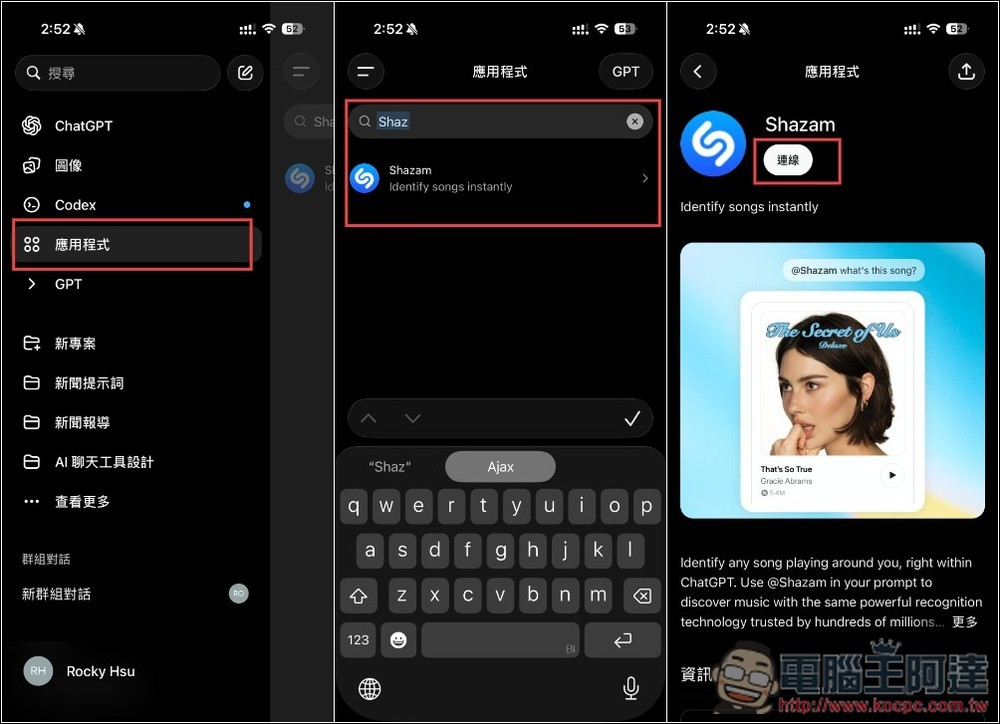
Open ChatGPT, go to the app menu on the left, then search for the Shazam keyword to find the Shazam app, and click the connection at the top.
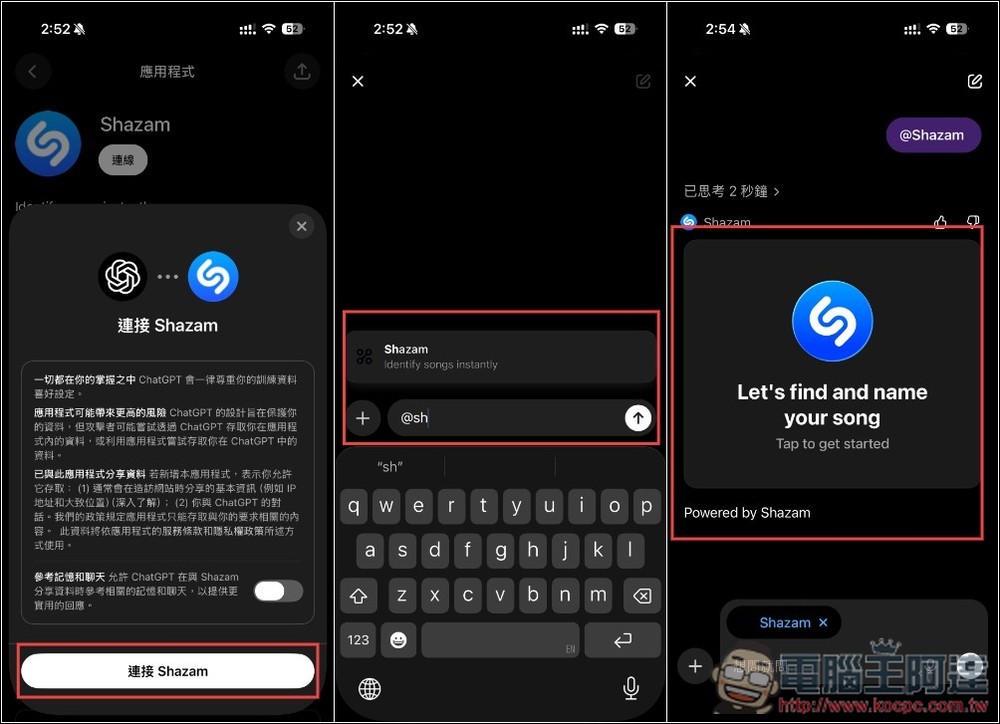
A message window will pop up, and if everything looks good, tap Connect Shazam to complete the setup. From now on, you can activate Shazam anytime in the chat. In addition to selecting it from the app menu, you can also type @shazam directly, and after sending, tap the Let’s find and name your song button on the screen.
Directly open shazam.com in ChatGPT, tap the icon on the screen, and allow microphone access.
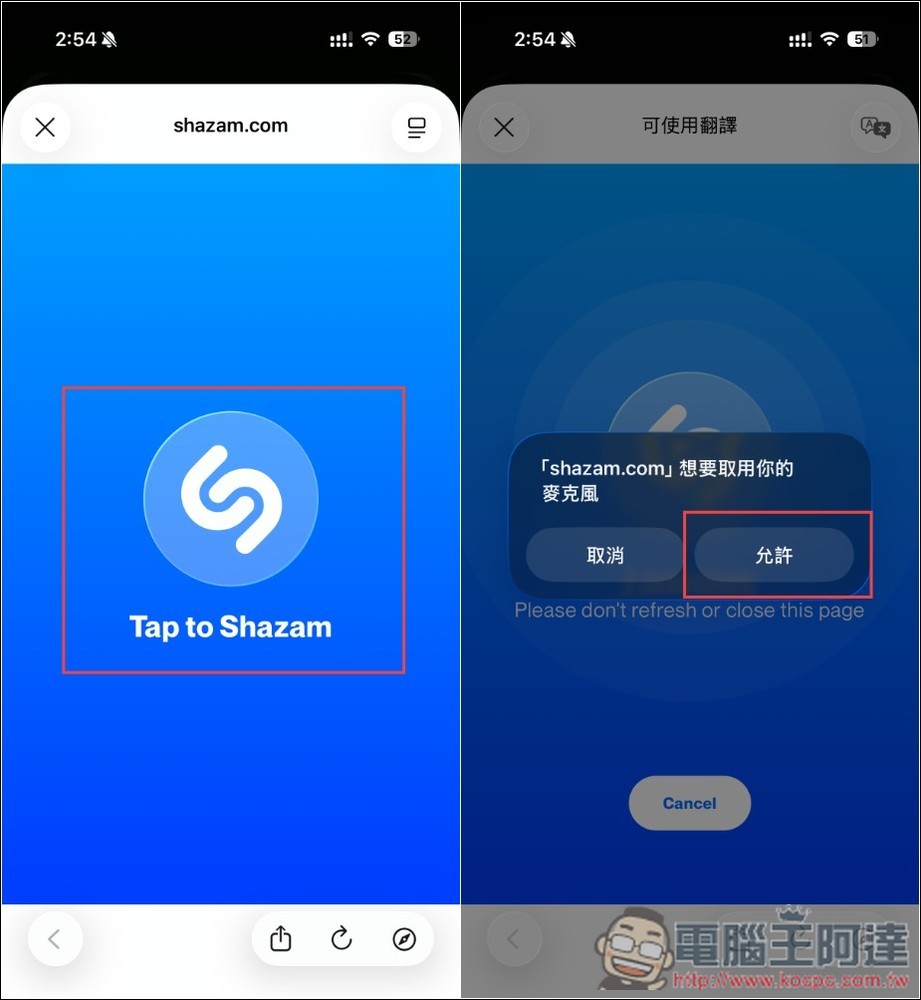
Wait a few seconds for the recognition to complete and the results will appear. The info card will also show up in the ChatGPT chat interface. On iOS, you can tap the icon in the upper right corner to jump to Apple Music to listen (if you have a subscription), and you can also tap the play icon in the lower right corner to preview a snippet. Tap Save to Shazam to add this song to your Shazam list.
Source: KOCPC Chinese