


Claude Lately the pace of evolution has been a bit too fast, the homemade version. OpenClaw The full version has officially arrived. Following the launch a few days ago that allowed phones to remotely send messages for AI to operate computers, Dispatch Afterwards, earlier today, they announced a powerful trump card – the new “Computer Use” feature. True to its name, this allows Claude to control your computer, and by that I mean taking over the mouse and keyboard directly, not through CLI commands. This means it can operate any App you authorize. Even more importantly, this feature is under Dispatch, which means it can also be triggered remotely on your phone. AI Open any app to get work done.
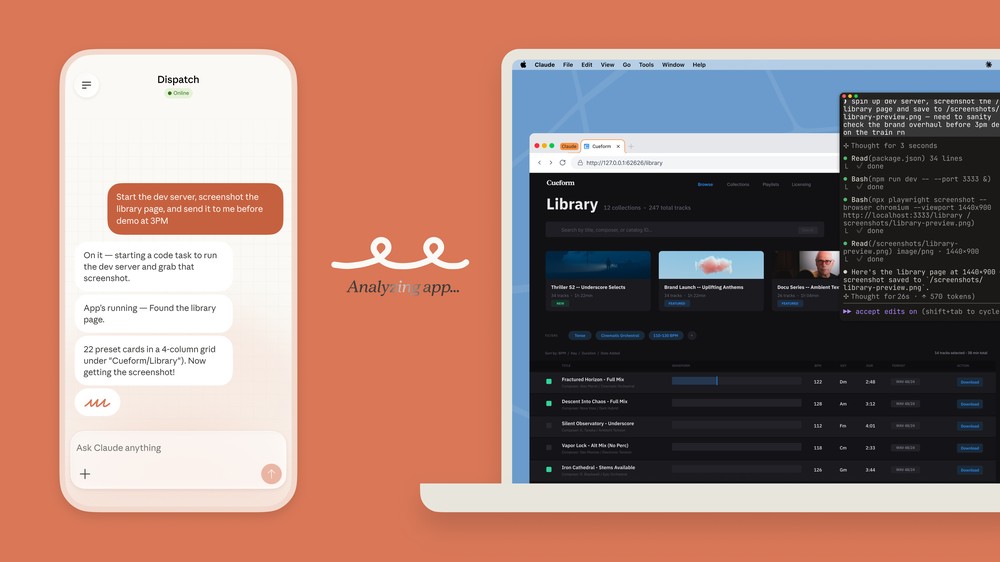
Claude Officially Launches Computer Use Feature! Automatically Control Your Mac, Open Any App to Get Things Done
Claude actually demonstrated the Computer Use feature as early as 2024.However, that was only available for API users at the time, as the Claude App itself didn’t have this functionality yet. And with OpenClaw gaining popularity, it seems Claude has accelerated development of a desktop AI agent. They recently announced the addition of “Computer Use” to Claude, which enables it to directly control computers to complete various tasks.
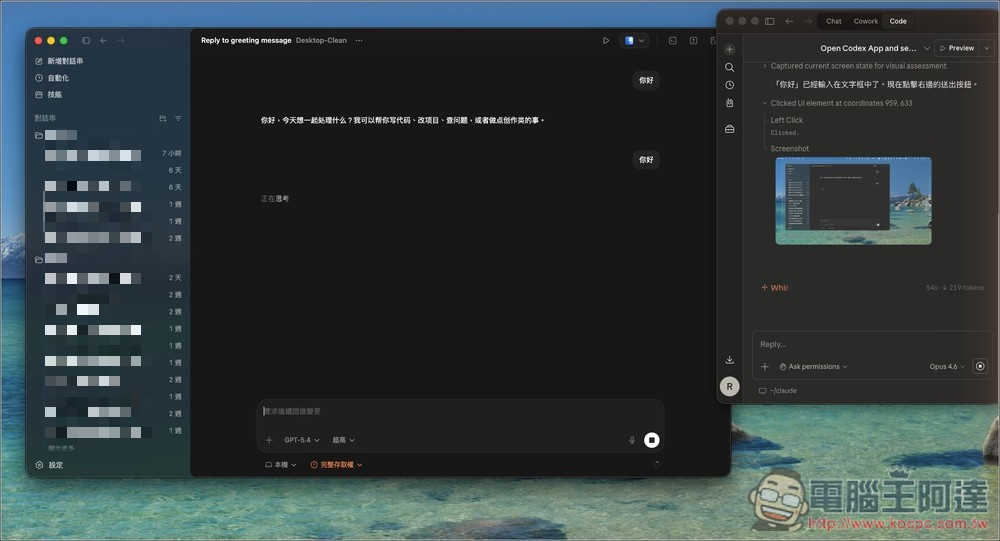
Anthropic says Claude will automatically find suitable tools to complete tasks through connectors with apps like Google Calendar and Slack. If no tools or connectors are available, Claude will invoke the Computer Use skill, using a keyboard to type or moving a mouse like a human, scrolling pages or clicking on the screen to manually execute tasks—and this works with all kinds of apps. I even tested asking Claude to open rival OpenAI’s Codex and send a message, and the task completed perfectly.
Of course, many people would certainly worry about security when it comes to letting AI fully control a computer. Anthropic says they have implemented multiple protective mechanisms to reduce risks like prompt injection. The system will also automatically scan for such vulnerabilities as well as other potential security issues.
However, despite these security measures, Anthropic still reminds users that this is currently a new feature and errors may occur, so it recommends not using applications that involve sensitive data.
Currently, the Computer Use research preview is available to Claude Pro and Claude Max subscribers, and only supports macOS.
How do I use Claude’s Computer Use?
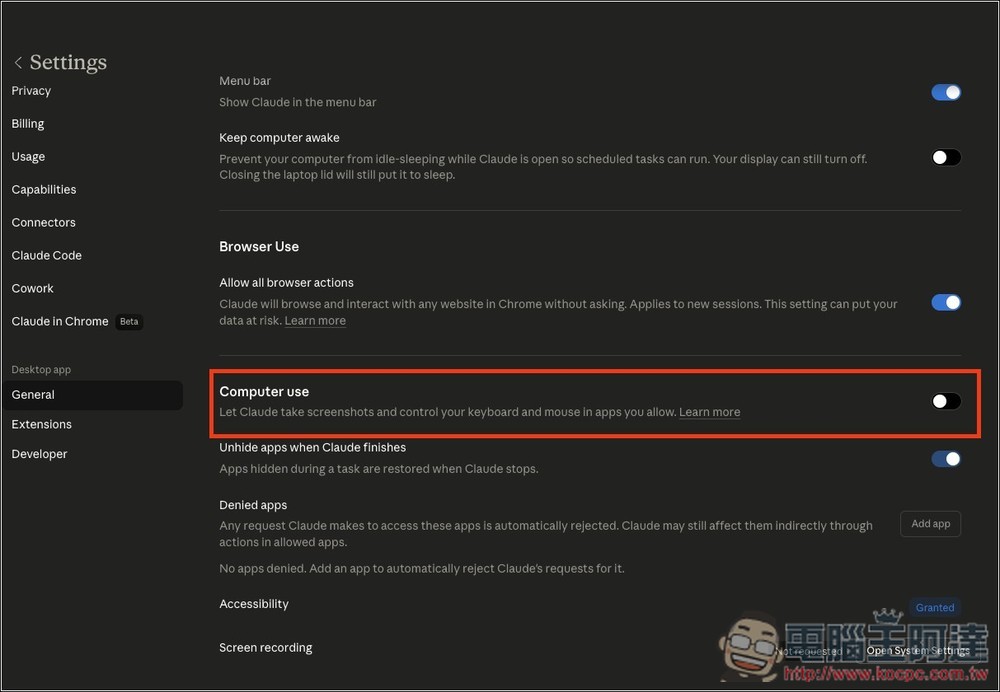
It’s also very simple to use. First, go to General in Settings and turn on the Computer use feature:
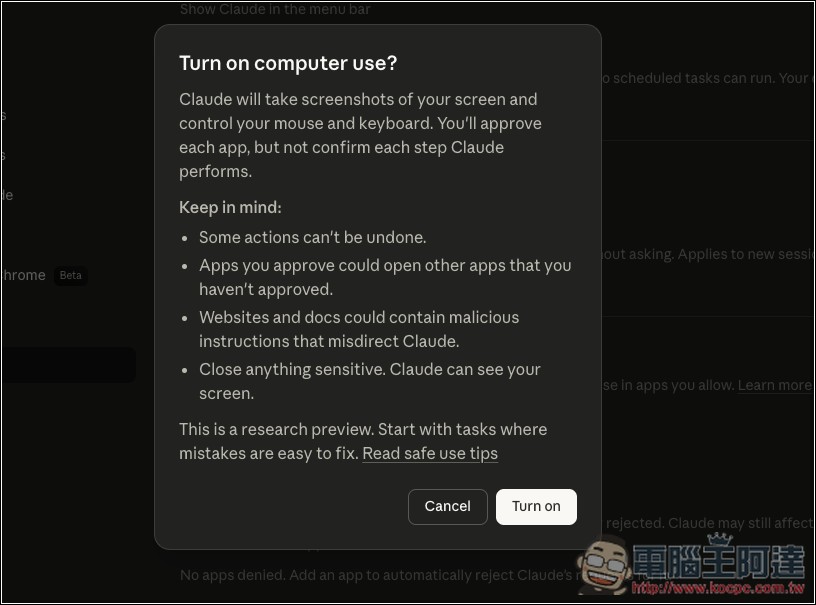
A prompt will appear. To put it simply, the automation process works by Claude using screen screenshots to control your mouse and keyboard. For each app it wants to open, you’ll need to grant permission. The prompt also contains some warnings—make sure to read them carefully. Since Claude can read your Mac’s screen, the official recommendation is to close any sensitive information. If that’s all good, press Turn on:
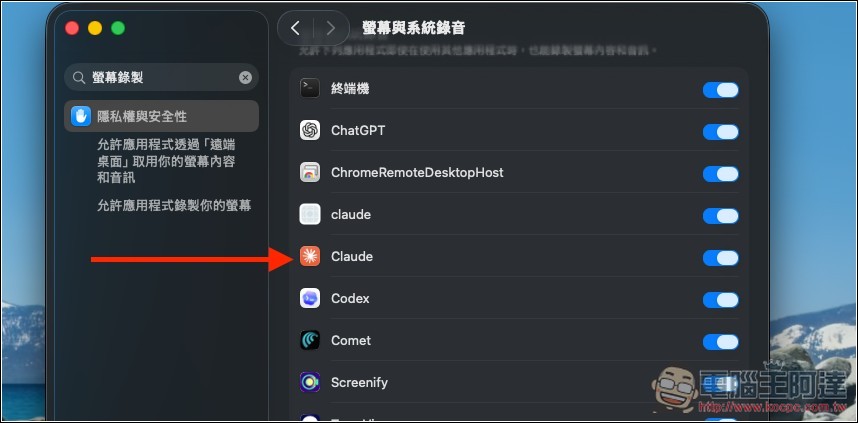
First-time use requires authorizing some system features. Just follow the on-screen instructions:
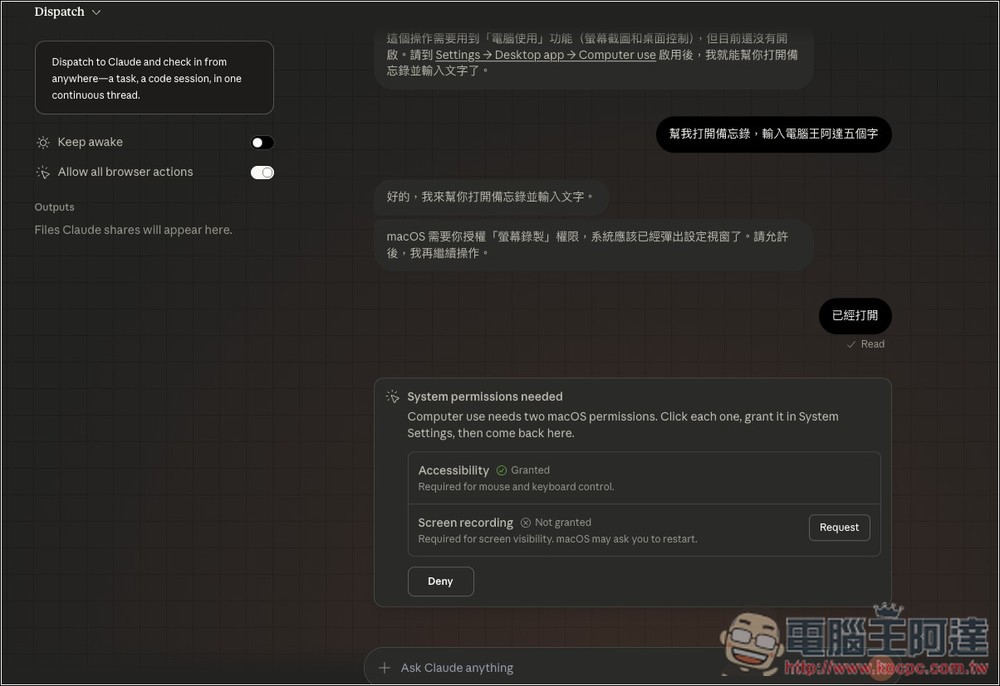
Like Claude with screen recording on:
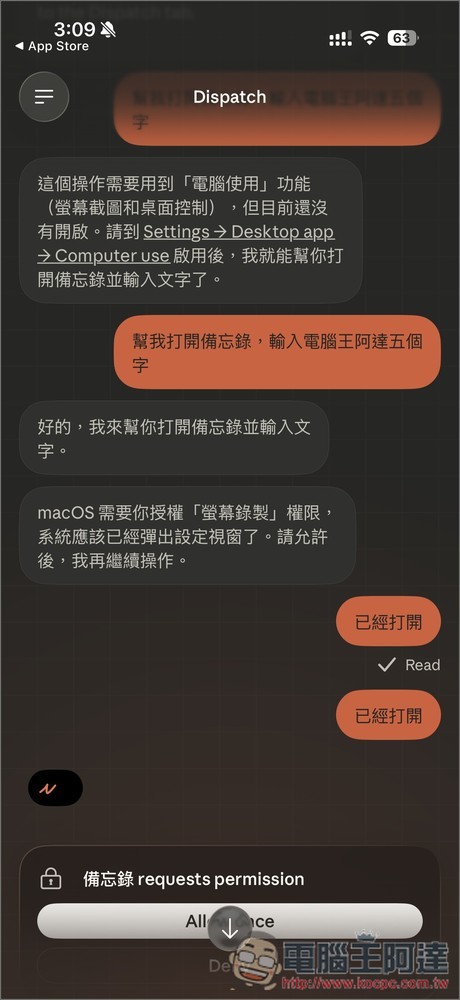
Then you can send commands to Claude on your phone, like how I asked it to open the Notes app and enter the five characters “電腦王阿達”. A prompt will appear below asking for permission to open the Notes app—remember to tap Allow once.
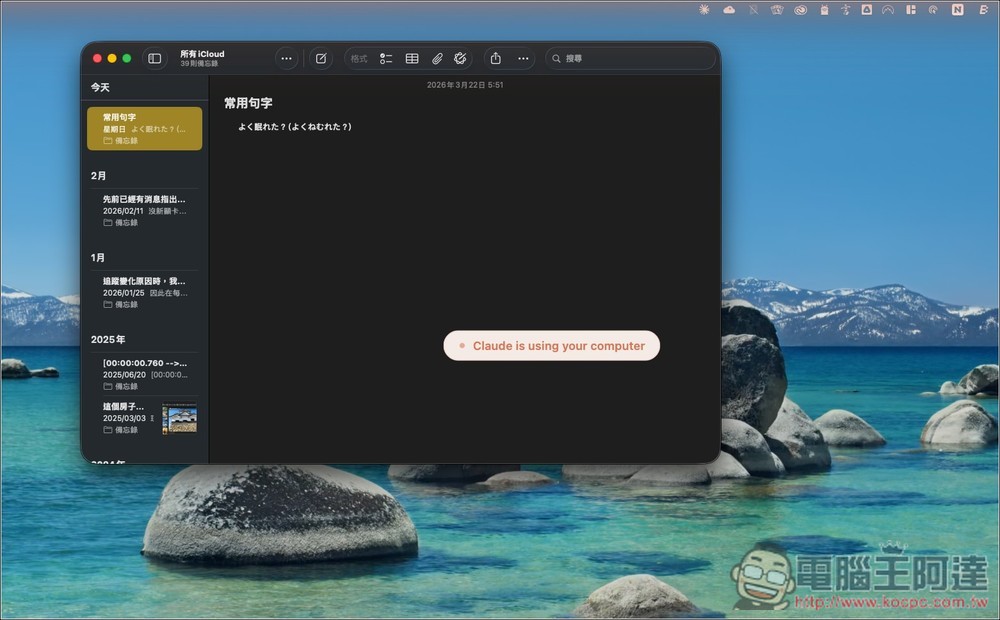
Next, you’ll see a prompt indicating that Claude is using the computer, and then the Notes app opens up.
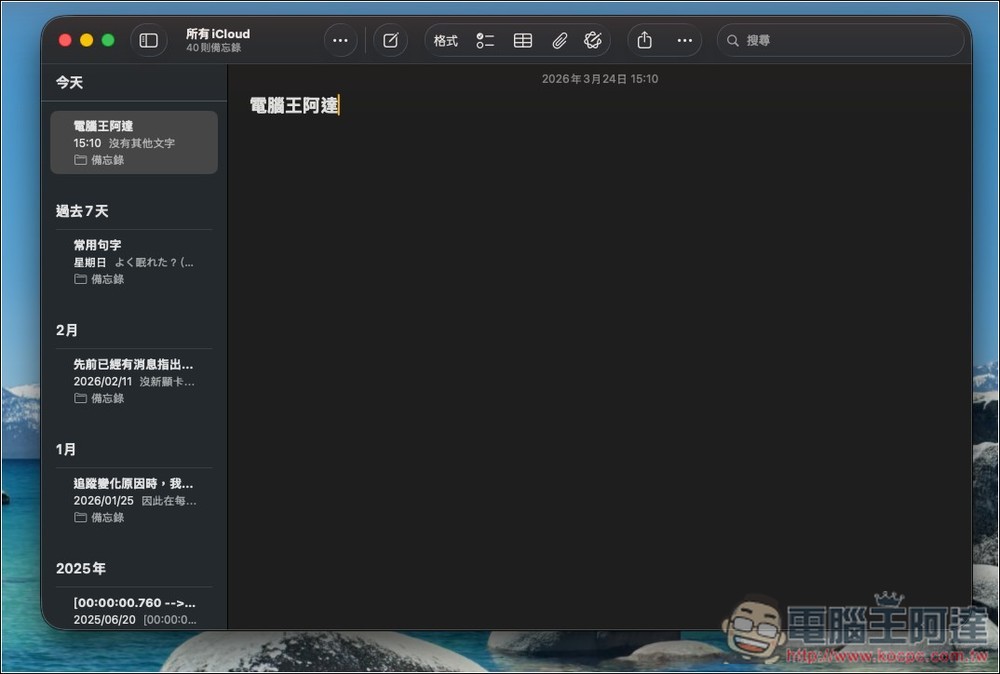
Create a new note and enter Computer King Ada:
Next, as mentioned earlier, open the Codex App and type in “Hello”:
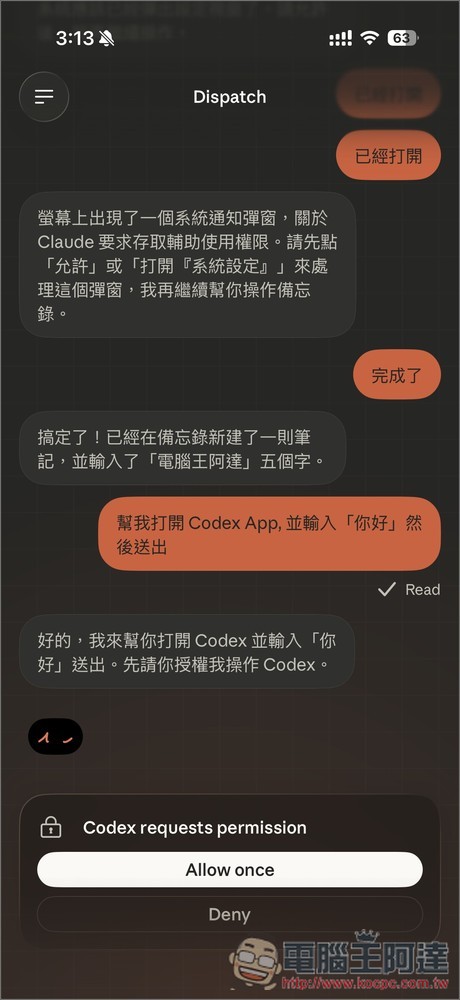
Claude does it perfectly as well:
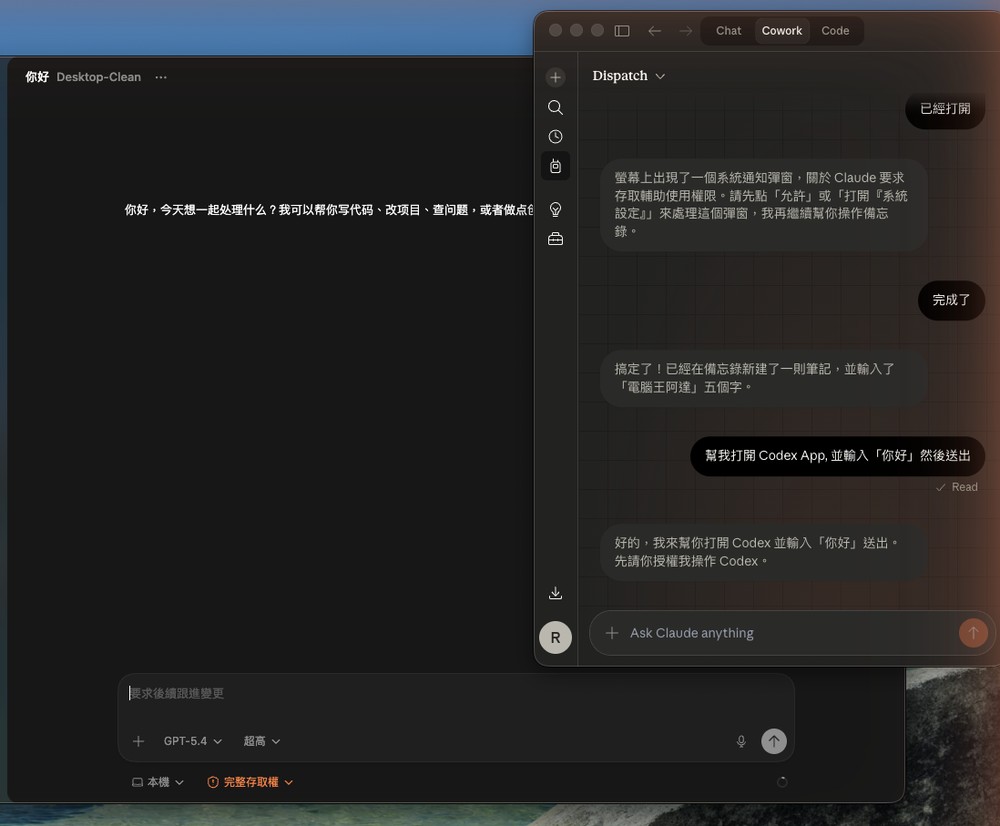
The Claude desktop app also works and will use mcp_computer-use:
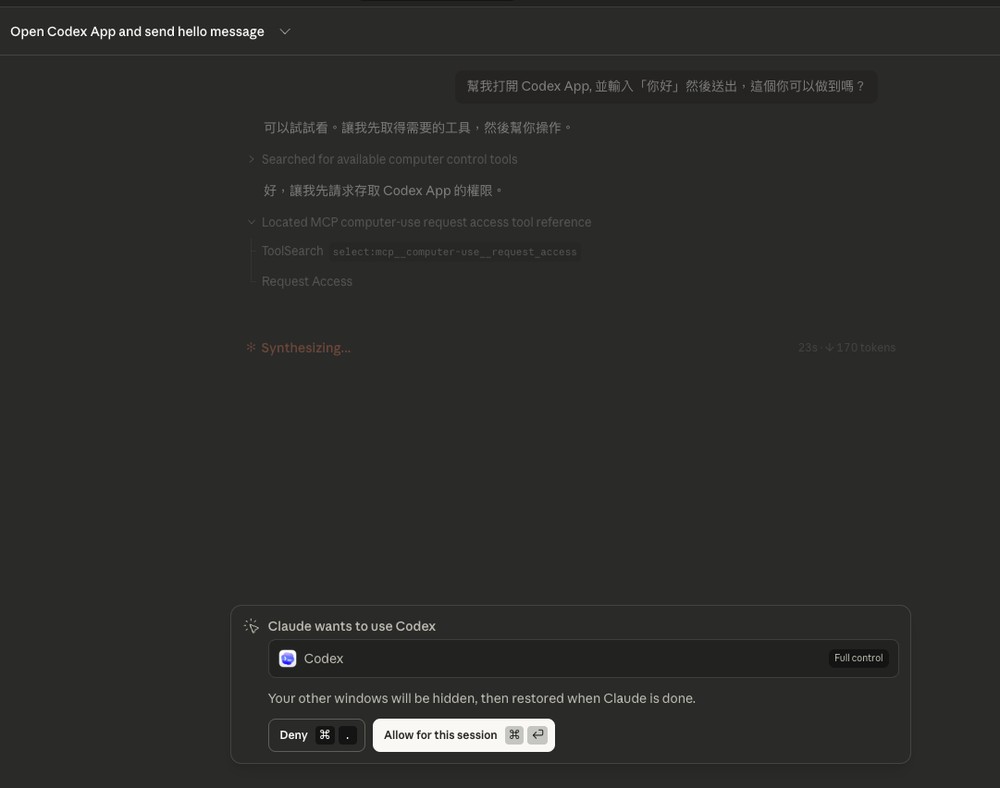
Equally perfect results, and at great speed:
Source: KOCPC Chinese