


Along with Google Gemini getting stronger and stronger, quite a few originally used ChatGPT、Claude etc. AI Anyone who uses AI tools has probably thought about switching at some point. But the biggest hesitation when switching AI tools is all the accumulated conversation history, personal preferences, and the memory content you’ve spent time building—like telling ChatGPT about your job, writing style preferences, or commonly used response formats. These all take a long time to develop, so switching to a new AI tool basically means starting from scratch, which feels like a hassle.
And now there’s a solution to this problem. Google announced earlier on its official blog that Gemini has officially launched a new “Memory and Chat History” import feature, allowing you to transfer your ChatGPT and Claude conversation records, and even AI memories, directly to Gemini.

Don’t start from scratch! Google Gemini launches import feature, letting you transfer your ChatGPT and Claude conversation history and memories over
Google earlier announced on its official blog the launch of a new import feature for Gemini, with two different options that work differently:
- Import conversation history
- Import Memory
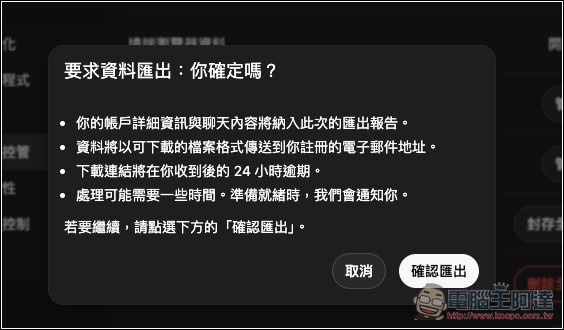
For the import conversation history section, first export the data from your commonly used AI tool. For ChatGPT, you can find the “Export data” function under Settings -> Data Controls. For Claude, it’s Settings > Privacy > Export data. After exporting, you’ll receive a system-generated .zip compressed file in your email; remember to download it within 24 hours:
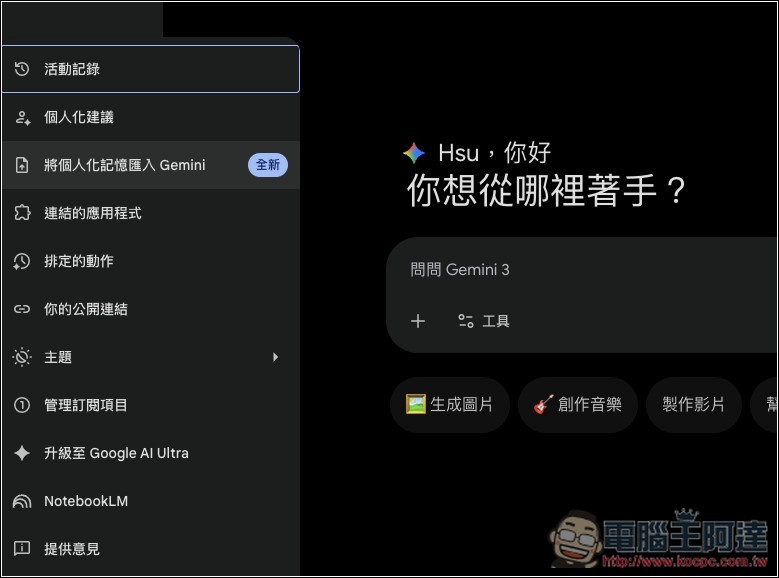
Next, go to the import page in Gemini gemini.google.com/importor find “Import your personal memories into Gemini” in Settings & help at the bottom-left corner of the Gemini website:
Simply upload the .zip file to “Import Chats” below to complete the process. The imported chats will then appear in the Gemini sidebar with an import icon, making it easy to distinguish which chats were transferred and which are native to Gemini. Search and delete are also supported. Keep in mind that you can upload up to 5 .zip files per day, with each file limited to 5GB, which should be more than sufficient for most users.
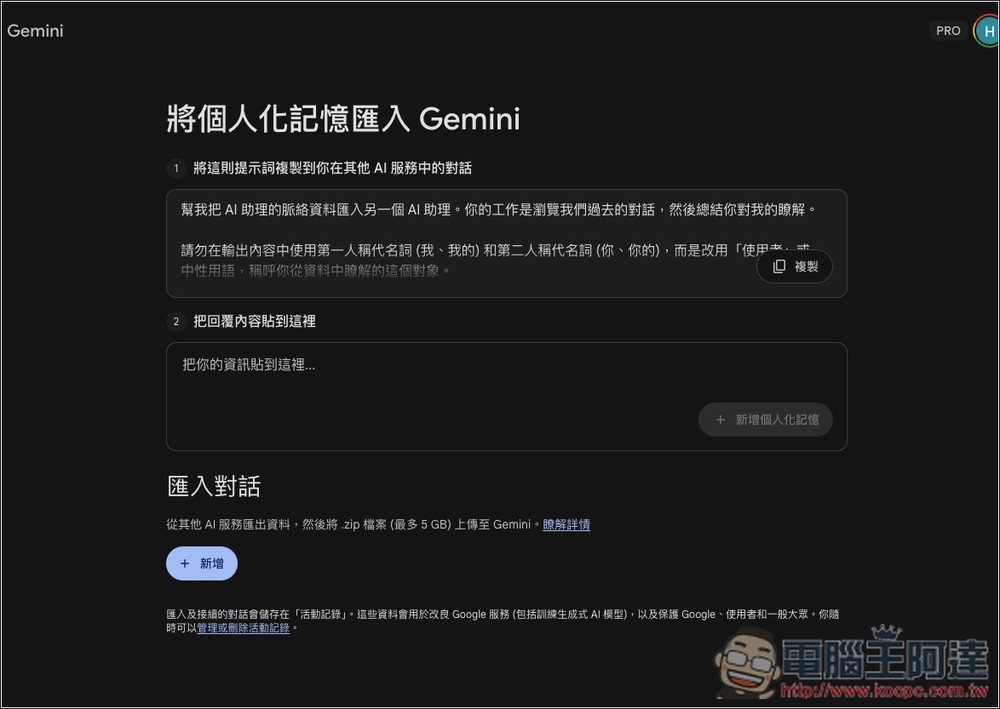
The method for importing memories is quite different—instead of uploading a file, it’s done through a prompt.
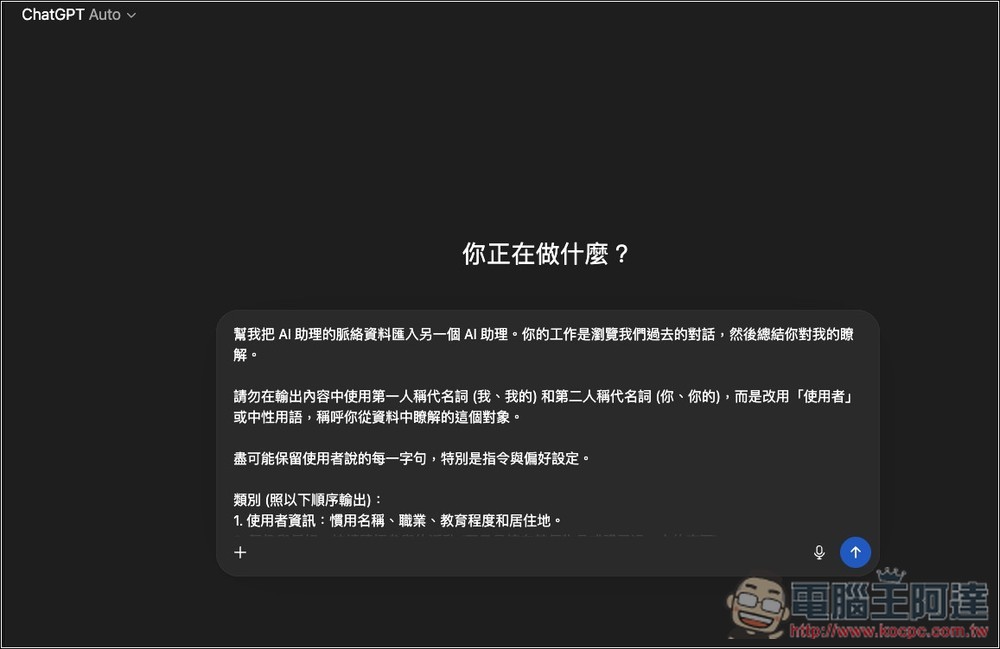
just now Gemini Import Settings MenuIn there, the system will provide a prompt. You copy and paste this prompt into your original AI tool (like ChatGPT or Claude), and it will automatically generate a summary of your preferences and background based on its past interactions with you. Then you paste this summary back into Gemini, and Gemini will quickly get to know you, including your preferences, relationships, personal background, and other information:
According to Google, this feature is now rolling out worldwide and doesn’t require a paid Gemini Advanced subscription. However, users in the European Economic Area (EEA), Switzerland, and the UK currently don’t have access, presumably due to data protection regulations like GDPR.
Source: KOCPC Chinese