


With Google Launch Gemini The 3.1 Flash model has finally updated its AI as well Text-to-SpeechThe model officially launched Gemini 3.1 Flash TTS. This upgrade focuses on three areas: “controllability,” “expressiveness,” and “voice quality.” It introduces over 200 audio tags, allowing you to precisely control desired tone, rhythm, and accent like a director commanding actors. On the TTS ranking list of the third-party evaluation website Artificial Analysis, it reached an Elo score of 1,211, ranking second globally.
Google Launches Gemini 3.1 Flash TTS: Supports 200+ Audio Tags, 70+ Languages, Achieves Elo Score of 1,211
Google recently announced on its official blog the launch of Gemini 3.1 Flash TTS, its next-generation text-to-speech model, with four notable highlights in this upgrade.
First up is the brand-new “Audio Tags” system. This is the biggest feature of Gemini 3.1 Flash TTS—developers simply add commands like [Excited], [Pause], [Laughter] to their text, and the model will follow the instructions to adjust tone, rhythm, and even add sound effects.
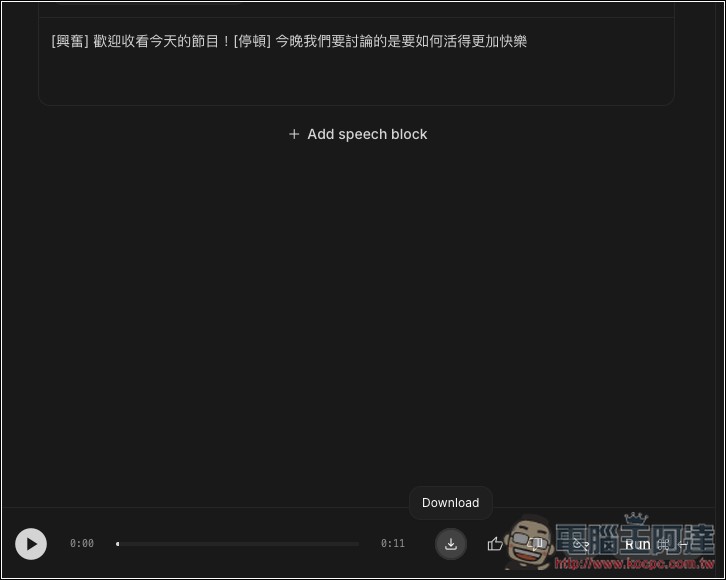
For example, you can input something like: “[Excited] Welcome to today’s show! [Pause] Tonight we’ll be discussing how to live a happier life,” and it will automatically generate a speaking sequence with initial excitement followed by a brief pause.
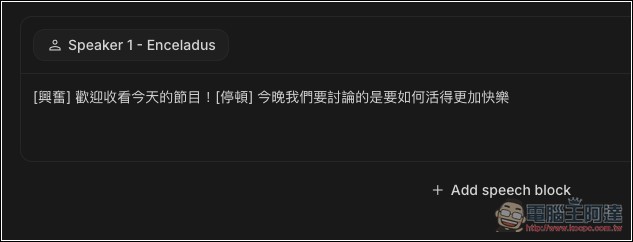
According to Google, it currently supports over 200 audio labels, covering four categories: emotion, rhythm, accent, and format.
Next is native multi-character dialogue support, designed primarily for API users. Previously, generating multi-person conversations typically required making separate API calls and stitching them together manually. Now, Gemini 3.1 Flash TTS can handle multiple characters in a single API call, with each character assigned different voices, accents, and personalities. This makes scenarios like podcast conversations and multi-character audiobook narration much easier to handle directly.
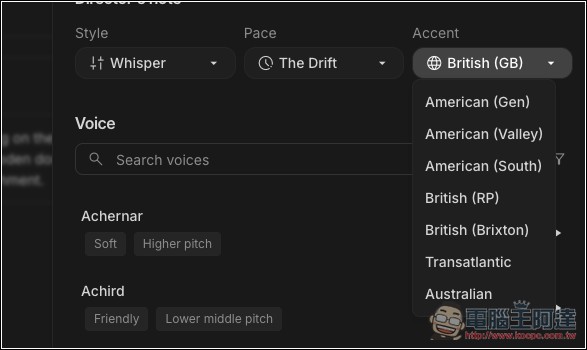
Third is more language and accent support. Gemini 3.1 Flash TTS now supports over 70 languages, with 24 of them rated as “High Quality Evaluation” languages by Google, including Japanese, Korean, Hindi, German, French, Spanish, Portuguese, Italian, Simplified Chinese, and more. English also supports multiple accents, such as Southern American, British RP, and Transatlantic accents used on both sides of the Atlantic—very practical for creators who need localized content.
Finally, there’s the built-in SynthID watermark. All audio generated by Gemini 3.1 Flash TTS is embedded with Google’s own SynthID watermark from DeepMind. While it’s inaudible to the human ear, it can be verified with tools to determine if the content was generated by AI. This aims to prevent AI voices from being used for malicious purposes such as misinformation or fraud.
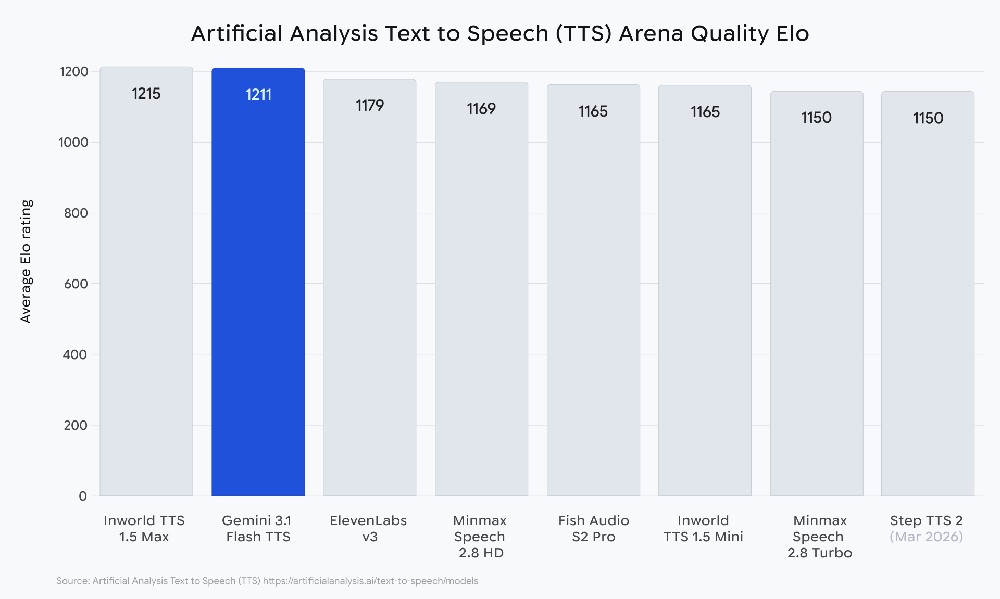
In Artificial Analysis’s TTS Voice Rankings, Gemini 3.1 Flash TTS scored 1,211 Elo points, ranking second globally, just behind ElevenLabs (approximately 1,280 points). Google also described it as: “Our most natural and expressive voice model yet”:
Gemini 3.1 Flash TTS is currently available as a Preview version, with the API identifier gemini-3.1-flash-tts-preview, and can be accessed through the following platforms:
- Gemini API、Google AI Studio
- Vertex AI
- Google Vids
Regarding API pricing, Gemini 3.1 Flash TTS falls into a more affordable tier: approximately $1 per million tokens for text input and about $20 per million tokens for audio output. At roughly 25 tokens per second of audio, generating one minute of audio only consumes about 1,500 tokens, making the cost quite budget-friendly.
How to use Gemini 3.1 Flash TTS for free on Google AI Studio
As long as you have a Google account, you can experience Gemini 3.1 Flash TTS, the next-generation text-to-speech model, for free in Google AI Studio. It’s very simple.
Click the link above to go to Google AI Studio, log in to your Google account, and you’ll see several templates that you can use directly:
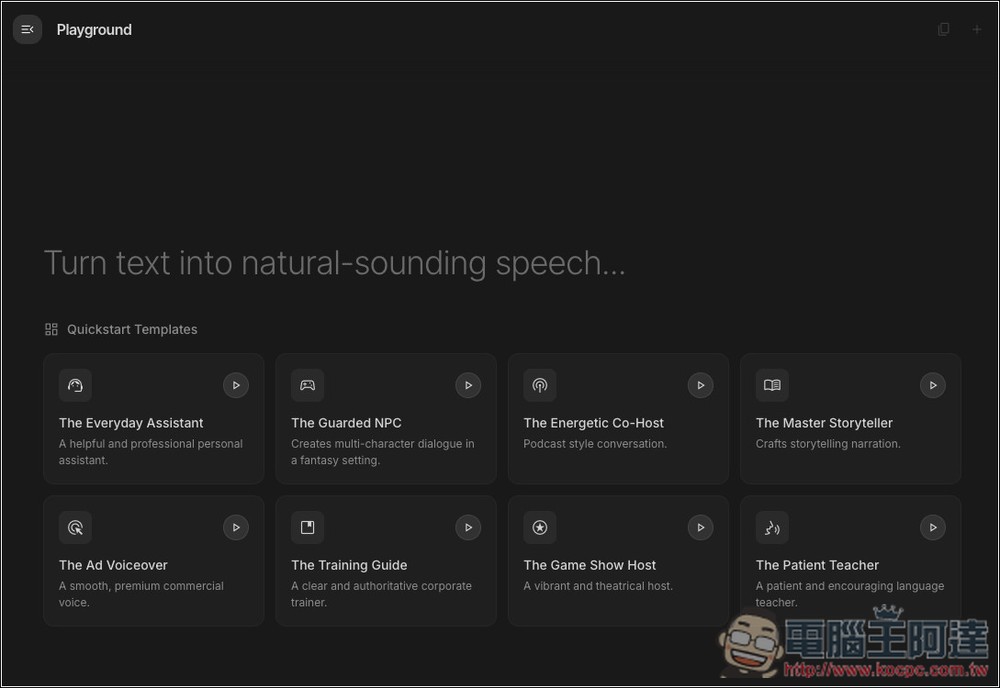
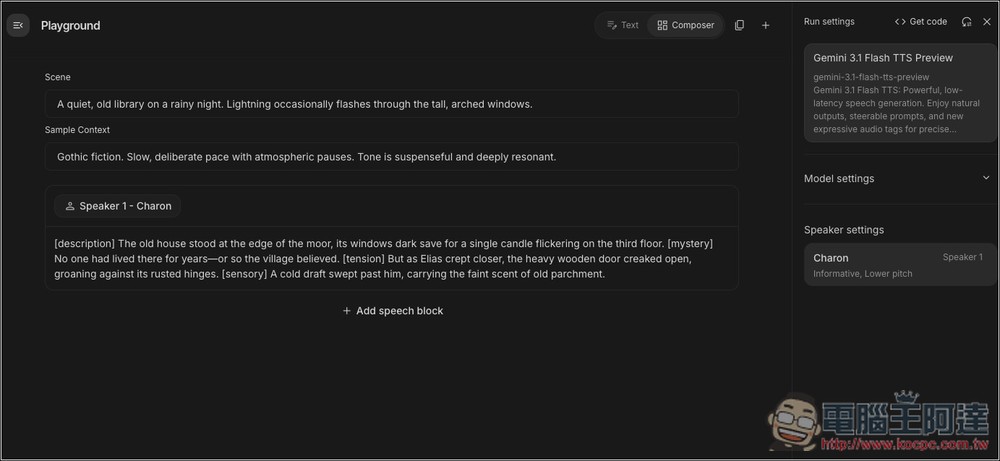
Pick any template to enter the inner page, and you’ll see the Gemini 3.1 Flash TTS Preview model on the right side, with Speaker settings below where you can switch to other voices.
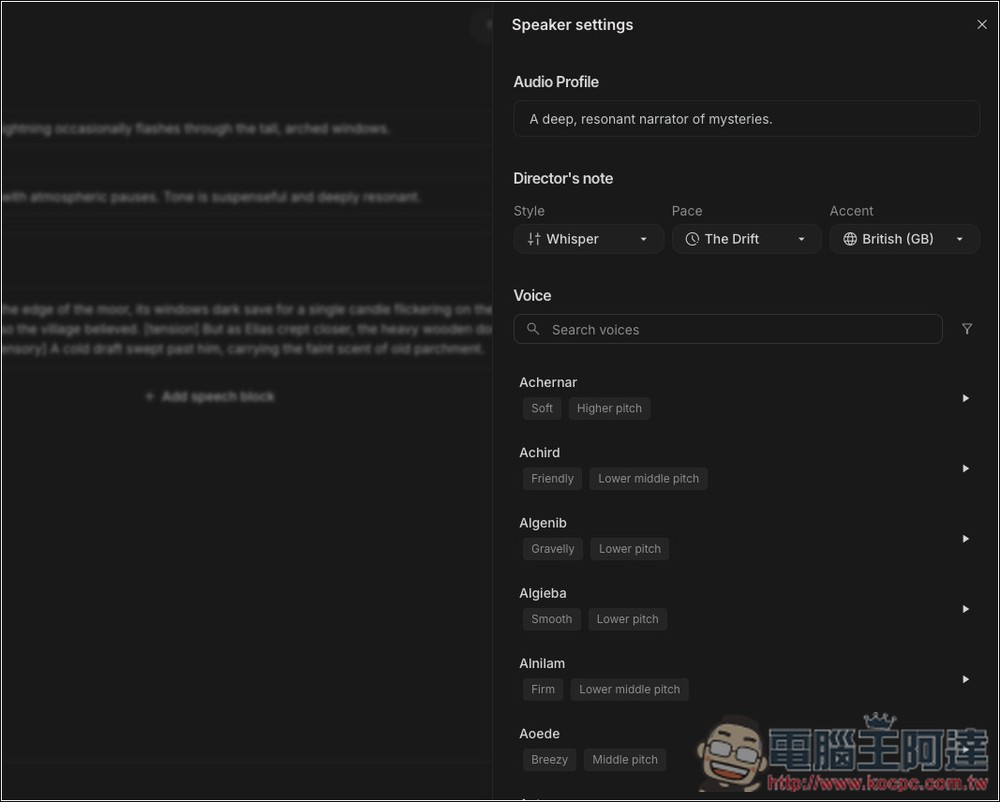
There are plenty of voice options, each with a description of its features, and you can preview every one of them.
Accent: Set accent
All generated audio can be downloaded:
Source: KOCPC Chinese