


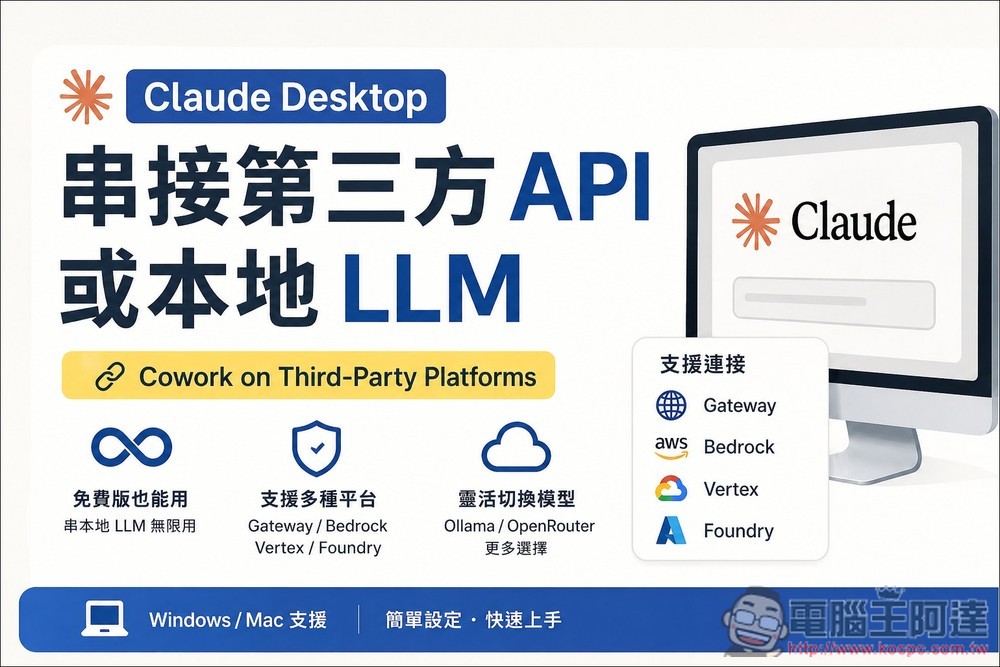
Claude The desktop app recently quietly added a new feature called “Cowork on Third-Party Platforms.” Through this feature, you can switch to using third-party APIs or local LLM models. For those who frequently hit usage limits and want to use other models for certain tasks, this is a great alternative. Additionally, this feature is also available in the free version, meaning free Claude users can connect to local LLMYou can then enjoy unlimited use of Claude Cowork. Here’s how to set it up, with support for both Windows and Mac versions.
Additionally, it’s worth noting that compared to directly using Claude’s models, since there is an extra API call step involved, speeds will be slower whether using a third-party API or a local LLM.
How to enable the Cowork on Third-Party Platforms feature
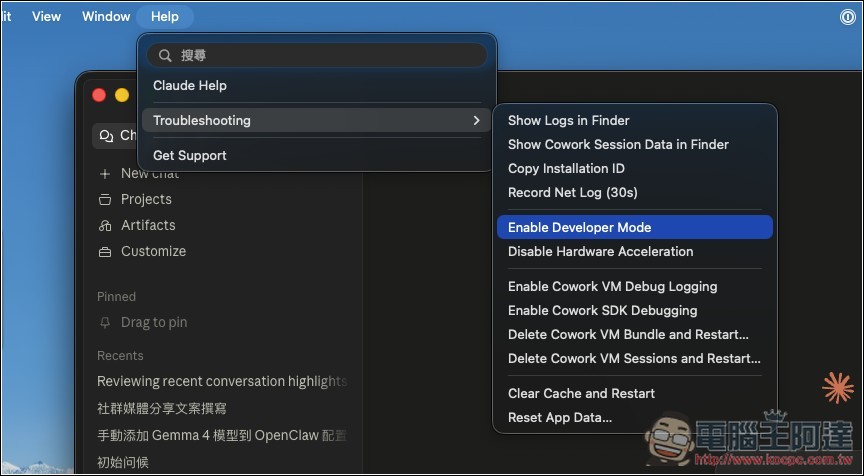
The Cowork on Third-Party Platforms feature in Claude Desktop is hidden by default and only appears when developer mode is enabled.
- Open Claude Desktop
- Click Help → Troubleshooting in the top menu
- Click Enable Developer Mode
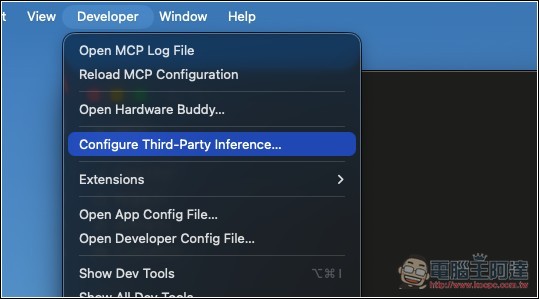
After enabling, a Developer menu will appear in the top menu bar. Click Developer → Configure third-party inference to open the settings window:
The Settings interface provides four Connection providers:
- Gateway: An Anthropic-compatible LLM Gateway (used by Ollama, OpenRouter, and LiteLLM)
- Bedrock:Amazon Web Services
- Vertex:Google Cloud
- Foundry:Azure AI
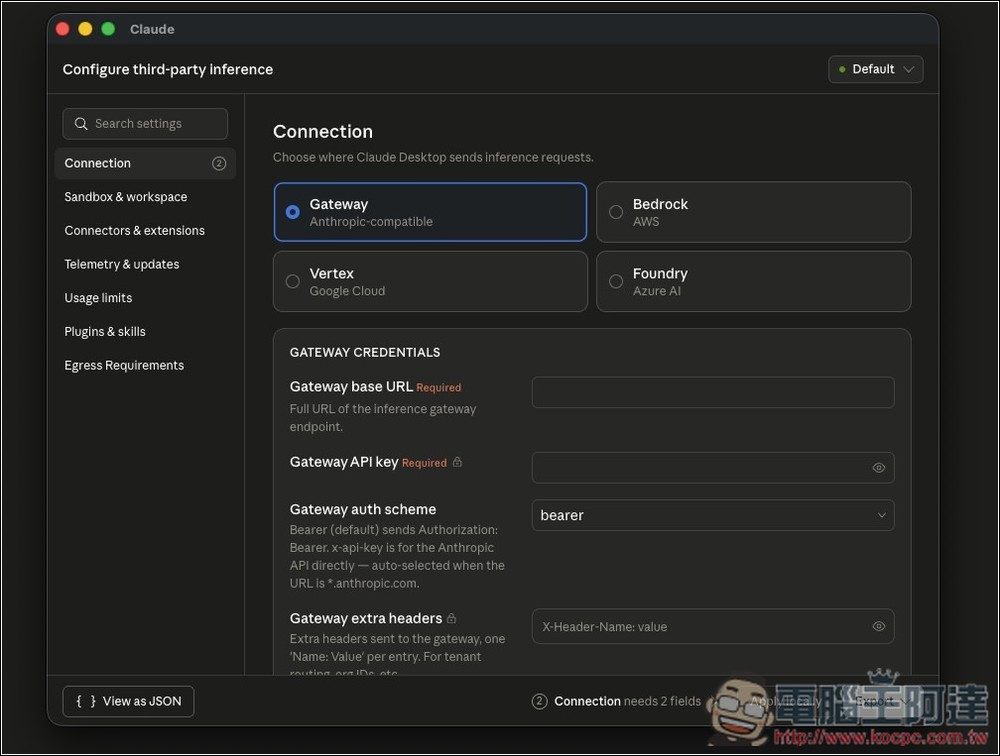
Generally, you would select Gateway, and the two fields above are required:
- Gateway base URL (required): The complete URL of the inference endpoint, must start with https://
- Gateway API key (required): API key; if your Gateway doesn’t require authentication, you can enter any string
- Gateway auth scheme: authentication method, just use bearer as the default
- Gateway extra headers: extra HTTP headers, usually not needed
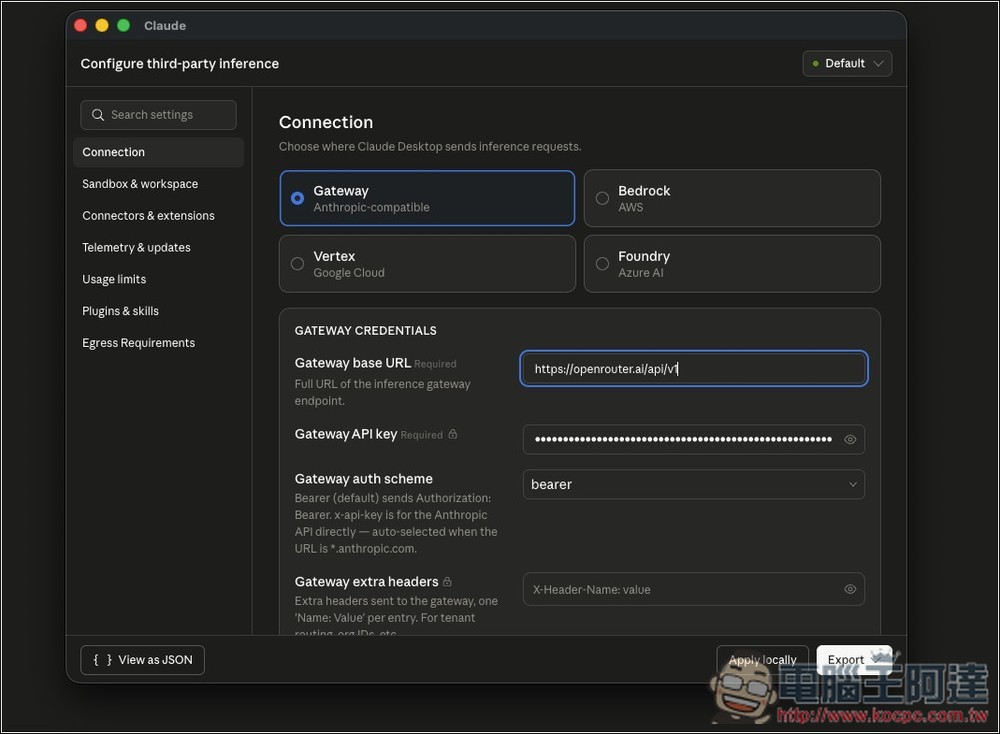
One thing to note here is that Claude currently doesn’t provide a model settings field. If your Gateway implements the GET /v1/models endpoint, Claude will automatically detect available models. If it doesn’t, or if the response format is unreadable, you’ll need to modify the configuration file from the terminal to manually specify the model, which is more difficult. If you encounter any issues, it’s recommended to use AI for assistance — just share the following two official documentation links with the AI, and it will know how to configure it:
- Install and configure Claude Cowork with third-party platforms
- Using Cowork on 3P with an LLM Gateway
Below are the configuration file locations for Mac and Windows:
- macOS:~/Library/Application Support/Claude-3p/claude_desktop_config.json
- Windows:%APPDATA%\Claude-3p\claude_desktop_config.json
The model list will be placed within the enterpriseConfig and configLibrary blocks. Below, I’ll demonstrate how to make the changes for OpenRouter.
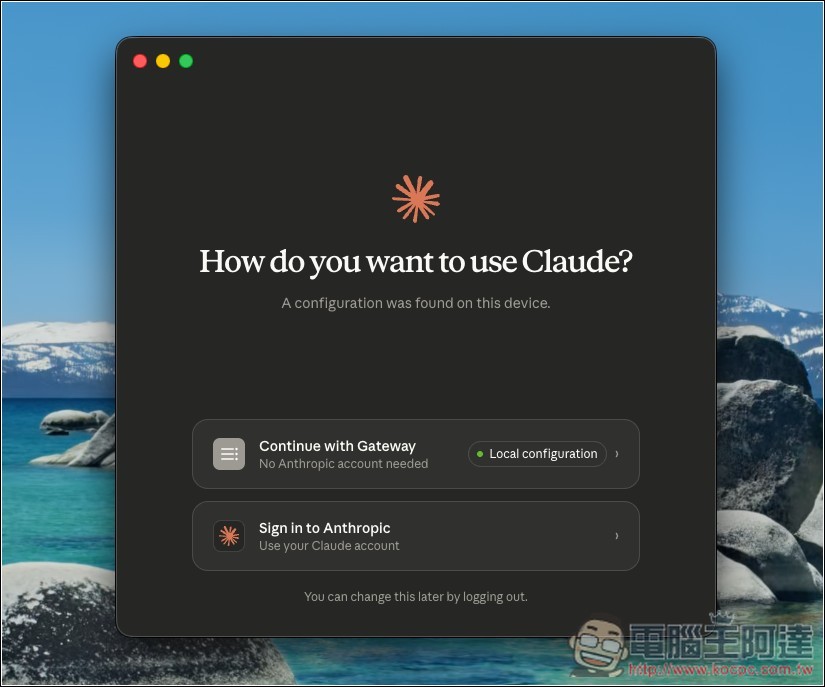
After setting up, press Apply locally and it will automatically restart Claude Desktop. When it launches, a selection screen will appear. “Continue with Gateway” means switching to a third-party provider:
How to Integrate Local LLM: Using Ollama as an Example
Ollama is probably a local LLM service that many people use. Before you start, you need to know that as mentioned earlier, the Claude desktop app’s Gateway base URL must use HTTPS. However, Ollama only exposes HTTP by default (http://localhost:11434), so you need to add an HTTPS reverse proxy in front of Ollama.
I personally use Caddy, which automatically handles certificates—it’s the most hassle-free. Enter the following command in the terminal:
# 安裝 Caddy
brew install caddy
# 啟動反向代理(會要求輸入系統密碼來安裝自簽憑證)
caddy reverse-proxy --from localhost:8443 --to localhost:11434
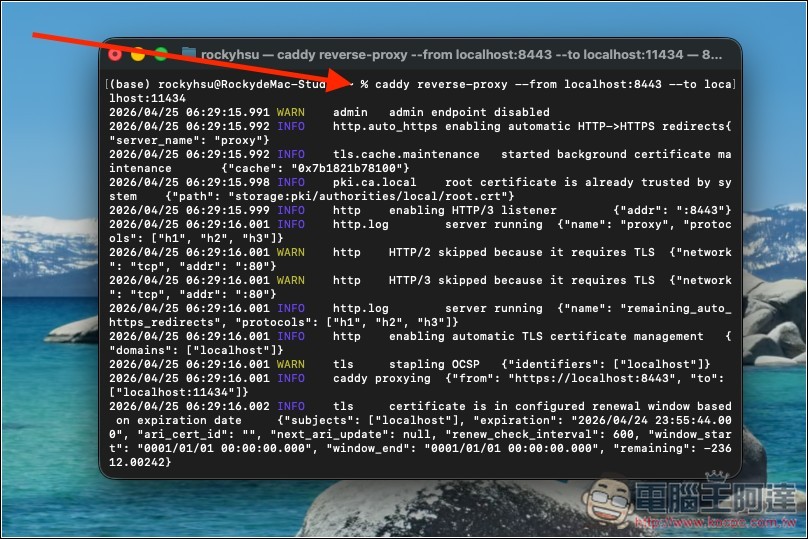
After startup, Ollama’s HTTPS endpoint will become https://localhost:8443
Ollama already implements an Anthropic-compatible /v1/messages endpoint, so most models can be used directly.
Next, open the Configure third-party inference settings in the Claude desktop app, select Gateway, and then fill in:
- Gateway base URL:https://localhost:8443
- Gateway API key: ollama (fill in anything, Ollama doesn’t verify it)
- Gateway auth scheme:bearer
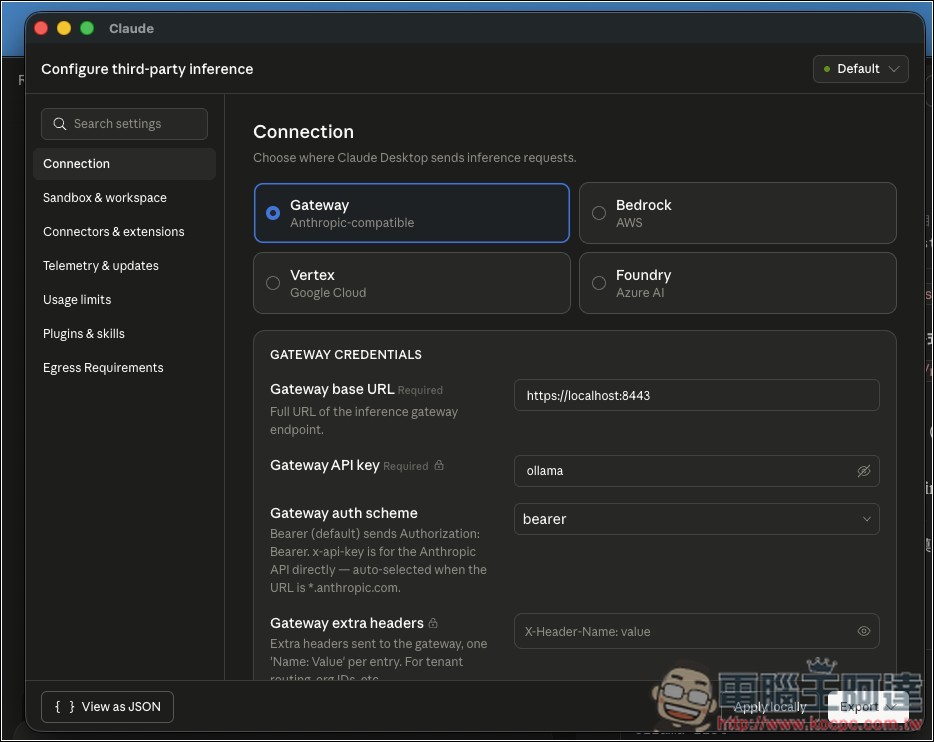
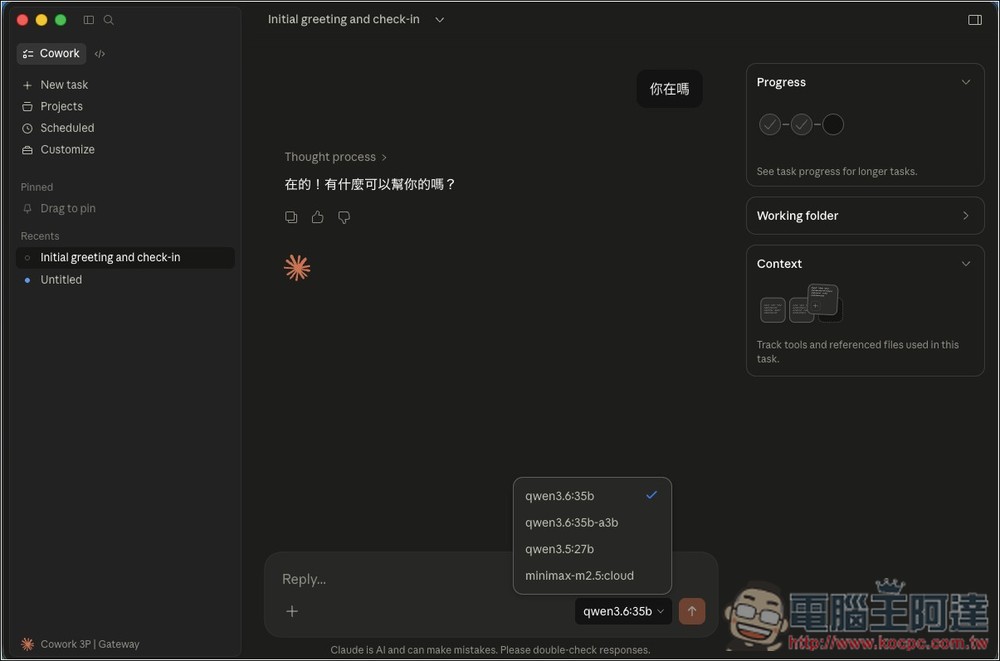
Fill it out and click Apply locally to restart. You’ll see the configured Ollama models in the model list. If the local model is running slowly, I recommend switching to Ollama’s cloud models, which are much faster and offer a generous weekly free tier:
How to integrate third-party APIs: Using OpenRouter as an example
The OpenRouter endpoint is already HTTPS (https://openrouter.ai/api), so you don’t need to set up a reverse proxy — that’s quite convenient. However, OpenRouter offers many models, both paid and free, so without specifying a model, it can be difficult to find one each time you want to use it.
Free models also have rate limits, and they’re likely to respond slower or get throttled during peak hours. In my testing, they’re much slower than Ollama’s cloud free models.
First, register an account on OpenRouter, then go to the Keys page to create an API key (format: sk-or-v1-…). Free models don’t require a credit card or deposit, while paid models require a deposit first.
Next, go to Developer → Configure third-party inference in the Claude desktop app, select Gateway, and then fill in the following information:
- Gateway base URL:https://openrouter.ai/api
- Gateway API key: your OpenRouter API key (sk-or-v1-…)
- Gateway auth scheme:bearer
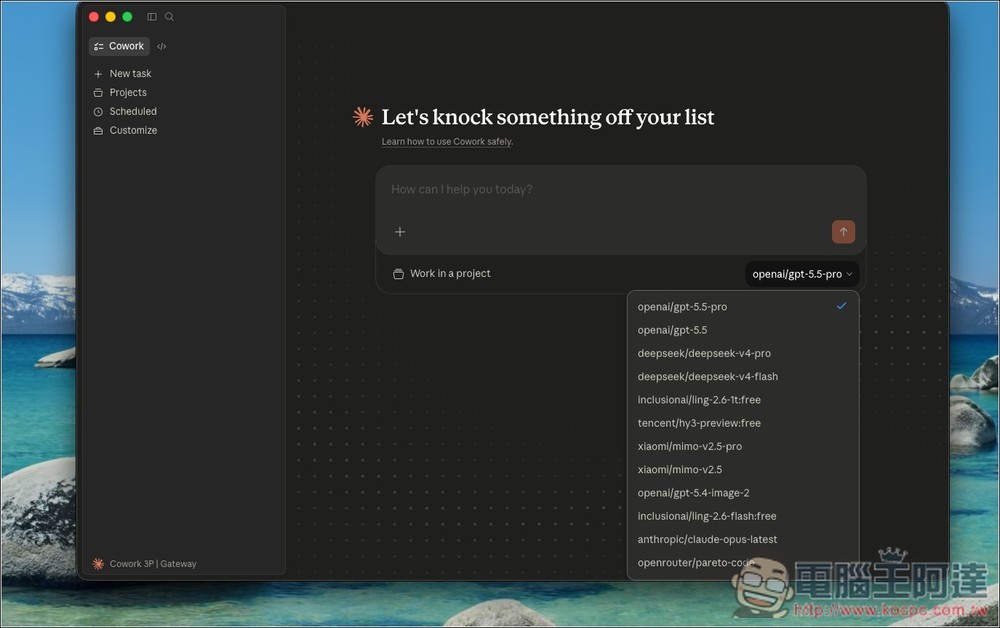
After filling this out, click “Apply locally”. After restarting, you’ll see a whole bunch of options in the model menu:
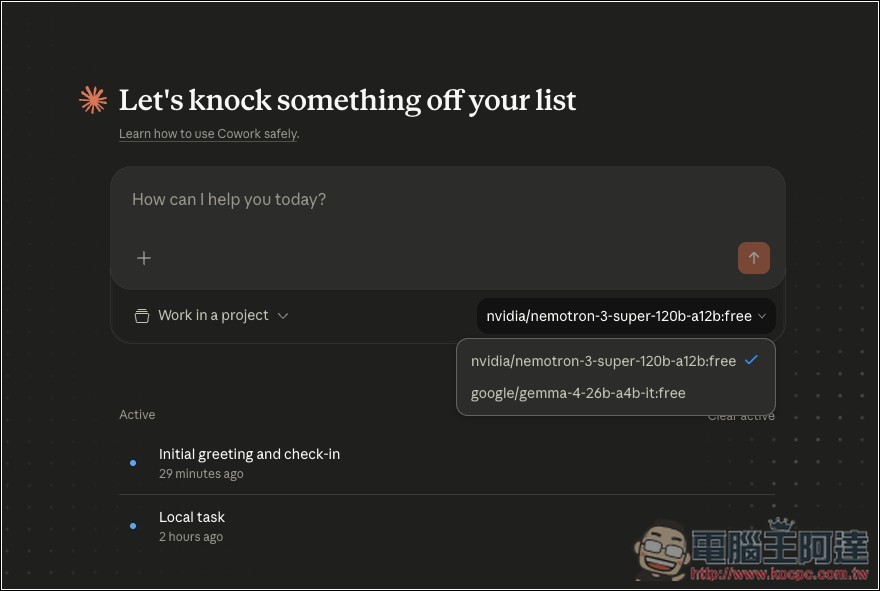
If you want to specify a model, you need to modify two configuration files. Use the following two commands in the terminal. Here I’ve set up two free models: NVIDIA’s nemotron-3-super-120b-a12b:free and Google’s gemma-4-26b-a4b-it:free.
Update enterpriseConfig:
python3 -c "import json,os;p=os.path.expanduser('~/Library/Application Support/Claude-3p/claude_desktop_config.json');c=json.load(open(p));c.setdefault('enterpriseConfig',{})['inferenceModels']='[\"nvidia/nemotron-3-super-120b-a12b:free\",\"google/gemma-4-26b-a4b-it:free\"]';json.dump(c,open(p,'w'),indent=2);print('enterpriseConfig 設定完成!')"
Update configLibrary:
python3 -c "import json,glob,os;[(lambda d:(d.__setitem__('inferenceModels',['nvidia/nemotron-3-super-120b-a12b:free','google/gemma-4-26b-a4b-it:free']),json.dump(d,open(f,'w'),indent=2),print(f'configLibrary 設定完成:{f}')))(json.load(open(f))) for f in glob.glob(os.path.expanduser('~/Library/Application Support/Claude-3p/configLibrary/*.json')) if '_meta.json' not in f]"
If you restart Claude again, it will only show two models:
Source: KOCPC Chinese