


When a cell phone is stolen, it’s never just the device itself that’s lost. For most people, the smartphone has become central to daily life; it stores your personal information, financial accounts, private conversations, work data, and the history of your daily activities. Once it falls into the hands of criminals, the risk extends far beyond the loss of the device itself—it can lead to financial fraud, account theft, and even personal data breaches.
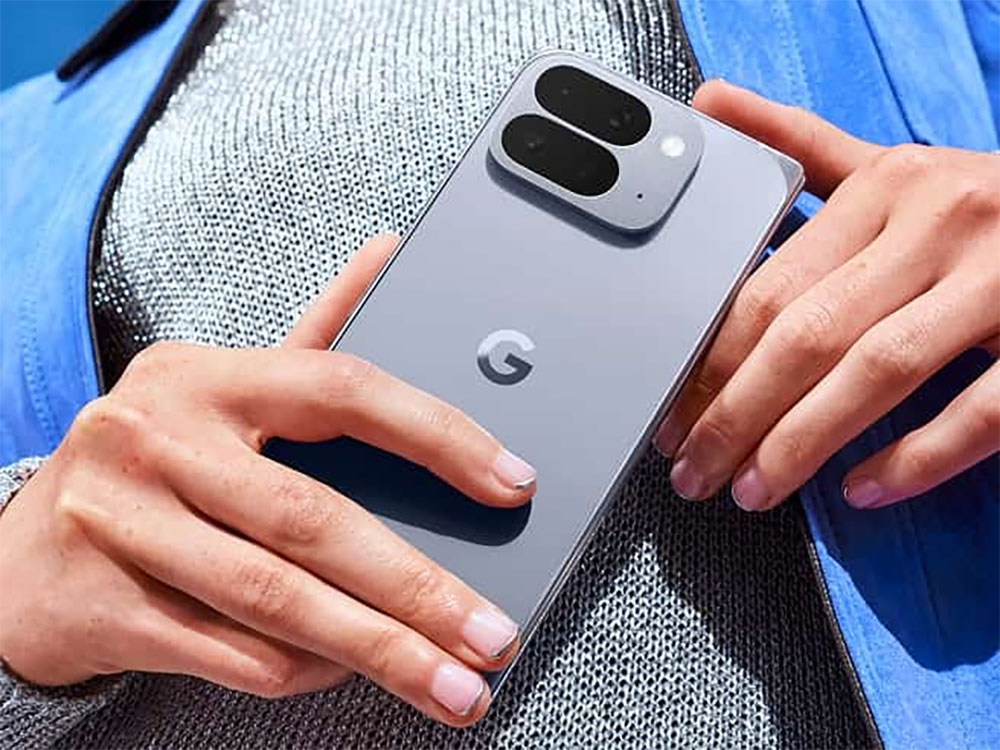
Android 16 introduces new anti-theft features that make it harder to hack the phone and easier to lock it
Therefore, building a more comprehensive and proactive protection system remains a key focus of Google’s ongoing efforts. The company aims to provide adequate security at every stage—before, during, and after a phone is stolen—so that you can remain in control even in the worst-case scenario. Based on this philosophy,Google Officially LaunchesA new round of anti-theft feature updates—built on top of our existing security framework—further strengthens protection, making it harder for your Android device to become a target for crime and giving you greater peace of mind during everyday use.
This update expands the scope of security protection and supports devices running Android 16 and later, allowing more users to benefit from the latest security features.
- More Detailed Handling of Validation Failures
In Android 15, Google introduced the “Authentication Lockout” feature, which automatically locks the screen and prevents further attempts when someone enters an incorrect password, pattern, or biometric data multiple times. Now, a dedicated toggle has been added to Settings, allowing you to decide for yourself whether to enable this protection. This adjustment enables users to tailor their security level to their individual needs, preventing unnecessary accidental activations while also enhancing protection in high-risk situations. - Identity Verification Expanded to More Use Cases
In early 2025, Google enabled the “Authentication” feature on Android 15+ devices, requiring users to verify their identity via biometrics when performing sensitive actions in untrusted locations. Later this year, this protection will be extended to all features and apps that use Android biometric prompts. This means that not only system-level operations but also key tools that rely on biometric authentication—such as third-party banking apps and Google Password Manager—will automatically receive additional security safeguards. Even if your phone is stolen, it will be much harder for a thief to use your biometric credentials to access sensitive information. - A more robust screen lock anti-guessing mechanism
To reduce the risk of passwords being cracked through brute-force attacks, Google has extended the lockout period following failed login attempts, making it harder for thieves to bypass the screen lock by repeatedly guessing passwords. At the same time, Google has also taken everyday usage scenarios into account, such asThe child was pressing buttons randomlyOr if a friend is just curious and tries it out, “guesses that are completely impossible” will no longer count toward the error limit, preventing users from being accidentally locked out of their devices.
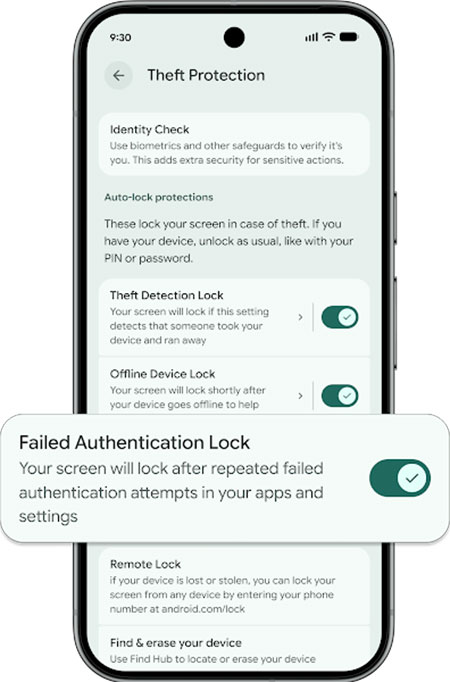
In addition to prevention, Google has also enhanced its recovery capabilities, allowing you to take swift action even if your phone is lost or stolen. These updates are available on devices running Android 10 or later, enabling more users to benefit from them. Remote Lock (android.com/lock) has always been an essential tool for recovering your device, allowing you to quickly lock your phone from any browser and prevent others from accessing your data. In the latest update, Google has added an optional security question or challenge step to ensure that only the device’s actual owner can initiate remote locking. This not only enhances the overall security of the process but also helps ensure that your access privileges aren’t misused in emergency situations.
Through this series of updates, Google aims to create a safer, more trustworthy Android ecosystem. The risk of having your phone stolen is always present, but your data shouldn’t be put at risk because of it. From prevention and protection to recovery, we provide comprehensive security so you can stay in control and use your device with peace of mind, no matter what happens.
Source: KOCPC Chinese