


OpenAI is expanding Codex beyond a coding tool for engineers to a broader work platform. The company has announced that Codex now includes a Sites feature, which allows users to convert their work content, ideas, analysis, or project plans into interactive websites, web apps, dashboards, or kanban boards, and share them with their teams via URLs. This feature will initially be available for ChatGPT Business and Enterprise plans before being rolled out more broadly.
OpenAI Launches Codex “Sites” Feature
The focus of this update goes beyond simply “AI builds your website.” OpenAI simultaneously rolled out Codex’s role-specific plugins, Sites, and annotation editing capabilities in the same update, signaling that Codex is evolving from a coding assistant into a work agent platform that can assist with data analysis, marketing, sales, product design, investment research, and internal tool development.
Building apps has never been easier.
With Sites, Codex can turn your work, ideas, and plans into an interactive website or app your team can explore, use, and share with a URL.
Rolling out to Business and Enterprise plans, before expanding more broadly. pic.twitter.com/fF17Y2EzCP
— OpenAI (@OpenAI) June 2, 2026
What is Codex Sites? Create, store, deploy, and inspect websites
According to OpenAI Developer DocumentationSites is a plugin feature for Codex that enables it to create, store, deploy, and inspect websites, web apps, and games hosted by OpenAI. Users can start from a prompt, or ask Codex to organize compatible existing projects into deployable versions without having to set up deployment pipelines themselves.
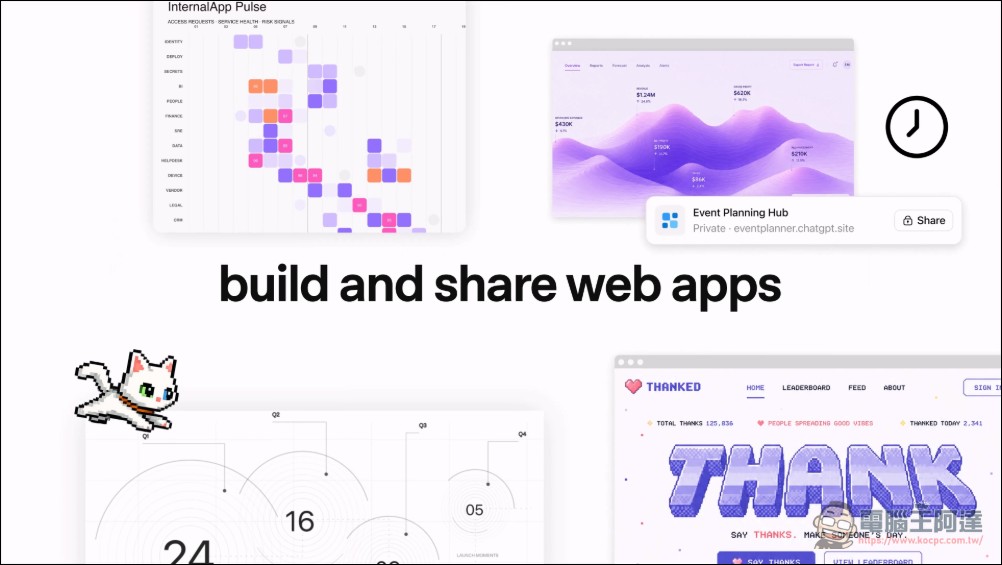
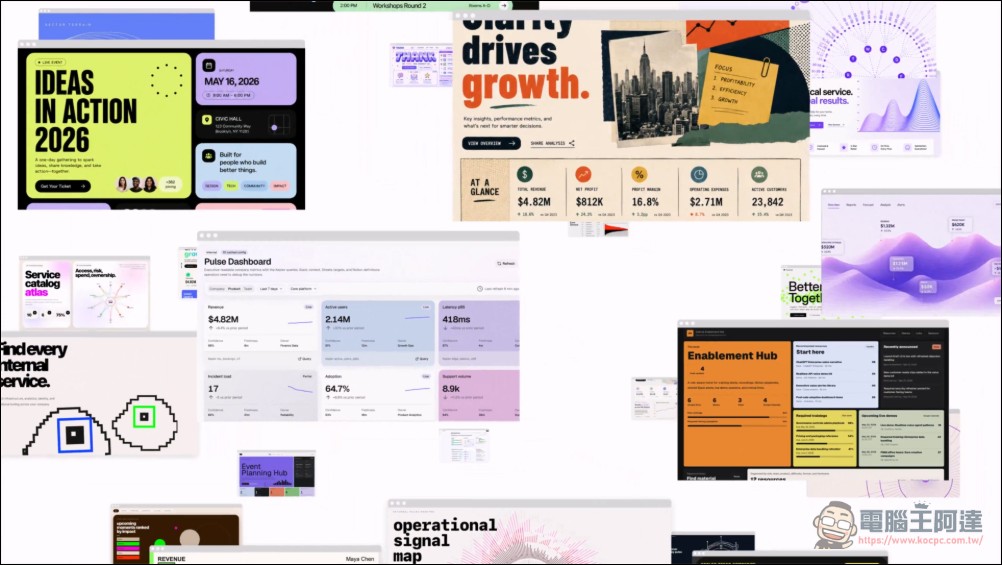
This means Sites is closer to a real work delivery tool than typical “AI-generated static webpages.” For example, users can ask Codex to build a project requirements dashboard where team members can submit requests, view assignees, update status, and filter lists. They can also ask Codex to transform a financial model into a scenario planning tool, allowing executives to compare different assumptions directly instead of switching tabs in a spreadsheet. The official OpenAI article also mentions that Sites can be used for dashboards, planners, review workspaces, project boards, galleries, and lightweight tools.
In an official X post, OpenAI described how Sites allows Codex to transform work, ideas, and plans into an interactive website or app, enabling teams to explore, use, and share through a URL. This is also the most accessible part of this update—previously, Codex’s outputs mostly remained at the code level, patches, or pull requests, but now it can directly produce an interface that non-engineering team members can open and use.
Not everyone can use it right away — Business is enabled first, while Enterprise requires an administrator to activate.
Sites is currently still in preview. OpenAI documentationState clearlyCurrently available to ChatGPT Business and Enterprise workspaces, with more plans to follow. ChatGPT Business workspaces have Sites enabled by default, while ChatGPT Enterprise requires administrators to enable it through RBAC permission controls before members can use it.
This limitation is not surprising. Sites doesn’t output simple drafts—it produces websites or apps ready for deployment. OpenAI’s documentation also notes that every Sites deployment URL is a production deployment; if users just want to review build results first, they should ask Codex to save a version rather than deploy directly. In other words, enterprise users of Sites can’t treat it as a toy. Whenever internal data, team collaboration, file uploads, permission control, or workspace login are involved, administrators need to decide who can deploy, who can access, what data can be retained, and which keys cannot be hardcoded into the source.
Sites supports data preservation, file upload, and workspace permissions
Sites aren’t limited to one-time display pages. The OpenAI documentation lists multiple supported forms. If your website needs to save records, user progress, or game scores, you can request to use relational databases like D1. If you need images, documents, audio, video, or other uploaded files, you can use R2 object storage. For internal websites, you can also request to use the current workspace user identity.

For access control, Sites can be set so only owners and workspace admins can view them, or opened to the entire workspace, or restricted to specific users and groups. OpenAI recommends that new sites be limited to owners and admins until review is complete, then expand access after confirming content, data handling practices, and intended audience.
This is one of the biggest differences between Sites and general no-code website builders. Sites isn’t just about generating a pretty page—its focus is on enabling Codex to establish a sustainable modification workflow across workspaces, data, access permissions, versioning, and deployment. OpenAI documentation also divides Sites publishing into two stages: first saving a reviewable version, then deploying the official version.
Codex is spreading into non-developer demographics
The numbers OpenAI revealed this time also indicate that Codex’s positioning is shifting. According to the company, over 5 million people now use Codex every week. Originally launched as a software development tool, non-developers—including analysts, marketing, operations, designers, researchers, investors, and banking users—now account for about 20% of all Codex users, growing more than three times faster than developers.
OpenAI also mentioned that internal non-technical teams have already used Codex to build internal apps, prepare executive presentations, create dashboards, or convert creative briefs into outputs that meet brand and design constraints. The Zapier team uses Codex to extract knowledge from tools like Slack, Google Docs, and Coda, then convert it into retrospectives, incident response plans, and feature tickets; NVIDIA researchers have also used Codex to accelerate experimental workflows.
These cases point to a very practical reality: a lot of work in enterprises isn’t a “formal software project,” but it also can’t be solved with documents alone. Things like client meeting pages, event progress boards, product launch hubs, asset review areas, and internal data dashboards—these needs are usually too small to make it into engineering team roadmaps, but organizing them manually is incredibly time-consuming. That’s exactly the gray area Sites targets.
Role-specific plugins roll out together as Codex starts to look more like a workflow platform
Besides Plugins, OpenAI also launched role-specific extensions simultaneously. The company says these plugins bundle together related apps, skills, instructions, and workflows, with the initial rollout including 62 popular apps and 110 skills. These cover use cases including data analysis, creative production, sales, investment banking, product design, and public stock investing.
OpenAI’s Codex Plugins documentation also explains that plugins can package skills, App integrations, and MCP servers into reusable Codex workflows. For example, the Gmail plugin allows Codex to read and manage Gmail, the Google Drive plugin can operate Drive, Docs, Sheets, and Slides, and the Sites plugin can create and deploy hosted websites, Web Apps, and games.
OpenAI also placed some role-specific plugin templates at GitHub above, covering areas like Sales, Data Analytics, Product Design, and Financial Markets. This repo explains that these templates bundle domain skills, connector bindings, and starter assets together, allowing teams to customize Codex to fit their own daily workflows.
Annotations enable precise editing without reworking the entire document
Another key update is annotations. OpenAI says developers have already been using annotations to modify code, Markdown, and websites built with Codex, and this approach now extends to documents, spreadsheets, and presentations. Users can point to a website navigation bar and ask Codex to update the font; highlight a claim in an investment thesis and ask Codex to cite the source; or annotate a chart on a slide and ask it to improve the labels.
This is important for actual workflows. The first draft from AI is usually not difficult; the challenge is the subsequent revisions. If you have to regenerate the entire document each time, it’s easy to break parts that were already correct. The value of Annotations is that they let users directly point out the areas that need adjustment, and Codex handles those specific ranges rather than rebuilding the entire project from scratch.
In closing: Codex Sites transforms tool-making into a new work output format
Based on this update, OpenAI’s positioning for Codex goes beyond just being a coding agent—it aims to make it an agent platform that can turn workflows into tools. Sites lets users directly convert ideas, analyses, project plans, and internal workflows into interactive, shareable, and continuously editable websites or apps; role plugins make it easier for Codex to connect to data sources and common tools for different roles; and annotations round out the subsequent modification and review workflows.
In the short term, Sites is best suited not for replacing large-scale formal product development, but for quickly building internal tools, project pages, event dashboards, customer review pages, data summary dashboards, and lightweight work apps. What it truly lowers isn’t the barrier to “writing web pages,” but the barrier to turning ad-hoc work needs into software. For enterprises, what to watch next is whether Sites’ permissions, data retention, deployment governance, and plugin ecosystem are mature enough. For general users, they’ll need to wait for OpenAI to gradually roll out this feature from Business and Enterprise plans to more plans.
Source: KOCPC Chinese